You can please implement “freeride” ie swicth to SIM or SLOPE mode (with a default percentage not set to 0 !)
1 Like
Ask you you shall receive. Go to Settings > Trainer > Simulation Mode (Freeride)
Uses the same 2.5% slope as do our track races. I tested on Kicker V6 for structured workouts and track workouts and it worked well, but let me know if there are any issues.
@Ben_Snyder thanks for sharing. I’m giving it a whirl and have share with our Club… Awesome work 
1 Like
Thanks Rick! Feedback and feature requests are welcome.
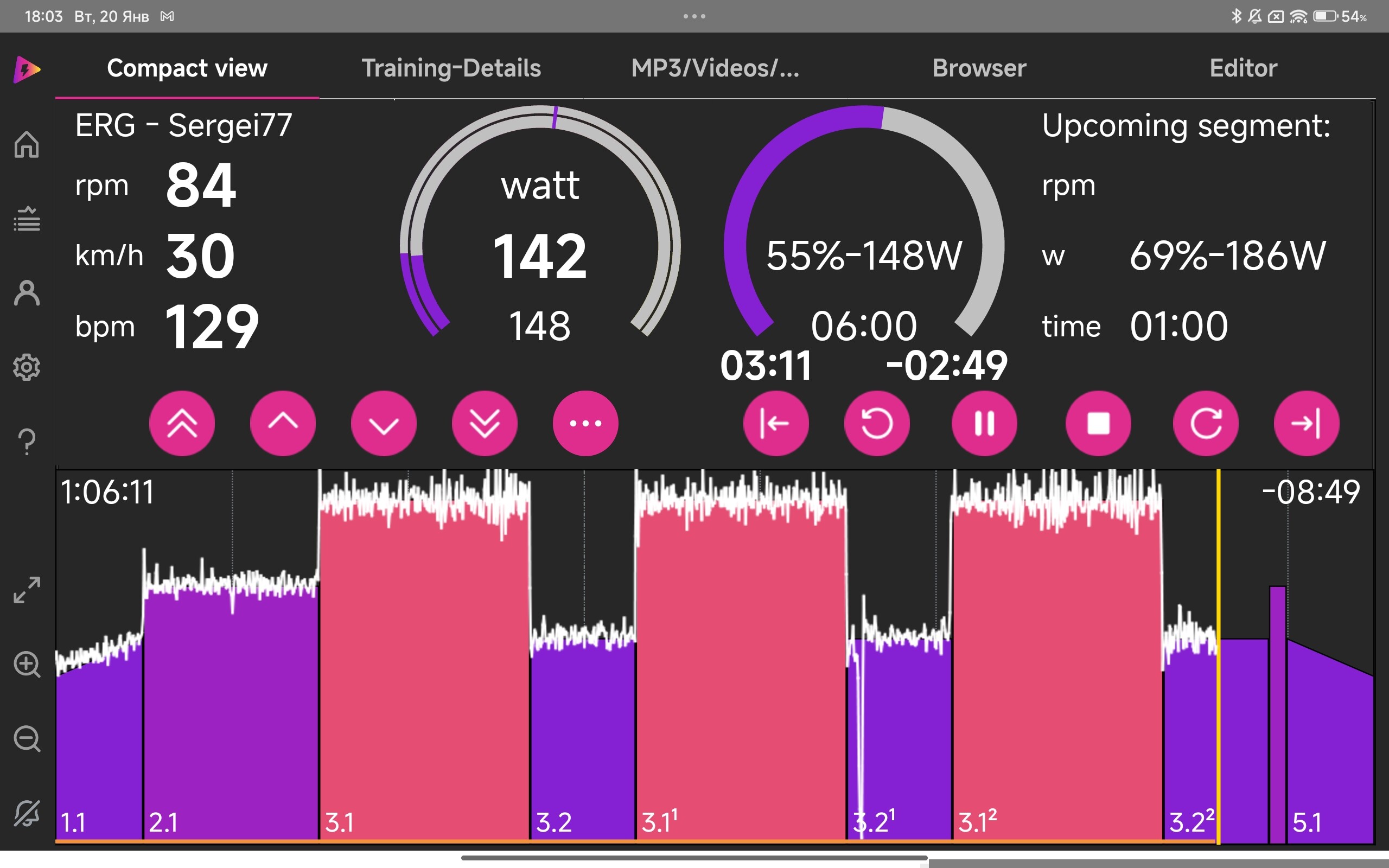
Today I completed a workout on a 12" tablet (in a full-window Chrome browser). As I said before, everything is too small for me. Otherwise, it does exactly what it’s supposed to! Below is a comparison with the icTrainer compact view. Thank you!
P.S.
I didn’t see where to turn on the cadence display.

3 Likes
Super helpful! Thank you. Power Match and a better mobile-friendly UI is up next and I will update this thread when it’s live. I appreciate the feedback
1 Like
Btw, cadence is in the UI but probably too small to see (it’s right to the right of hte active power - “158 W 85 RPM” in your screenshot. You can configure this in Settings > Preferences if you don’t want it to show up. I will make that data point more obvious in the mobile friendly UI updates.
And really, it’s so small that I didn’t even notice it. 
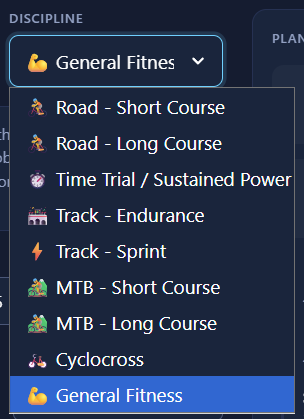
When creating training plans, you should specify the type of Gravel.
It should likely be in the same place as the long MTB course, perhaps a MTB/Gravel - Long Course.
In the description of the disciplines (The Nine Disciplines) you don’t have gravel, but as I wrote above, it is clearly suitable for an MTB marathon.
Such a popular discipline can’t be ignored right now. 
1 Like
Consider it done. It’ll be in the next update!
Update is out today:
- Power Match. Just connect a power meter and power match will auto correct differences between trainer power and the power meter. There is a deadband clamp that prevents over corrections within 8w and a sensitivity slider in Settings > Settings > Power Meter.
- Add short and long gravel diciplines to Workout Plan generation
- Redesigned standard workout player to be touch/mobile friendly with larger and improved displays.
- Increased button sizes and font sizes in parts of the app
- Added double click on power block to type in watts or duration in Builder.
NOTE: I only have so much ability to test power meters (my “lab” is tiny). I will have to rely on user testing during the beta version of the app to assess if Power Match is working as expected and if your power meter can connect. Please report any issues.
5 Likes
Interesting: I created two training plans (several times for testing), with the same parameters and the same event date: a long MTB and a long gravel. In the MTB case, I had threshold/VO2 workouts, but in the gravel case, none, only Sweet Spot. I think many would wonder why? I must have gotten too carried away, so forgive me, it’s still free. Thanks!
Here’s how Ride Cave plan generator works and my take (this comes down to subjective approach to training in my opinion and I’d be happy to be convinced differently on how to structure the training - it’s hard to make a one-size-fits-all generator):
The training plan generator has discipline-specific workout distributions. Each discipline has different physiological priorities:
MTB (Short Course) - Build phase emphasis:
- Sweet Spot: 20%
- Threshold: 30%
- VO2max: 35%
- Anaerobic: 15%
Gravel (Long Course) - Build phase emphasis:
- Endurance: 35%
- Tempo: 25%
- Sweet Spot: 30%
- Threshold: 10%
- VO2max: 0%
This is intentional based on sport-specific demands:
- MTB racing (especially XC/short-track) requires repeated high-power efforts, punchy climbs, and anaerobic surges. VO2max and threshold work are essential.
- Gravel racing prioritizes “fatigue resistance over peak power” and “threshold durability.” Long gravel events (4+ hours) reward athletes who can sustain sub-threshold efforts, not those with the highest VO2max.
But let me know if you’d care to see changes. As you can tell I’m very impressionable and happy to add new features to make the tool work for you!
You probably didn’t notice. But I was comparing two LONG.
It’s clear that the XC/short-track bikes are VO2. I wasn’t even going to argue, but I still understand a little. I think I’ll finish here. Thank you.
1 Like
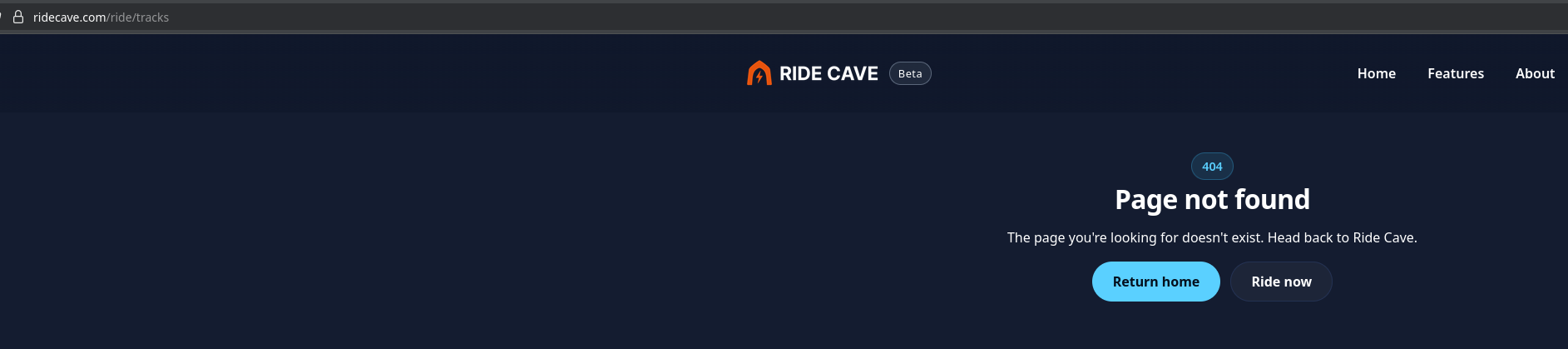
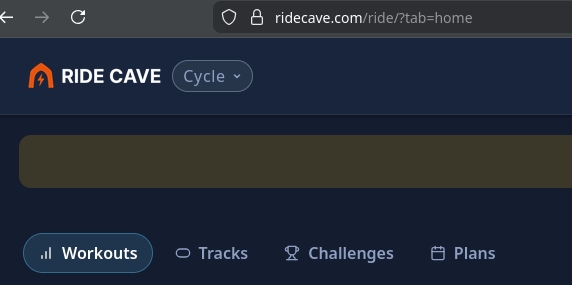
Little UI fix for when on the “Rides” screen click on the RIDE CAVE logo doesn’t hot link back to the main entry page.
1 Like
@crankgreenwatts will add the hot link, thank you!
Do you know what you clicked to go to that 404 link? The actual link is this: Ride Cave – Free Web-Based Virtual Track Racing & Free Rides but there must be a faulty link somewhere
First of all, thank you for making and sharing this! It’s very close to my ideal indoor training app: slick and snappy UI, no bells and whistles, focus on structured training vs gamification. Very promising.
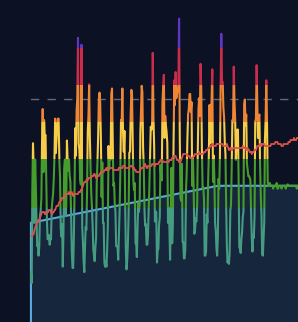
I’ve tried using the Power Match today with my Quarq PM and had issues with “syncing” the trainer and the PM output. The numbers were constantly swaying in opposite directions so the trainer resistance would not keep up. Had to disconnect the PM and continue with the trainer power in order to finish the workout.
I realize the feature is in beta, but wanted to flag this behavior. Happy to provide any more details, if that would be useful.
1 Like
Very useful indeed! Thank you. The power match behavior needs some work and additional testing with more power meters (I have some beta users working on testing it this weekend and I have a new power meter on the way). I risked putting it out there in order to get the very feedback you are providing.
2 Likes