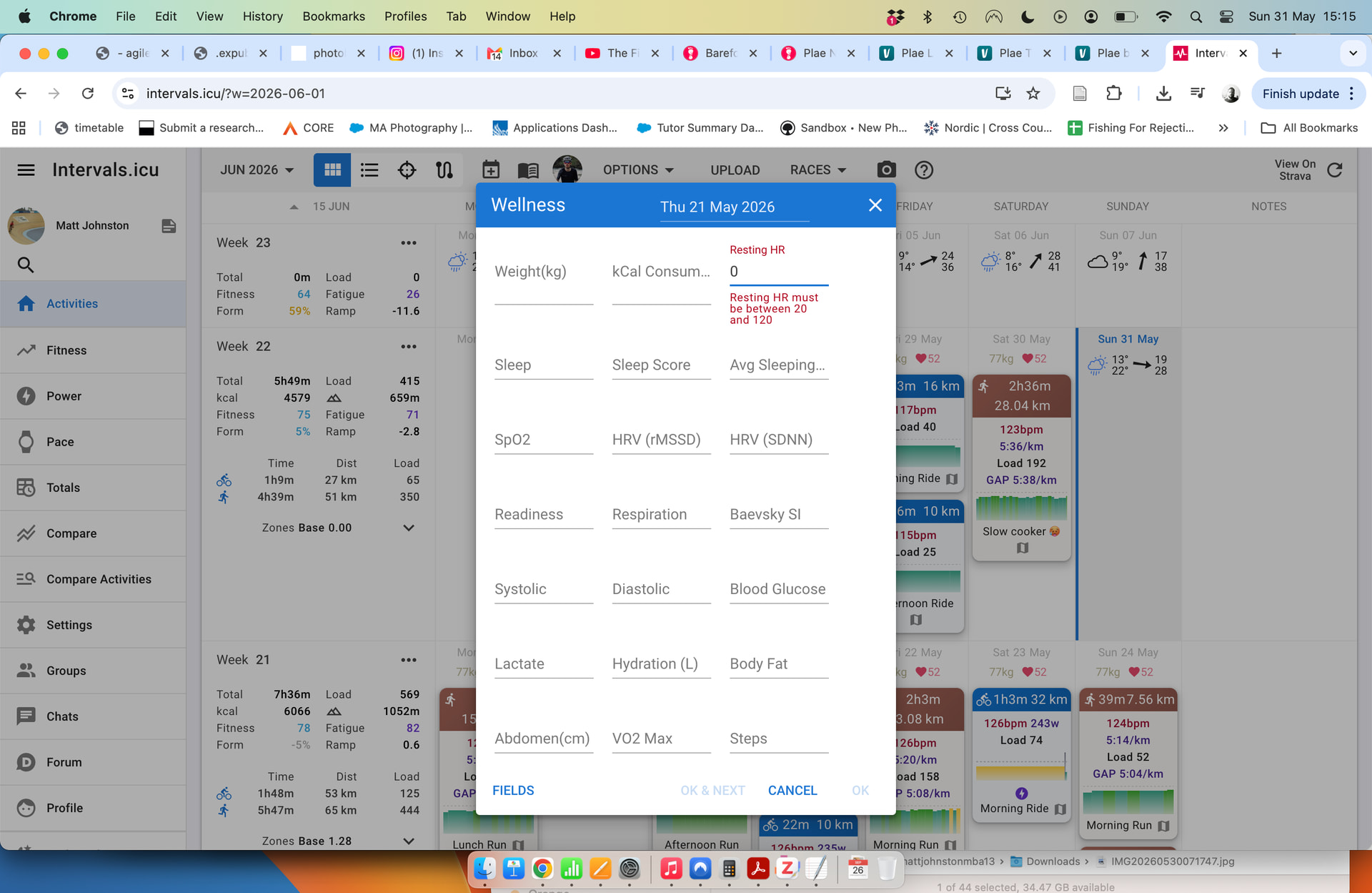
Have had a look and seems that there isn’t a clear solution:
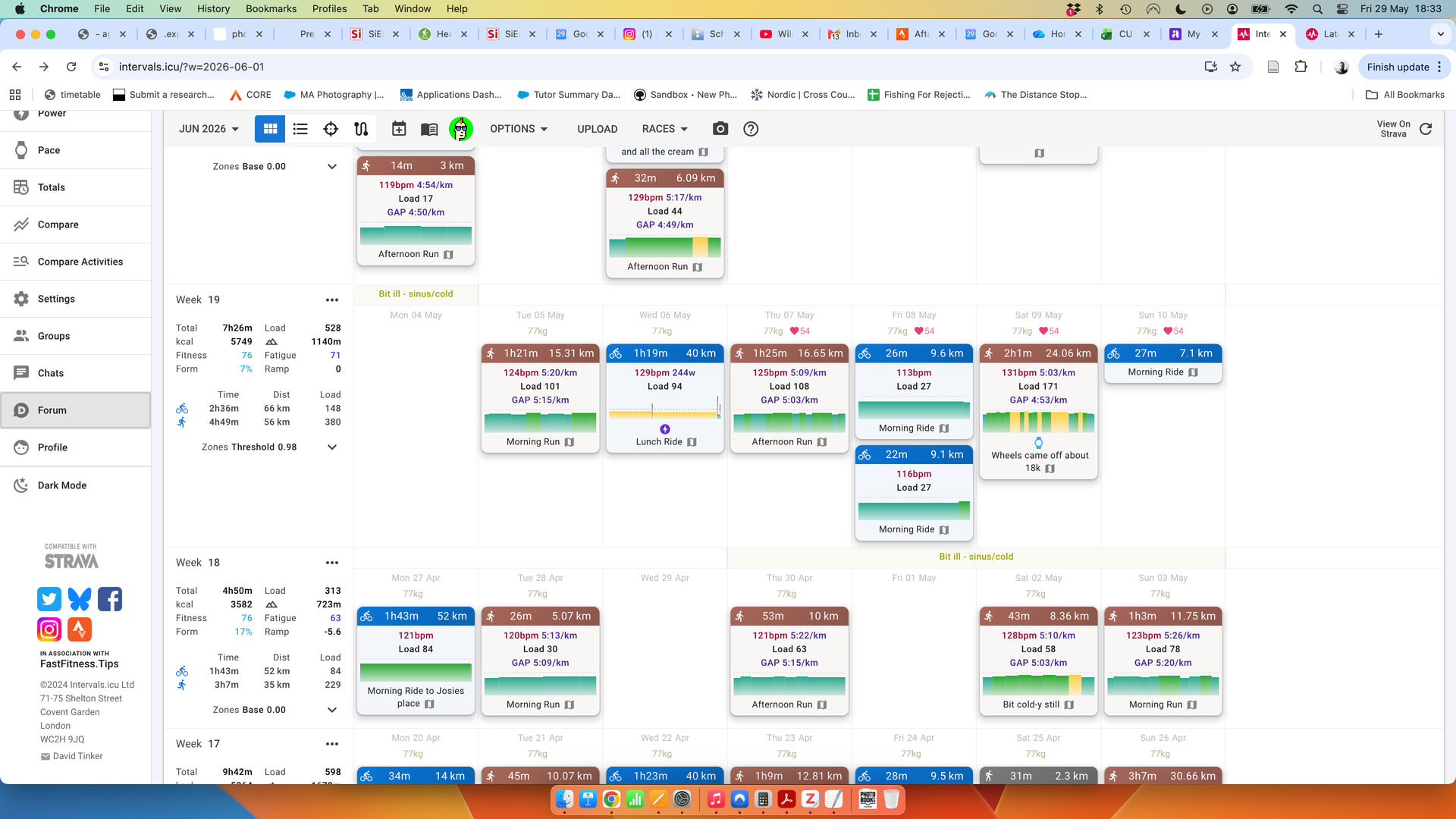
A wee while ago (7 May) I added my resting heart rate on a day, thinking I could do it every so often as a wellness check-in but it populates the same HR for every training day unless I give another figure. I cannot delete the original HR.
I partly want to remove it as it makes the activity page a little busy visually but beyond this I wonder if it is being factored into any HR load scores (for running or cycling without a power meter).
Many thanks, though this has not worked for me – I can download, edit and re-upload but all resting HR values are still present. Interestingly, when I download I only see 2 resting HR values which seems strange. What this did alert me to though is the ability to remove rest hr from sight, something I had mistakenly thought was a missing layout option.
Thanks
I submitted the suggestion above, but I’m afraid you actually cannot remove resting HR data, because Intervals requires a value for that field. When left blank in the CSV, Intervals simply ignores that information for that particular date.
Exactly the same thing happened to me as what you described in your question. Since I do not use any device that records resting HR, I still end up with the same value appearing on every day with activities in my calendar.
OK thanks Gabriel, that is what I had thought when I first read your thread which is the only reference I can find for this ‘issue’ but another look at it showed me at least how to hide the value from the calendar/activity page which is mostly what I was after. Maybe at some time it’ll be possible to resolve the glitch.
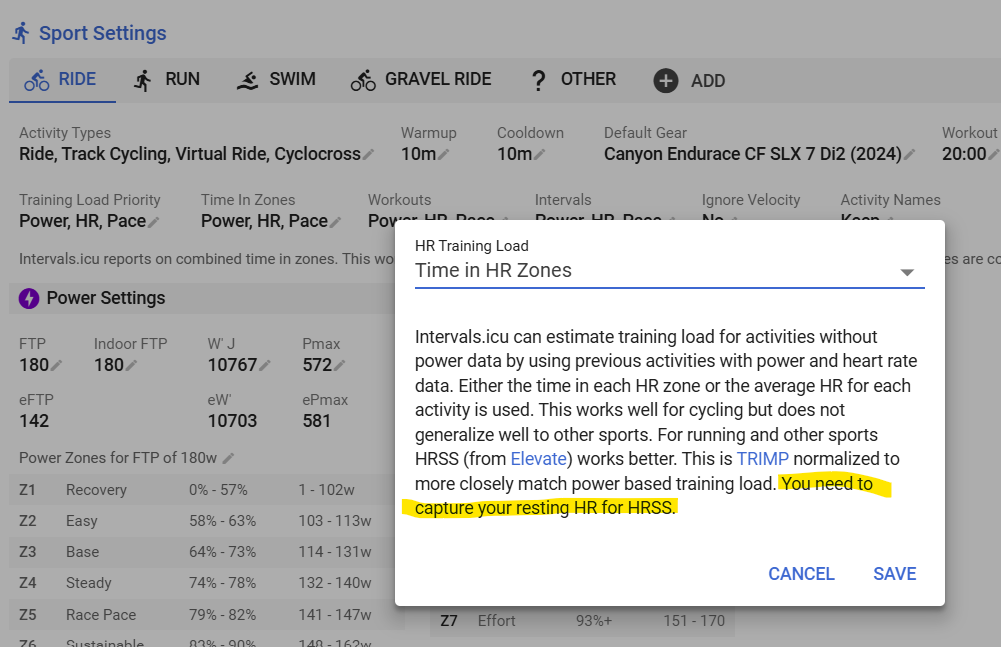
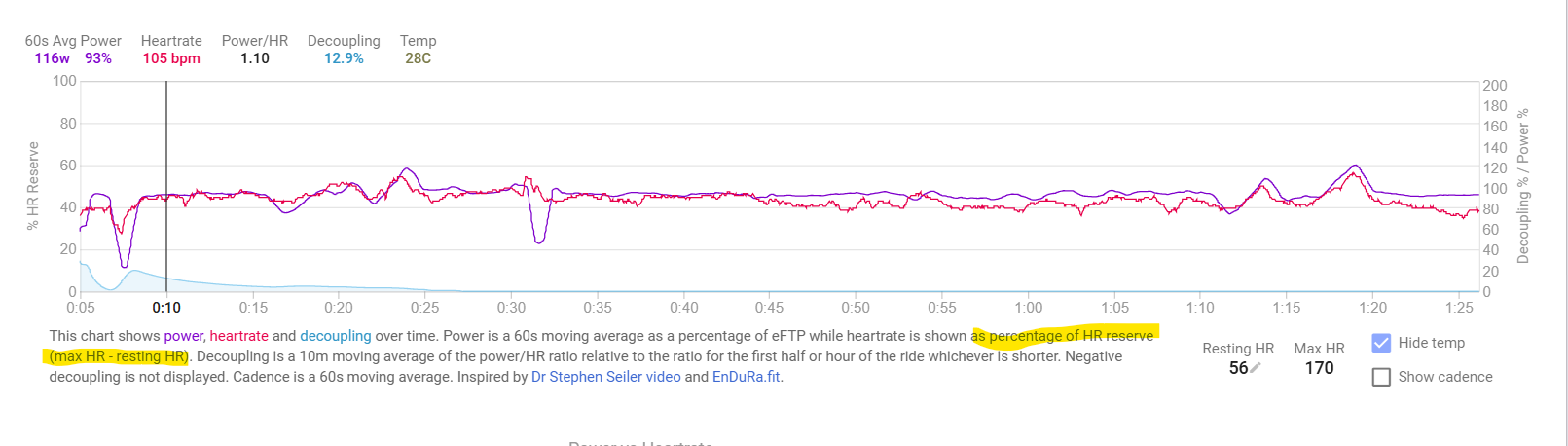
It’s not a glitch, it’s intended behavior. For those using HRSS as HR load, resting HR is needed because this is based on HR reserve (HR max minus HR rest). And it’s also needed for the Decoupling chart on the Activity Power tab.
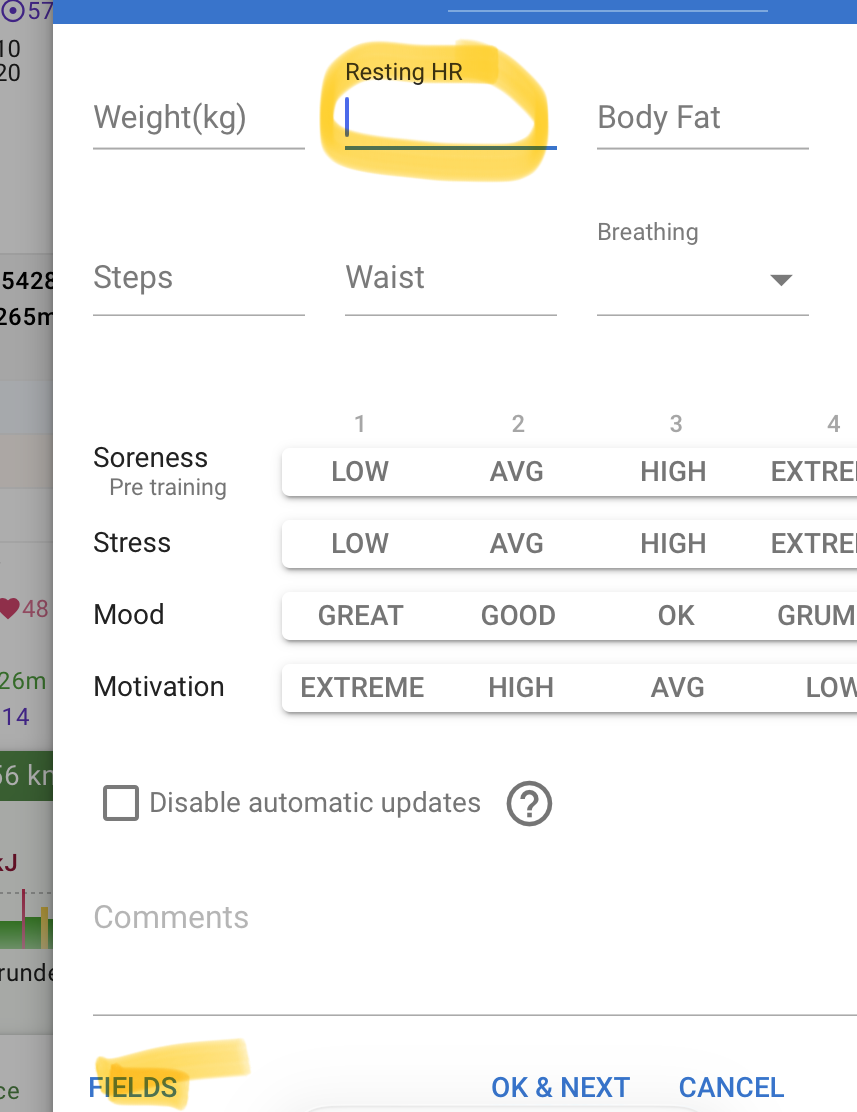
@MedTechCD answered your questions, so you should keep a value - but for the record, if you want to delete it, just edit the wellness data on calendar (click on the RHR) and remove the value from the field like this (add with button fields if not visible):
I suppose I was referring to the ‘glitch’ being the inability to go back and delete the data. I cannot edit the heart rate to zero, nor can is imply delete the number. The only solution so far is to just hide this data.
Thanks but as I said above, this doesn’t work. I cannot adjust this for the first day I entered a value, or any day in which the value has been copied in. When I click to do as you suggested, there is no value there and nothign can be changed.
I can simply leave the field empty, or delete any existing value…
To hide it on the calendar view, click Options -Wellness, and edit the list of metrics to be displayed on the calendar page.
Any day with a new activity will then take the resting HR value from the Settings page. Don’t think there is way out of that.
Yes I should maybe just use it but I don’t wear a watch overnight and am not yet in the habit of doing proper RHR readings. Will see if I can make it part of my routine.