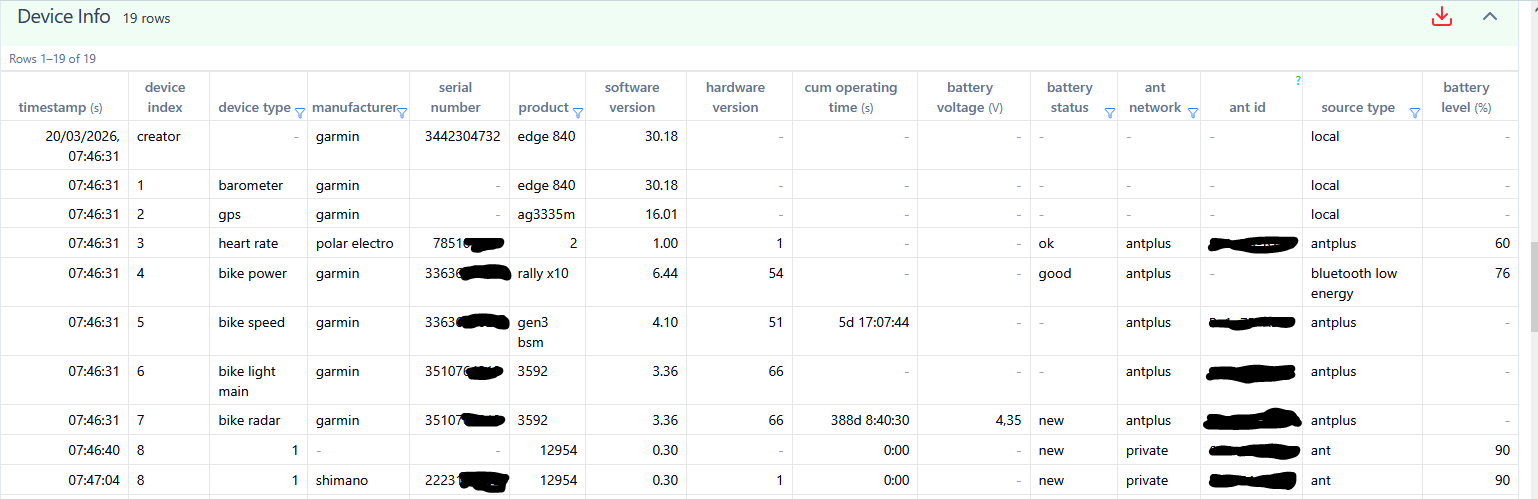
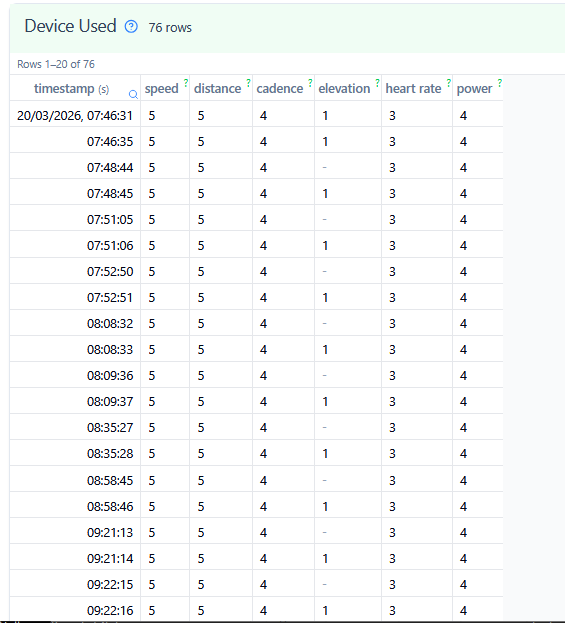
Pull sensors from the fit file and display on activity

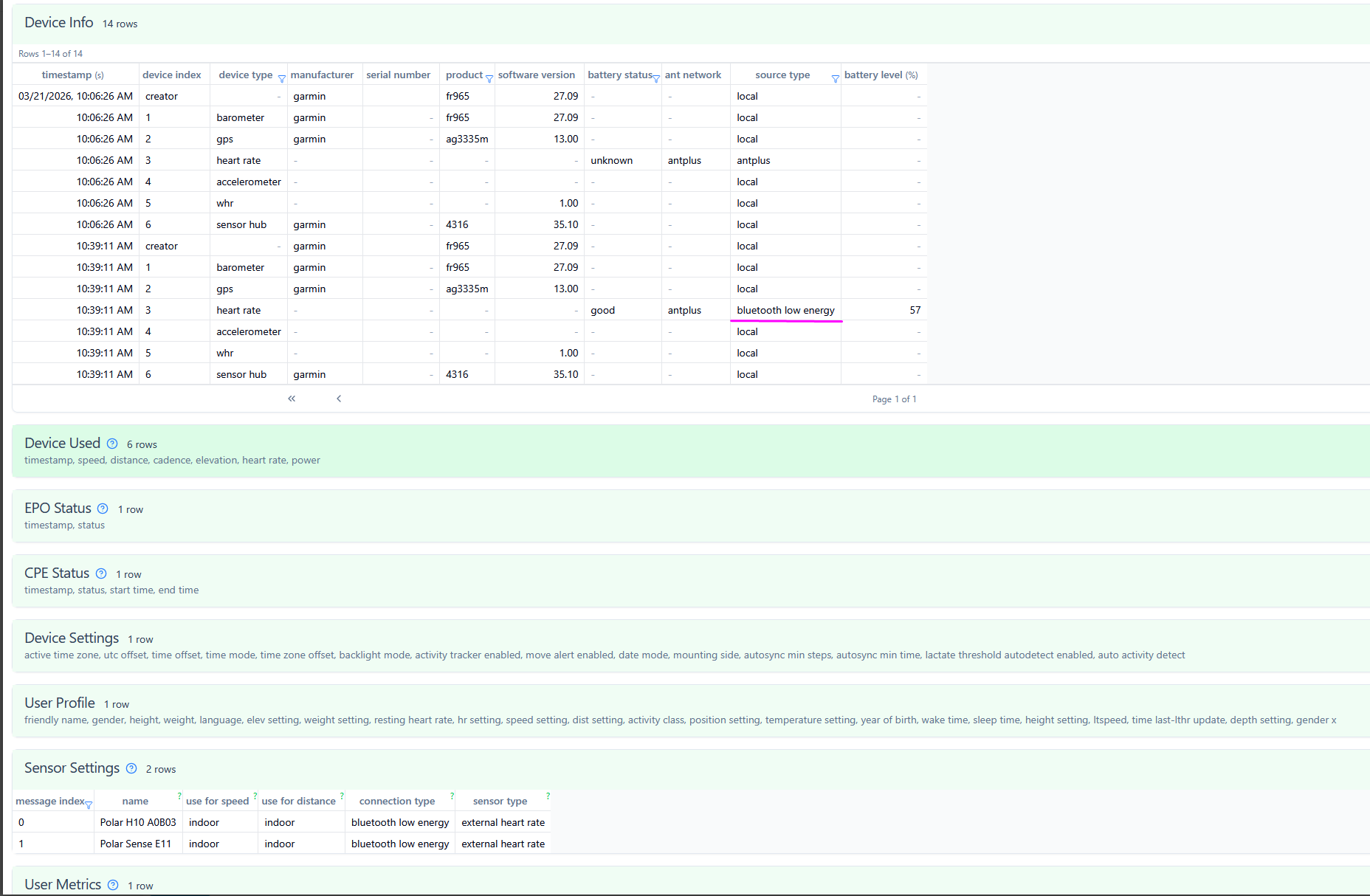
Here’s the sensor part in my fit file: I have two rows, even though in this particular activity, I was only using the verity sense.

How can I adopt the script to pull the correct sensor for my activity?

Edit:
I got it fixed with help of AI, this code works for me:
{
let result = ‘’;

let entries = icu.fit.m_147 || [];

if (entries.length > 0) {
    // Pick last entry (most likely active sensor)
    let last = entries[entries.length - 1];

    let name = last.f_2?.value;
    let index = last.f_0?.value;

    result = (name ? " " + name : "") + (index !== undefined ? " " + index : "");
}

result;

}

It just picks the last sensor. Garmin usually lists the connected sensor as last.

this seems like a glitch in the garmin. It doesnt list the sensor when it’s connected at the beginning but only at the end. In fact, the start and end sensor is different.

From what I understand the way usually garmin works is they will write down the sensors at the start of activity and the end of activity. (This is also how they provide keep note of the battery level/differnce)

1 Like

Do not search m_147 for the active sensor, Messages m_147 have all sensors paired, the order is not guaranteed.
Search m_23 instead and filter by network type and device type. (Thats like in a mobile expecting the active heaphones is the last one paired).
If you want your device settings name (the one you have in your watch settings, and can be edited) use m_147 f_2
Use device ant id for index in that case

But I don’t connect it via Ant+. Ant+ is reserved for alphahrv (imready), so I connect both the H10 and E11 via BLE. I though I could differentiate the sensors from the fact that the H10 records R-R intervals, whereas the verity sense doesn’t, but it didn’t work. I only quickly used chatgtp.

Can you open that file in runalyse fitfileviwer and paste here the device_info message that contains device_type =1
or just run:

for (let di of icu.fit.device_info) {
    if (di.source_type?.value !== 3 || di.device_type?.value !== 1) {
        continue;
    }
    console.log(di);
}

Verisense is polar product n 4
H10 is polar product n 2

But Polar did not implemented product (number) for BLEsec, only for Ant+ ( nor ant+ id),
Perhaps you can use_serial number if it´s different betwin the two devices.

Polar H10 BLE

timestamp(s)=1143048511,serial_number=9,device_index=2,device_type=1,battery_status=1,ant_network=1,source_type=3,unknown#29=[29, 240, 157, 26, 158, 160],unknown#30=0,battery_level(%)=100
timestamp(s)=1143048522,serial_number=9,device_index=2,device_type=1,battery_status=1,ant_network=1,source_type=3,unknown#29=[29, 240, 157, 26, 158, 160],unknown#30=0,battery_level(%)=100
Polar H10 Ant+

timestamp(s)=1143049989,serial_number=7317xxxxxxx,unknown#15=3,unknown#24=247xxxx5,manufacturer=123,product=2,software_version=1.0,device_index=2,device_type=120,hardware_version=1,battery_status=3,ant_network=1,source_type=1,battery_level(%)=100
timestamp(s)=1143050029,serial_number=7317xxxxxxx,unknown#15=163,unknown#16=3,unknown#24=247xxxxx,manufacturer=123,product=2,software_version=1.0,device_index=2,device_type=120,hardware_version=1,unknown#9=98,battery_status=3,ant_network=1,source_type=1,battery_level(%)=100

Polar Verisense Ant+

timestamp(s)=1026499285,serial_number=5628xxxxx,unknown#15=1,unknown#24=246xxxxx,manufacturer=123,product=4,software_version=1.1,device_index=3,device_type=120,hardware_version=1,battery_status=3,ant_network=1,source_type=1
timestamp(s)=1026504829,serial_number=5628xxxxx,unknown#15=16561,unknown#16=4973,unknown#24=246xxxxx,unknown#31=353,manufacturer=123,product=4,software_version=1.1,unknown#13=53,device_index=3,device_type=120,hardware_version=1,unknown#9=77,battery_status=3,ant_network=1,source_type=1
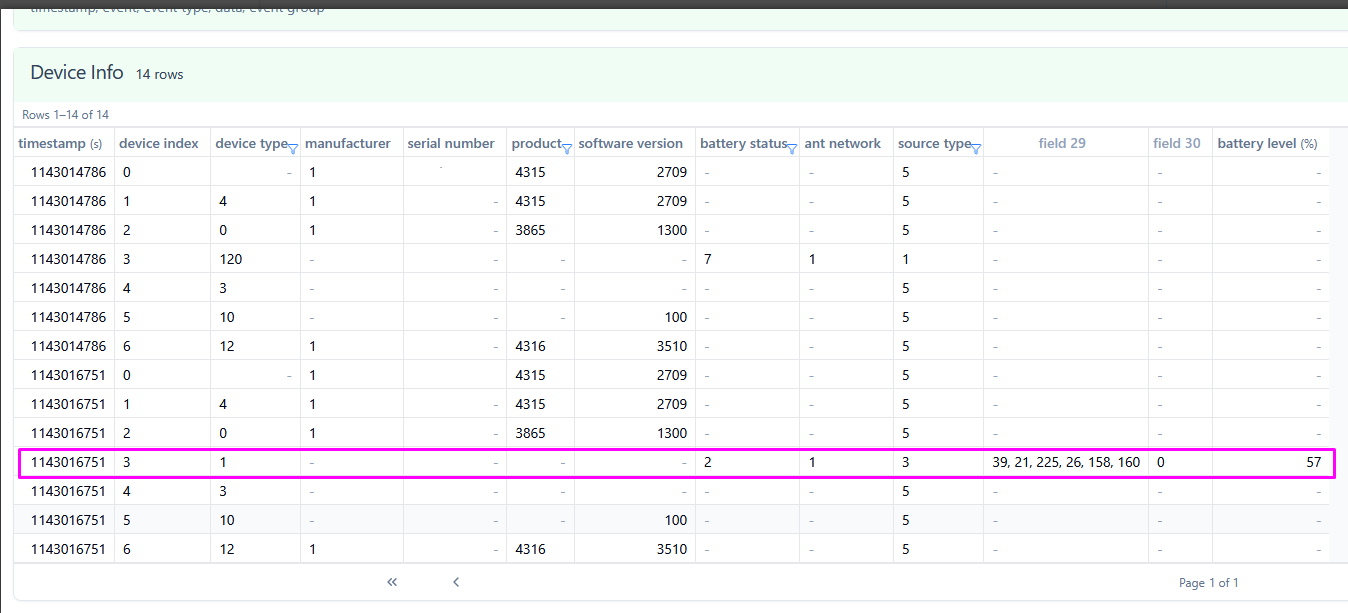
timestamp(s)=1143016751,device_index=3,device_type=1,battery_status=2,ant_network=1,source_type=3,unknown#29=[39, 21, 225, 26, 158, 160],unknown#30=0,battery_level(%)=57

Your console log is from Polar H10 or Verisense?
What firmware?

The simplified script is great if you have only one sensor paired per device type.

Is usualy best practiss to choose the first message for device type, because there can be a multitude of them, try during, an activity, changind sensor status, use other.

For your case, perhaps set Verisense to Ant+ and leave H10 as it is (Ant+ for alphaHRV and BLE for Garmin)
or use the configuration i use:
Ant+ for Garmin, BLE for alphaHRV.
You get rich sensor info, good alphaHRV performance, compatibility with my RR Raw, NN/RR and PVCS scripts, i am partial.
But for security/ privacy use BLEsec.

imagem
Distance from Bike Speed sensor, and the rest. Allows to know when to fill tires.


This is a console log from H10:
timestamp(s)=1142871456,device_index=2,device_type=1,battery_status=1,ant_network=1,source_type=3,unknown#29=[48, 176, 160, 26, 158, 160],unknown#30=0,battery_level(%)=100
timestamp(s)=1142873937,device_index=2,device_type=1,bat

This is a console log from Sense:
timestamp(s)=1143016751,device_index=3,device_type=1,battery_status=2,ant_network=1,source_type=3,unknown#29=[39, 21, 225, 26, 158, 160],unknown#30=0,battery_level(%)=57

My H10 runs on firmware 4.2.0, and the Verity Sense has firmware 2.2.6.

In contrast, Garmin GARMIN HRM_PRO_PLUS BLE has manufacturer number and product number:

timestamp(s)=1136548708,serial_number=348850xxxx,manufacturer=1,product=4130,software_version=8.9,device_index=2,device_type=1,hardware_version=66,battery_status=1,ant_network=1,source_type=3,unknown#29=[79, 169, 187, 184, 109, 206],unknown#30=1,battery_level(%)=85
timestamp(s)=1136550250,serial_number=348850xxxx,manufacturer=1,product=4130,software_version=8.9,device_index=2,device_type=1,hardware_version=66,battery_status=1,ant_network=1,source_type=3,unknown#29=[79, 169, 187, 184, 109, 206],unknown#30=1,battery_level(%)=85

Can’t I just use device index: 2 for H10 and 3 for sense? I do care about security on the internet, but who would benefit from knowing my R-R/Alpha values? Wasn’t there some benefit for using ant for alphahrv? You get respiration rate as native field or something…

no, indexes are dynamicly assigned, perhaps by pairing order.

I think that Polar HRM BLE implementation doesnt implement that specific garmin features (garmin sdk manufacturer and product numbers) to be more Apple HRM BLE profile’s compatible.