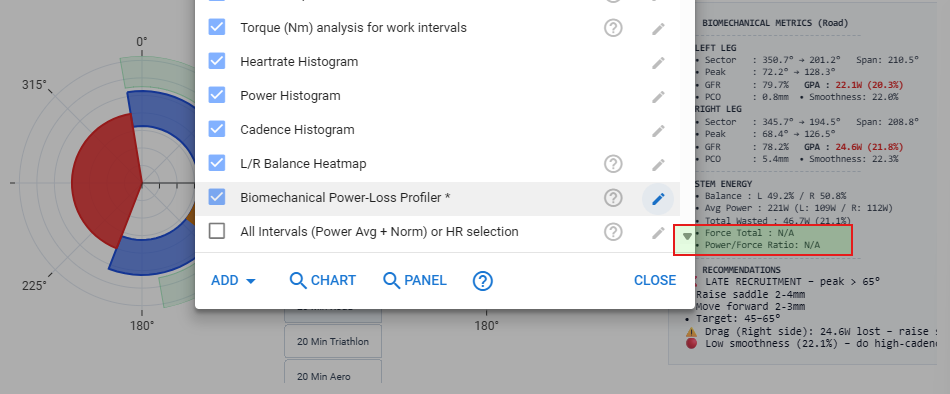
Select the required custom streams, reprocess/reanalyse, then open the Activity Chart in a new Tab,
This is great!
I have first gen Assioma Duo, and PCO is not available from those pedals. But the chart works fine, just stating N/A for PCO as it should.
What I can’t determine is where Force is calculated from. I get an empty stream when setting up the Custom stream, but the script is hidden. So I don’t know what is needed to get Force to be calculated.
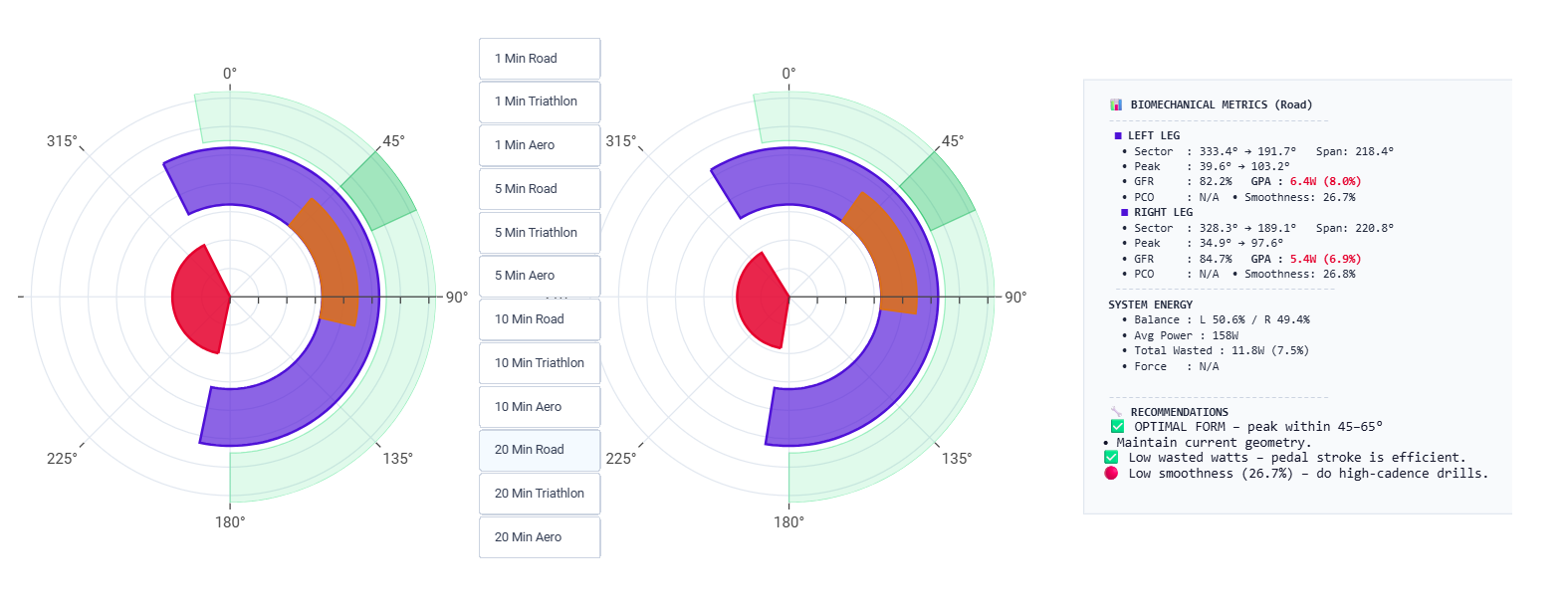
I’m using Assioma Pro Duo, and I can’t get the chart to work properly - I’m also wondering if seeing the script would help me figure this out.
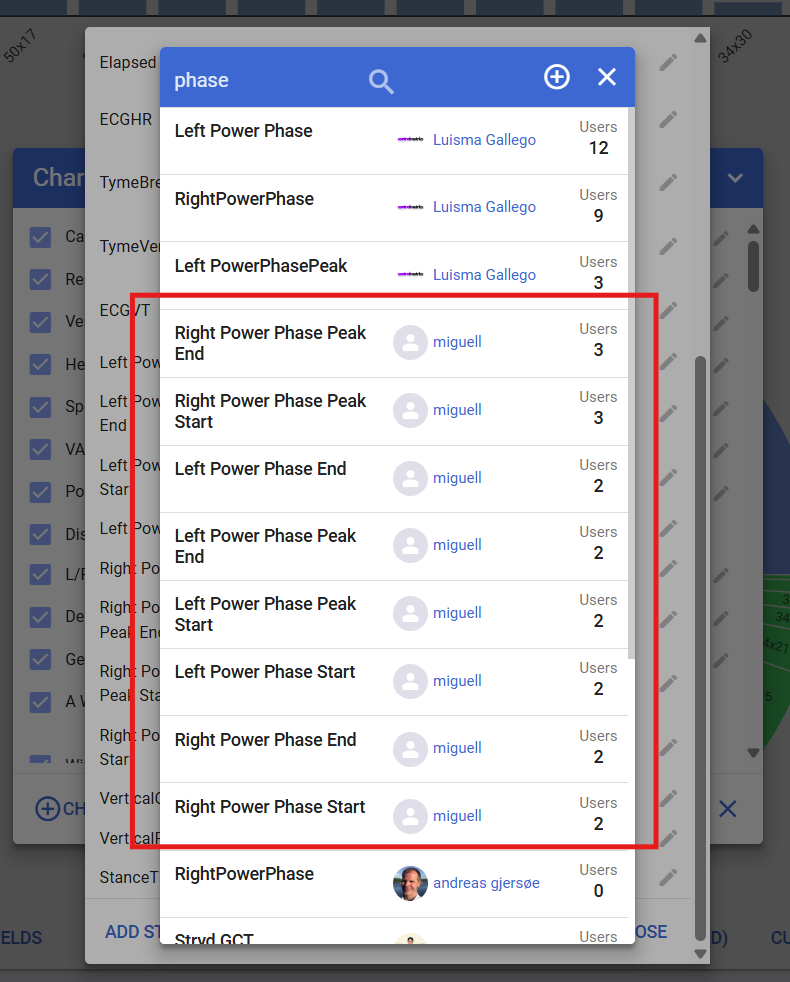
What errors are you getting?
I tried @Andreas_Schaudt chart, and had to change two problems.
- colors needed to change to phaseColors
| Line | Now reads |
|---|---|
| 95 | const phaseColors = { |
| 135 | color: phaseColors.leftMain, |
| 137 | line: { color: phaseColors.leftMainBorder, width: 1.5 } |
| 165 | color: phaseColors.leftPeak, |
| 167 | line: { color: phaseColors.leftPeakBorder, width: 1.5 } |
| 237 | color: phaseColors.rightMain, |
| 239 | line: { color: phaseColors.rightMainBorder, width: 1.5 } |
| 267 | color: phaseColors.rightPeak, |
| 269 | line: { color: phaseColors.rightPeakBorder, width: 1.5 } |
- stray backslashes
I’ll edit and update which line(s) it was on.
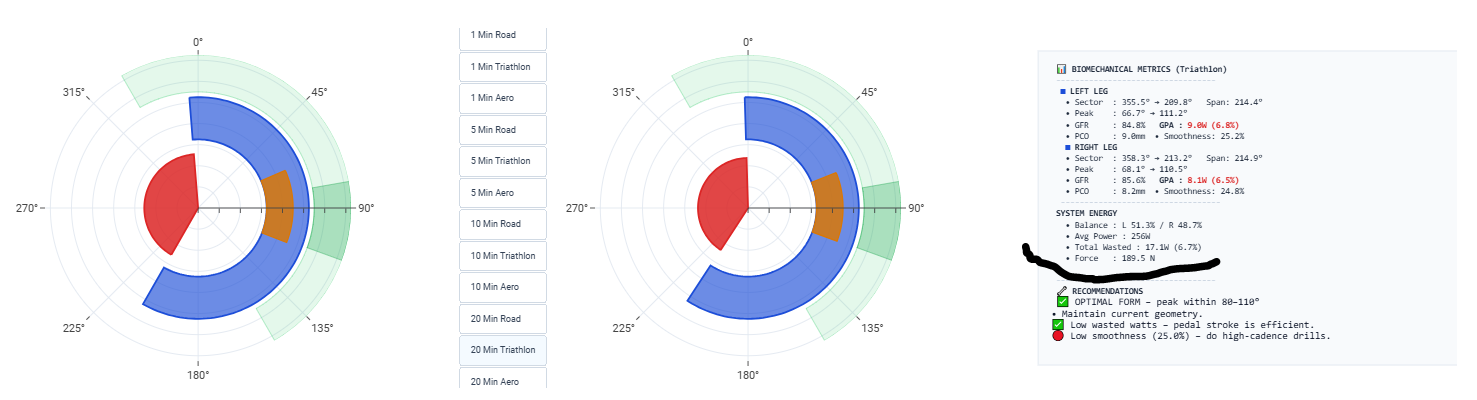
Force stream, is only available in Garmin Rally/Vector powermeters, as fit file record message 20, field 148
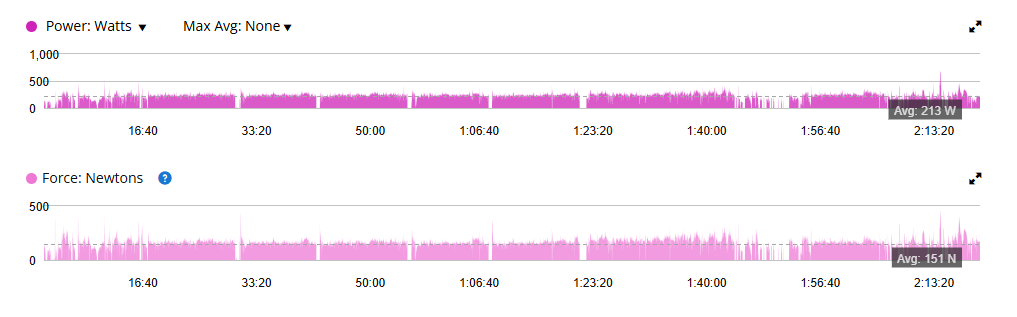
-
Function: Compatible Garmin power meters measure the exact force applied to the pedals while riding.
-
Understanding Force: Cycling power is a combination of how hard you pedal (force) and how fast you pedal (cadence). Measuring force helps cyclists compare the effort required for the same power output at different pedaling speeds (e.g., generating 200 watts at 70 RPM requires much more force than at 100 RPM).
-
Force vs. Torque: Because Rally power meters are pedal-based, they directly measure force at the pedal contact point rather than torque at the crank. This allows for accurate force comparisons across different bicycles, regardless of varying crank lengths.
Then I don’t need to look any further. Thank you!
All good now: I’d tried to create my own custom streams instead of using miguell’s.
As your scripts are not visible, force can be calculated for power meters that don’t write to the fit file. Would you be willing to allow an alternative script that is editable to be consider for your script?
What about implementing a external editable configuration (using @R2Tom methods), so that advanced users have full control of mode names and target angle settings.
Well, i have done that already:
New updated “Biomechanical Power-Loss Profiler” activity chart, uses optional “BiomechPowerProfilerConfig” activity field for advanced mode configuration, allowing full control of mode names and target angle settings. If not present uses default configuration.
Hope this correspond to what @Gerald asked for.
But why Target Power Phase End 270º in road mode in the external configuration? And roady instead of road as mode?
That’s for you to change in “BiomechPowerProfilerConfig” activity custom field:
`JSON.stringify({
  "mode_1": {
   "label": "Roady",
   "peakMin": 45,
   "peakMax": 65,
   "powerStart": 350,
   "powerEnd": 270,
   "peakStart": 45,
   "peakEnd": 65
  },
 "mode_2": {
  "label": "Triathlon",
  "peakMin": 80,
  "peakMax": 110,
  "powerStart": 330,
  "powerEnd": 150,
  "peakStart": 80,
  "peakEnd": 110
 },
 "mode_3": {
  "label": "Aero",
  "peakMin": 90,
  "peakMax": 120,
  "powerStart": 330,
  "powerEnd": 150,
  "peakStart": 90,
  "peakEnd": 120
 }})
in
“mode_1”:  // section
 “label”: “Roady”,      // change to    “label”: “Road”,
 “powerEnd”: 270,       // change to    “powerEnd”: 170,
You will have the default configuration and confirmed the external configuration parsing.
Important: After Custom Field changes, do a SHIFT- RESET to clear the old values from memory.
Now online.
Thank you:
@Andreas_Schaudt
@pepe
@R2Tom
@MedTechCD
@Gerald
Learned a lot with you in this project.
Miguell released a New version with
Power/Force ratio metric.
Support Force or ForceCalculated streams, allowing Force metrics on Favero PMs.
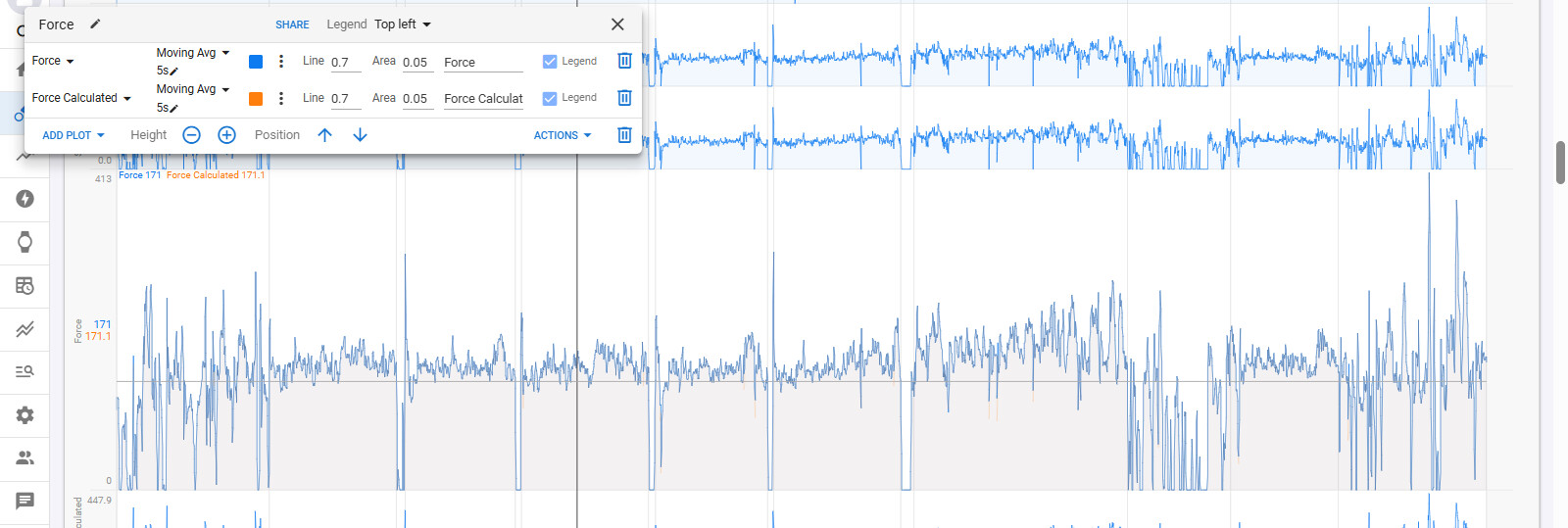
New Crank Length Custom Field supporting Garmin Rally/Vector BLE powermeters.
needing this:
let crank = Number(icu.activity?.crank_length || icu.activity?.CrankLength);
as icu.activity.crank_length isn’t being parsed from those Garmin BLE PMs as should. @ryandev
Thank you Miguell
ForceCalculated Custom Stream is visible. Thank you @pepe for the fit file fields discovery that you shared.
Enjoy.

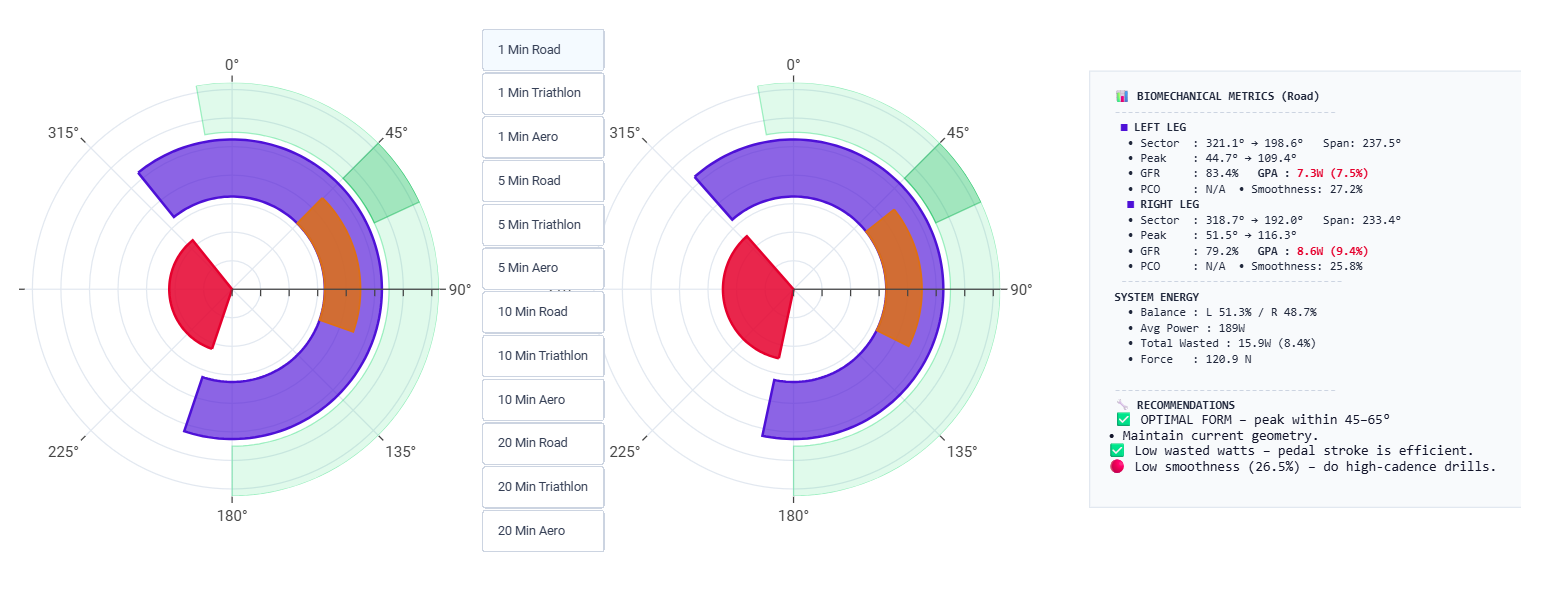
Hi @MedTechCD thank you for your words.
Regarding:
You do not need to, latest version does choose it for you:
force: tryStream('Force') || tryStream('ForceCalculated')
Also its available my Custom Field “Crank Length” that parses Ant+ and Garmin BLE powermeter crank lengths.
intervals.icu is currently parsing crank length from Ant-+ powermeters only. @david
let crank = Number(icu.activity?.crank_length || icu.activity?.CrankLength);
Then I didn’t have the latest version. Will remove and add it again.
thx