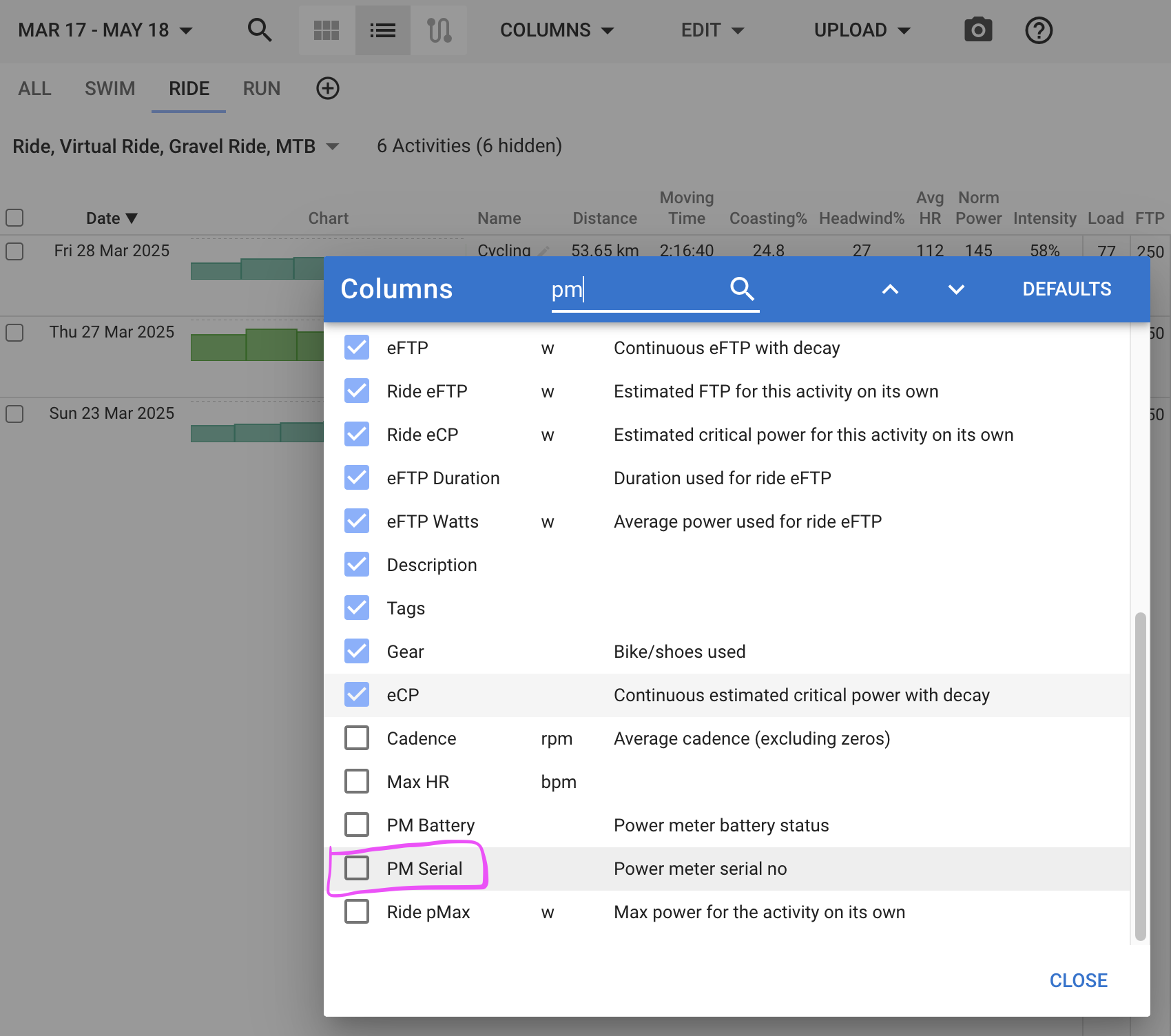
Can anyone tell where I can find my power meter’s serial number in intervals?
In the Data Tab of an activity at the bottom. 
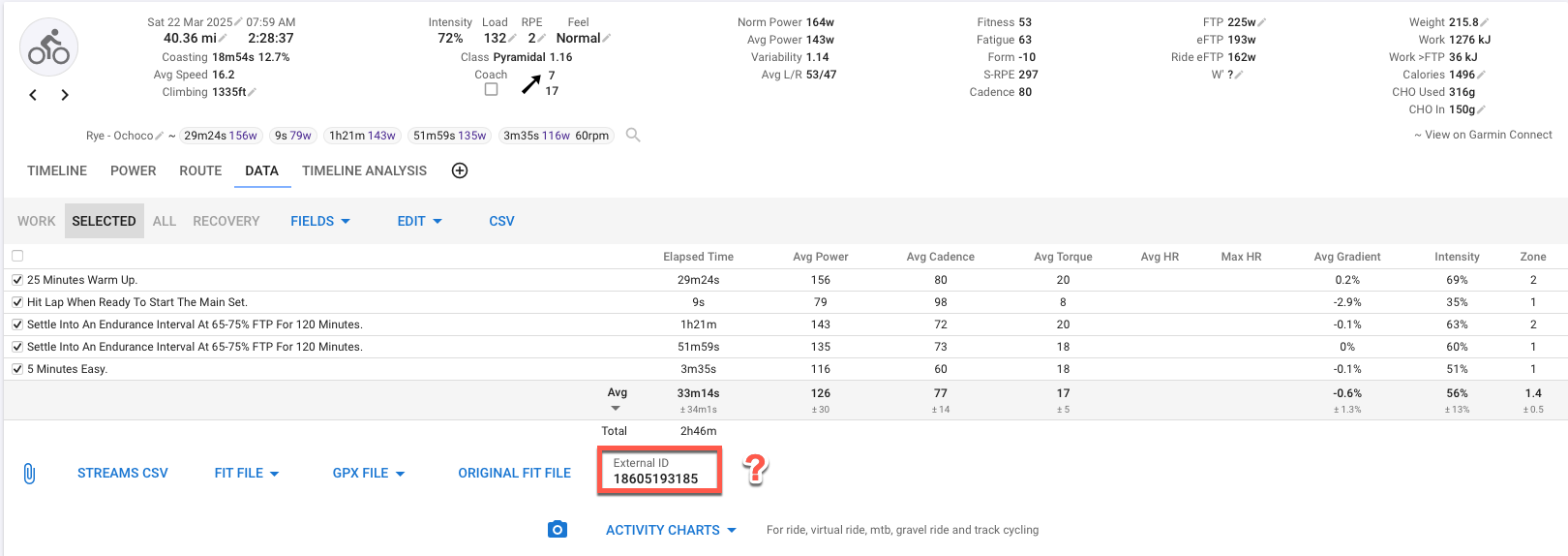
External ID is not your PM serial!
The info regarding power meter written to the FIT file depends on the connection it is using. ANT+ gives you all info available, BLE often not…
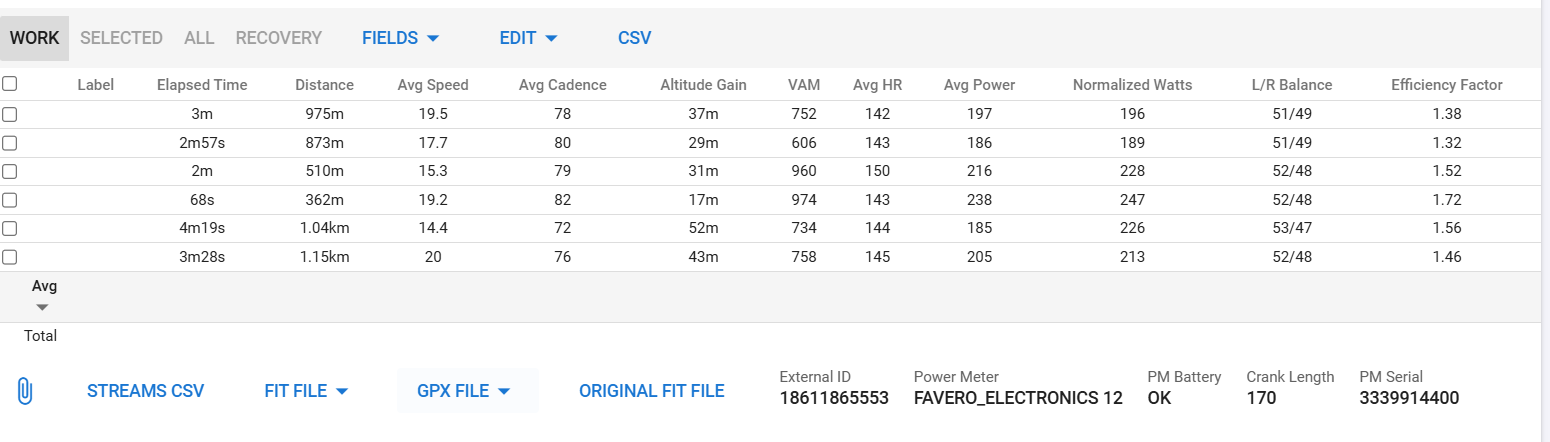
The data from the fit files isn’t always correct either. It reads Garmin Rally 200, but I’m driving one-sided, so I’m driving 100. The serial number is also incorrect.
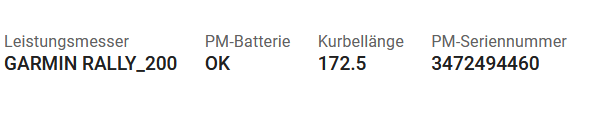
What is strange is that my edge reads exactly the same number, but Garmin says on its website that it is the wrong serial number - now I’m confused

when doing research on how to get PM Serial Number, ([SOLVED] PM SN + Status in the Data tab - #5 by app4g) i found out that the SN is diff between when it’s connected as BT or via ANT+
Not only that, the Data that is printed physically on the sensor vs what is reported by querying the device (via BT) is also different.
Then, to add insult to injury, it seems that Garmin FIT file only accepts Digits in the SN and my H10 has alphabets on the SN and my Assioma has dots… so…
i have no idea…
welcome to the club 
1 Like
I use the PM Serial Number to automatically assign gear to my activities. That used to work really nice, until I switched from Garmin to Wahoo. With Wahoo, intervals.icu can not read the PM serial number, it seems. When analyzing the fit files in https://www.fitfileviewer.com/, I can see that the info is in the file:
Garmin:
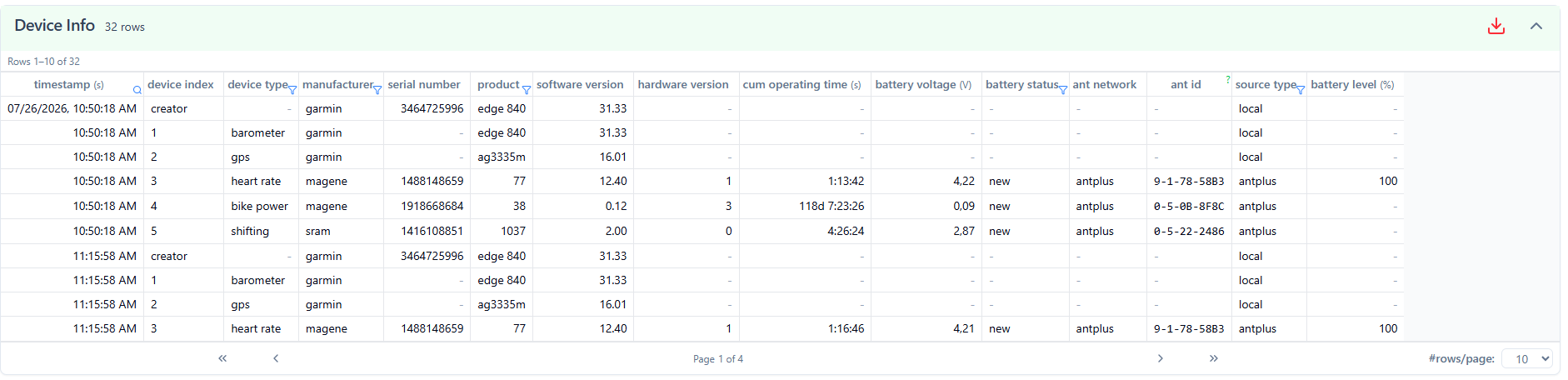
Wahoo:
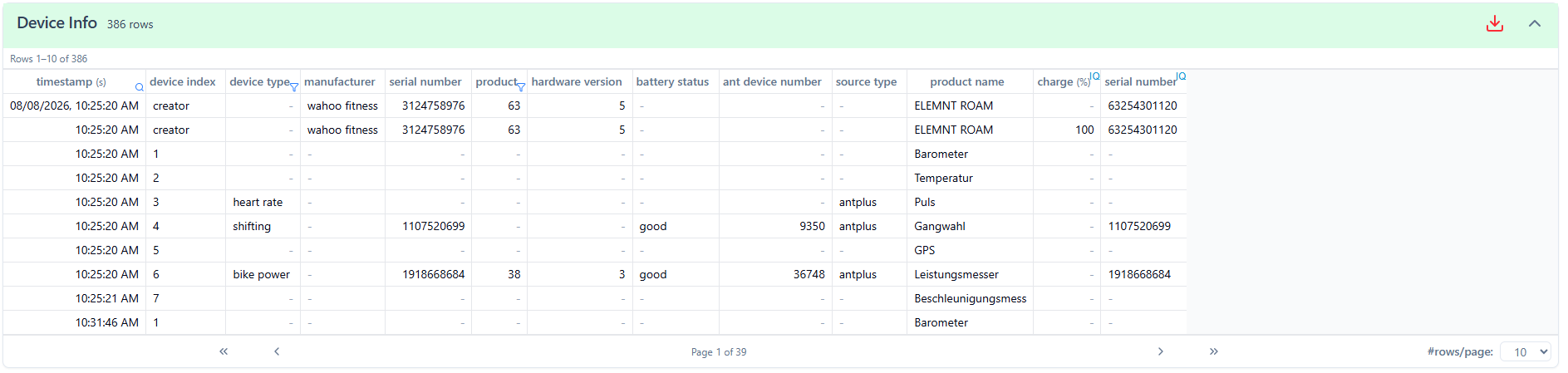
Is the PM serial working for anyone using Wahoo? How can I get this working?
Thanks in advance!
I think Wahoo is reporting some other number (ant+?) as serial number. Just switch to the data tab, check the number and change the number to the one reported by wahoo.
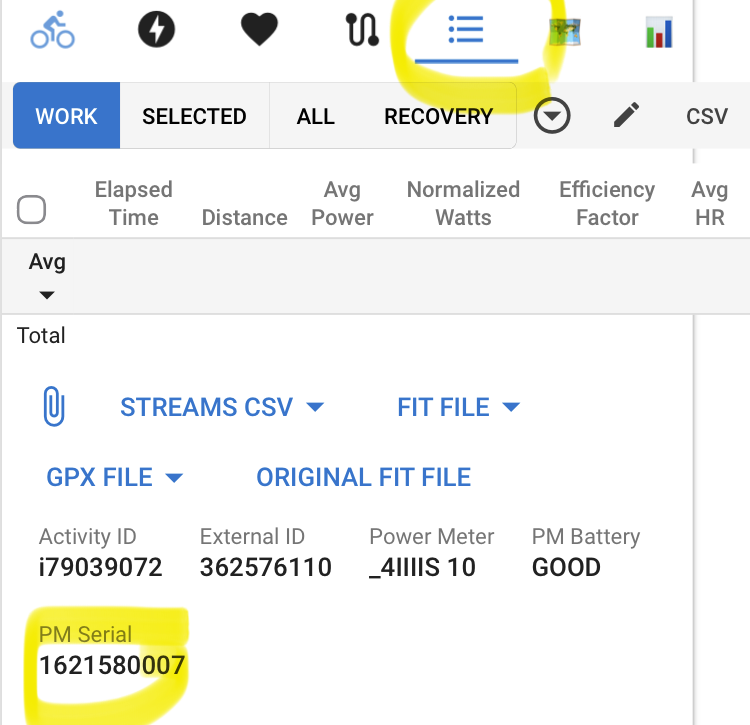
Thanks for the reply!
I don’t see these fields with "Wahoo anymore:

It looked like this with Garmin before:

Are you using Wahoo or Garmin?
I think Intervals has a problem reading this correctly, because on the Wahoo screenshot, you have 2 fields with same name ‘serial number’ (one is an IQ field).
In this case both have the same value, but there was something similar recently where the fields had different values and Intervals was not reading the ‘std’ field.
Yes this was a wahoo recorded activity
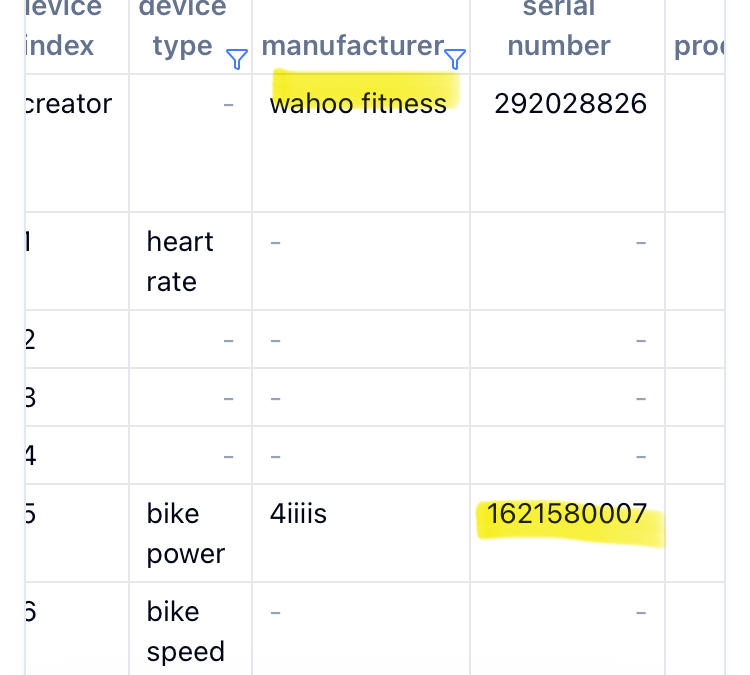
The only difference I see is the missing manufacturer name in the fit file.
1 Like
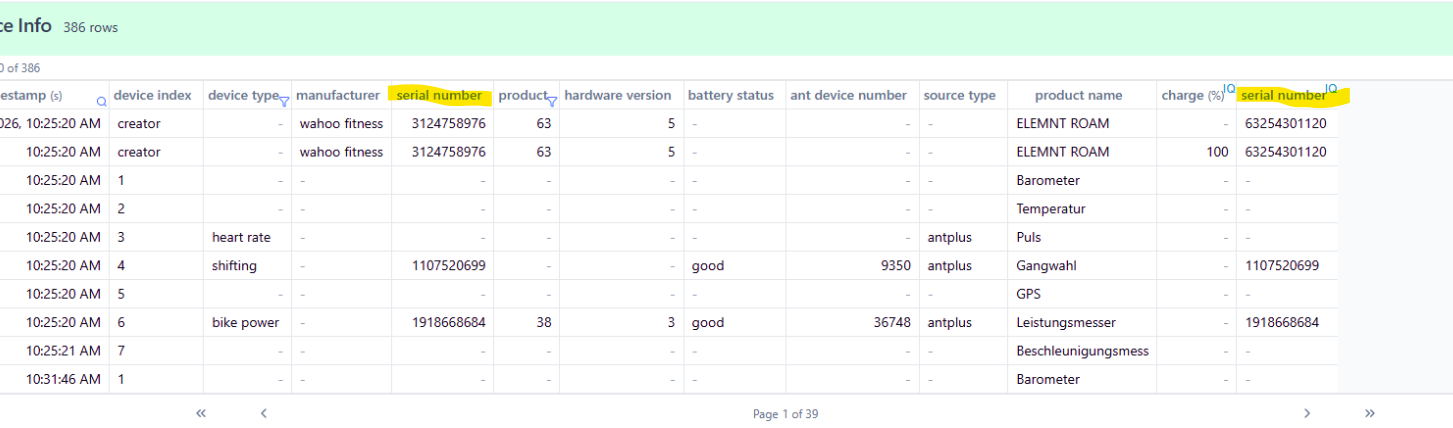
Try my Custom Field "Powermeter"*, that addresses R2Tom post: “The only difference I see is the missing manufacturer name in the fit file.” Don’t forget to reprocess.
What are your Magene powermeter and heart rate monitor model names?
I am noticing for Ant+ powermeters and Garmin Headunits
For Ant+ powermeters:

But for BLE powermeters:

So no pm manufactor , product name/number , battery level, crank length nor serial number
@ryandev That would be a awesome addition.
Note, for Garmin RS210 pm, even if operating in BLE mode, they transmit also serial number in Ant+, device_info:
timestamp(s)=1154418479,device_index=4,device_type=11,ant_network=1,source_type=1
timestamp(s)=1154418480,serial_number=351XXXXXX8,device_index=4,device_type=11,ant_network=1,source_type=1
timestamp(s)=1154418481,manufacturer=1,product=4525,software_version=6.44,device_index=4,device_type=2,battery_status=2,ant_network=1,source_type=3,unknown#29=[63, X, X, X, 74, 255],unknown#30=1,battery_level(%)=64
timestamp(s)=1154418482,serial_number=352XXXXXX2,manufacturer=1,product=4525,software_version=6.44,device_index=4,device_type=2,hardware_version=54,battery_status=2,ant_network=1,source_type=3,unknown#29=[63, X, X, X, 74, 255],unknown#30=1,battery_level(%)=64
timestamp(s)=1154418483,serial_number=336XXXXXX9,manufacturer=1,product=4525,software_version=6.44,device_index=4,device_type=2,hardware_version=54,battery_status=2,ant_network=1,source_type=3,unknown#29=[63, X, X, X, 74, 255],unknown#30=1,battery_level(%)=64
timestamp(s)=1154420008,serial_number=336XXXXXX9,manufacturer=1,product=4525,software_version=6.44,device_index=4,device_type=2,hardware_version=54,battery_status=2,ant_network=1,source_type=3,unknown#29=[63, X, X, X, 74, 255],unknown#30=1,battery_level(%)=64
By the way i identified that device info unknown#29 field and m_147 unknown#50 field are the same unique 48-bit (6-byte) Bluetooth Device Address (BD_ADDR), useful to parse cranklength from BLE PMs as in CrankLength Custom Activity Field. Or used as unique identifier in a dual side pm with dual s/n
This one not yet decoded in Fitfileviewer.

and Fitfileviewer incorrectly strips last byte (255) hex FF as invalid, so never getting the 6 bytes required for standard BLE MAC decoding
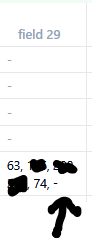
Activity Field “sdk manu prod cranklength MAC”
Great catch @pepe.
“Crank Length” field for BLE is working great
Hi, thanks for the effort!
I can see the PM Serial Number in your custom field, but intervals can not get the serial number using the built in function:
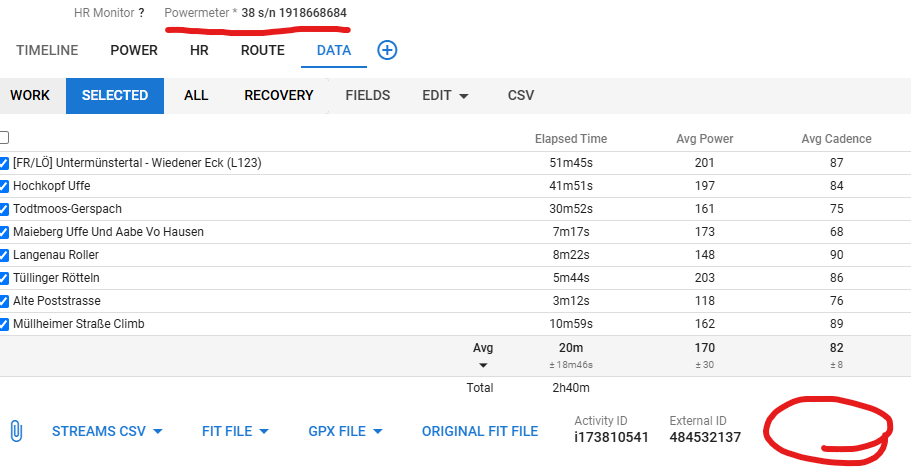
It’s fine for me, I can use assignment rules using custom fields, but I think intervals should be able to read the serial number even if the manufacturer is missing.
I was using the PES P505 (power meter) and the HRM H803. The latter one I cannot recommend, btw.
2 Likes
Can you try “powermeter” latest version? Should return “Powermeter s/n 1918668684”
And can you use it? can you assign gear based on that “Powermeter s/n 1918668684” ?
1 Like