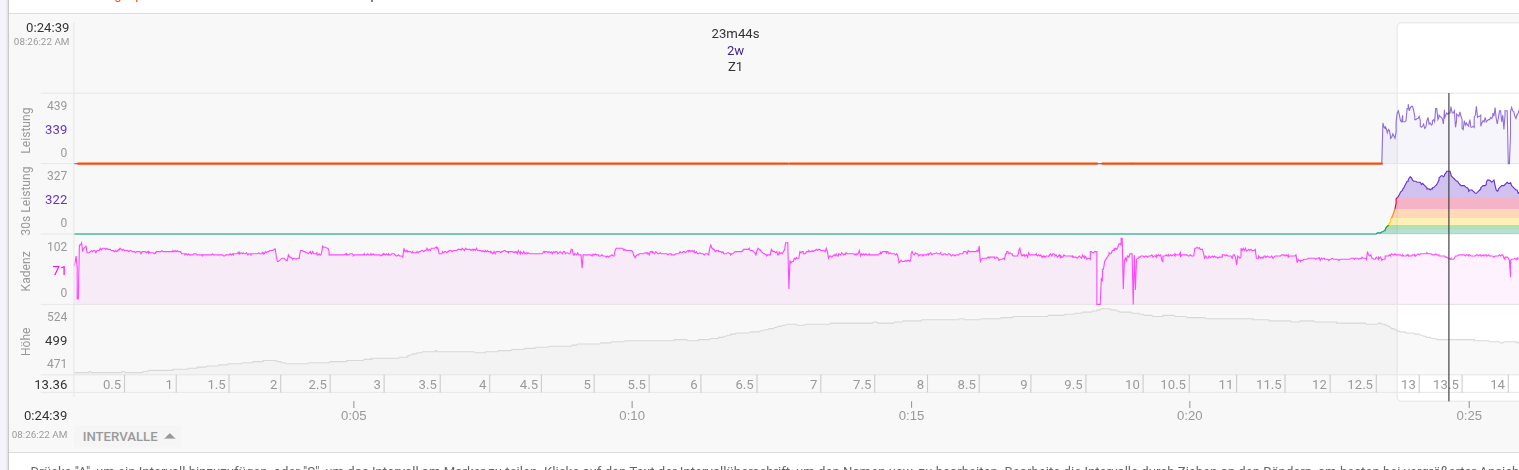
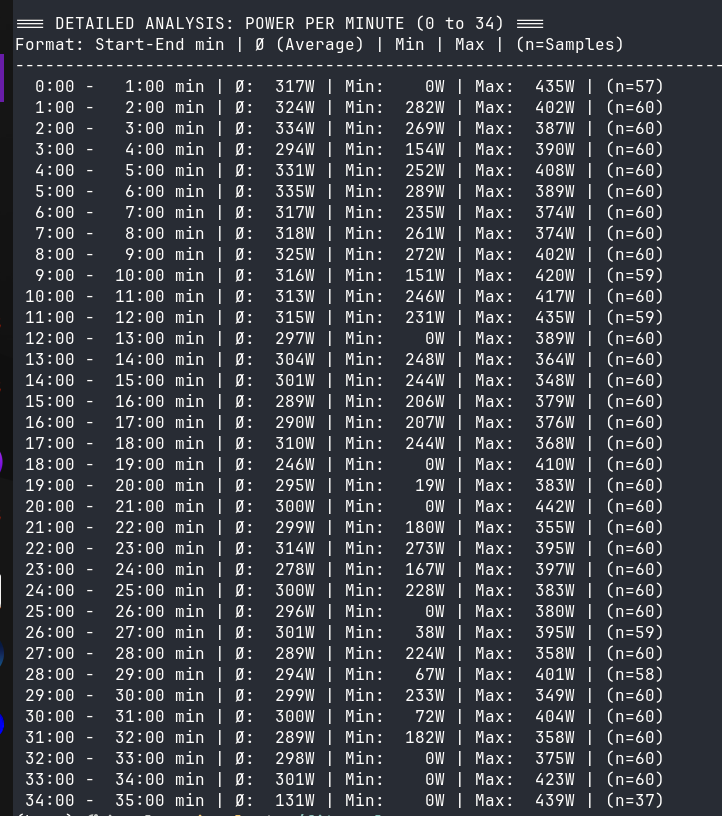
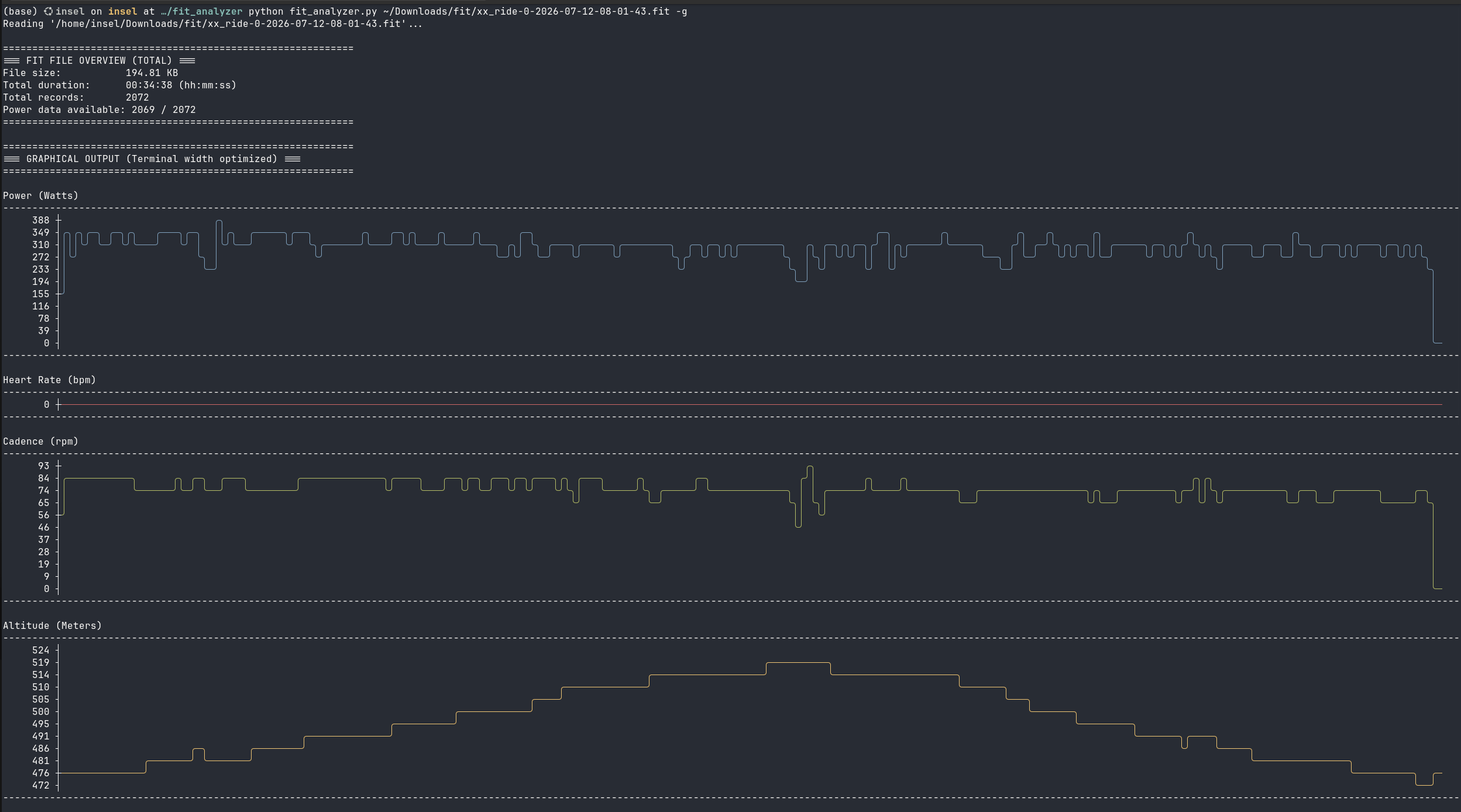
my latest bike activity shows for the first 20min 0 power activity while the other recorded parameter are showed correctly. After this period my power reappeared.
On my device, it s app, strava and even in the exported fit file the dataset is fine. Manually importing this fit (or other file) - from source, strava or other - leads back to the issue…
Is there a solution?
(I wouldn’t care if it was a simple non-relevant activity but this time it was a massiv boosting stats ride which i need to compare future rides. )
Upload that untouched original file to a detailed FIT inspection tool. I highly recommend the online FitFileViewer
What to look for: Once loaded, scroll down to the “Record” messages for the first 20 minutes. Specifically, check two columns;
power (the standard field)
enhanced_power (the newer, higher-resolution standard
Take a screenshot of the raw Record table for those first 20 minutes and drop it here if you’d like – I’m happy to help interpret the hex/columns.
This looks like the classic “FTP setting is too low”. In the summary at the top, look for FTP and raise it by a decent amount.
Also, look for red text just above the charts indicating ‘Clipping’
FTP is not updated by intervals.
Go to settings and use the (eFTP and eW) pair suggestion to update FTP and W´J settings, regarding Pmax choose or keep the greatest
As i mentioned on the other reply: How would a “Have you turned it on/off”-solution rebuild a 20min 0 power graph.
But maybe you re an ai .. so yes i switched manually all my ftp values to the predicted (but wrong: missing 20min 300w) ftp value. Including: ftp, eftp, ftp and eftp.
Intervals clips power that is way higher then what would be expected for the current FTP setting.
Just do what I told you…
You can also plot RAW Power and then you will see exactly what was recorded.