Hi. On some, not all, of my runs the power data only starts to be read in from late on in the run. It is missing from the start until the point it starts to appear.
This is the url of an impacted run activity. Intervals.icu
Examining the fit file shows that power data is available for the whole of the activity.
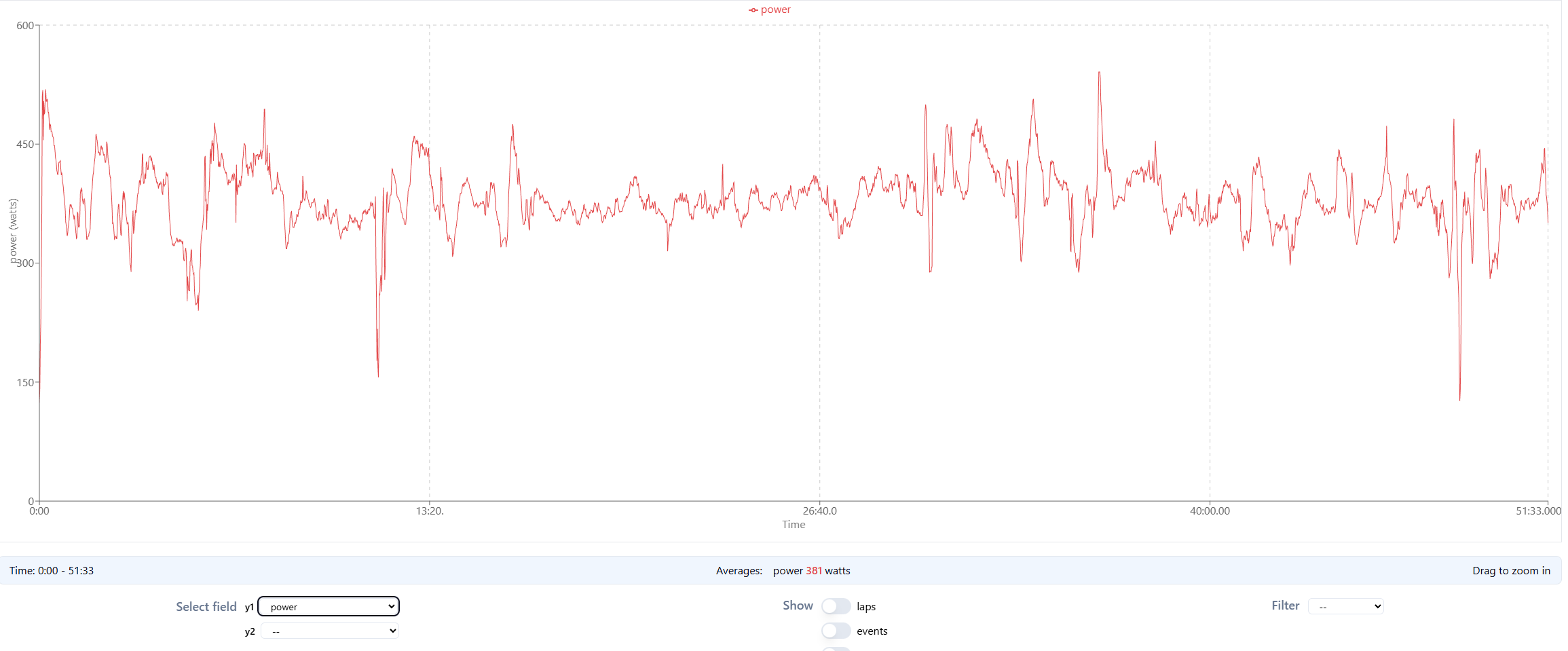
We can’t open you activities for privacy reasons.
Show a screenshot of the power chart.
PS: 99% sure that you see a red line that indicates clipping because your FTP is set too low.
1 Like
Hi. Thanks for the quick response. I’d amended my ftp in settings to no effect. I then amended it directly in the activity and all the power data is visible. Issue now resolved. Not an actual issue just lack of user understanding of the app.
Yes, that’s correct. A new FTP entry counts from the day on that you enter it.
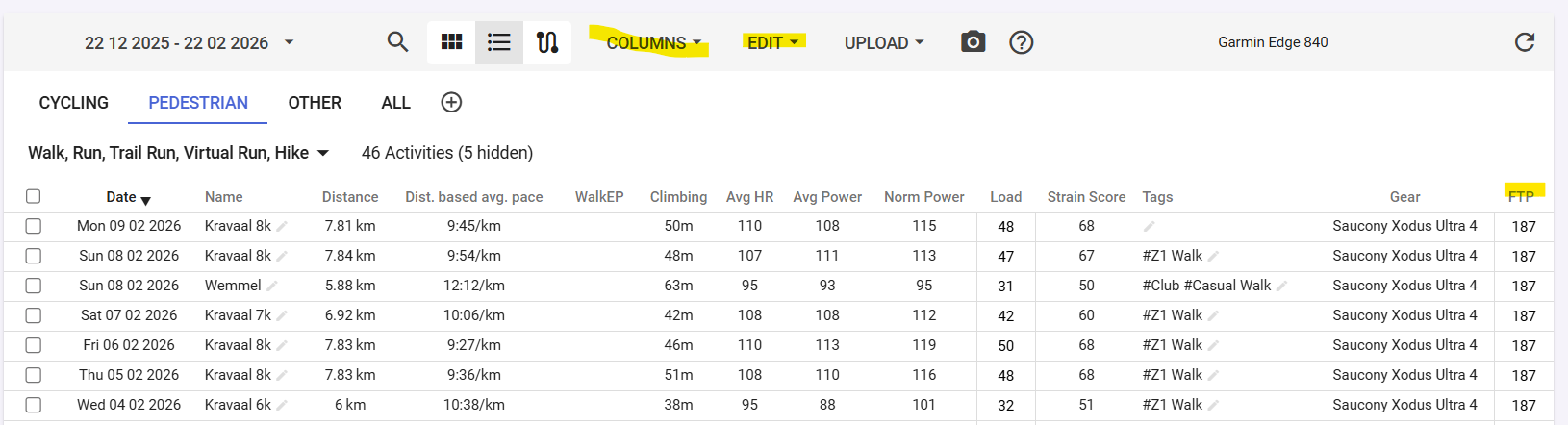
If you want to change FTP on historical activities, you can do that from the Activity List View. Select the activities where you want to modify the FTP, then Edit - Edit and enter the FTP you want to apply to them.
A big help when doing this, is to display the FTP column. Then you can see what the FTP was en becomes after changing.
1 Like