Hello!
The program prescribes incomplete nutrition! On VO2MAX days I only eat breakfast and dinner. That would have been a problem. See if you can make improvements to the planning, as well as the program itself, which is a bit complex to understand. But it’s on a good launchpad. Thank you.
1 Like
Oh, and app_config.json does exist in %APPDATA%\PaceKeeper
1 Like
Thank you for the feedback.
Incomplete meal planning can indeed happen if the prompt does not explicitly define the required number of meals per day. This was a limitation in earlier versions. I have already addressed this in the upcoming beta 0.3 by adding a mandatory rule that enforces complete daily meals.
Regarding the software itself: the next version will be significantly clearer and more streamlined. I removed everything that is not directly related to the active plan, and the athlete section has been consolidated into a single, more intuitive area.
Thanks again for taking the time to test PaceKeeper and share your experience.
1 Like
Ah, that’s good to know — thanks for confirming.
Just to make sure I understand this correctly:
You log in by clicking the Intervals.icu logo, the login is successful (your name and avatar are shown in PaceKeeper), but after exiting and restarting PaceKeeper you are no longer logged in.
Is that correct?
In app_config.json, you should find something like this:
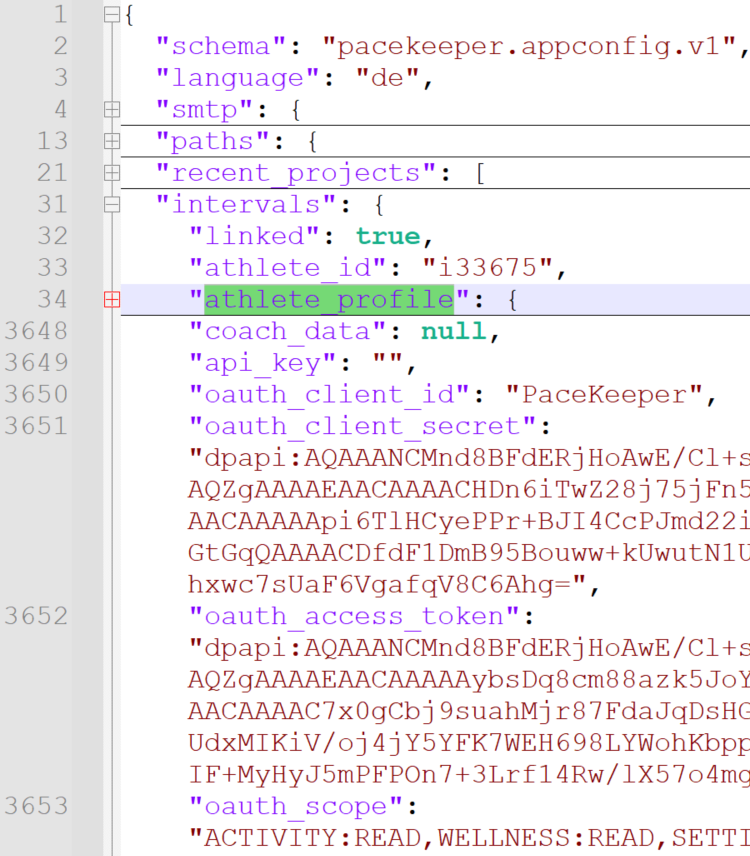
Do you see an entry called
intervals.athlete_profile?Also some elements with
oauth_client...(I collapsed the JSON for better readability.)
Thank you for the quick reply. I really liked the idea and the concept is fantastic and has legs to stand on; now it just needs fine-tuning.
1 Like
Not quite:
- Click “Looking for an athelete”
- Click “Add” in the Athlete search dialog
- Enter athlete ID and API KEY
- Click Test profile
- See my details, profile pic etc appear
- Click save
- The add athlete dialog disappears, but there is no sign that my details have been populated in the Athlete Search dialog. If I then click close, I’m back in the wizard with “No athlete has been selected yet” and the “Further” button is greyed out
If I then exit out and close the application and check the json:
"intervals": {
"linked": false,
"athlete_id": "",
"dev_athlete_id": "",
"api_key": "",
"oauth_client_id": "",
"oauth_client_secret": "",
"oauth_access_token": "",
"oauth_scope": "",
"athlete_name": "",
"profile_medium_b64": "",
"athlete_profile": null,
"coach_data": null,
"phase_note_show_on_fitness_line": false
},
1 Like
Thank you — I think I understand the situation now.
Did you log in to Intervals.icu by clicking the Intervals logo in the upper-right corner?
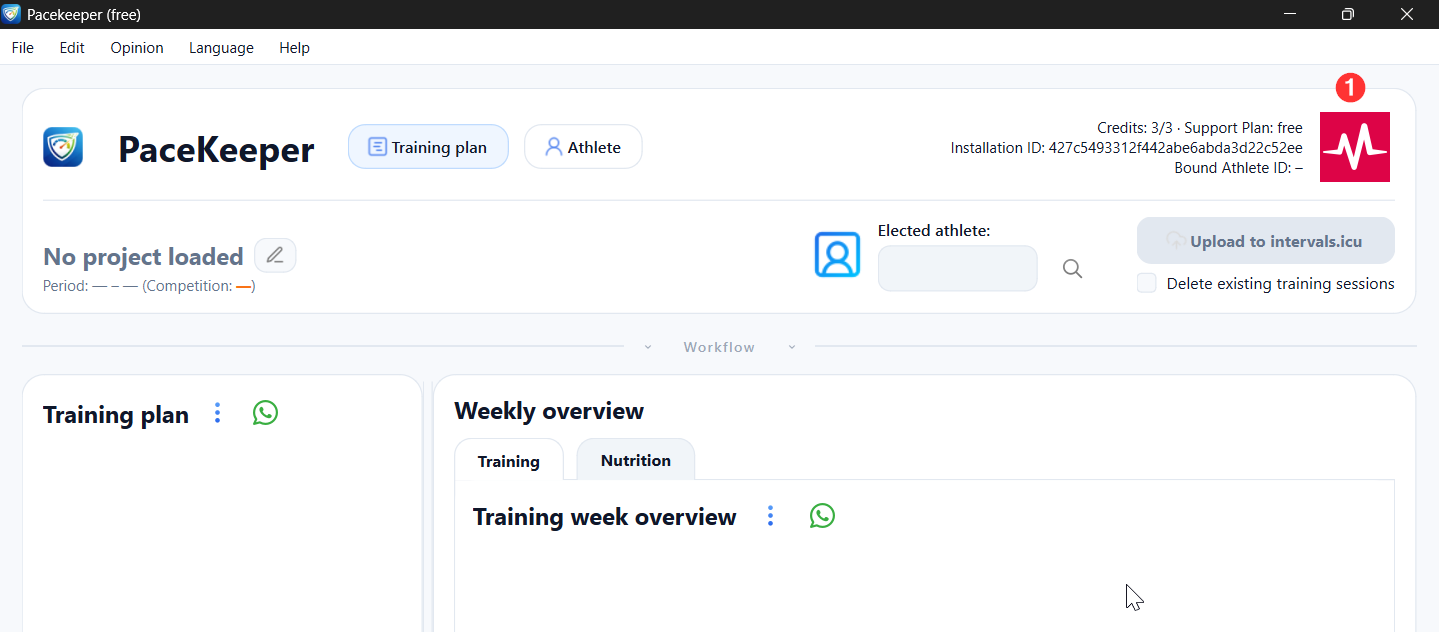
(See red marker (1) in the screenshot.)
This should open your browser, where you can log in using your Intervals.icu credentials.
For your own profile, you do not need an athlete_id or an API key. These are only required if you want to create plans for other athletes.
In the meantime, I’ve realized that splitting these two sections was not a good design decision.
In beta 0.3, this has been simplified and is much clearer:
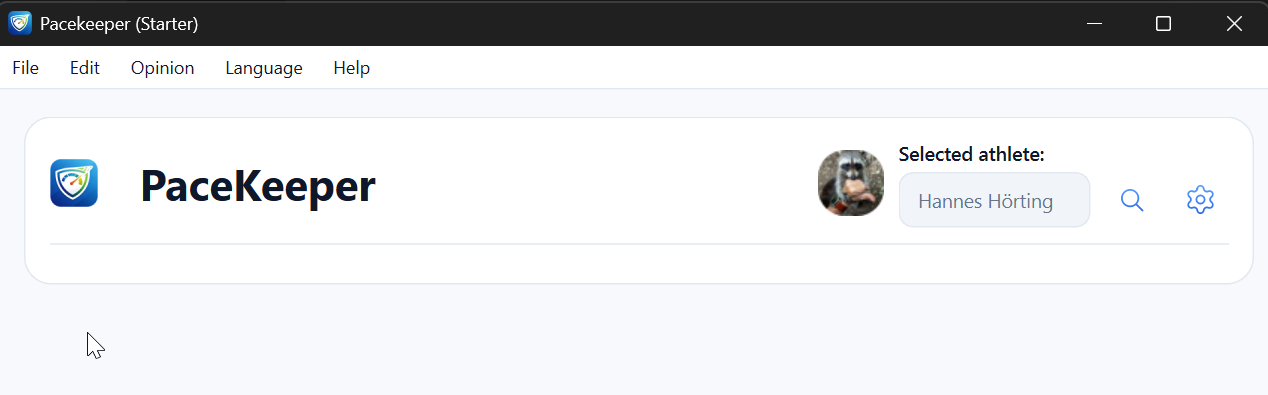
Just one section with the athlete. And there also all settings for the athletes
Ahh, got it. That’s much better now!
Next issue - copying the prompt into the custom ChatGPT gives me a human readable output, not json formatted.
 great to hear!
One quick question: did you use my custom GPT?
You can open it quickly by clicking the “brain” icon in the menu:

If you get a readable output, could you please send me the prompt and the AI response via PM? That would help me a lot to reproduce and improve the issue.
Hi everyone,
I’ve just released PaceKeeper 0.3 beta, which is now available for download on the website:
 Important information
OpenAI is currently experiencing an issue with publishing custom GPTs:

Because of this, I’m not able to update the custom GPT at the moment.
The existing GPT still works with the current PaceKeeper version (as far as I can see). Once OpenAI support gets back to me, I’ll upload an optimized GPT specifically for training and nutrition planning.
 Changelog – PaceKeeper 0.3 beta
New
- Everything related to the athlete is now consolidated in one central place:
Search icon: log in to intervals.icu and/or add a managed athlete using athlete_id and API key
Settings icon: edit the profile of the currently selected athlete (training & nutrition) - FTP and pace values are now fetched and displayed for multiple sports
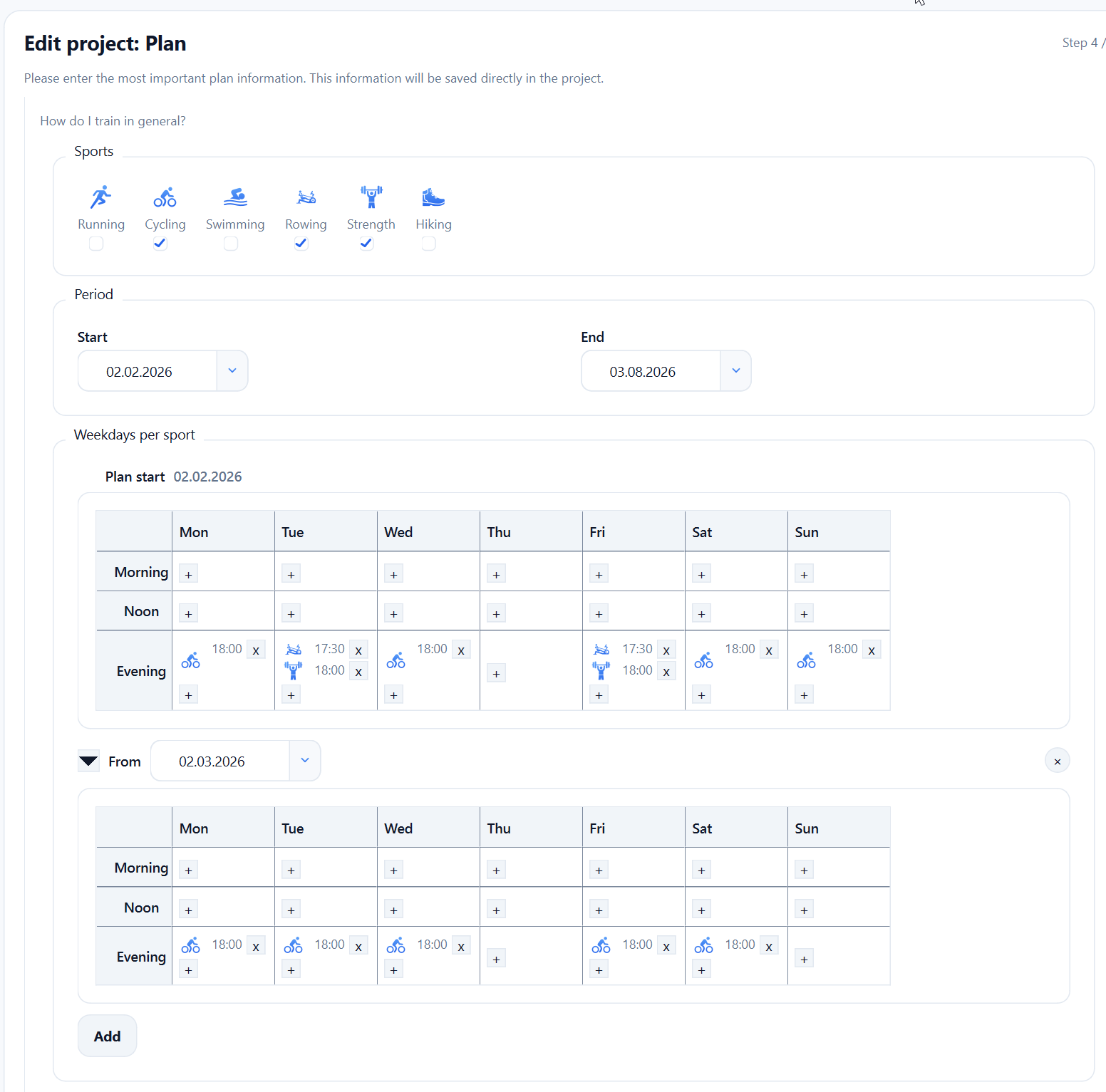
- In the training plan, you can now define specific days and times for your workouts
→ Benefit: nutrition plans are automatically optimized for those training days

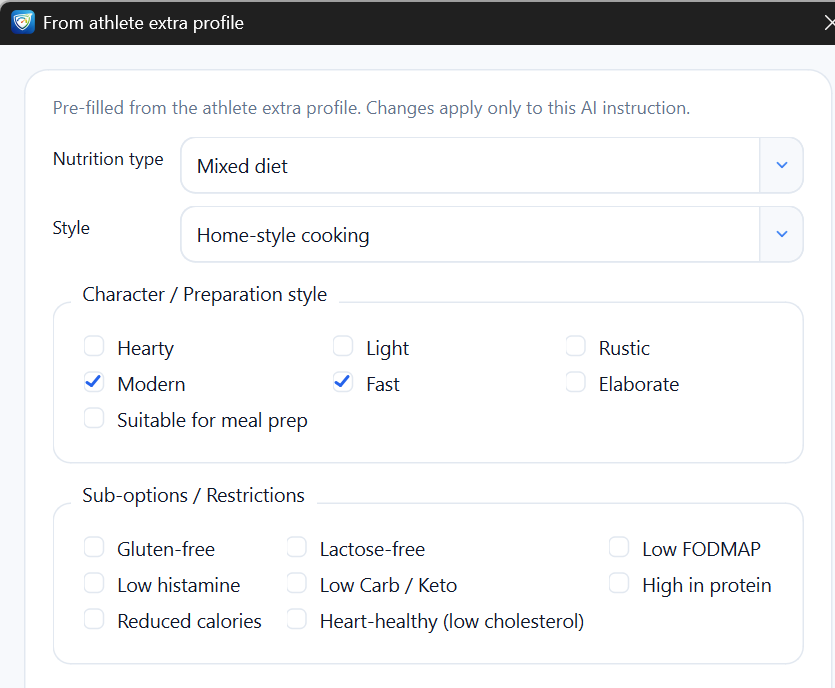
- Re-added the popup for creating nutrition AI prompts
Allows one-time overrides for a specific nutrition week
Changed / Optimized
- Project settings layout improved
- A-goal = main goal
- B- and C-goals are now clearly separated
- AI prompts optimized (YAML-based structure)
- All training plan information is now hidden until you are logged in to intervals.icu
- Load PaceKeeper and intervals.icu profile buttons in athlete settings
Fixed
- Language detection at startup (limited real-world testing so far)
- Workout duration calculation
- Several internal code issues
1 Like
Hello Fohnbit.
Yesterday I installed the program, but I’m still having some difficulties transferring the workouts I have in intervals.icu using Pacekeeper. I want it to read my workouts, with my profile, and then send them back to intervals. Is that possible? And how do I do this for my athletes? Thank you for your help and excellent work.
Hi Gomes,
At the moment, syncing workouts back from Intervals.icu to PaceKeeper is not possible — at least not yet.
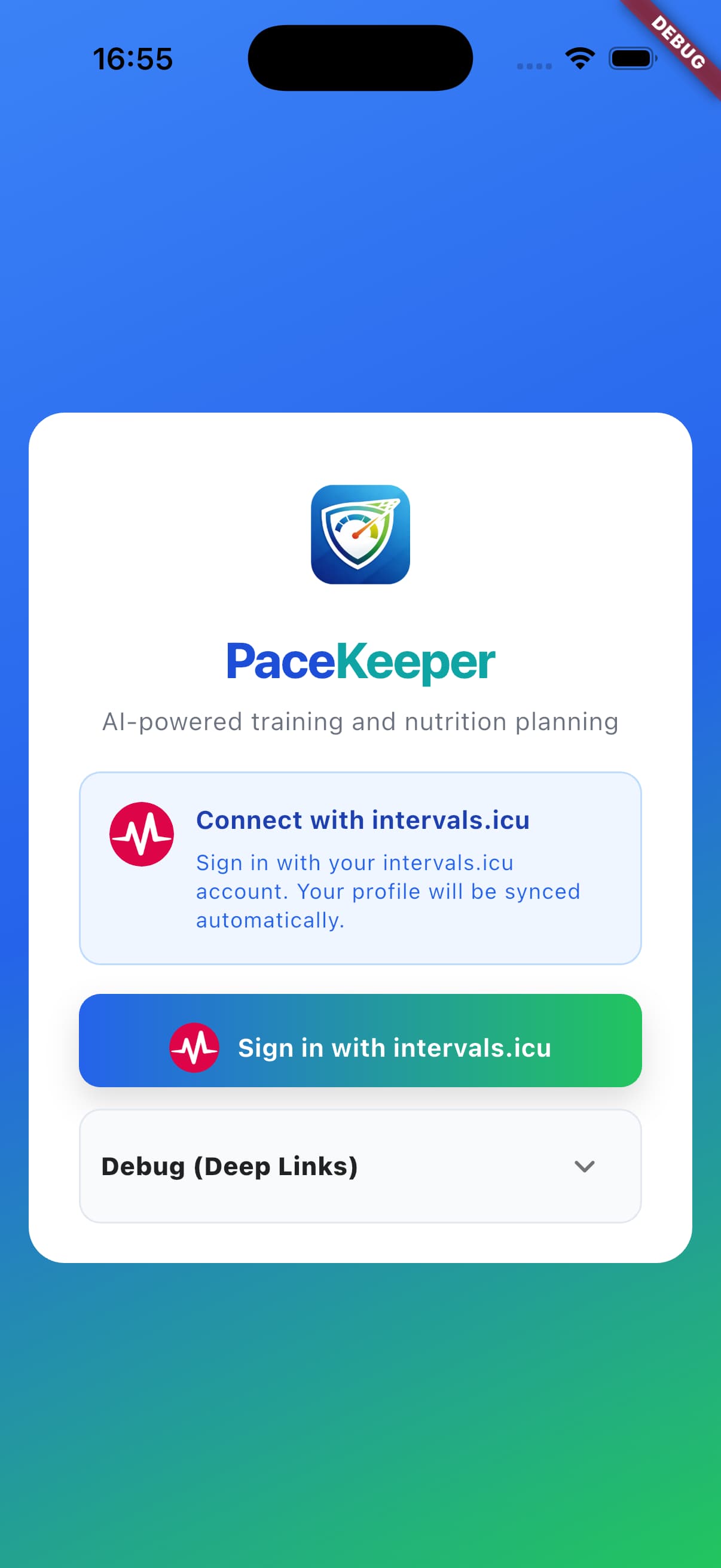
Over the past few weeks I’ve made major progress in development, which is why I decided to skip the next beta and move directly into developing the native PaceKeeper app. 
iPhone, iPad, macOS, android, windows
The app will include bidirectional sync (read and write), athlete support, and several additional features that are not possible in the current version.
The app will also include a fully integrated AI connection, though the exact scope is still being evaluated. 
So for now, I have to ask you to wait a little longer — but this functionality is definitely planned.
Thanks a lot for your interest and your kind words, I really appreciate it.
1 Like
Hello!
Thank you for your quick reply. I will then remove the program from the PC and wait to install the new upgrade.
Thank you, J. Gomes
1 Like
Hello everyone,
this time there’s a big update on PaceKeeper 
Milestone 1 is done.
The integration with the ChatGPT API is working reliably, and the costs for AI communication are currently within a reasonable range. Because of that, I’ll continue using this approach going forward.
The big advantage:
No more copy & paste is needed – all handling is done by the PaceKeeper server. Parallel requests are also supported, including a queue if multiple actions are triggered at the same time.
I’m willing to cover the incurred costs myself up to a certain point – yes, you can use it and my credit card will be charged 
Of course, the scope has to be limited, otherwise it would get out of hand at some point.
PaceKeeper can be used for free, and it will remain free.
The free version is suitable, for example, for a few AI requests per month (training / nutrition) and for simply trying out the app.
For those who use PaceKeeper regularly or want to make many adjustments, there is an optional small subscription:
For €0.99 per month, you get enough AI quota per month to use PaceKeeper sensibly for personal use (or primarily for another person).
Larger packages are also possible – this is purely about covering the ongoing AI costs.
 No subscription = no problem.
The app remains usable; the subscription is completely optional.
The exact scope still needs to be evaluated together with beta testers.
 Beta testers wanted
I’m currently looking for people who would like to test the app and provide feedback – completely free and with no obligation.
Currently in progress:
- Bidirectional sync with Intervals.icu
- Athlete and wellness data
Training plans will follow once the athlete section is finished.
 Supported platforms
Testers are wanted for:
- Android (phone & tablet)
- iOS (iPhone & iPad)
- macOS
- Windows
The Android version is already available as a Closed Beta in the Play Store.
Sign up as an Android beta tester (Google Group):
(Please sign in with the email address you use for Google Play so I can enable access)
I’m happy about any feedback – whether it’s a bug report, an idea, or a suggestion for improvement.
Thanks for reading and for your support!
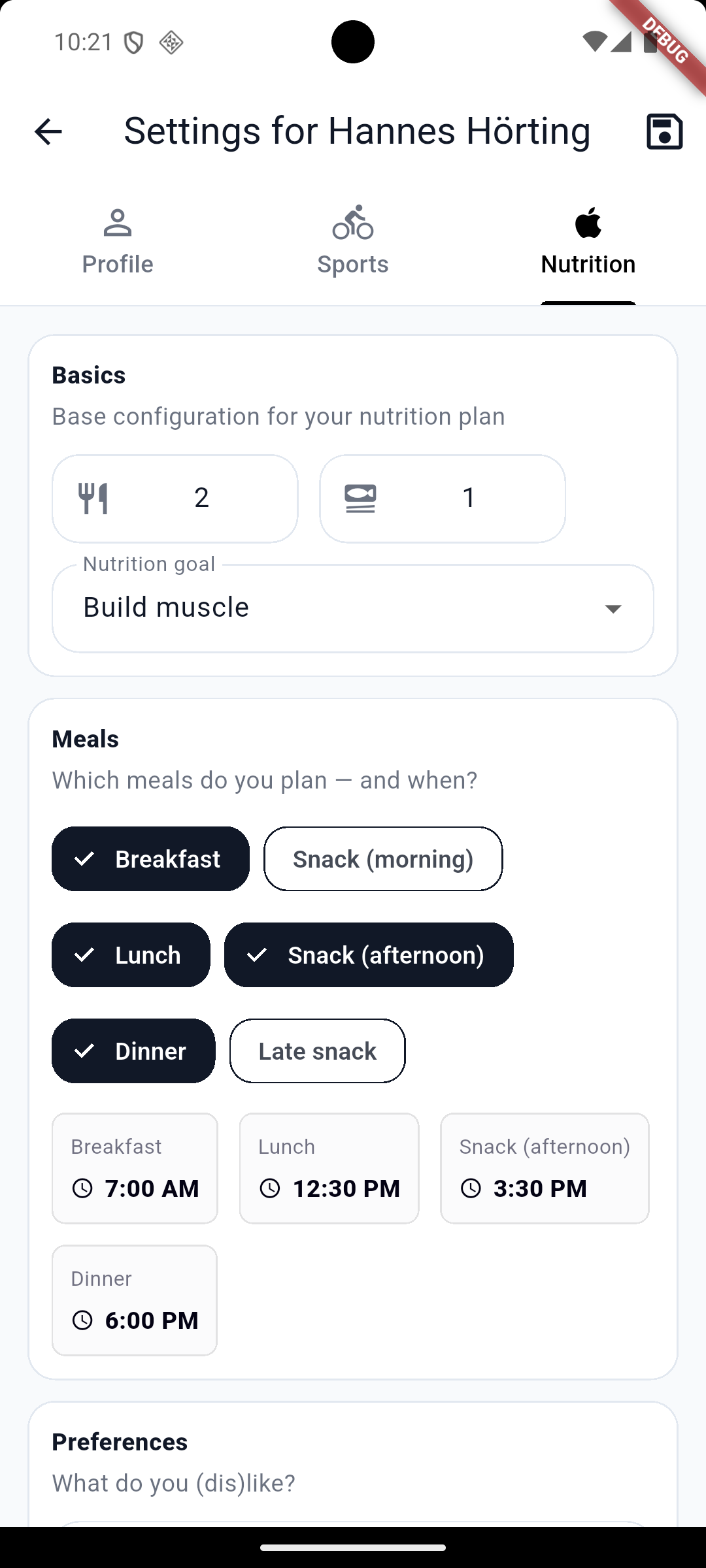
So, another update from development.
The test apps (currently Wellness, Charts, and Health) are now available on all platforms.
First, I need to connect all athletes to intervals.icu so that workouts and activities can sync bidirectionally.
To test PaceKeeper with intervals.icu, you currently need to use the respective beta platforms from Apple and Google (TestFlight / Play Store testing).
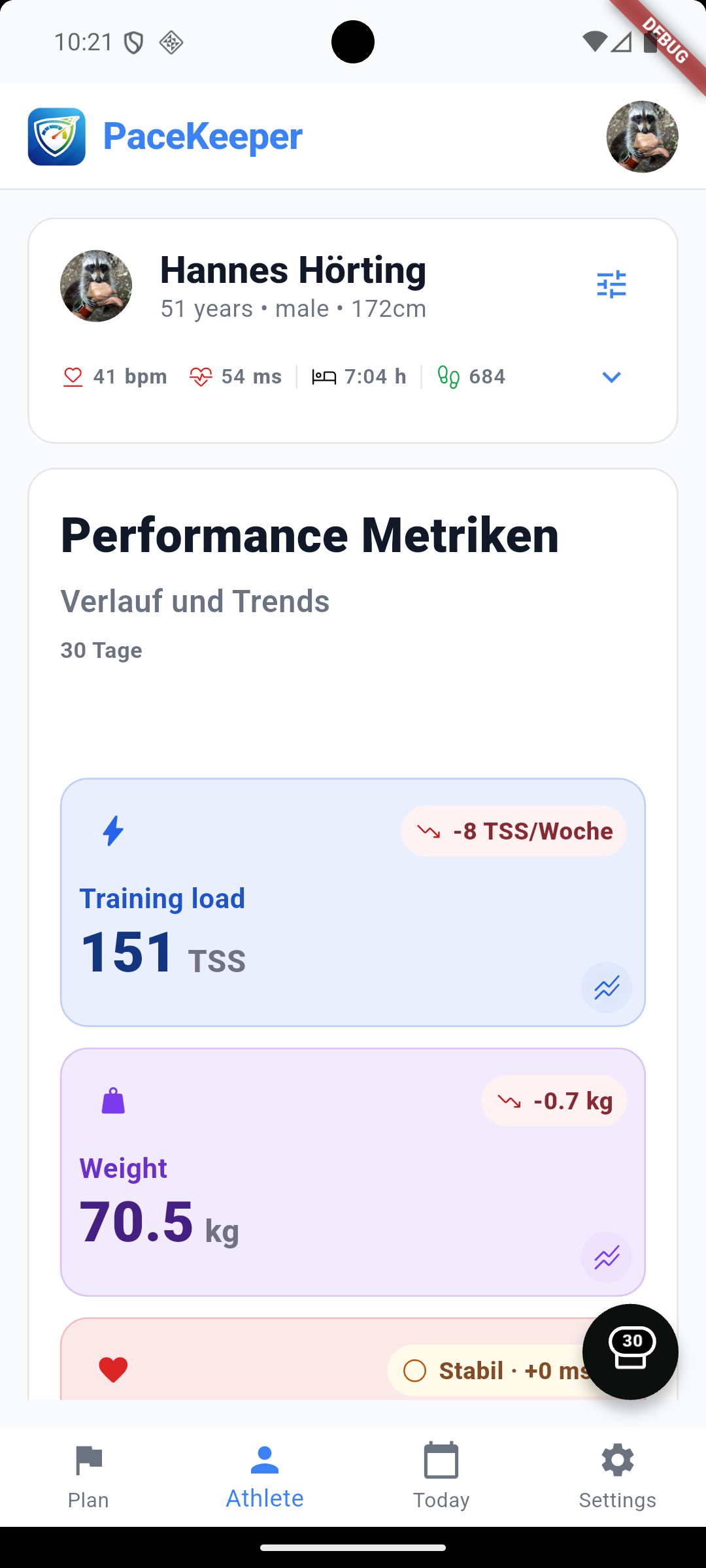
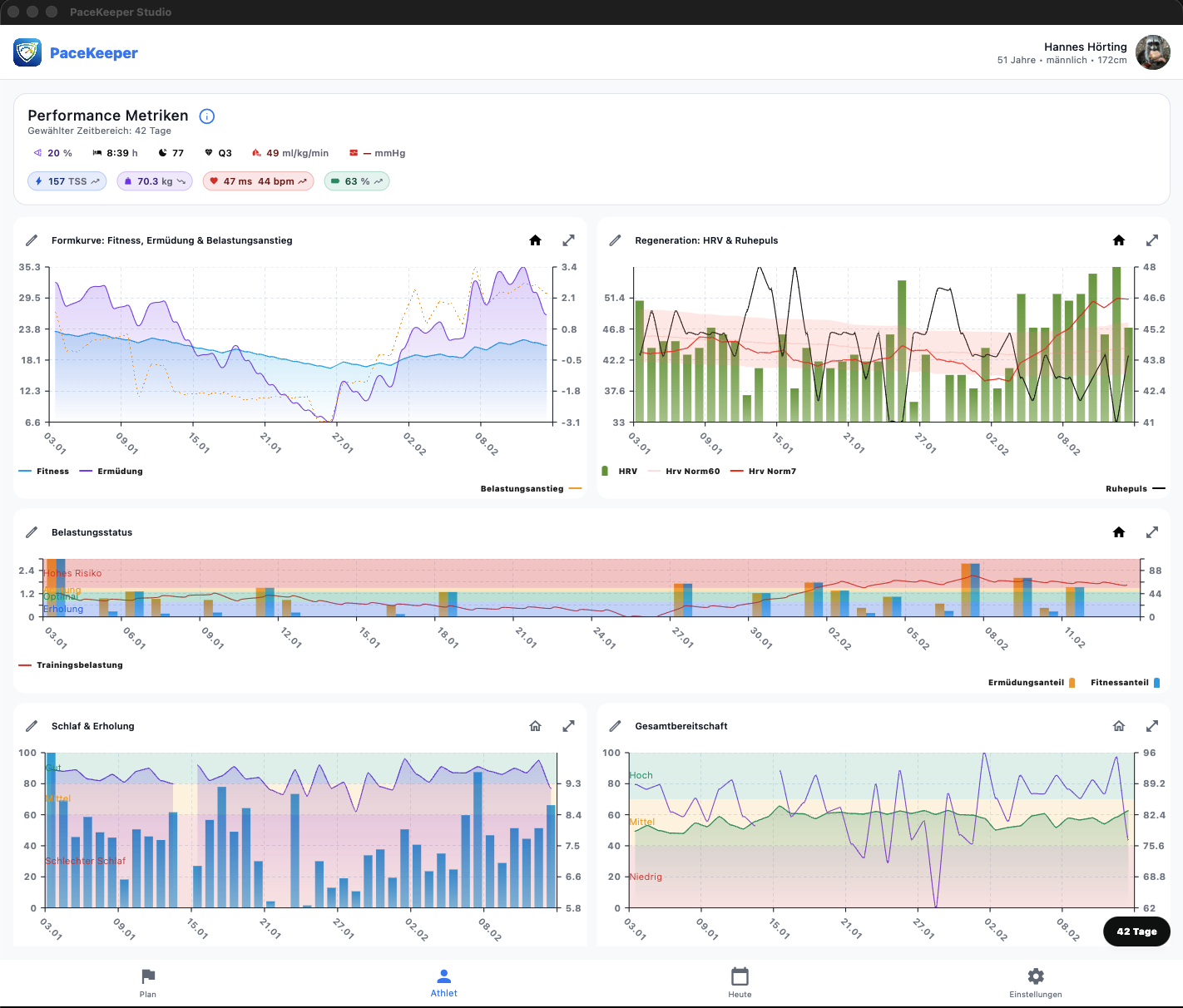
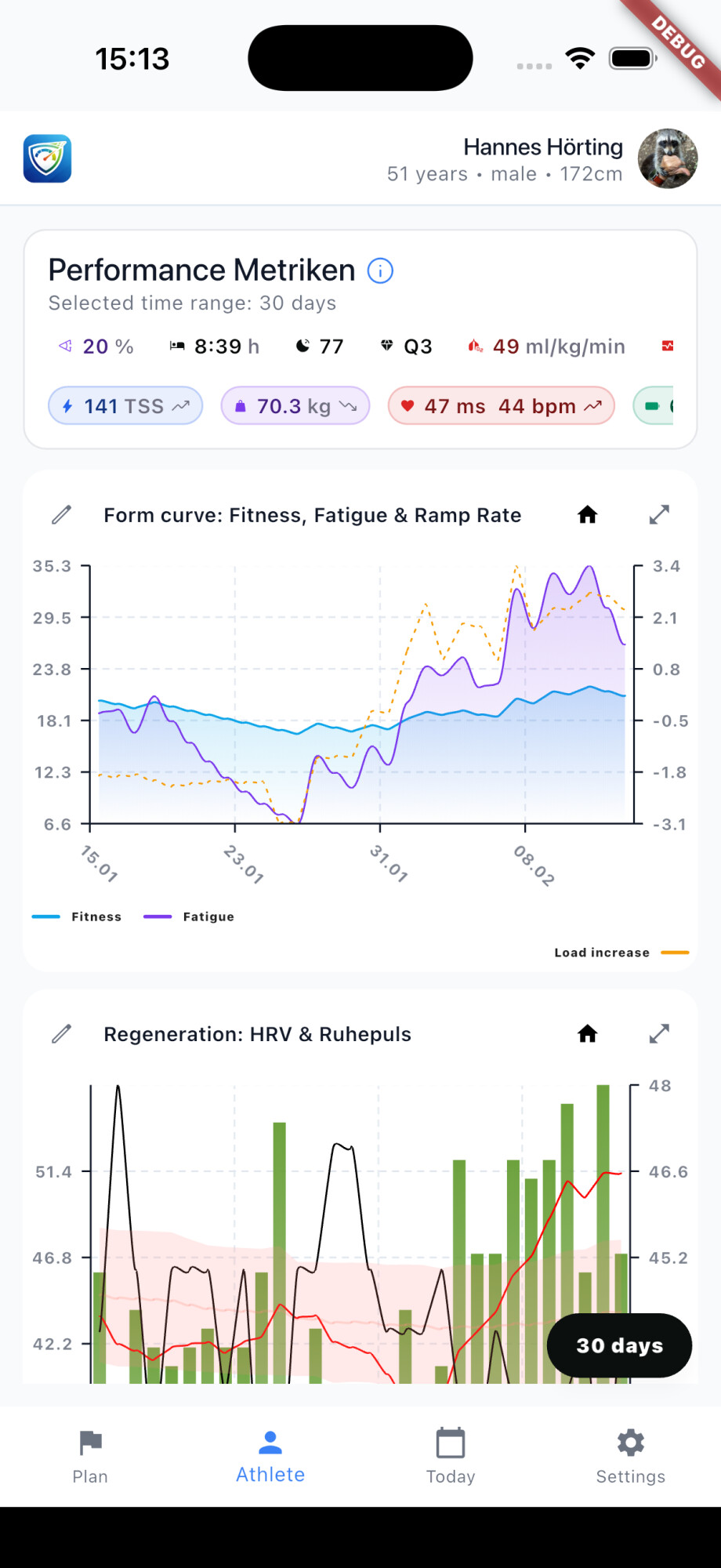
I’m now working on support for managed athletes, so you’ll also be able to display and switch between multiple athletes. At the same time, I’m focusing on showing the most important metrics and charts in the “Home” area.
Charts can be created and configured in the settings. I’ve added a few system charts that you can select. Charts can also be resized and repositioned on the athlete page.
This works best on Windows, macOS, and iPad due to the larger screen.
Apple Health and Google Health integration are also included. You can define which metrics you want to sync. These will also be uploaded to intervals.icu.
As an example, I’m currently using blood pressure values from Garmin as a test source — most other metrics are already coming from intervals anyway.
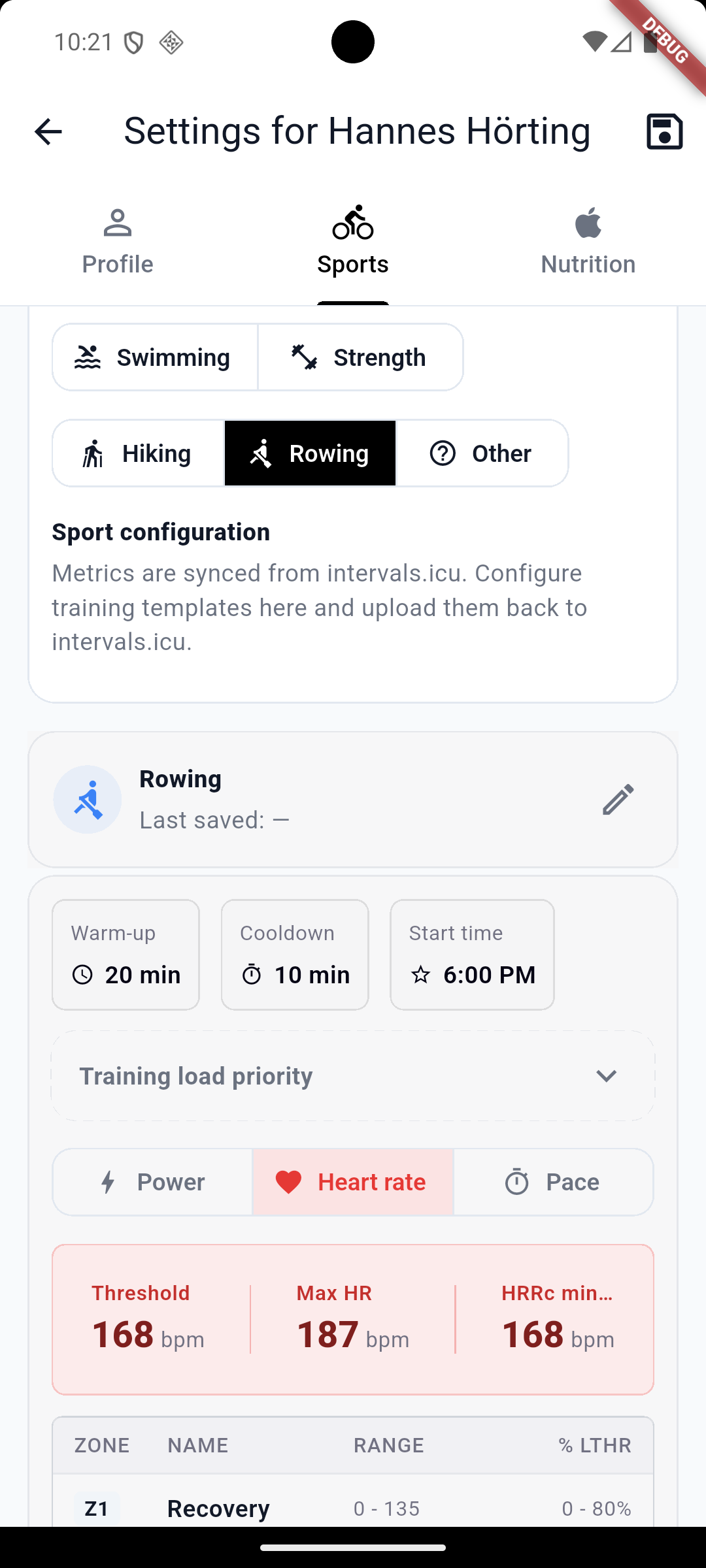
Some screenshots are attached below, followed by the links to access the apps:
Beta access
For beta testing, just send me an email ([email protected]) or a PM here and I’ll add your account to Apple or Google.
Note: On Apple platforms the pre-release app is distributed via TestFlight.
Or try directly (these links should work):
macOS: Join the PaceKeeper AI Desktop beta - TestFlight - Apple
iOS (iPhone/iPad): Join the PaceKeeper AI beta - TestFlight - Apple
Android (Play Store): https://play.google.com/store/apps/details?id=icu.pacekeeper.android.app
Android (web signup): https://play.google.com/apps/testing/icu.pacekeeper.android.app
Windows: PaceKeeper AI - Free download and install on Windows | Microsoft Store
Another update of the app is ready!
The upload is complete and should be available on your devices within the next hours/days.
(The Workout Builder was quite a beast  )
)
In the next version, the first AI features will arrive:
- generating individual workouts
- nutrition planning
 Overview
Before going into details:
Activities and Workouts are the main new feature
Both are now fully bidirectionally integrated .
 General Improvements
- Unified app name:
- iOS, Android, Windows: PaceKeeper AI
- macOS: PaceKeeper AI Desktop
- Auto / Light / Dark mode→ Settings | Appearance | Theme
- Gear calculator→ Settings | Tools | Gear calculator
- Create workout from GPX(foundation for future pacing strategies)→ Settings | Tools | Create workout from GPX
- Theme adapts dynamically in the background
- Charts redesigned
- In Activities: toggle chart lines via legend click
- Managed athletes:Add multiple athletes from Intervals and use all features for each
- Store integration completed*(Beta uses sandbox only – no real charges)*
- Performance metrics removed*(already available in the athlete view)*
- Day carousel (7 days past & future) (temporary – full calendar coming next version)
- Display of:
- all completed activities
- all planned workouts
- Display of:
- for Testing only (this version): Load an activity by ID (to access older activities)
 Activities (Opening a completed activity)
Header (right)
- RPE & Feeling→ editable instantly (syncs immediately with Intervals)
- Refresh→ reload directly from Intervals
- “Tt” button→ edit/add description
- Delete activity
Header (left)
- Add tags (saved for reuse in PaceKeeper)
 Tip:
Tip:
If you use the tag “lactate test”, a button appears to analyze it
Intervals Summary
- Same as in Intervals.icu
Metrics Section
- All metrics from Intervals
Chart
- Show zones→ switches power & HR to your training zone colors
- Time view (default)
- Distance view
Chart Interaction
- Drag to zoom
- Double click to zoom out
 Lactate Analysis (optional via tag “lactate test”)
Header (right)
- Import→ import lactate values from another activity
- PDF→ export report
- Save lactate→ stored locally + server (cross-device)
- Help
Calculation Modes
- Dmax
- Modified Dmax
- 4 mmol/L (reference point)
- DFA a1 (only if HRV data available)
Chart
- Estimated performance values (LT1 & LT2)
- Power curve
- Calculation bands (which power values are used)
- Directed calculation (experimental weighting for short stages)
Lactate Input
- Resting lactate input
- Lactate per stage*(automatic assignment coming next version via Garmin LAP button)*
- Recovery values (for future calculations)
- Advanced fine-tuning options (use carefully)
 Workout Builder (open via workout)
Header (right)
- History
- Download from Intervals
- Upload to Intervals
- Allows:
- restoring older versions
- fixing bugs or description issues
- Template (experimental)→ currently lactate test workouts
- Refresh→ reload from Intervals (overwrites current)
- Upload→ send to Intervals and reload (updates metrics)
- Upload dropdown→ copy/paste description manually*(useful for syncing with Intervals directly)*
Header (left)
- Change sport via icon
- Edit name
- Edit date/time
- Add tags
Metrics
- Should be self-explanatory
 Workout Chart
- Switch base unit:
- Power
- Heart rate
- Pace
System tries to maintain equivalent training load via zones
Interaction
- Drag & drop blocks in chart
- When selected:
- full configuration options below
Supported Features
- Duration / Distance
- Power:
- Watts
- %
- Zones
- MMP
- Custom zones
- Intensity
- Cadence
Input Controls
Every value has:
- direct input
- slider support
Slider Options
- Keyboard toggle
- Zoom for fine adjustments
- Type:
- fixed
- ramp up
- ramp down
- range
Block Templates
- Drag & drop directly into chart
 Final Note
That should cover most of it – a lot also happens under the hood.


