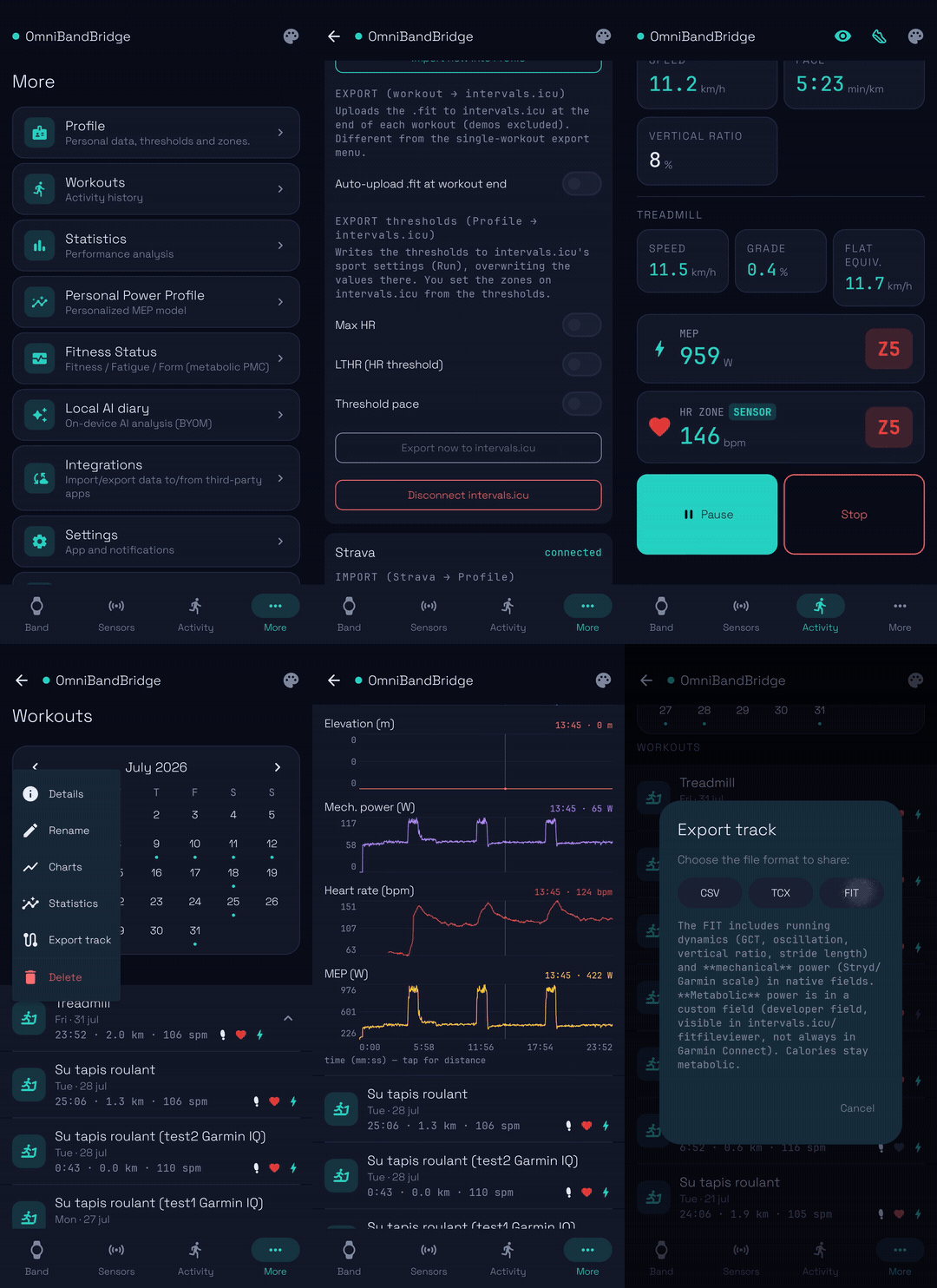
First of all, a big thank you to @david: I love intervals.icu so I built OmniBandBridge (OBB) to get more of my running data into it.
What it is: a free Android App that reads real-time running data from a wearable you already own, records the full run -including advanced dynamics- and auto-uploads it to intervals.icu as a .FIT file. It can also re-broadcast the same live data as a standard sensor to Zwift, treadmills and other apps. Supported sources are: Xiaomi Mi Band 8/9/10 (incl. the footpod “running clip” mode), Garmin watches, Stryd / any BLE RSC footpod, and UA connected shoes (with embedded Atlas sensor).
How it works with intervals.icu (the part you’ll care about):
Auto-upload every workout to intervals.icu as a FIT file with native running dynamics
(ground-contact time, vertical oscillation, vertical ratio, stride length, cadence) and power.
Pull your athlete profile from intervals.icu: LTHR, max HR, resting HR, threshold pace and your HR & pace zones - so OBB’s live metrics and zones match your intervals.icu setup instead of a generic formula.
Personalized metabolic power (MEP): a running-power metric learned from your own workouts (your zones/CP, not a one-size model). It’s written to the FIT as a developer field, so you can analyse it in intervals.icu.
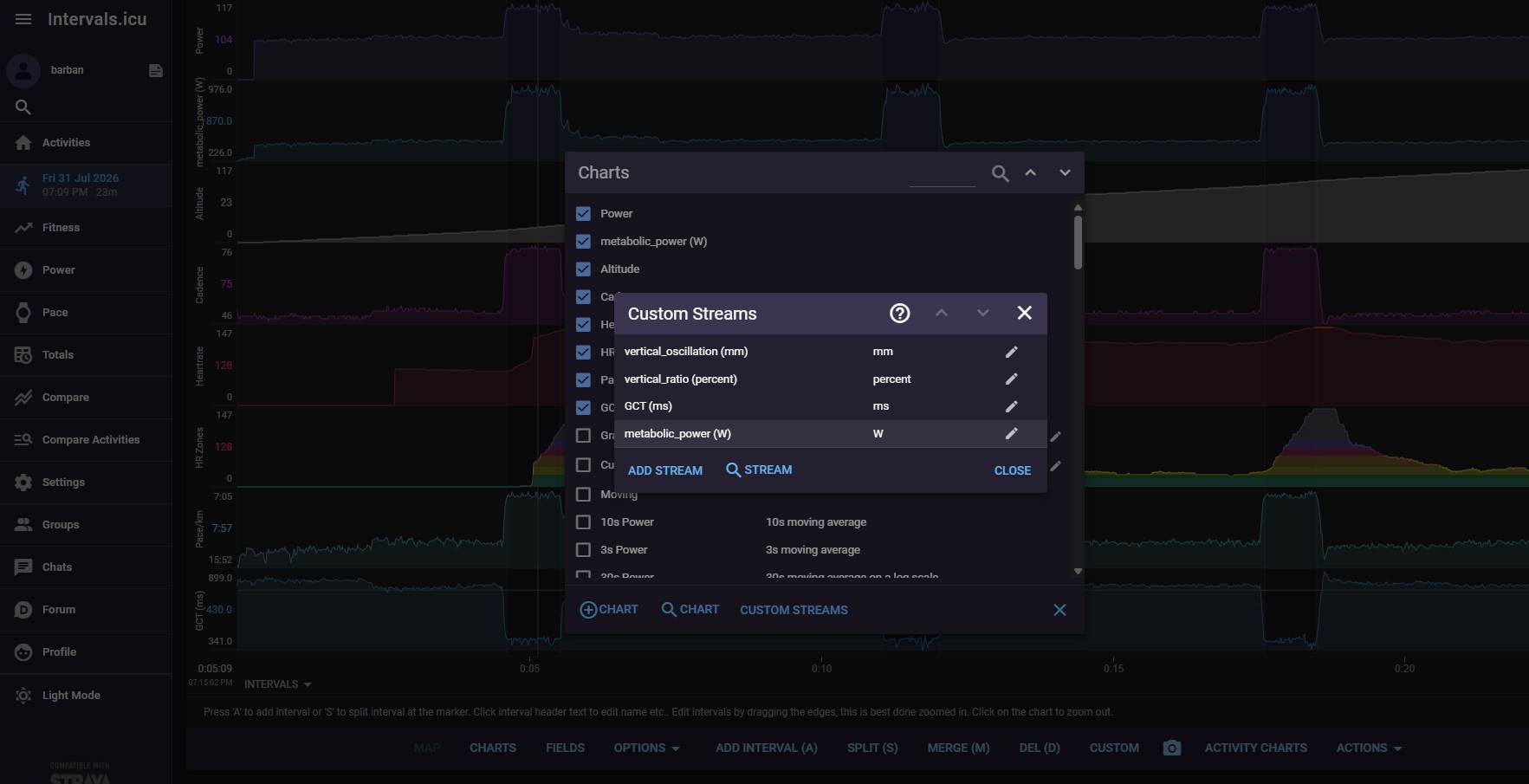
Here’s what that looks like once the .fit lands on intervals.icu — the running-dynamics and MEP
streams come through as first-class custom streams you can chart and analyse:
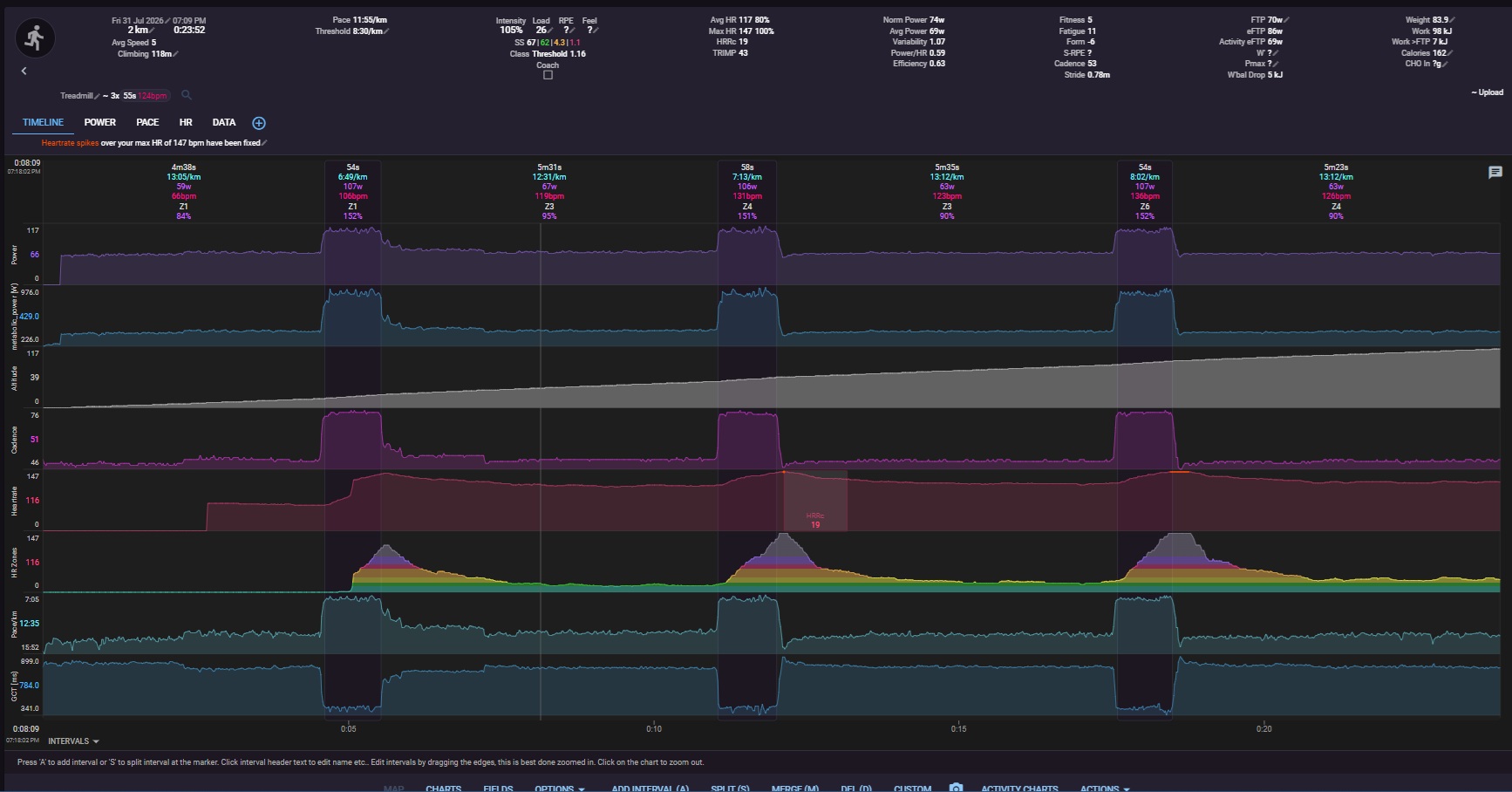
a full imported run with every stream charted side by side: power, metabolic_power, altitude, cadence, heart rate, pace and GCT.
Also: treadmill FTMS (speed/incline) + external HR fusion, outdoor GPS with elevation for grade,
CSV/TCX/FIT export, and an optional on-device AI journal. Free, no account, local-first — your
training data stays on your device (and, if you choose, uploaded to intervals.icu by you).
It’s in free closed beta; I’m the solo dev and I’ll keep it updated. Feedback very welcome
Try it (Android):
Google Play (closed beta) — two quick steps: ① join the tester group obb-beta-testerswith the Google account you use on the Play Store, then ② open the opt-in link and install.
Hi pedroqs,
great question: it hits one of the most interesting (and debated) footpod topics: footpod speed vs
the treadmill belt.
No, OBB doesn’t currently write a single value as footpod calibration factor into the FIT. The FIT carries the band’s own speed, distance, cadence, stride and the running dynamics but not a separate calibration coefficient.
On the roadmap I could considering either (a) writing a calibration value into the FIT if there’s a field intervals.icu would actually read, or (b) surfacing it as a summary metric in the workout details offered by OBB. Curious which you’d find more useful.
But here’s the thing: it’s trivial to recover the footpod calibration factor from the data, and the how is the fun part.
As example, I took a real treadmill session of mine (a walk with three ~1-minute running surges) and computed the footpod-vs-treadmill ratio for every steady segment (≥ 30 s; ramps between speeds dropped). I didn’t open a spreadsheet: OBB has an on-device AI journalfeature: a small local (on your home WiFi) MCP / HTTP API server that can be used to exposes your workouts and their per-second samples to an LLM model you choose, and nothing leaves your phone.
I just pointed my Claude model at it and asked “compute the footpod/treadmill speed factor
for each steady segment of the last workout I made” and it produced this:
#
phase
treadmill km/h
mph
footpod km/h
factor
cadence
duration
1
walk
4.02
2.5
4.35
1.081
98
134 s
2
walk
4.51
2.8
4.67
1.035
102
130 s
3
run
8.05
5.0
7.85
0.975
150
58 s
4
walk
4.99
3.1
5.05
1.011
106
79 s
5
walk
4.67
2.9
4.72
1.011
102
228 s
6
run
8.05
5.0
7.81
0.970
149
59 s
7
walk
4.51
2.8
4.59
1.019
100
321 s
8
run
8.05
5.0
7.84
0.974
149
59 s
9
walk
4.51
2.8
4.56
1.012
100
313 s
Duration-weighted: walk ≈ 1.02, run ≈ 0.97, overall ≈ 1.02.
Takeaways:
The footpod stays within ~3–8 % of the belt - close enough to use raw for most purposes.
But the factor isn’t constant: it reads slightly high when walking slowly (+8 % at 2.5 mph)
and slightly low when running (−3 % at 5 mph), crossing ≈ 1.0 around 5 km/h. So a single
calibration constant would be a compromise; the honest picture is a mild pace-dependent curve.
In this session I used the footpod embedded on my Under Armour Guardian connected shoes; the Mi Band behaves similarly in my tests (IMHO Mi Band + running clip is a very good footpod !).
So: not in the FIT today, but easy to get from the data and with the AI journal feature you don’t even have to crunch it yourself, you can just ask to whatever LLM model you are happy to use.
Thanks again for the question, it made for a nice little study.
Hi all,
following up on the footpod calibration-factor question above, I just turned that analysis into a full write-up with charts, comparing footpod-reported speed vs treadmill belt speed across paces (Mi Band 10 vs a UA HOVR Atlas footpod):
TL;DR: the Mi Band 10 stays basically flat (only slightly low) across the whole pace range, while the footpod’s factor drifts with pace (reads high walking, low when running fast) so a single calibration number doesn’t really hold for a footpod. On a treadmill the belt speed (FTMS) stays the most trustworthy source, which is why OBB prioritises it over the band-derived speed.
Data was pulled per-segment straight from OBB’s on-device AI-journal API.
Hope this analysis can be of interest for the community!
BR