@Krzysztof Thanks for checking. As for caching issue - I am not sure that’s the problem - it ha been 24 hours and the issue is still there 
It looks like it fails to retrieve activities from Intervals - only wellness data is getting in.
I don’t know the exact number, but I’d estimate at least $15–20 per month to cover AI costs for a single user - assuming a significantly higher quota that would let you talk to the AI Coach daily about your progress. On top of that, there are processing fees from the App Store, Stripe, etc.
It would be cheaper for someone who only checks in once a week, but talking to it after every workout is pretty addictive  , so I think most people would end up using it more often.
(I use gemini, yes, different versions are delegated to different tasks though)
I noticed in the server logs that some endpoints were timing out. Could be related to your issue, it was patched few minutes ago. Please try again when you have a moment.
Thank you, it seems to be working now!
1 Like
Hi everyone,
Another weekend, another few hours I could spare to improve the app! I’ve just submitted a new iOS update that is currently pending App Store review.
Here is what’s coming:
-
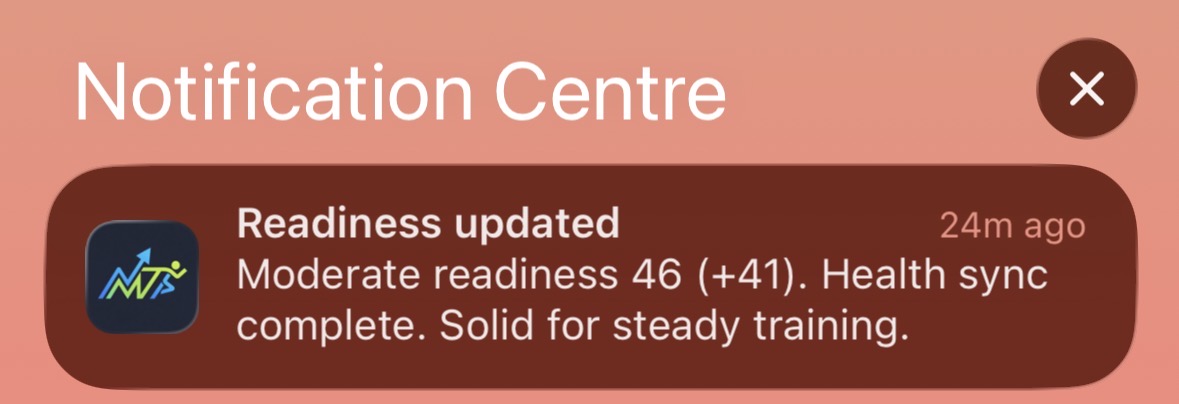
Background Health Sync & Notifications: The app now syncs health metrics in the background. It then sends a notification informing you about your readiness for training.
-
Home Screen Widgets (iOS): You can now track your fitness right from your home screen! Currently, the widgets support a Training Load chart and a Body Battery trend.
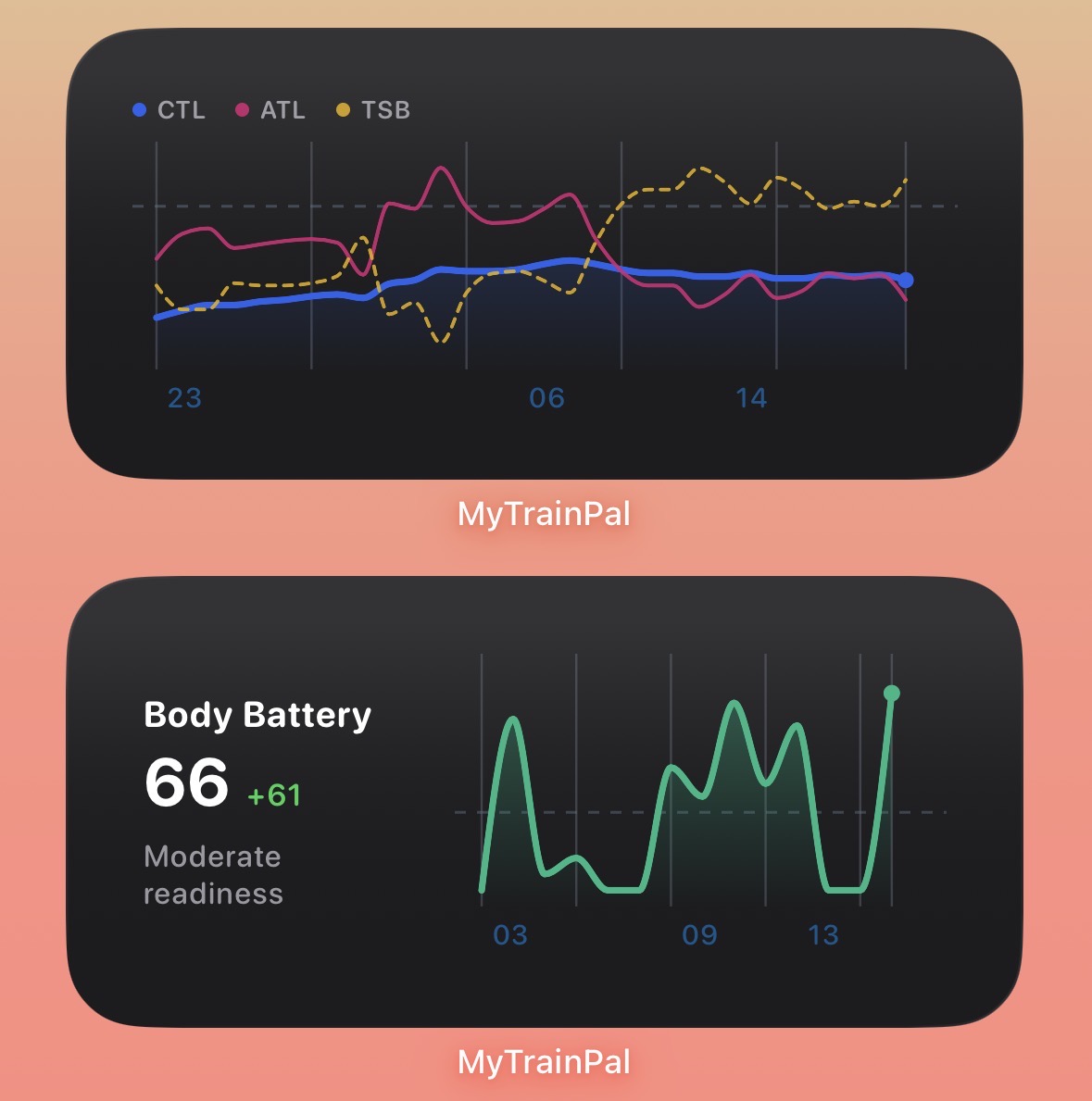
I’d love to learn from you what other daily metrics/notifications would help your training? What data would you most like to see as a home screen widget? The ones I added already are just a starting point.
Quick progress update from the last 24h: shipped major improvements across chat reliability/streaming (including better background behavior on iOS), activity detail charts (power/HR/pace), thresholds (API + UI + zone logic + Intervals sync), week-by-week planning/calendar, and completed-activities pagination for improved performance.
Also, a huge thank you: the iOS app has now reached almost 100 downloads. Really appreciate the support.
If you haven’t yet, please update to the newest app version to get all the latest features and fixes.
Thanks,
Krzysztof
Apple Watch Update
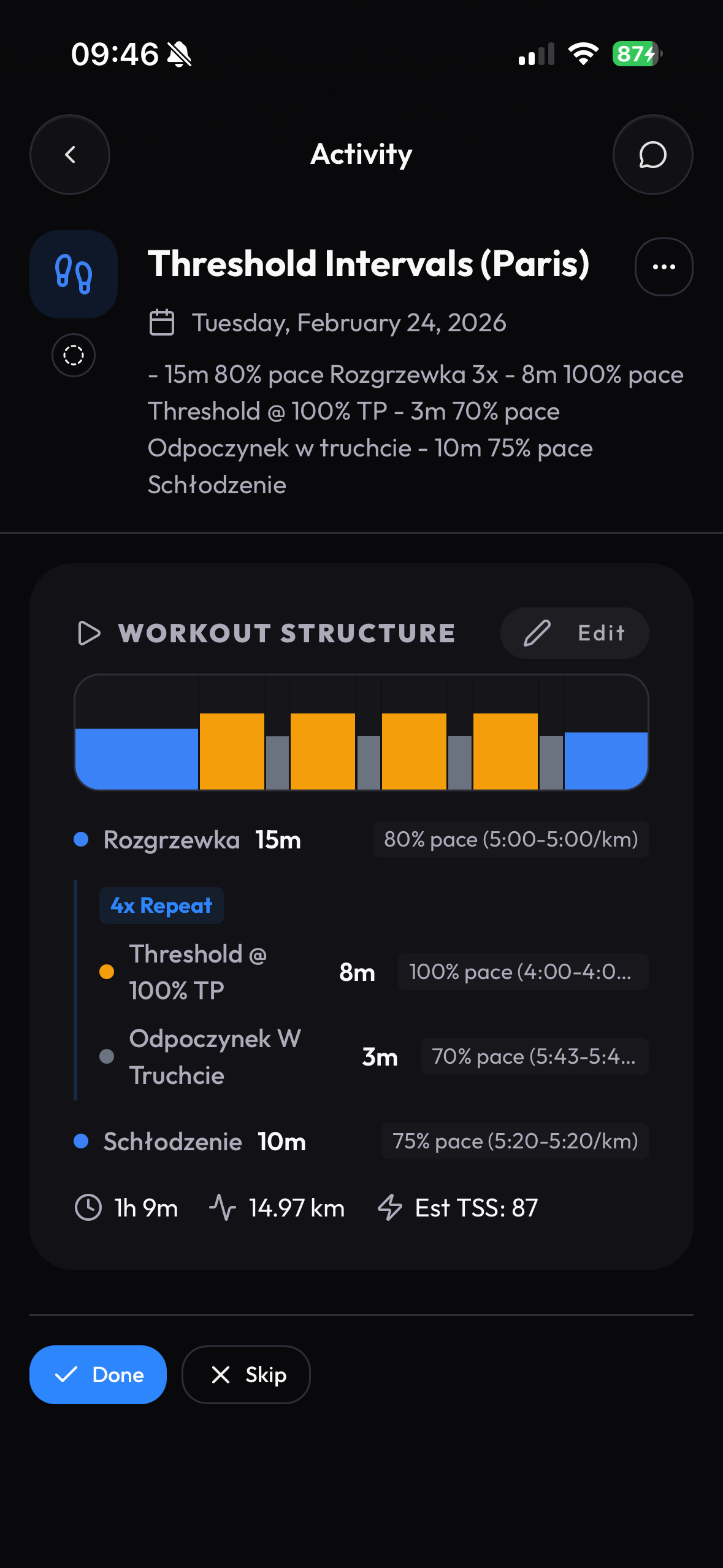
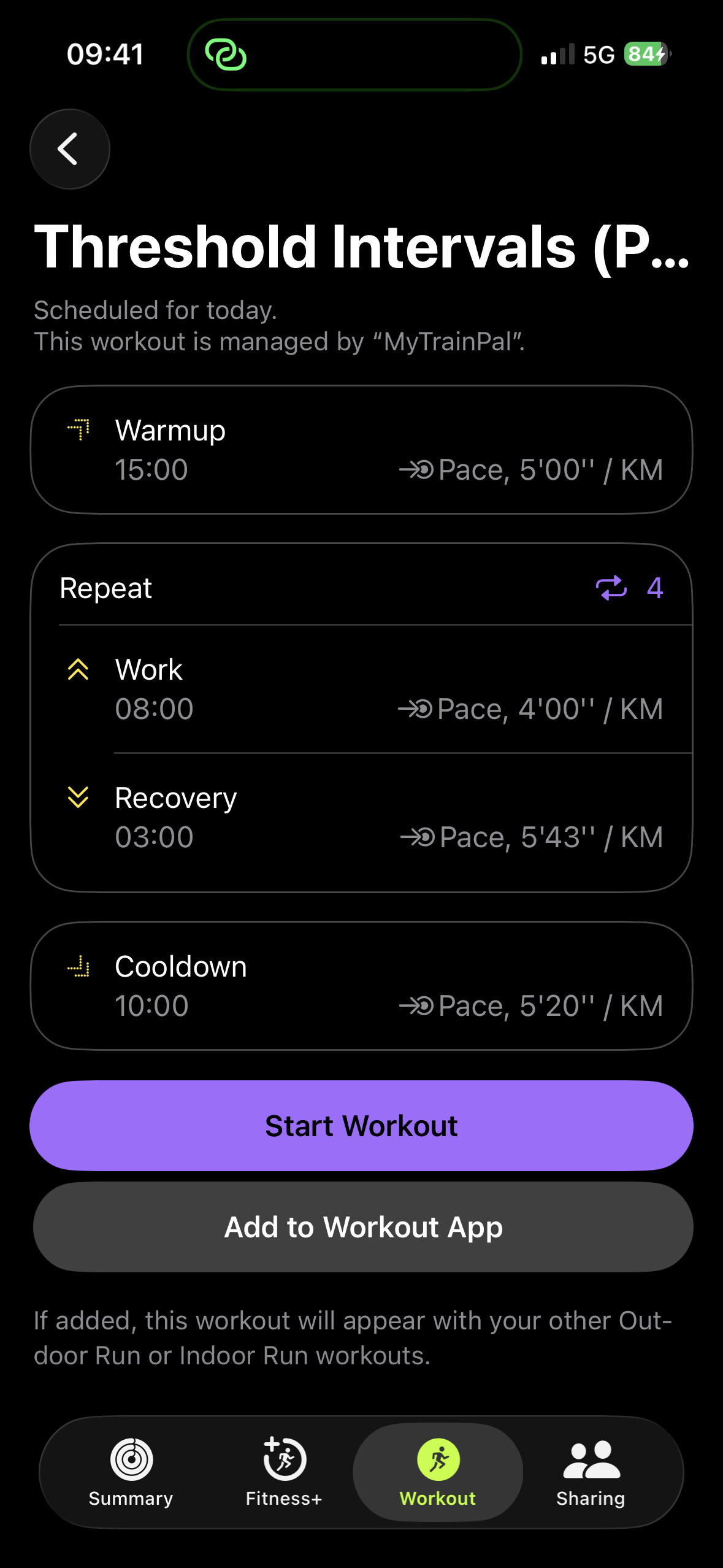
Workouts generated by your AI Coach are now automatically synced to the Apple Fitness app and appear in the Workout tab.
They’re synced with correctly resolved heart rate, power, and pace zones, using your values directly from Intervals.icu.
1 Like
Hi everyone,
I’m looking for people with Android devices to become testers of the Android version of the app. For the volunteers I have prepared 3 months of PLUS version that gives you access to 5x the AI credits quota. Number of testers I can onboard is limited.
Please reach out to me in private message or email me at [email protected]
Best,
Krzysztof
Hey everyone, quick update.
I’ve been working on a Coach Mode for MyTrainPal. The idea is giving coaches an AI assistant that already knows their athletes’ data, so they spend less time on manual review and more time on actual coaching.
It’s the same chat-first approach as the athlete version - you just talk to it. Ask it anything about your athlete and it has the full picture: activities, wellness, HRV, sleep, training load, plan, goals. A few examples of what coaches have been using it for:
- “Summarize this athlete’s last 7 days and flag coaching priorities”
- “Review next week’s plan — is the volume realistic given current form?”
- “Reduce load by 20% this week” → AI proposes specific changes, you approve or reject each one
- “Compare this athlete’s aerobic efficiency over the last 30 days”
Basically anything you’d discuss with an assistant coach who’s already reviewed all the data.
Coaches also get a triage dashboard showing all athletes at a glance — TSB, Body Battery, sleep, with trend indicators. High-priority athletes surface to the top. Plus a direct messaging channel with each athlete alongside the AI.
All workout changes sync back to Intervals.icu.
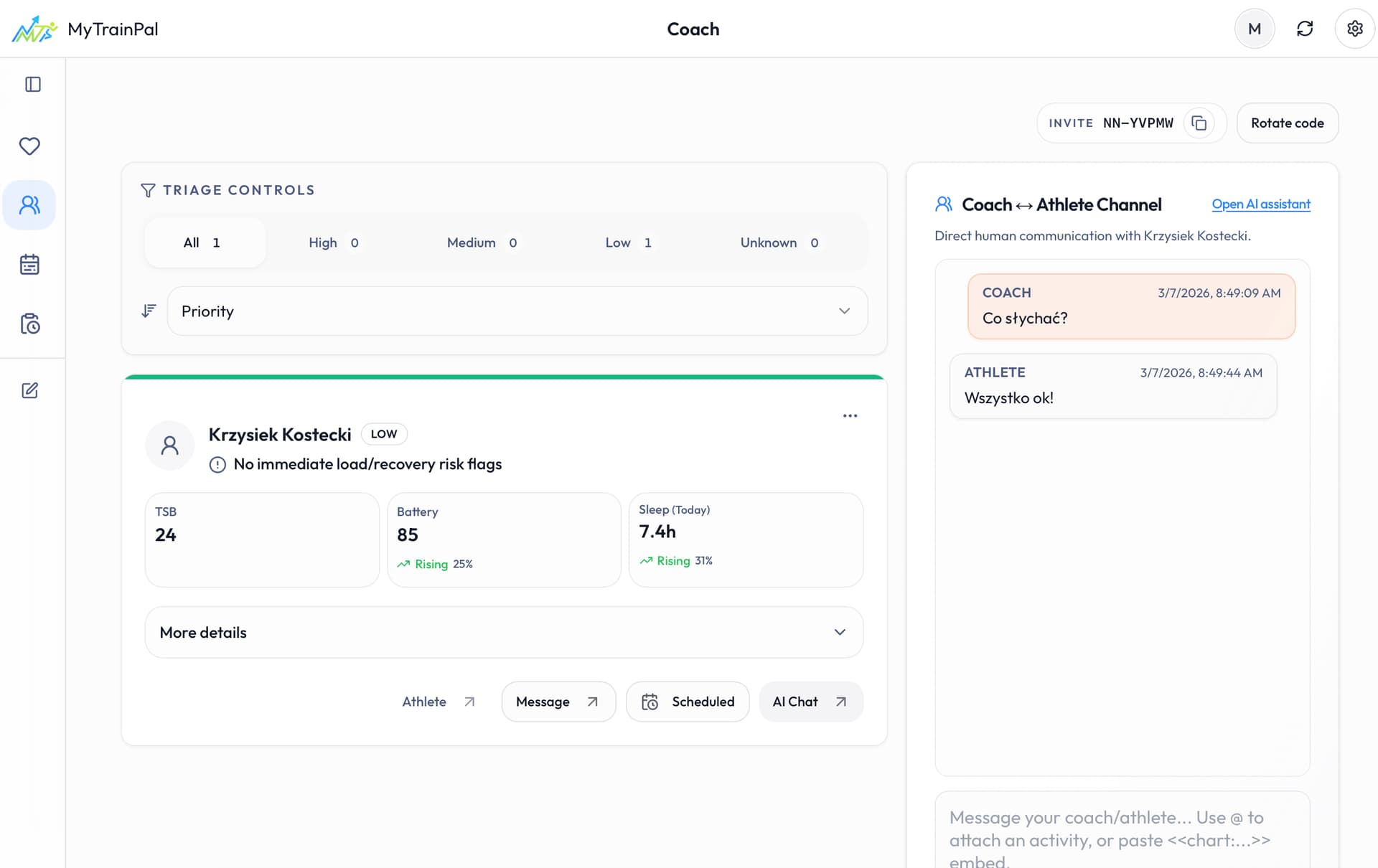

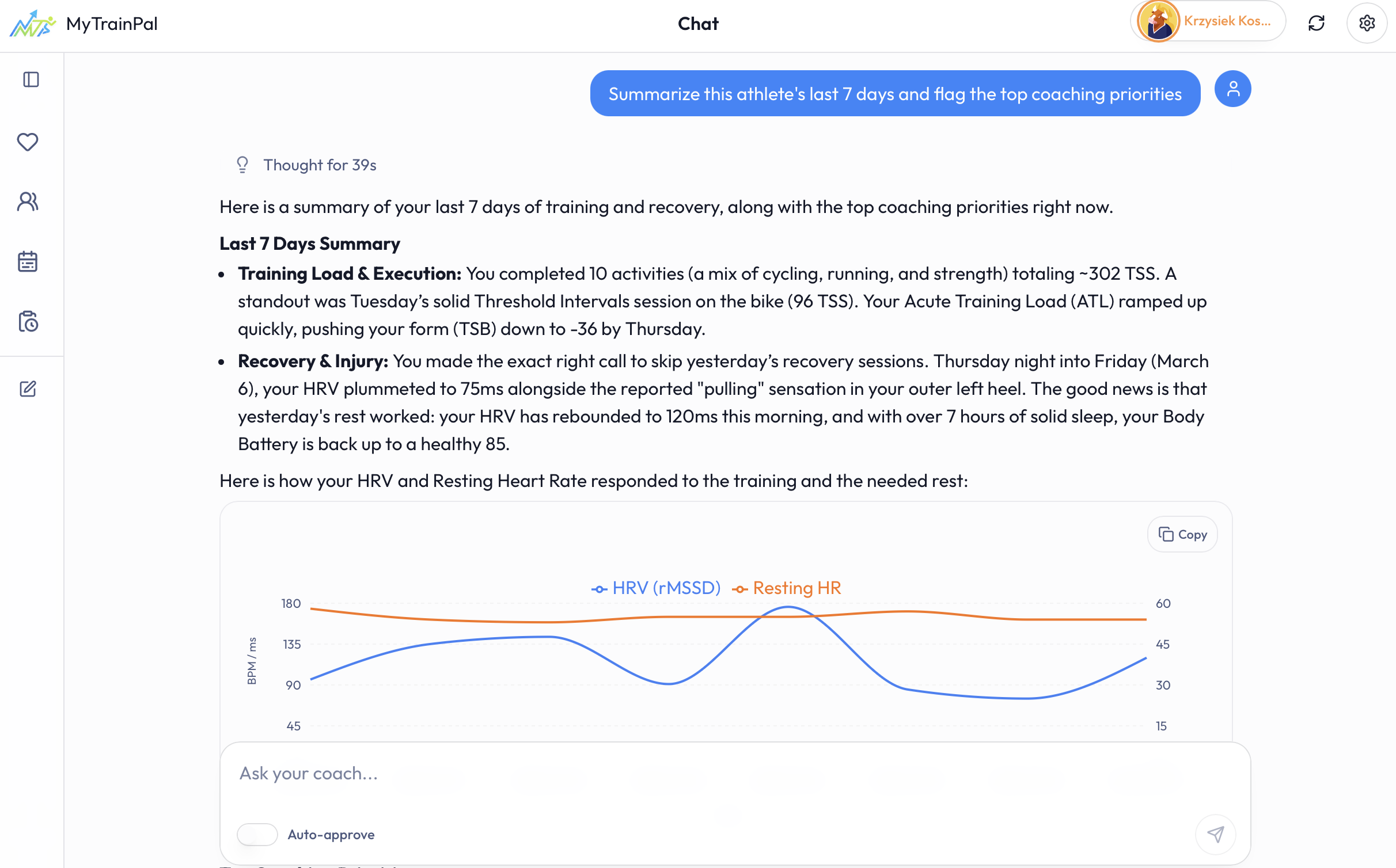
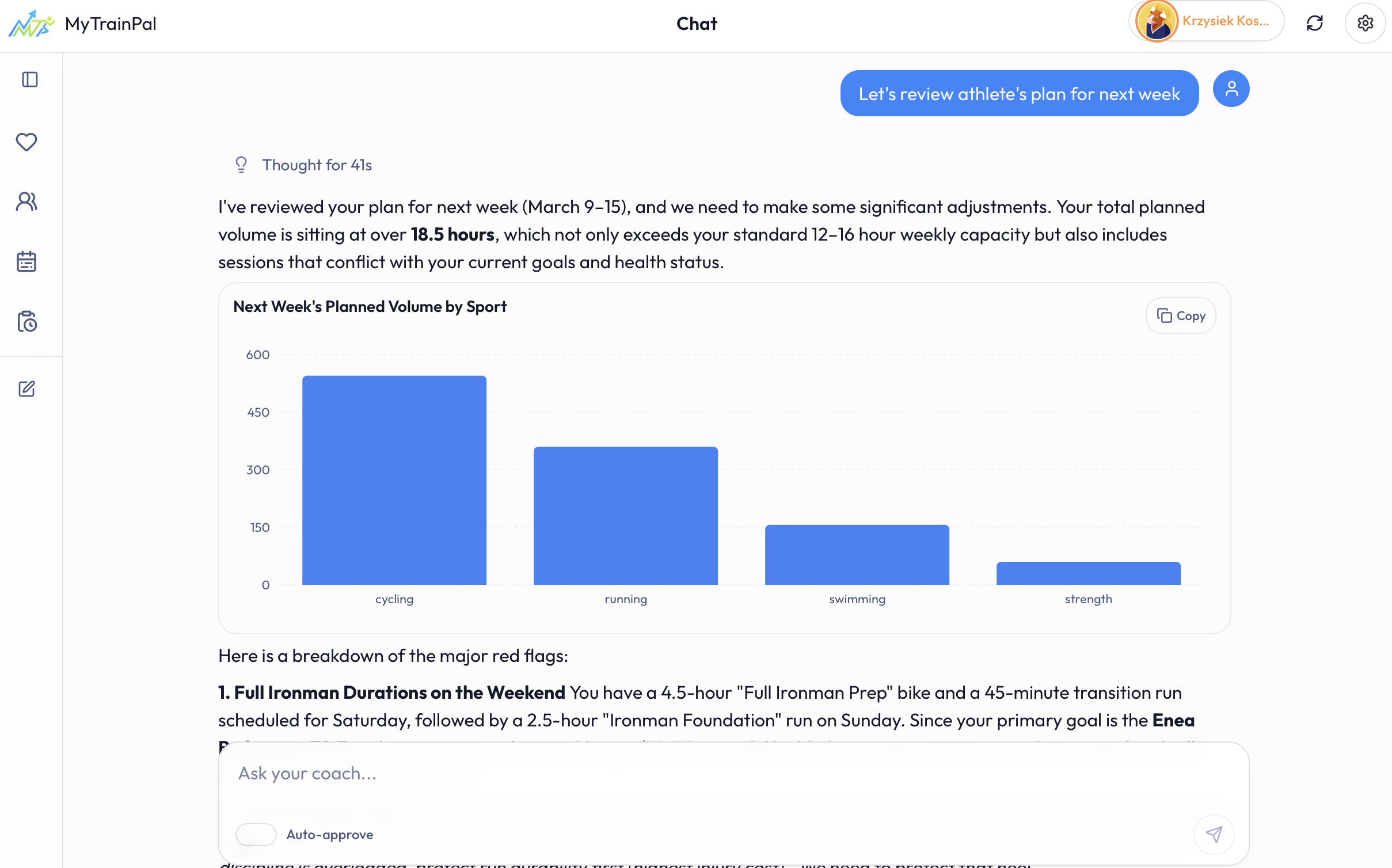
I’m looking for a few coaches willing to test it and give honest feedback. I’ll set you up with a free month — just DM me or email [email protected].
Hi everyone, quick feature update:
I just added Notes in MyTrainPal.
- You can now create/edit a Note with only: title, date, time, note content
- Notes have dedicated UI in activity create/edit flows, training detail view, and calendar tiles
- Notes now support bidirectional sync with Intervals.icu NOTE events (changes sync both ways)
This fits especially well with AI-assisted coaching .
With Notes, you can capture extra context (constraints, travel/stress/sleep context, intent for upcoming days), and the AI can use that information to give better, more personalized guidance.
Small but important update on plan management in MyTrainPal.
When MyTrainPal proposes a new plan, the create-plan approval now shows the week-by-week targets up front. So instead of approving a plan based only on name, dates, and goal, you can immediately see the intended progression before accepting it.
After approval, those same targets stay visible in the week-by-week view. The larger Planned bar is the weekly target, the dashed line shows what is currently scheduled, and the solid bar shows what has actually been completed. You can switch between load, time, and distance, enter edit mode, and adjust a week intuitively by dragging the top handle of the Planned bar and changing its height.
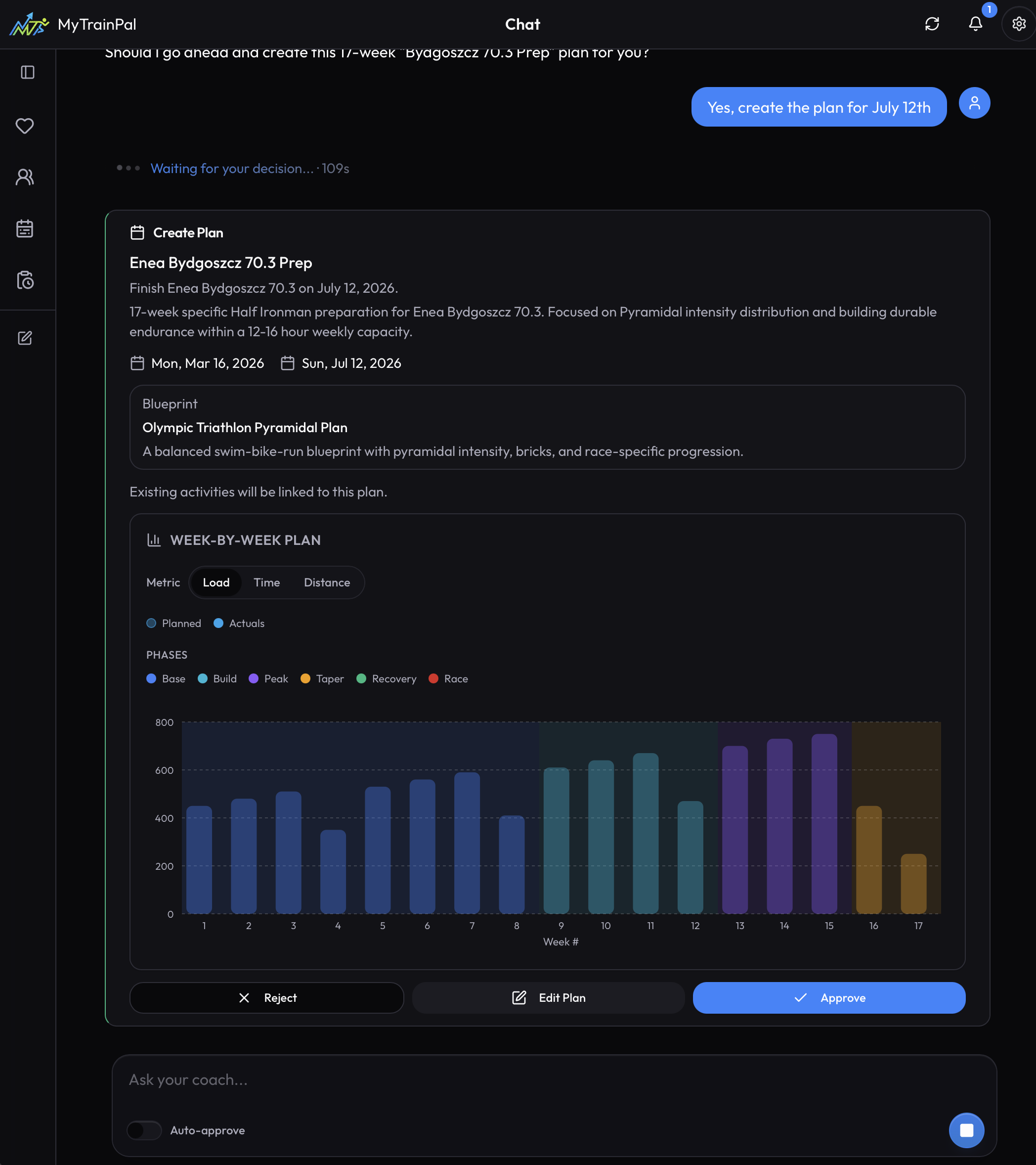
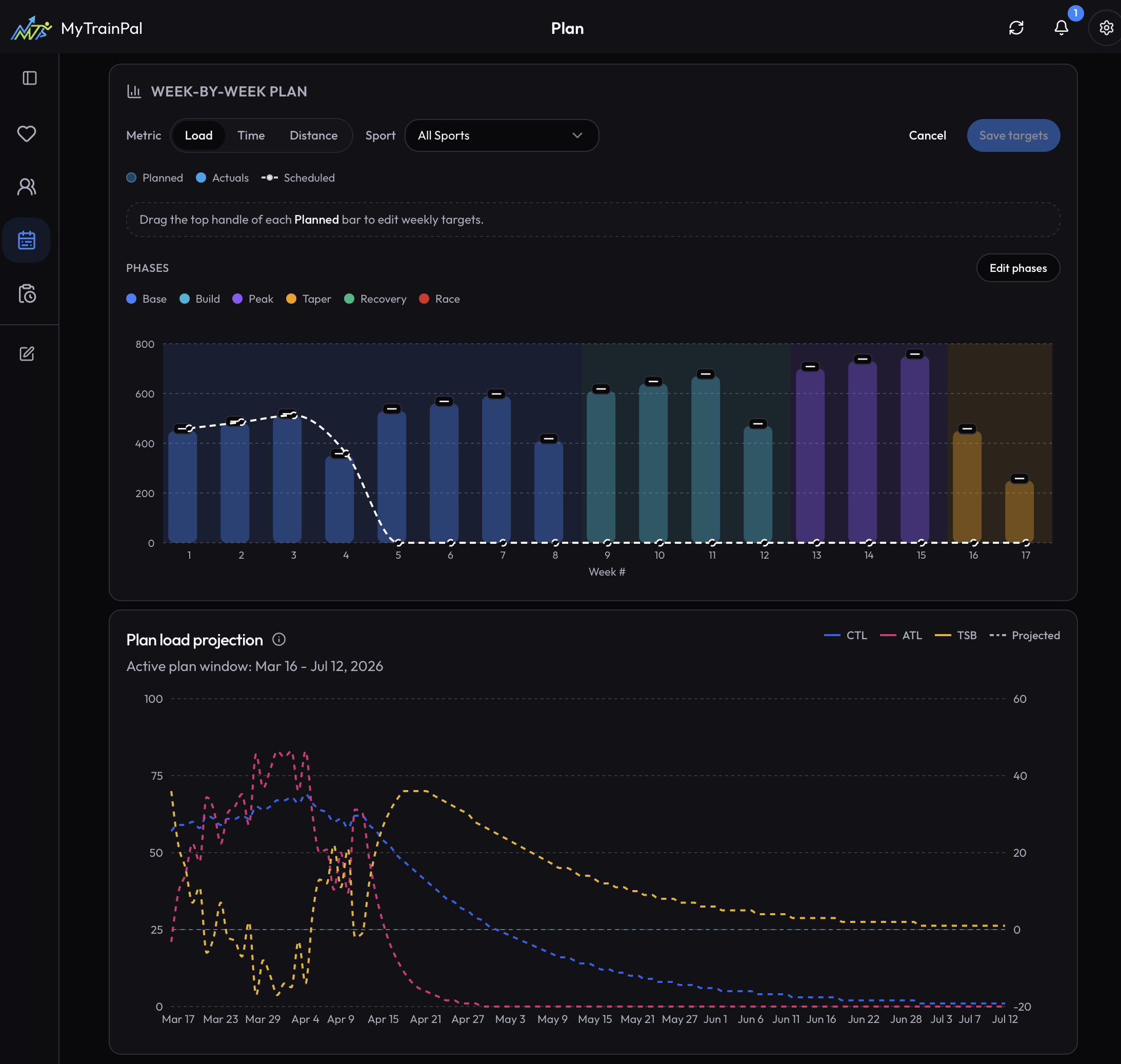
That closes the plan management loop: generate the plan, review the targets before approval, track execution against them, and fine-tune the targets later without rebuilding the whole plan.
What is the pricing for mytrainpal.app? I couldn’t find it on the site without signing up. In your original post you mentioned it was free for now, and a month ago you suggested a subscription might land around $15-20 a month. Have you settled on a price yet?
1 Like
Hi,
Pricing is not displayed on the website because the exact price is different for each country/currency and is managed through App Store. But it’s ~10USD per month now.
On the App Store you can look at “In-App Purchases” to see the price in your country. This is how it looks for me
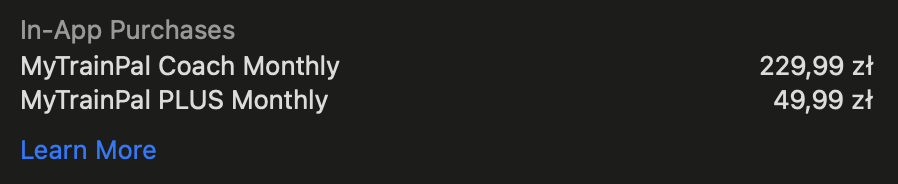
Your follow up question will probably be how much of it is going to the LLM. I can be transparent here, if user will utilize all the PLUS tier credits it will cost me ~5-6 USD, apple takes 3$, so I’m left with 1-2$ that with enough paying users should help me to cover the server, database and license costs.
There’s a FREE tier, that lets you test the app features with limited LLM credit quota. The model and everything else is the same as in PLUS, you just have less credits. Usually the FREE tier is enough to set up a Plan and analyze few trainings.
1 Like
Dame Apple’s gotta get their nut.
I really appreciate the transparency. I think this is very important information for people evaluating your app and comparing it to others on the market.
Another important piece of info that would help complete the comparison is how much usage the $5-6 in LLM costs actually buys.
From your response on the other thread it sounded like the app uses Sonnet 4.6, and the example prompt “increase my load this month by 10% and show me projection” used 170k input and 4k output tokens. At Sonnet 4.6’s API pricing ($3/M input, $15/M output), that single prompt costs roughly $0.57, meaning users could expect around 9-10 prompts of that complexity per month before hitting the PLUS tier ceiling. Is that roughly right?
1 Like
Unfortunately I can’t tell you exactly how many prompts that will be, because it’s the LLM that decides how many tools to call and it impacts the tokens used. To be fair, that example you mentioned did make quite a lot internal calls to different tools.
Basically, I tried to estimate it so that the PLUS gives you the ability to talk about all your activities, and have some ad-hoc conversations with AI coach, during one month. There are many paying customers already, so I’m able to monitor if they hit the limit early in the month. If they do, I may introduce additional paid tiers with more credits.
The main priority for me is to provide the best experience for the users, I will never introduce any lobotomized version of the AI coach. What I use is what everyone gets.
MyTrainPal iOS release 2.06:
- Support for configuring week-by-week targets to your plan.
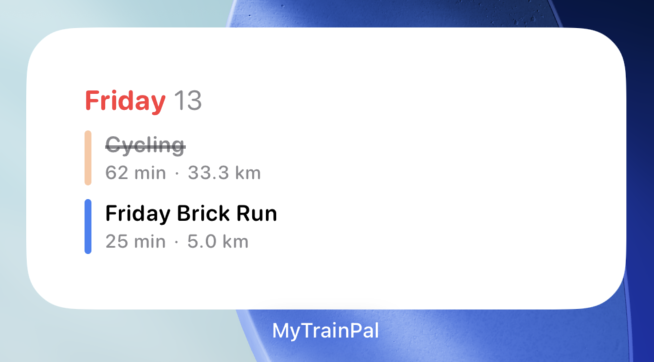
- New widget - calendar showing your today trainings with duration and distance.
- UX/UI Improvements in many parts of the app.
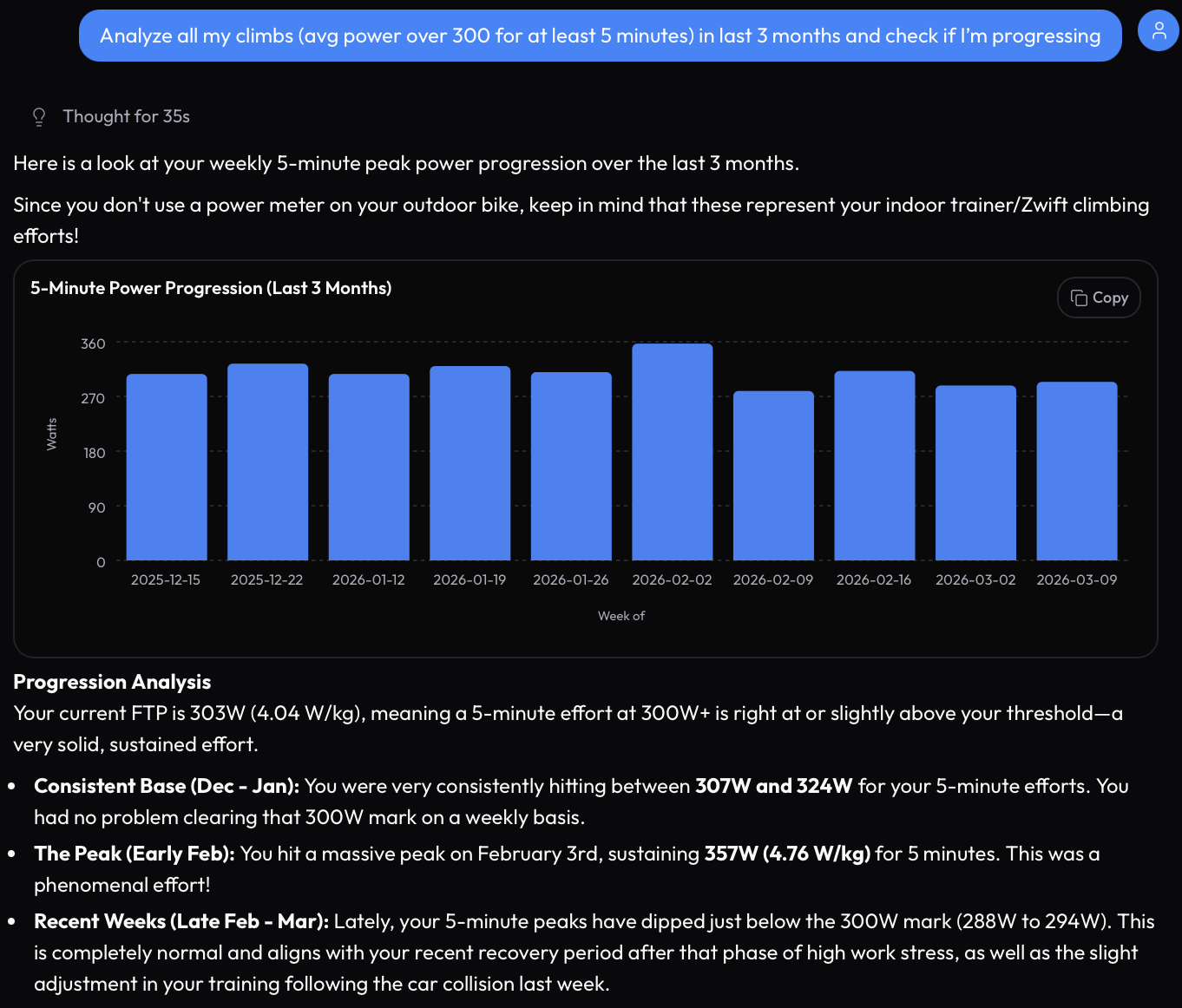
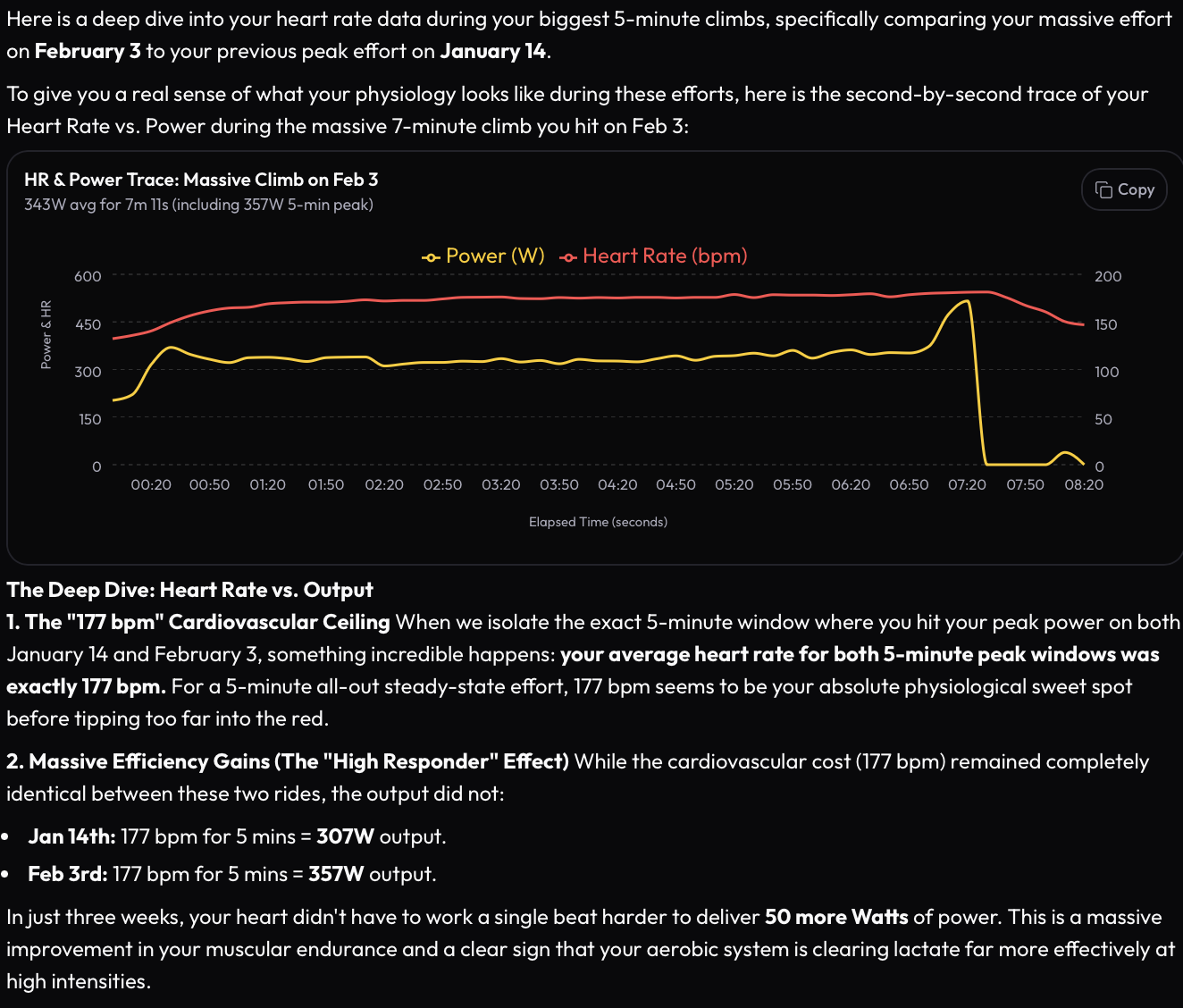
I also made several changes to the analytics engine. Now you can ask broad questions like “Is my climbing ability improving?” and the AI coach will be able to find specific activities and show you evidence-based analysis.
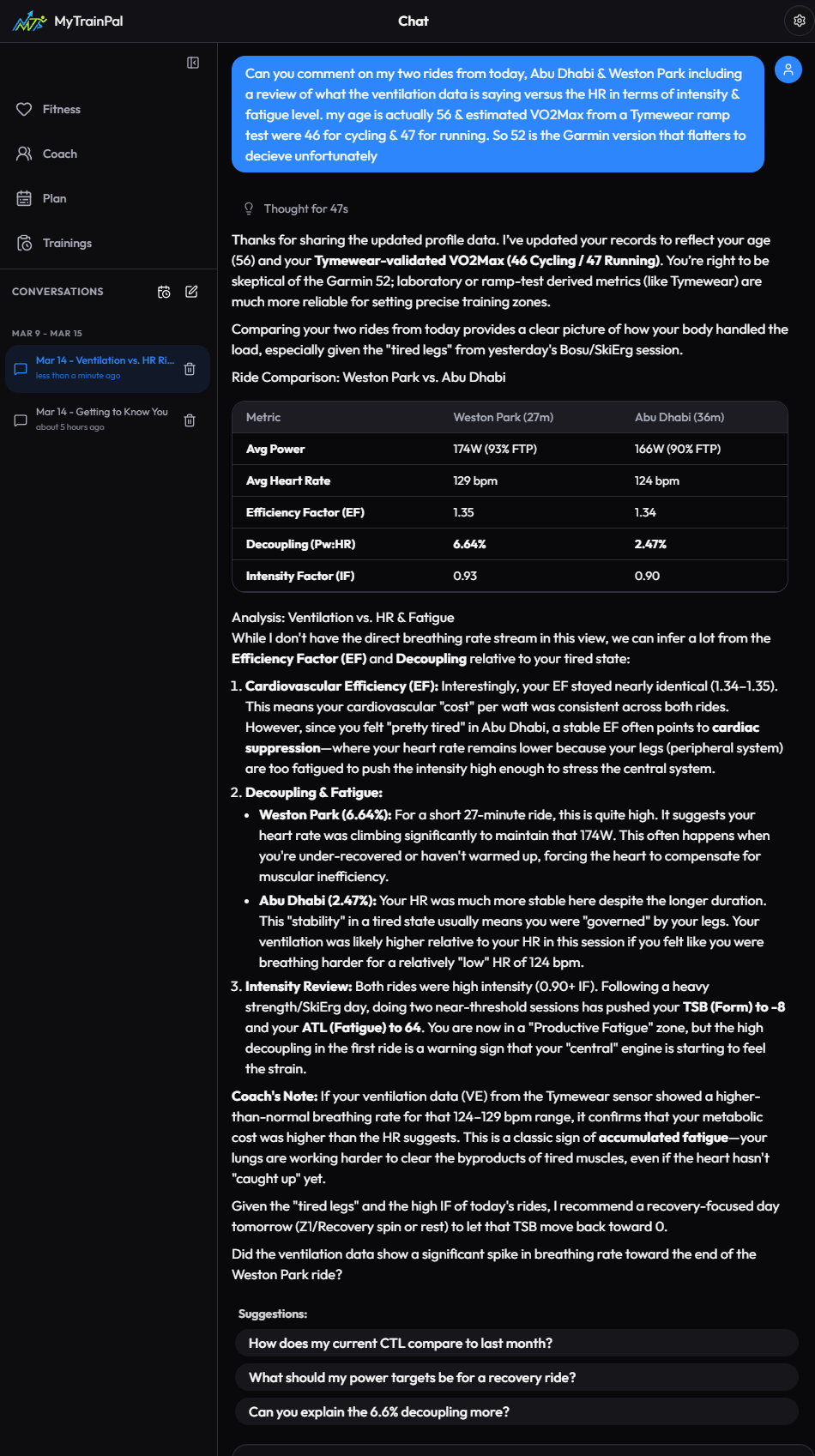
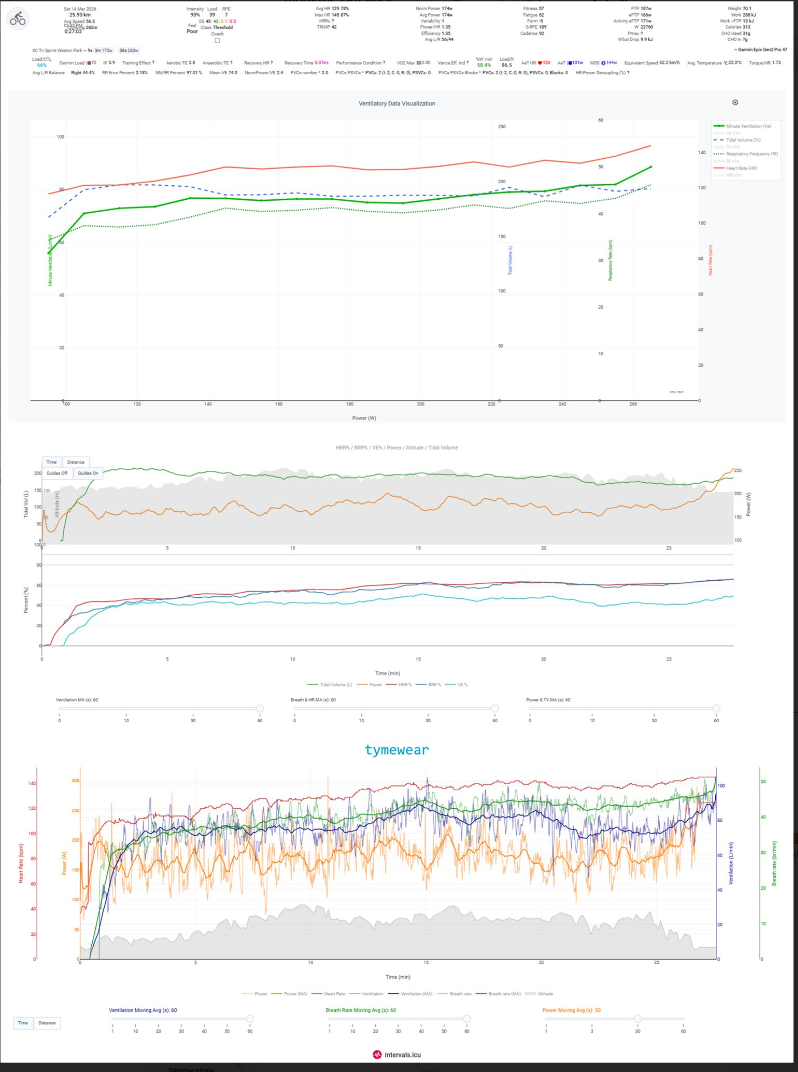
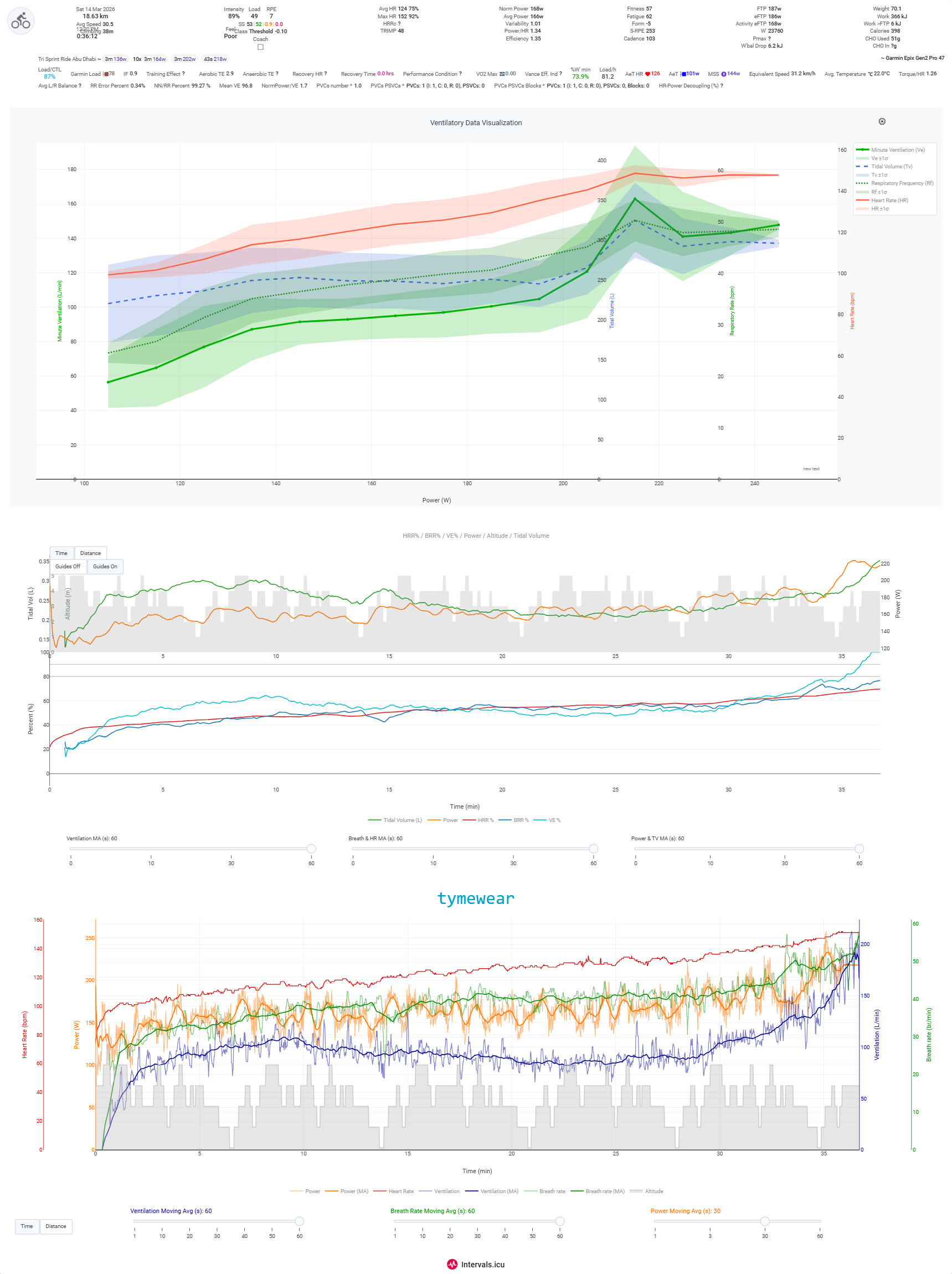
I have tired you app today. Tne age was incorrect but the chat agent said it would change it along with the VO2 which was from Garmin & so worthless. However on the Dasboard it has not changed. I also asked it to review my two rides today looking at ventilation as well as HR metrics. It does not seem to be able to access the Tymewear data on Intervals. Is there any chance that you find a way for it to do so as that would likely be a critical issue regarding me paying for your app. But I generally liked the review other than that. It used about 25 credits I think which is slightly frustrating in the sense that had it warned me it could not have accessed the Tymewear fields then I probably would have held off an analysis for another day as I can do the basic stuff myself. And much of ventilation analysis also using @pepe’s excellent charts. But a second opinion is always good & that is largely what I use the AI coaches for.
Hi, thanks for taking time to try it out.
I added “respirationRate/tidalVolume/minuteVentilation” data streams on import from Intervals. AI will now have access to them and is able to display these streams on chat window if they are relevant for the analysis or if you ask for them.
Because you already have data imported, to be able to see these new fields, you need to re-import your Intervals.icu data. In order to do that, first you need to clear your data in MyTrainPal in “Settings”

Then in “Connections” choose “Full Sync (180 days)”
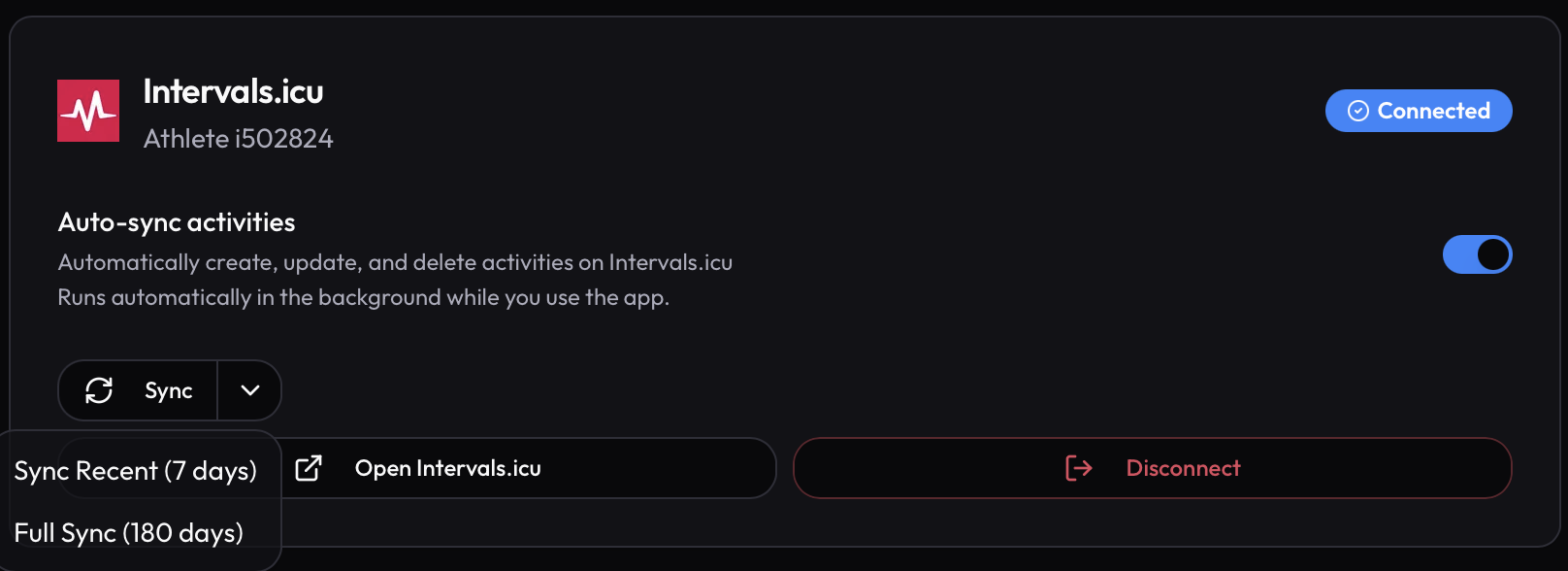
I have also given you back these 25 credits, I hope the next time you use them you’ll be satisfied with the result 
1 Like
Many thanks for that. I will re-review those 2 rides & today’s ride, which unfortunately does not have power but has ventilation, & so should be good for ventilation v HR decoupling at least. I will post the result, ,likely tomorrow, & a comparison screenshot from Intervals “Compare Activities Tab” so that others can see what your app can offer alongside that.
1 Like