Can just confirm that the race preparation chats/workouts/taper worked perfect today at Zwift ZRL race. I felt surprisingly strong and like Le Coach would say “snappy” 
1 Like
Where can I find information about the definition of a priority A, B or C race? I added a race this friday and answerd prio A, but then I was suggested a 3 weeks taper, which is a bit long for me 
A is your primary seasonal goal and typically gets a 1-week taper. We did prompt LeCoach to also review all weeks leading up to those races to review if the plan needs specific workouts to prepare for the event. So for example if your plan has a lot of sprint work but you add an A-race for a gran fondo in the alps with a lot of long climbs LeCoach will propose next to the 1-week taper also to shift workouts to prepare more for what that race demands. Maybe that came accross as a 3-week taper.
B is also an important race but not a seasonal goal, see it like a subgoal. Here LeCoach is instructed to suggest a few day’s taper to arrive fresh but without too much impact on overall training goal. Here LeCoach is instructed to shift max a few weeks of focus leading up to the event.
C is a race but requires no specific taper (at max it will for example suggest to make a hard workout the day before an easy workout) or plan changes.
For you, doing regular zwift races basically all races should be entered as C-races.
1 Like
Hi everyone, another release is ready: Holiday, sick and injury management via chat
V1.181 – April 6, 2026
 New
New
- Holiday, sick and injury management via chat — tell LeCoach about a holiday, sick day or injury and it will add it to your agenda and propose to adjust the plan accordingly! For example, if you are sick it will asses the impact and adjust the plan. Or if you’re on holiday with less availability and a different terrain it will change the workouts.
- Smart schedule review — when you add a race or calendar event (holiday, sick day, etc.) yourself via the agenda, LeCoach automatically reviews the impact on your schedule and proposes adjustments if needed.
 Improved
- The chat in the day view now has full plan-edit capability, similar to agendaview.
- LeCoach now shows a typing indicator while it’s working, so it’s clear something is happening
Is there any way to push Le Coach workouts into Zwift, or is the only way to manually create them in Zwift?
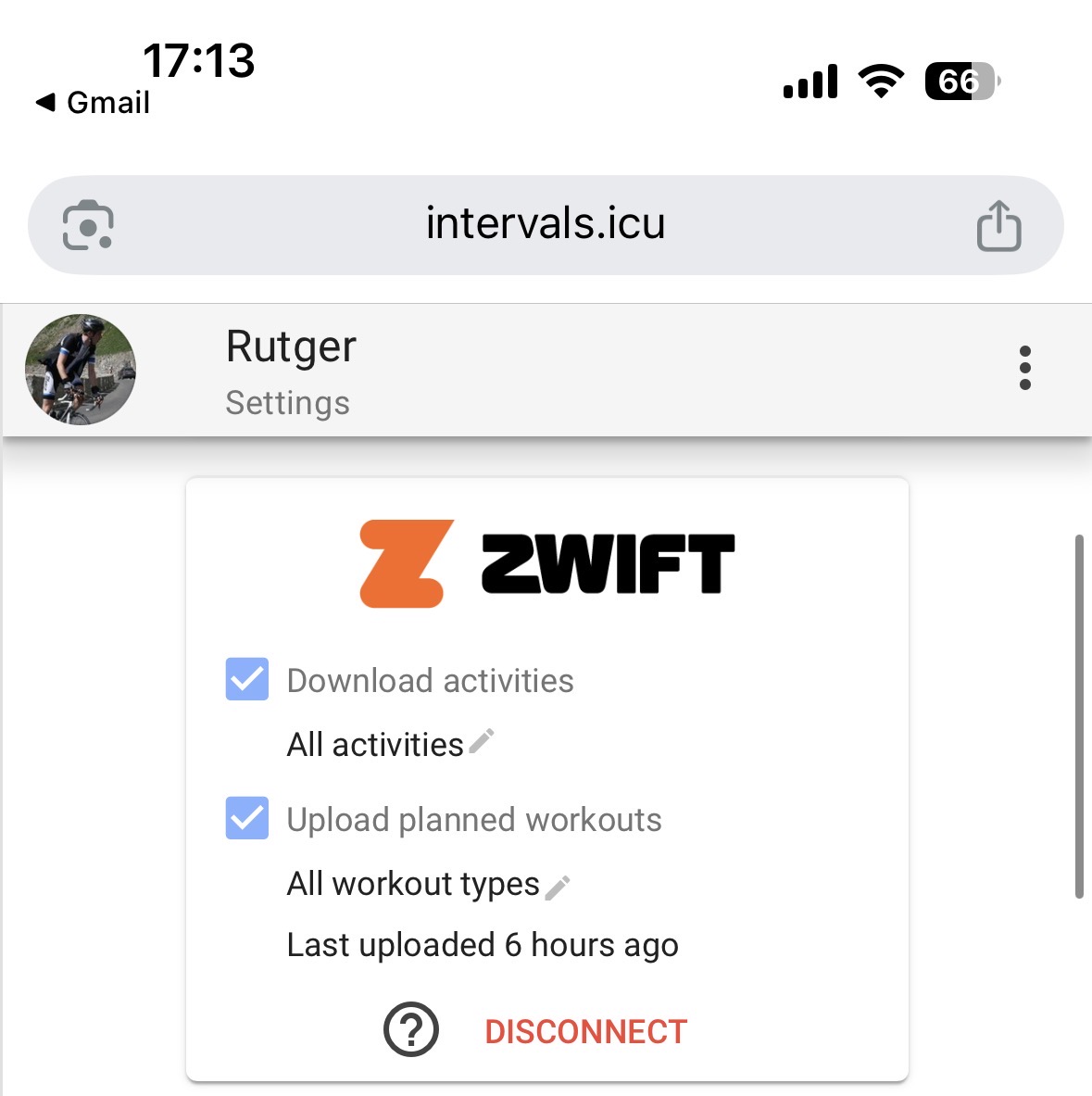
Definately, LeCoach workouts will be automatically pushed to zwift if you enable that within Intervals on this page: Intervals.icu
Make sure to connect Zwift with Intervals there and check the ‘Upload planned workouts’ box there.
1 Like
Feedback:
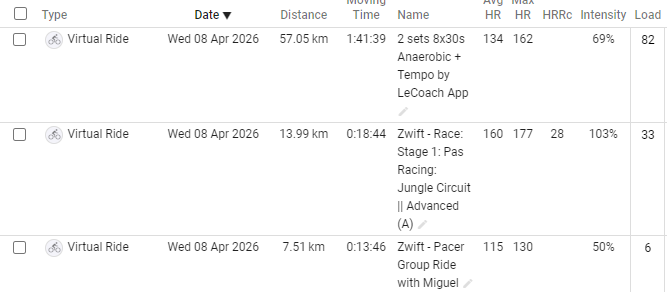
For multi event days, asking LeCoach to analyse the full day, it seems LC might have difficulties to understand the chronological order of the activities. Today, I started with 14 min warmup with Miguel, followed by a Zwift PAS race. Then finished with a workout.
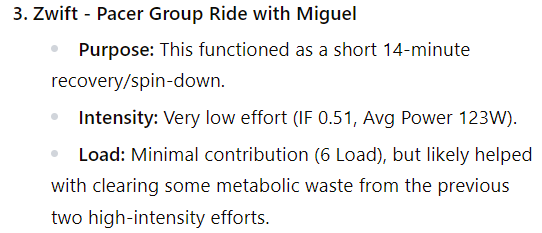
The way LC sees it is that activity 3 that was actually my warmup, was my cooldown/recovery.
It listed/analysed the activities as Race, Workout, Cooldown, instead of Warmup, Race, Workout.
V1.184 is now live
Improved
- Activity matching is now smarter — when a completed workout syncs from Intervals.icu, LeCoach can re-pair it to a better matching planned session if one is found, rather than sticking with a weaker first match
- Workout execution scores are now more accurate when some metrics weren’t recorded (e.g. no power data) — the scoring now adjusts proportionally instead of penalising unfairly
- LeCoach is now better instructed to assess activity start and end times when multiple activities on one day are logged. cc @PerBack
- Workout editor in the day view has been redesigned — the workout chart now sits above the edit area, and manual and AI editing are unified in one cleaner layout
- AI-generated workout previews are now editable before you save — you can tweak the title, description and notes
- AI coaching notes are now saved and shown directly on the workout card
1 Like
Is there any way to get LeCoach to do a detailed analysis of an activity using all the data or is it constrained to using summary level data exported from icu? Can i input a .csv export for analysis?
Hi, @ScottM350 we have access to all the data. However there is one thing that so far we haven’t fetched and this is the detailed data per individual interval/rep/step of an activity. So far LeCoach only uses the summary version of that. Is that also what you are referring to? Someone else also asked about it so that is on the roadmap and probably not hard to add. Will try to pick this up today.
Would love to hear if that is indeed what you’re after or if there is other data that you’re missing?
Just in time for the weekend shipped another big update making LeCoach act even more as a real coach. This means it’s now paying attention to more signals and proactively signals issues in our interface whilst avoiding the nervousness that a lot of adaptive ai coaches have (shuffling things around on every minor wellness drop or missed session). It’s definitely not perfect yet but we’re taking this step by step! The goal is to built something that acts as a real coach, always monitoring and stepping in when it has to!
V1.190
New
- Coaching signals panel: your plan view now surfaces real-time signals about your training health — load adherence, focus balance, poor workout execution and plan violations — giving you a clear picture of whether your week and plan is on track
- Discuss signals with LeCoach: every coaching signal has a discuss button that routes it to your coaching chat with more context and data in the background, so LeCoach can further analyze the signal and if needed propose changes.
Improved
- Plan Health checker now has 7 signals it depends on, each checking a different aspect
- All plan health fixes and focus balance discussions now route through the coaching chat
 Fixed
Fixed
- Fixed plan health windowing edge cases causing missed signals
- Fixed zone time parsing in the coaching dashboard
- Fixed focus balance calculation bug in Plan Health card
Hi @Rutger
Yes. Great. This is exactly what I meant.
I’m currently exporting .fit converting to csv with garmins FitCsvTool so i can have VE data from tymewear and then working with Claude when i want to dig into the details a specific activity and extract additional layers of analysis. It would be great if LeCoach could enable that natively or support the same .fit or csv parsing through file drop into chat.
Looks like you’re off to a strong start. Looking forward to see what is coming in future iterations
Hi @ScottM350 and @AdamZ I’ve now also given LeCoach access to all the activity intervals. Here is an example screenshot of an analysis LeCoach did:

It has a lot of additional datapoints per interval as well, like efficiency, W’bal (W-Prime Balance), decoupling, cadence or even load per interval. See here an example regarding W’bal which basically indicates your remaining anaerobic capacity.

V1.191 is now live: Activity Interval analysis
See the post above with examples, essentially LeCoach can now dig even further into your activities and study every single interval/step/lap of your ride or run to for example analyze power drift, hr drift, cadence but also W’bal (W-Prime Balance), decoupling, load per interval step and a lot more metrics. This helps LeCoach to better assess workout execution and how tough a workout really was for you (and thus if future workouts should be adjusted up or down).
Important: Activity intervals will be automatically populated for new activities going forward. To backfill existing activities go to LeCoach | The real AI cycling coach and press Full Intervals.icu Sync
Hello everyone, V1.192 is ready! A smaller one since we’re working a really nice new feature!
New
- Merged activity + workout card: when a completed activity is paired with a planned workout, they now appear as a single unified card in your agenda — cleaner overview and on-demand feel logging with write-back to Intervals.icu
Improved
- Feel icons are now colored SVG faces — much easier to distinguish at a glance
- Historical sync limit removed — LeCoach now pulls all your activity history (previously there was a limit of 365 days).
- Agenda card visuals refined across the board
Fixed
- Fixed a race condition causing workout state to flicker after saving
- Fixed label clipping on mobile in the agenda view
IMPORTANT to fetch all your activity history go to settings and perform a full Intervals.icu sync.
Ok here we go, another big one here at LeCoach’s office!
We just added a brand new analytics page where you can review your data and discuss with LeCoach what it all means.
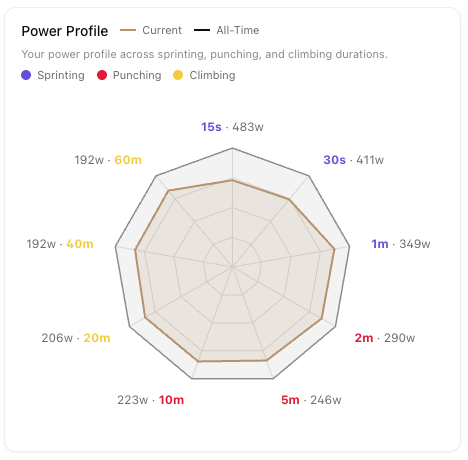
It’s a combination of default metrics like Fitness but also our own LeCoach recovery score and cool stuff like you power profile.
Please let me know if you encounter any issues or if you’re missing charts or views.
Example: Power profile
Example LeCoach recovery score with 7d trendline
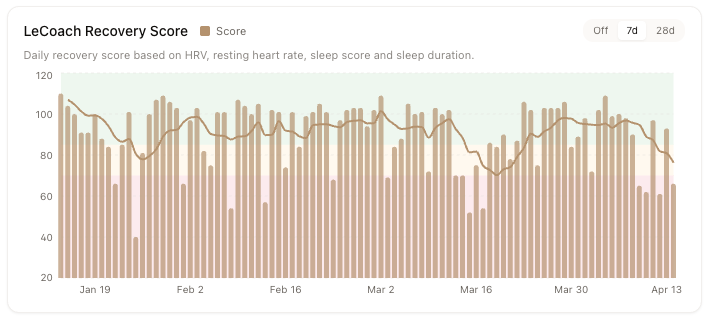
Full release notes V1.193
New
- Analytics page: a full analytics dashboard now lives in LeCoach
- LeCoach can read your analytics: LeCoach now has access to the same analytics data you see — ask it to interpret your TSB, explain a recovery dip, or analyze your power curve and it’s working from your actual numbers
- Bar charts with SMA trend overlay: all bar charts now show a moving average trend line so you can spot patterns across noise
Improved
- Analytics promoted to main navigation
- Chart tooltips, legends, and axis formatting unified across all charts
@Rutger I requested my account to be deleted some time ago - which seems to have deactivated my login, but I believe that you did NOT delete my account and relevant information is still in your systems - I am still receiving emails from it.
This is sad and shows that many of these new systems plainly ignore privacy laws… 
Loving the merged card, well done!
Analytics page is looking great too  In Weekly Training Load I would bring Actual vs Scheduled closer together to better separate weeks.
Hi you were still on our newsletter. I have now unsubscribed you from that.
Thanks for the feedback, will indeed improve the design of that chart!