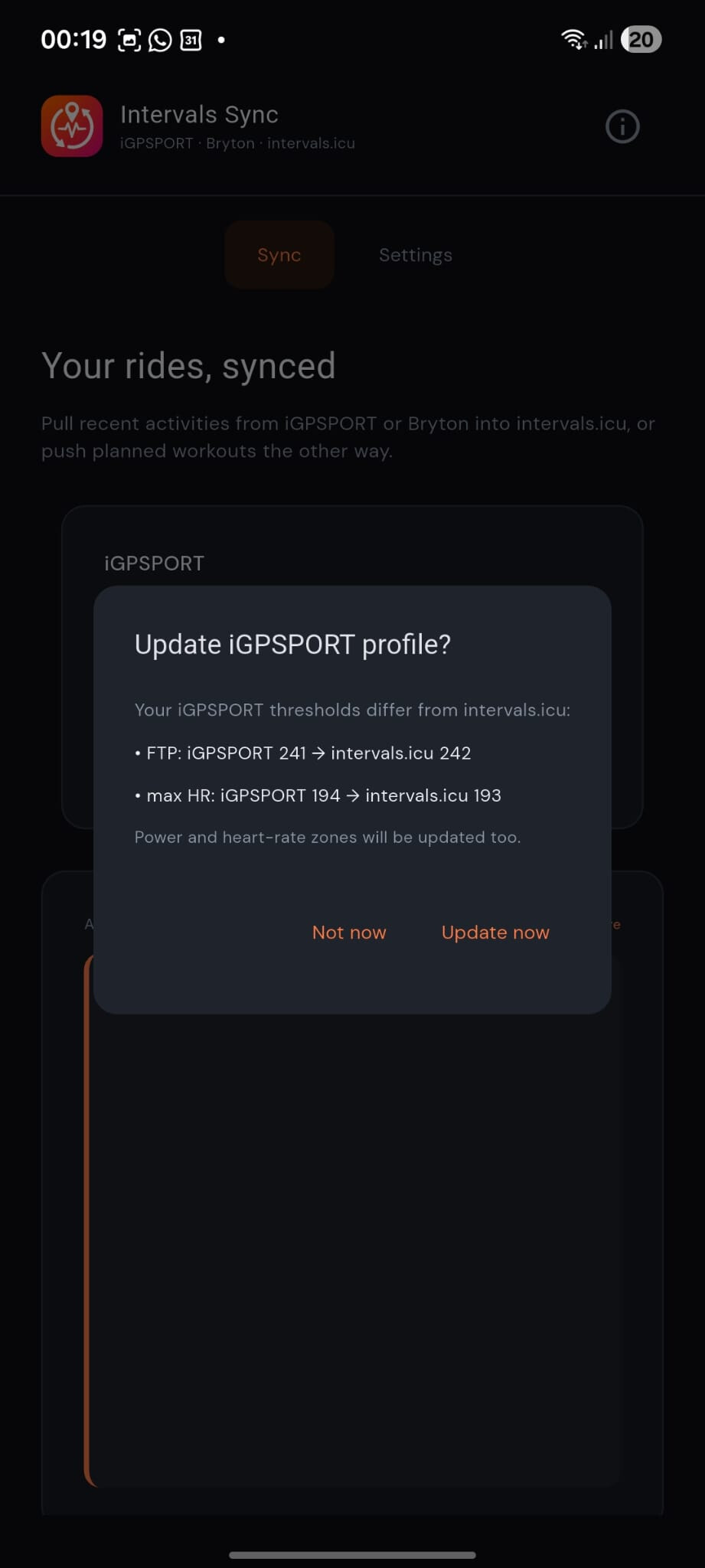
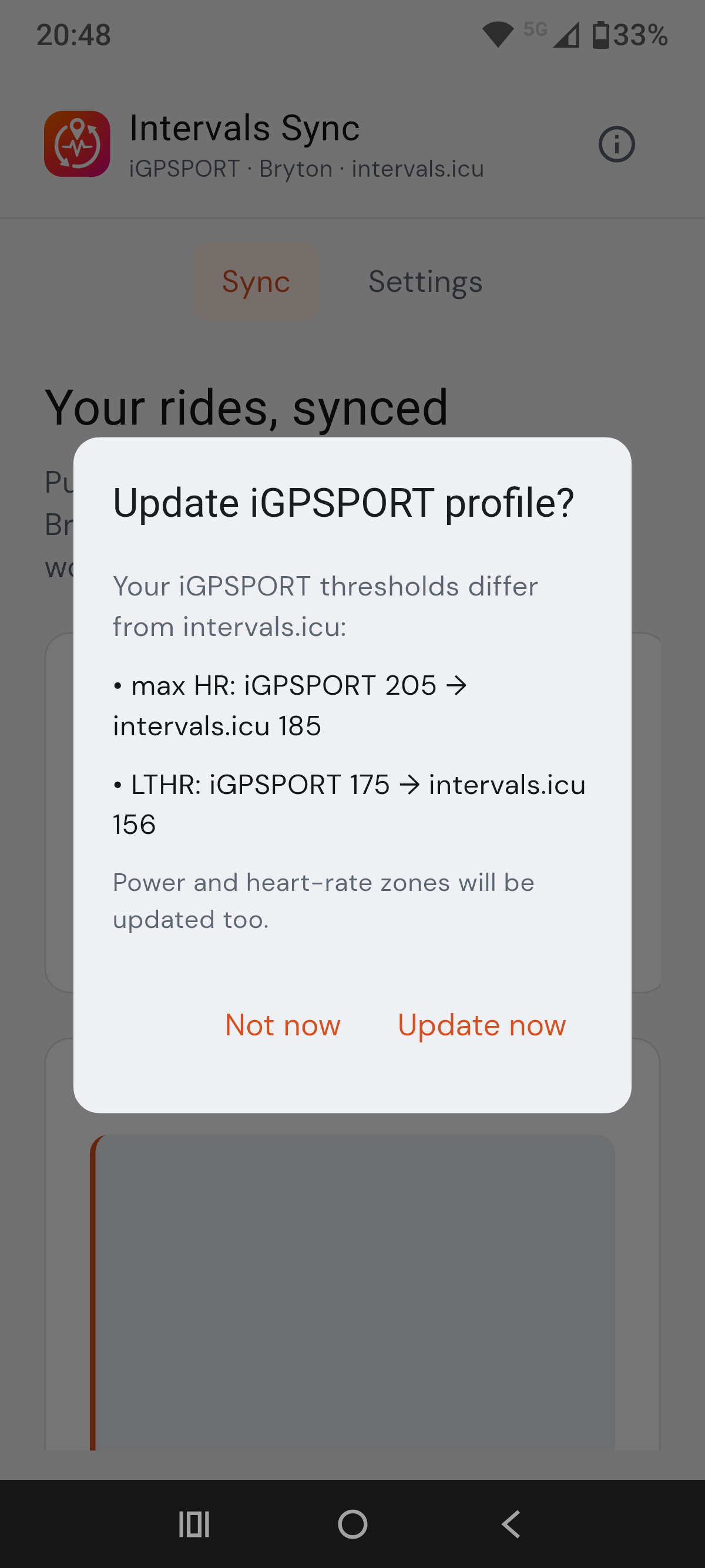
Hi all,
I’ve been building a small, free app for riders who use iGPSPORT or Bryton with intervals.icu — no official sync exists for either head-unit ecosystem, so this fills that gap.
Once you’ve entered your credentials in Settings, syncing rides or pushing planned workouts is a single click — no scripts, no manual exports.
intervals.icu Sync pulls your recent rides into intervals.icu as original .fit files, and can push planned cycling workouts from your intervals.icu calendar back to your head unit (via the iGPSPORT or Bryton app). One-time setup in Settings, then Sync or Upload from the main screen. Credentials live in your OS secure vault (Windows Credential Manager / Android Keystore), not in a plain-text file.
 GitHub: GitHub - jorge-huxley/intervalssync: Sync iGPSPORT and Bryton activities with Intervals.icu, and send planned workouts back to your cycling computer. · GitHub
What it does
Activities → intervals.icu
- Sync recent rides from iGPSPORT or Bryton Active (enable either or both in Settings)
- Uploads the original
.fit file to intervals.icu
- Skips activities already uploaded — safe to run often; Force re-sync re-uploads if needed
- Sets the intervals.icu sport type after upload (e.g. Mountain Bike Ride / Gravel Ride) — iGPSPORT exports everything as a generic “Ride”
- Optional Dropbox mirror of downloaded FIT files (off by default)
Planned workouts → head unit
- Push planned cycling workouts from your intervals.icu calendar to iGPSPORT custom workouts or Bryton Active
- Choose how many calendar days to upload in Settings (default: today only)
- Skips workouts already uploaded; Force re-sync updates them if you change the plan
Platforms
- Windows — download the
.zip from Releases, unzip, run intervalssync.exe
- Android — sideload the
.apk from Releases (not on the Play Store; the “unknown source” prompt is expected)
For tinkerers
- Headless CLI (
intervalssync) — same sync pipeline from the terminal, JSON output, exit codes for automation/agents. Activity sync and workout upload for both sources.
Releases (Windows .zip + Android .apk): Releases · jorge-huxley/intervalssync · GitHub
Quick start
- Download from Releases (link above).
- Open Settings and enter your intervals.icu API key (Settings → Developer) plus credentials for iGPSPORT and/or Bryton — whichever you use.
- Save, then Sync activities or Upload to iGPSPORT / Upload to Bryton for today’s (or this week’s) planned sessions.
Free, open source (Python + Flet, MIT). Not affiliated with iGPSPORT, Bryton, or intervals.icu.
Feedback, bug reports, and feature ideas very welcome. 
11 Likes
I tested it and it seems to work well both for my Binavi (also tested on the bike computer) and for my Bruton S810 (tested only on Bryton Active and Bryton Desktop not on bikecomputer for now)
Thanks @mr_huxley
2 Likes
Hi @mr_huxley , I tested the workouts exported from the Bryton app on the Bryton GPS for 2 days, and they worked great.
No problems with power workouts.
For heart rate workouts, I set the correct LTHR value directly on the GPS, and the data between the interval workouts and the Bryton GPS matches.
Thanks
2 Likes
This is an amazing tool! The sync functionality looks incredible and very well implemented.
I am currently developing new features for a project called tp2intervals, and I would love to explore ways to integrate some of these features. Even though tp2intervals today goes far beyond just syncing from TrainingPeaks to Intervals.icu (handling various routing and automation tasks), it would be amazing to centralize these capabilities into a unified platform or ecosystem in the future.
Great work on this open-source tool, and thanks for sharing it with the community!

2 Likes
Hi! That’s really great to hear, thank you for testing it and sharing the feedback.
2 Likes
Hi! Thank you, I really appreciate the kind words.
At the moment, these tools are already available from the CLI, so they should be quite easy to integrate into other projects. Reusing or adapting the workflows should also be straightforward.
That said, I do think these are still quite niche use cases. For example, this app was created specifically to avoid needing workarounds like tp2intervals, so users do not have to depend on third-party platforms when the goal is simply to get their activities or workouts into Intervals.icu.
Still, I’m definitely open to discussing ideas. If there are features or workflows that could complement each other without adding too much complexity, I’d be happy to take a look.
2 Likes
Why does an error appear when logging in, even though the IGP login information is correct
Error"iGPSPORT login did not return a loginToken cookie"
2 Likes
Hi! This seems to be related to the different backend used in China, as previously identified.
I’ll release a test version that attempts to fix this issue. Unfortunately, I don’t have a way to test it myself, so if there are any Chinese users interested, please send me a DM to try it out and share your feedback.
Thanks!
v0.7 is out — iGPSPORT FTP, HR and zone sync
Have you ever updated your FTP or heart-rate zones in Intervals.icu, but forgot to also update them on your iGPSPORT account/head unit?
That is exactly what Intervals Sync v0.7 tries to solve.
Intervals Sync v0.7 is now available for Windows and Android.
Download: GitHub Releases — v0.7.0
Repo: github.com/jorge-huxley/intervalssync
What’s new in 0.7
The headline feature is syncing your iGPSPORT profile from intervals.icu:
- FTP, LTHR, max HR, and power/HR zones are read from your intervals.icu sport settings and written to iGPSPORT
- GUI: Settings → iGPSPORT profile — Sync profile now, plus an optional check on app launch when thresholds differ (you can dismiss with “Not now” until intervals.icu changes again)
- CLI / automation:
intervalssync sync-zones (JSON output, same .env credentials as activity sync)
Upgrade
- Windows: download the new
.zip from Releases and replace your folder (credentials stay in Windows Credential Manager)
- Android: install the new
.apk over the existing app
Feedback
Bug reports and feature ideas are welcome on GitHub Issues or in this topic. Tips help keep releases coming — thank you to everyone who has tested the app, reported bugs, and shared feedback.
1 Like
Justo hoy estaba intentando hacer esto en python pero no sabía como orientarlo. Muchísimas gracias!!! Ahora mismo no sincroniza. Alguna idea. Alguna modificación por parte de igsport?? De nuevo muchas gracias por el trabajo
Hi Jose.
I just finished an activity, tested both workout upload and activity download without any issues. Can you please give me some more details? Which message do you get?
Also, let’s keep the discussion (bugs, feature request, etc) in Intervals.icu Sync Tools - Free and Open Source please.
Thank you.
Hi
Thanks for the great update.
It works perfect!
Regards
Pius
1 Like
Hi Jorge
I was thinking about another feature which might be interesting to investigate?
Igpsport segments synchronized with intervals “Home Training Route”
The platform automatically detects, maps, and analyzes your frequently ridden home loops by comparing your GPS activity history against your established favorites Routes.
Maybe the synchronization to the Igpsport segments can help to to reach KOM or target segment time etc?
Thanks for checking 
Hi Pius,
Thank you for your feedback and for the idea.
I will investigate whether there are any possible ways or tools to do this. From what I have seen so far, the way segments are created in the iGPSPORT app — only from a previous activity — is not very promising for automatic synchronization.
Anyway, if I find something useful or technically possible, I will reach out to you privately to clarify a few doubts.
Thanks again!
Solucionado el.problema de conexión. El.problema era el iniciar con usuario y contraseña google. He tenido que desplazar de Google y volver a entrar cambiando contraseña y correo. A todo estoy intentando ver con python hacer un flujo de trabajo de descargar segmentos de strava que me interesan descargar de alguna manera y ver como meterlo en la aplicación igsport ya que manualmente deja hacer segmentos. No se a ver si consigo.algo.
Muchas gracias por la aplicación. Muy buen trabajo y grande ayuda para sincronizar intervals mis.entrenos.!!!
Hello, Jose.
Thank you for your feedback.
Regarding Strava segments that’s something that I will not be supporting as those are proprietary and also strava is tightening their API. You might be able to come up with something.
I am testing ways for segment creation on IGPSport, if it works, it might be a good base for you.
1 Like
Hello, that’s great but it no works with iphone or Mac ?
Hey Matt!
macOS and iOS are a bit more restricted because both require Apple Developer signing for smooth distribution, which means a yearly cost for me that is hard to justify at the moment.
For macOS, I may still be able to publish a package that should work without the Developer Program, although users may need to approve it manually in macOS security settings. I’m currently on vacation, but I’ll publish it when I’m back.
For iOS, unfortunately, there is no practical way to distribute the app without paying for the Apple Developer Program, at least as far as I know.
In the meantime, on macOS it’s still possible to run it from source, but that requires installing Python.
Once I publish the macOS package, I’ll let everyone know so people can test it.
1 Like
ok thank you ! Can you tell me more how to launch with python please ? 
Sure 
On macOS, you can run it from source like this:
- Install Python from python.org if you don’t already have it.
- Open the Terminal app.
- Install
uv by running:
curl -LsSf https://astral.sh/uv/install.sh | sh
- Download the repository from GitHub and unzip it, or clone it with Git.
- In Terminal, go inside the project folder:
cd path/to/the/project-folder
- Run the app with:
uv run intervalssync-gui
uv should automatically create the Python environment and install the required dependencies.
If uv run does not work immediately after installing uv, close and reopen Terminal, then try again.