I am downloading my activities/wellness data from the intervals.icu API to do some of my own processing. When I was doing that yesterday I could only see my 24 most recent activities, rather than all of them. I could download all my wellness data though. Do I need to modify something in order to be able to download all my activities, just like I was able to do last Sunday? I had not changed anything from my side, so I am wondering what caused this behaviour. By the way, on the intervals start page, in the left pane, Compare is missing. I was using this to look at long term progress (or decline). I still seem to have all the other categories (Calendar, Fitness, Totals, …). Here too, did I need to change a setting somewhere? It all worked well last Sunday. Thanks for any help.
Thanks Ben. I missed that.
I did another pull today, and I still have thos limitation: I can only download 25 rows/24 activities. I used PowerQuery to import into Excel, using “= Csv.Document(Web.Contents(“https://intervals.icu/api/v1/athlete/” & AthleteID & “/activities.csv”),[Delimiter=”,“, Encoding=65001, QuoteStyle=QuoteStyle.None])”. I use a similar command to read the Wellness data, and that gives me all the data, no limit. Does anybody have any idea why this happnes? (it happened suddenly, I could download all data without any problem until a few days ago, I did not change anything).
What’s the date range which is loading? I get more then 24 activities but exactly 3 months of them.
Just ran my ‘Intervals_API_Tools_Office365_v1.5’ sheet and it’s giving me activity data from August 6 to today, November 6.
It used to load all history with following PowerQuery
= Csv.Document(Web.Contents(“https://intervals.icu/api/v1/athlete/” & AthleteID & “/activities.csv”),[Delimiter=“,”, Encoding=65001, QuoteStyle=QuoteStyle.None]) which is apparently the same as yours.
I checked the date range today in the PQ preview, and I could no longer see the activity from 6 August, so indeed the date range is 3 months. I wonder why this is suddenly enforced, a few days ago this date range limitation was not there, all activities were downloaded with a Data → Refresh. This makes (made?) the processing easier to handle.
By the way, it is no coincidence that the PQ is the same, I was heavily inspired by the Intervals_API_Tools … implementation. Thanks a lot for this, I am very grateful for your high quality implementation. You are more than a domestique!!
@david
Hi David. API calls on activity history now limit response to 3 months. Any reason for this?
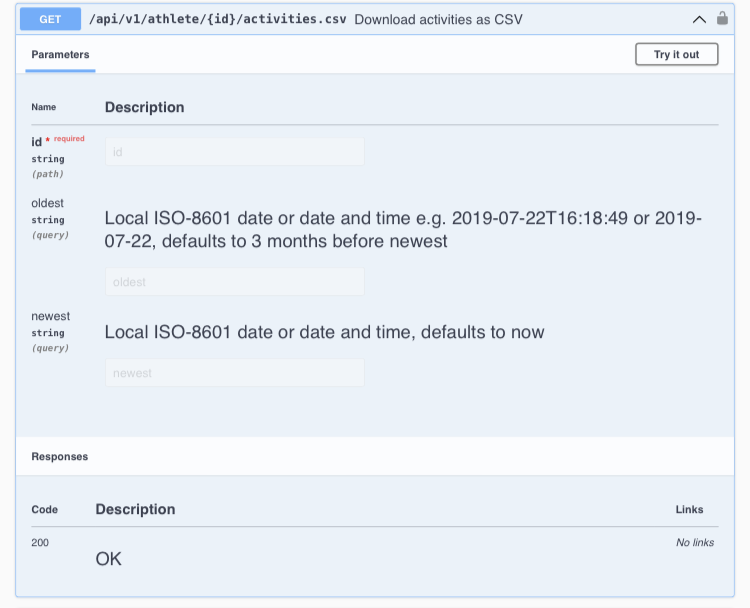
Thanks @R2Tom . Did not check that.
If I understand correctly, full history can still be obtained, but in chunks of 3 months, each before ‘newest’.
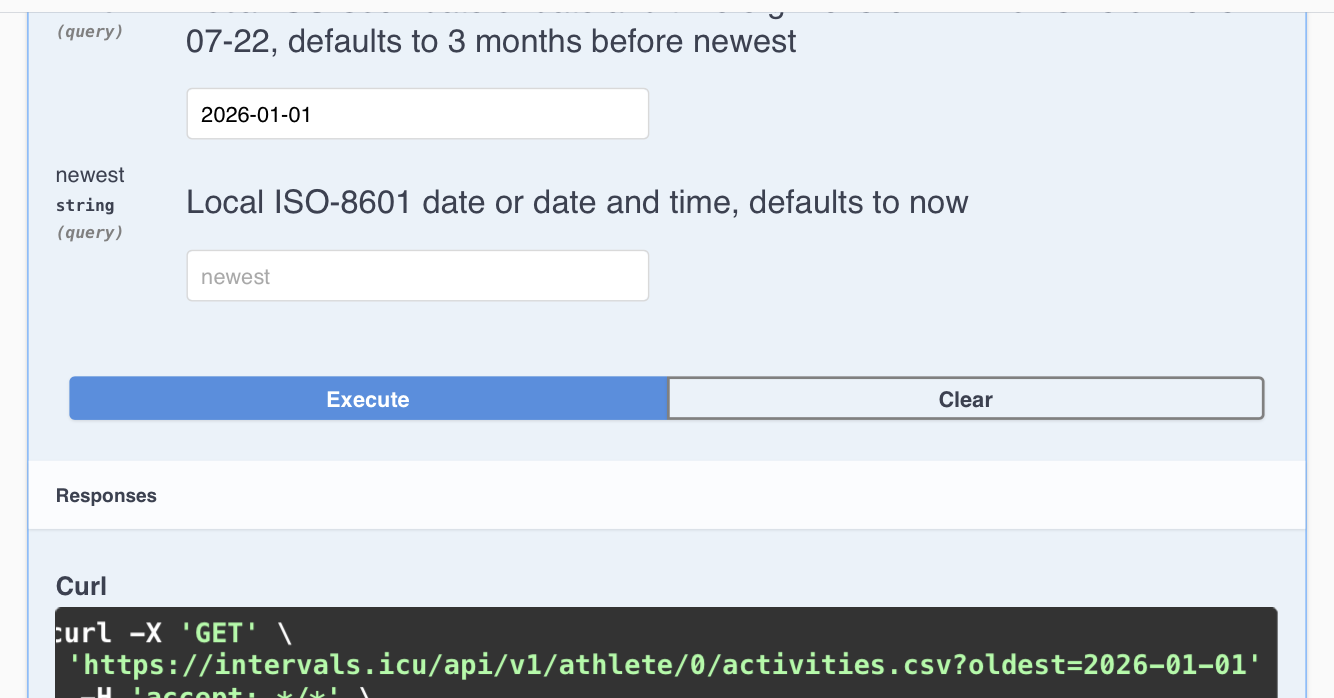
Sorry everyone, we added oldest and newest to that endpoint and the default is 3 months ago until today. We still need to add a little form to the UI to prompt for the dates. You can copy the download link and add parameters to get whatever date range you need e.g. https://intervals.icu/api/athlete/2049151/activities.csv?oldest=2025-01-01&newest=2025-12-31.
Thanks David, clear. I was a bit surprised by the sudden change. I guess that a PQ query like e.g. Csv.Document(Web.Contents(“https://intervals.icu/api/v1/athlete/” & AthleteID & “/activities.csv?oldest=2025-01-01”),[Delimiter=“,”, Encoding=65001, QuoteStyle=QuoteStyle.None]) will do the job for me in Excel.
Is there a way to find an athlete’s earliest activity and timezone?