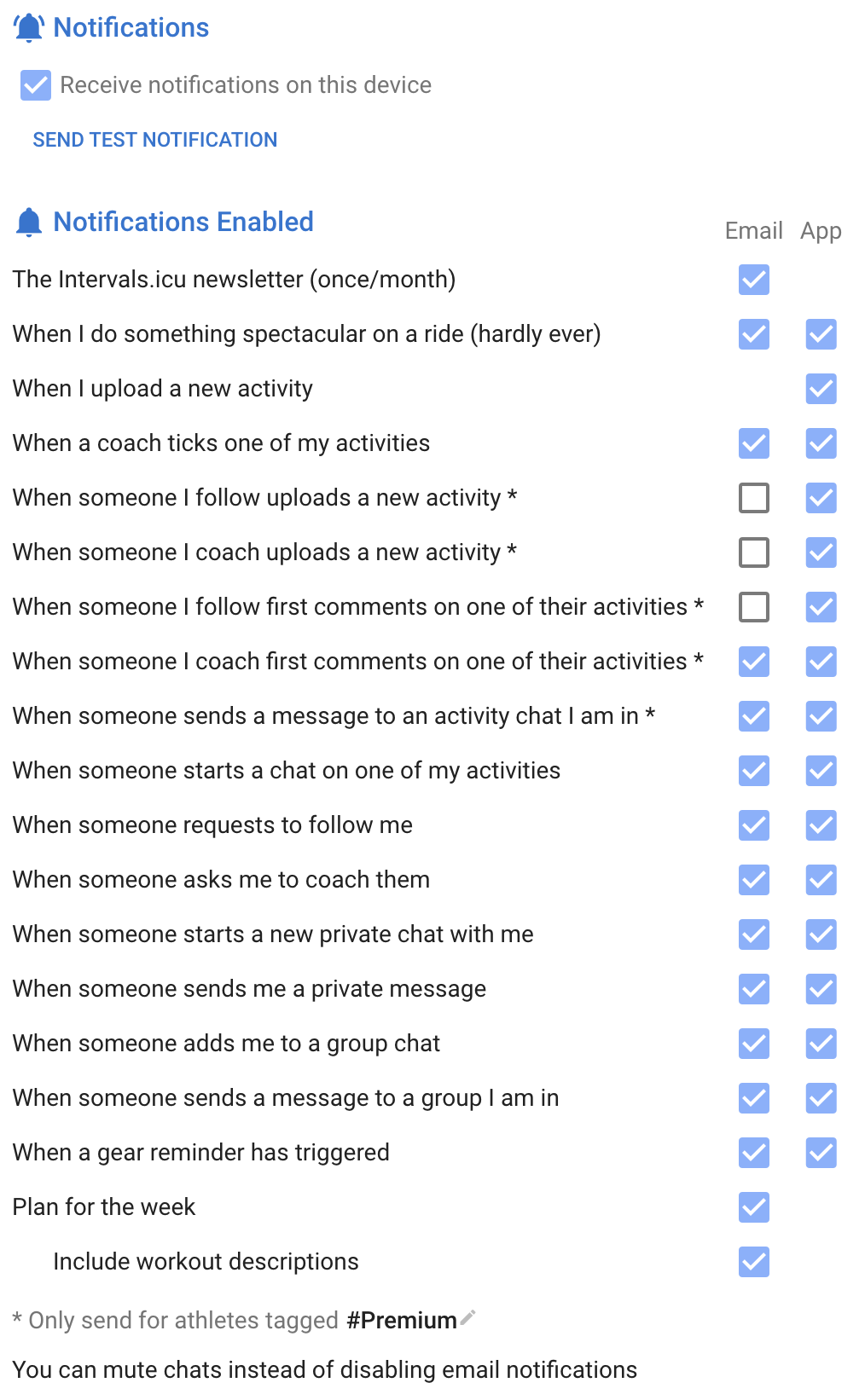
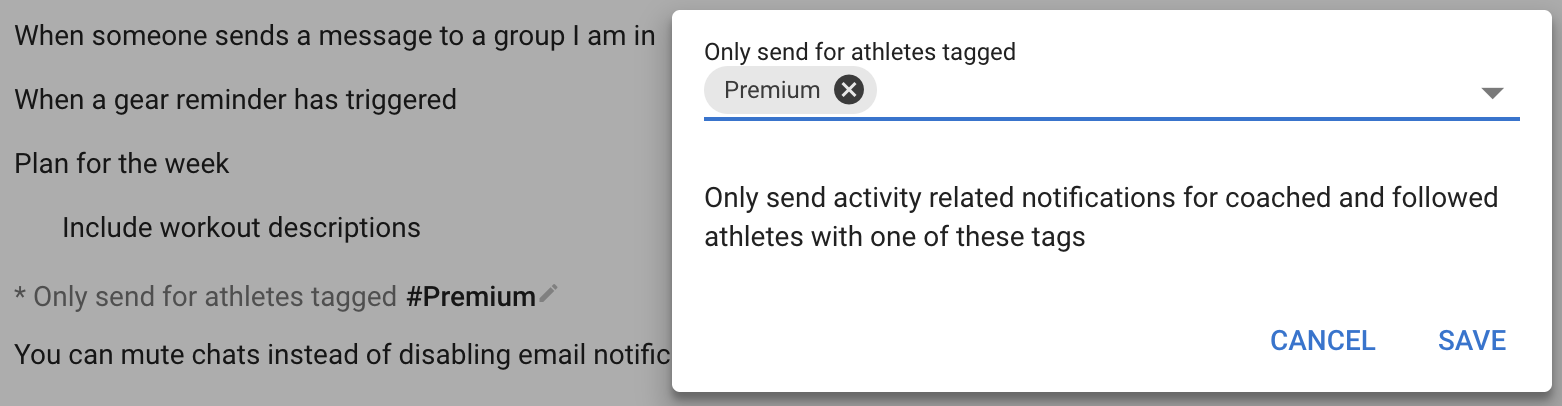
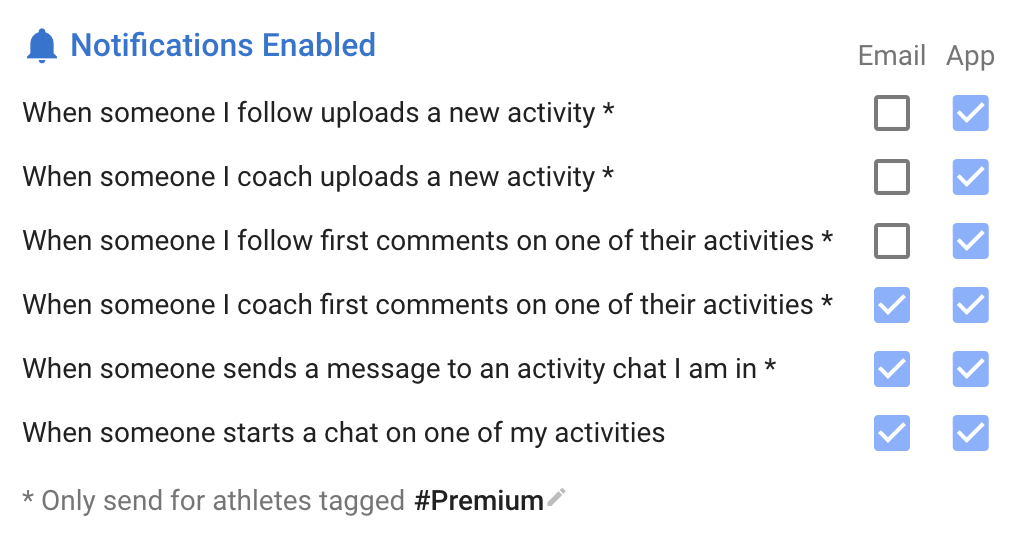
Some of the activity related ones (marked with *) can be configured to only trigger for athletes with specific tags. This is useful for people coaching or following many athletes. Click the pencil to edit:
This is great news! Thanks, @david and @eva for implementing it.
I’ve only been using it for a few minutes, and it’s already proving to be very handy.
As a suggestion, it would be great to add:
a morning reminder showing the day’s planned session(s)
and one that I think would be fantastic: a “How was your ride?” (or run, workout, etc) reminder to encourage athletes to fill in their RPE, Feel, and, when appropriate, add comments to their activities.
Personally, this would be a huge, HUGE step forward in using Intervals as a coach.
Selecting coached athletes for which you get notifications, either individually or in coaching groups.
I “coach” more than 100 athletes in intervals, but these are not all athletes that I actually coach, not even close. They include people I may do a consultation or two a year with, friends who will ask me every once in a while to look at their training or help them with a plan to train for a marathon… not athletes that I actually work with and coach on a daily basis.
It would be fantastic if we could choose individually for which of our coached athletes we get notifications or, alternatively, to be able to select only some coaching groups for notifications, and not others.
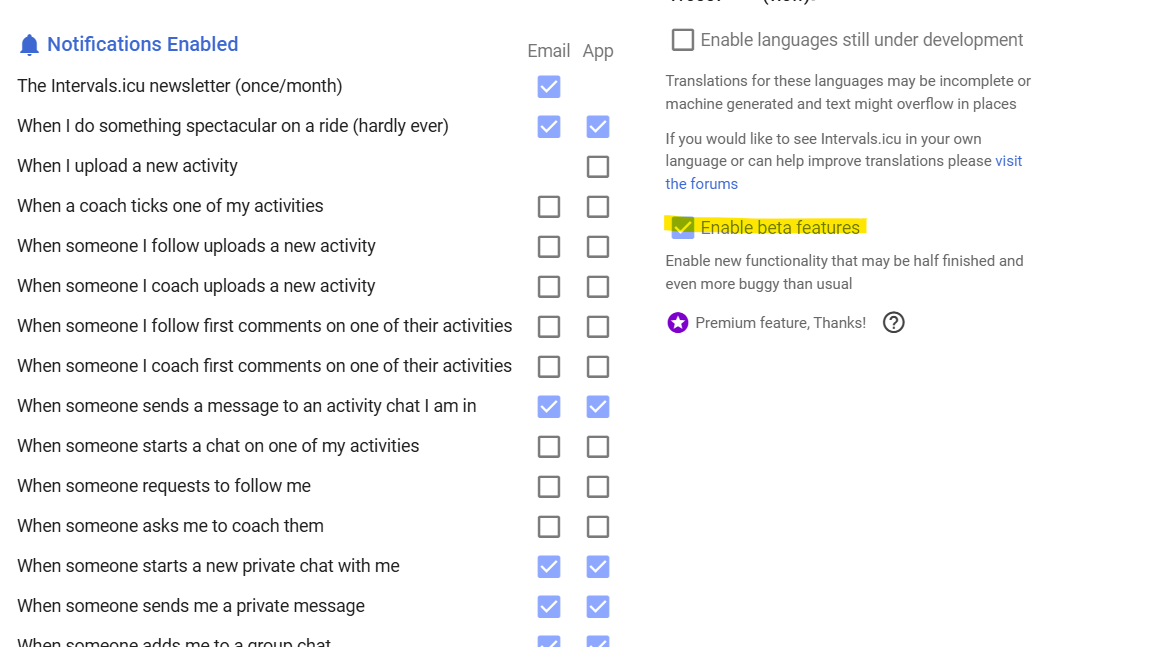
I did. Unchecked, reloaded, rechecked, reloaded. Cleared cache, force quit. Logged out and in. App notifications are allowed. Browser dependent maybe? I’m on Brave - built on chromium…
Nuked the cookies and now I’m receiving the prompt, but trying to say yes, or hitting the Receive Notifications check box in settings results in a popup saying ‘Service worker is not registered’
You might have to wait a little bit for the service worker to install. I don’t know the dev tools in Brave but in Chrome you can inspect and go to the “Application” tab to check that.
Something else I saw: I checked the box to receive a notification when one of the athletes I coach gets a message on their activity, but I am also receiving a notification when I myself write a message in their activities.
Of course, I already know that I wrote a message, so that notification is not needed. It would be fantastic if it was removed and the coach or athlete would only be notified when someone else leaves a message.
Should the notification settings be device specific? I tried enabling them on my laptop while disabling them on my phone, but it seems that the setting is shared across devices.
Not entirely. My solution was to install Chrome, use it to ‘install’ the Intervals.icu web app, and use it only for that. I tried several other chromium, Gecko and WebView based browsers and none of them worked. Also doesn’t work for me on Brave for Mac OS.