HR zones for Weight Training, Workout, and Yoga

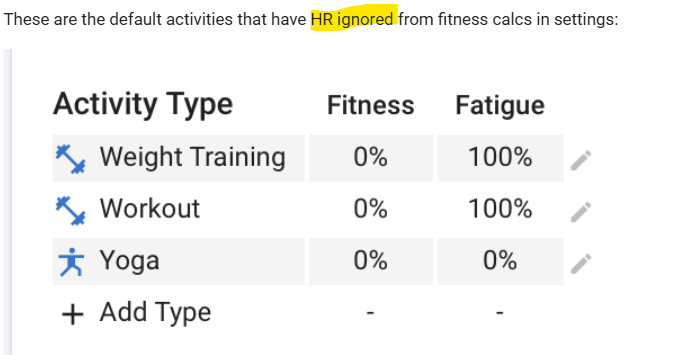
These are the default activities that have HR ignored from fitness calcs in settings:

Screenshot 2025-06-26 at 8.40.29 PM

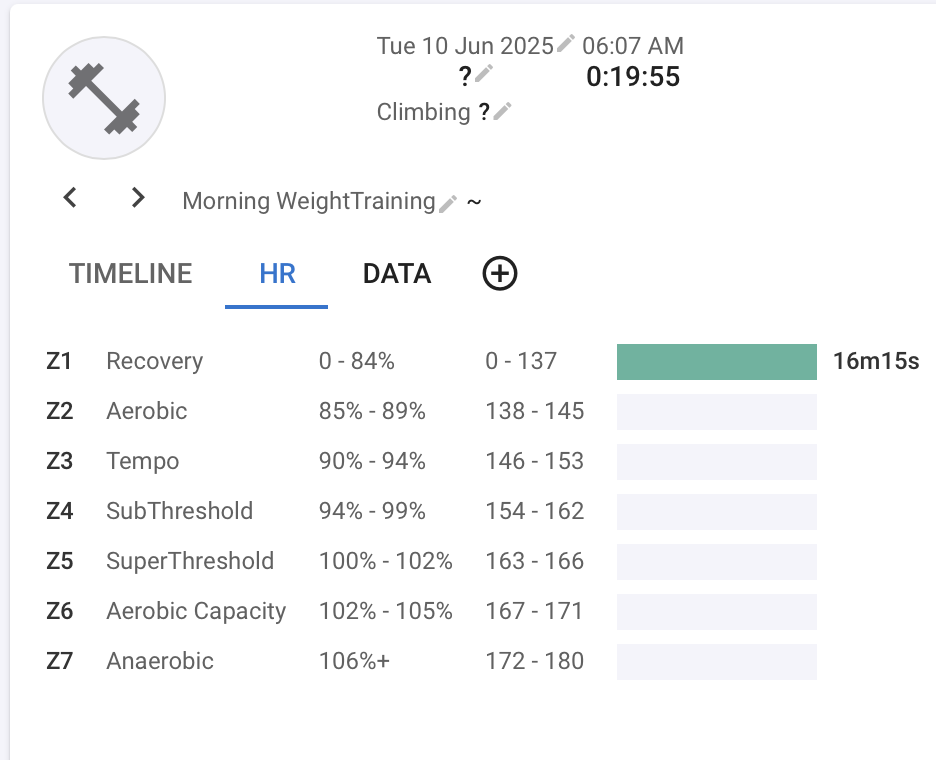
When I view a weight training workout I see Z1 HR data like this:

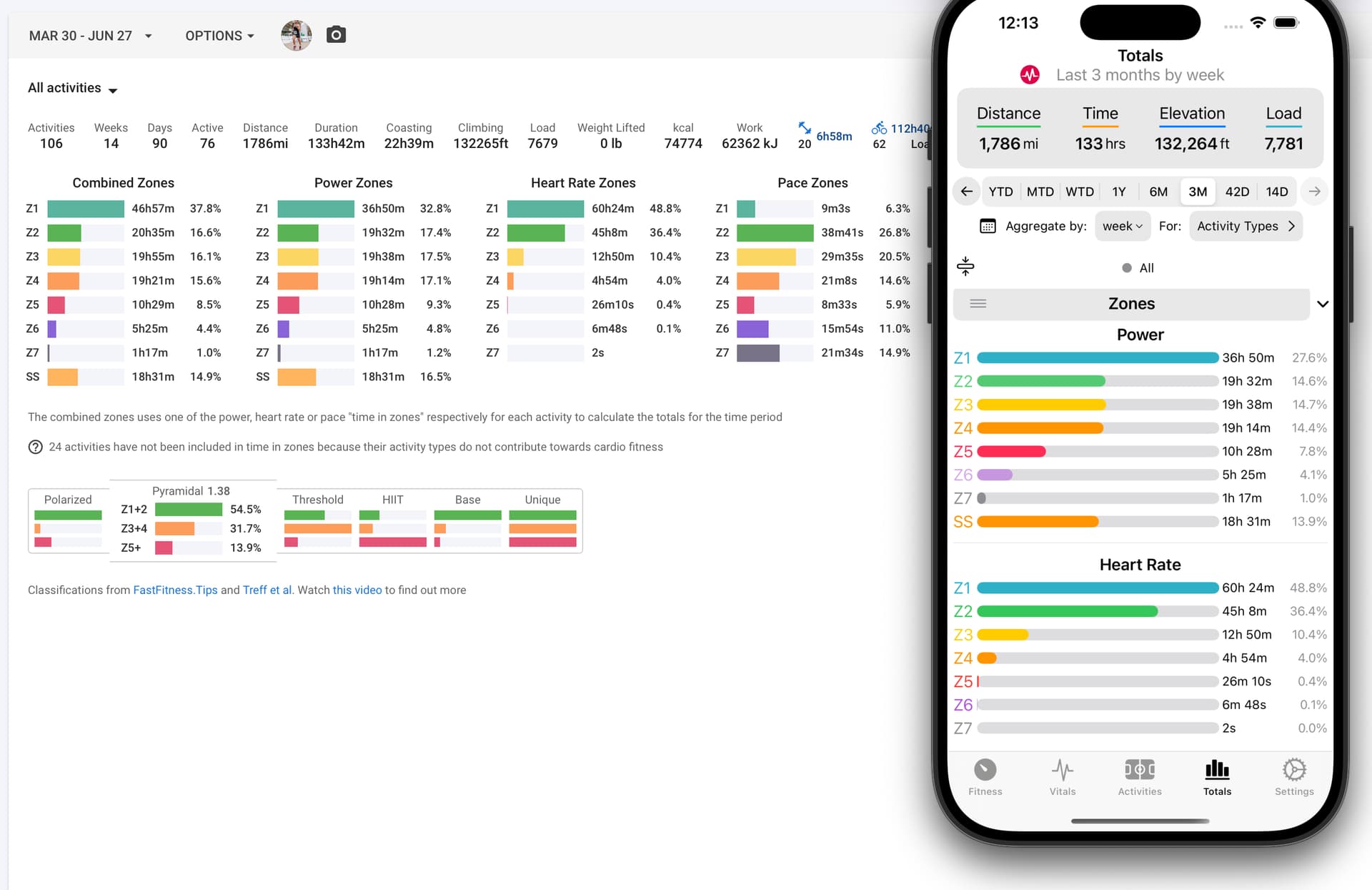
But when I go to Totals and narrow in to that specific day I don’t see HR zone data. Should I? I know the HR won’t contribute to Fitness calcs, but it seems like it should appear here? The icuIgnoreHr value for this activity is false. Should this be set to true automatically if it’s not used on zone totals?

If this is intended behavior, is there a way via the API to get the activity types that are configured to be ignored on the settings page? I’m not seeing anything on the athlete or profile endpoints that looks like that data.

Thanks!

Yes it is intended behaviour. If something isn’t contributing towards fitness (i.e. anything non-cardio) then it shouldn’t count towards “time in zones”. I need to document that somewhere.

1 Like

Those are actually 2 different things.
This one
image

does not ignore HR. You get everything calculated as for any other activity, but the resulting Load will only count for the given % regarding Fitness and Fatigue. You will see this on the activity as being displayed with a number in between (x).

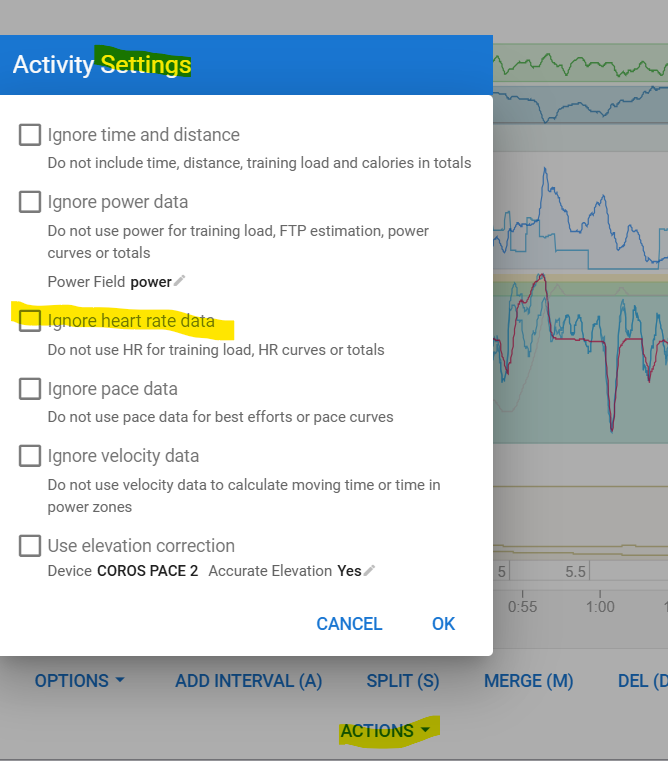
On the activity itself, you can check Actions - Settings, to see if HR is ignored for that specific activity. If it is, and you only have HR for that activity, there will be no load calculated at all. Which basically means that the above setting isn’t doing anything.

With the Ignore HR setting, HR will also be ignored for TIZ and that results in empty Totals.

I have added a note when this happens:

1 Like

Thank you both, all that makes sense and thanks for clarifying.

Followup question: Is there a way with the API to determine if an activity is being included in TIZ or not? I don’t see an endpoint to get the list of activity types and their weights for fitness and fatigue from the user settings. My weight training activity above has the following data returned by the API and I don’t see anything there that I could use to determine if it’s included in TIZ:

{
  "id": "i82454286",
  "start_date_local": "2025-06-10T06:07:58",
  "type": "WeightTraining",
  "icu_ignore_time": false,
  "icu_ignore_power": false,
  "icu_training_load": 3,
  "icu_atl": 92.34595,
  "icu_ctl": 82.57297,
  "icu_recording_time": 969,
  "elapsed_time": 1195,
  "max_speed": null,
  "average_speed": null,
  "device_watts": null,
  "has_heartrate": true,
  "max_heartrate": 117,
  "average_heartrate": 83,
  "average_cadence": null,
  "calories": 62,
 ...
  "icu_hr_zones": [
    137,
    145,
    153,
    162,
    166,
    171,
    180
  ],
  "trimp": 4.56395,
  "icu_ignore_hr": false,
  "ignore_velocity": false,
  "ignore_pace": false,
  "ignore_parts": null,
  "icu_training_load_data": 100,
  "interval_summary": null,
  "skyline_chart_bytes": "CAcSAuQFGgEyIgEBKAI=",
  "stream_types": [
    "time",
    "heartrate"
  ],
  "icu_zone_times": null,
  "icu_hr_zone_times": [
    975,
    0,
    0,
    0,
    0,
    0,
    0
  ],
  "pace_zone_times": null,
  "gap_zone_times": null,
  "use_gap_zone_times": null,
  "tiz_order": "POWER_HR_PACE",
  "polarization_index": 0,
  "icu_achievements": null,
  "icu_rpe": null,
  "power_load": null,
  "hr_load": 3,
  "pace_load": null,
  "hr_load_type": "HRSS",
...
  "icu_intensity": 33.38489,
}
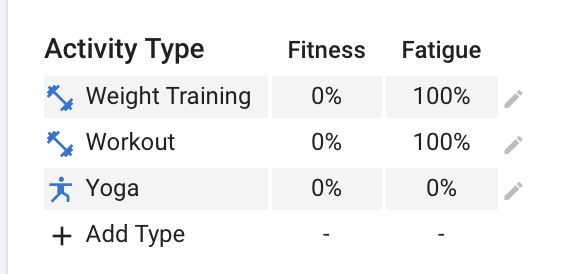
Unfortunately not directly. You need to look at athlete.icu_type_settings which is empty if the default settings apply. Otherwise it is an array of {type, ctlFactor, atlFactor} overrides. The defaults are:

BY_ID.WeightTraining.ctlFactor = 0
BY_ID.Workout.ctlFactor = 0
BY_ID.Yoga.ctlFactor = 0
BY_ID.Yoga.atlFactor = 0

This is a bit of a mess because it predates the addition of proper settings per sport.

Ah! That explains why I didn’t see any values with yoga in my athlete data. I should be able to work with that though. Thanks!

… and there we go. Looking a lot better and in sync with the website now!

1 Like