how to set date format please?
thanks
Currently you are not able to set the date format but we are working on an enhancement which will allow that. The option will be added to the setting page.
We will let you know as soon as the enhancement has been released.
2 Likes
We have added options to the Settings page to select your preferred date and time format.
Dates will still display in various formats on Intervals, depending on the space available, but we will adhere to the order you have selected.
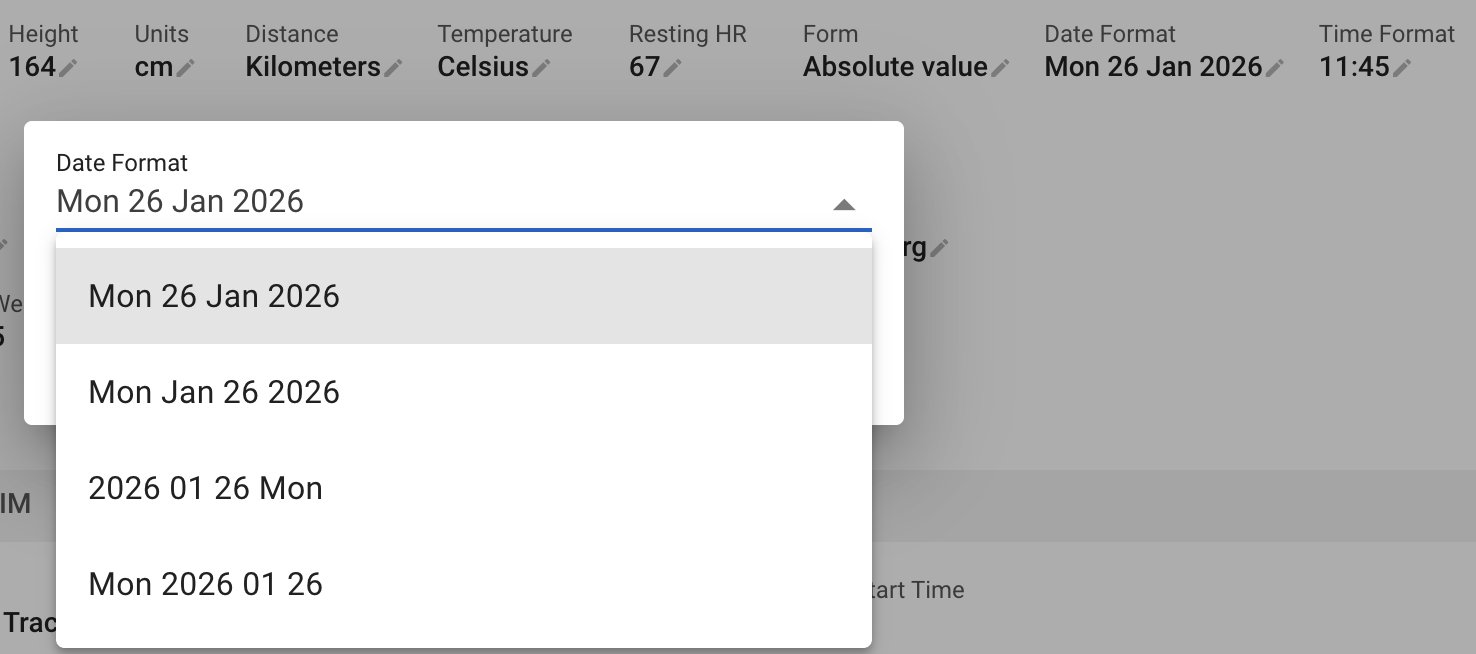
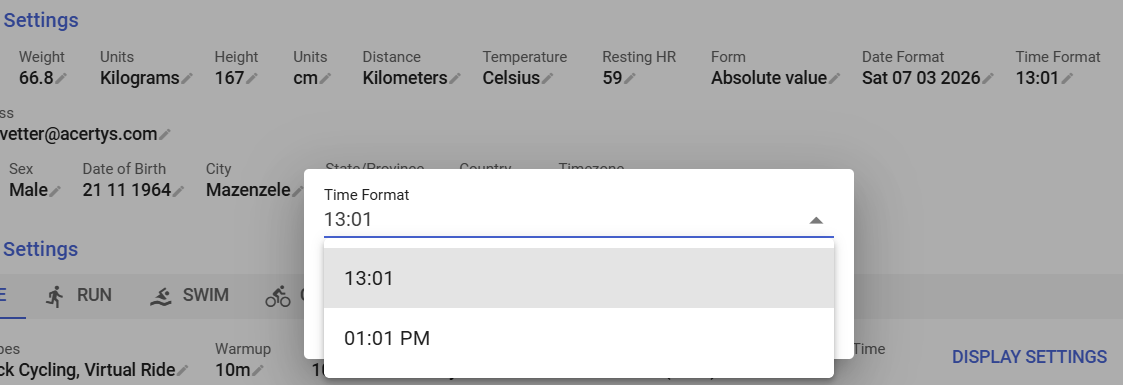
Please let us know on this thread if additional date options are required or if the dates are not displayed as expected.
7 Likes
Missing “Mon 26.01.2026” 
3 Likes
Are you looking for that format, or is it a joke? 
It’s common to use this in Germany, so yes, I would like to see it. 
Could be also DD/MM/YYYY in other countries
1 Like
dd mm yyyy format has been added. 
2 Likes
thanks
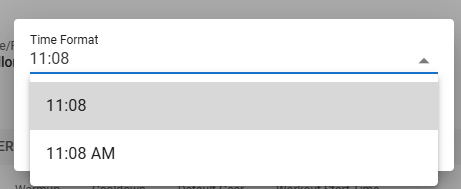
I guess the first option is a 24H format and the second one is 12H with AM/PM?
An example with 11:08 PM would have been more relevant. Or perhaps I got it wrong?
On the settings page, it takes the actual TOD.
Here, as an example, a PM time would be more clear.
I’ll see if I can replace the screenshot after noon.
 I understood how it works I checked the same screen in afternoon and it takes current time of day so I was able to change it correctly to European standard it works fine.
Screenshot has been replaced with a more relevant one, 13:01/01:01 PM.