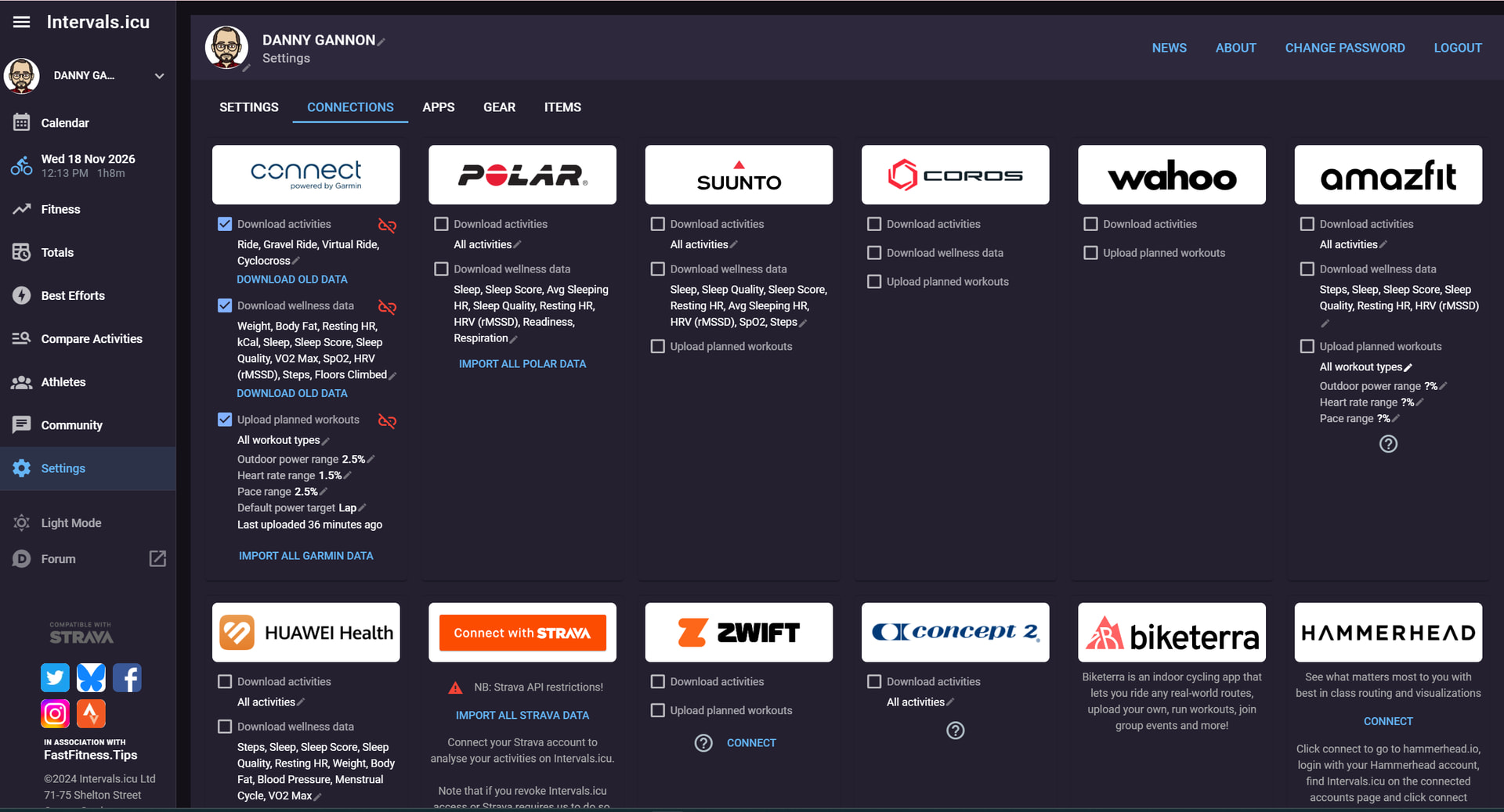
I’ve recently set up my Intervals.icu account with Garmin Connect.
Download Activities is enabled, and the Garmin integration appears connected correctly.
I’ve now completed two activities recorded directly on Garmin hardware. Both uploaded successfully to Garmin Connect but did not automatically appear in Intervals.icu.
I was able to manually upload the original Garmin activity files successfully, so Intervals can process the activity.
Today I also tried Download Old Activities for the date range covering the missing activity, but it still didn’t retrieve it.
Could you please check whether Garmin activity notifications/webhooks are reaching my Intervals athlete/account, and whether the activity integration is correctly registered?
Garmin wellness and planned-workout permissions are also enabled.
*FYI - All activities run though my Garmin Edge 1040 (Road, Gravel, Indoor etc.)
*
If you’d be so kind as to look into it, that would be greatly appreciated.
Yes, exactly. you have enabled a download filter, so for example mtb rides won’t come in. Additionally Activities from third-party apps won’t be forwarded by Garmin.
And the download old data button works only once for an activity. if for some reason an old activity is not imported, you have to upload the file manually. This is a limitation by Garmin.
So maybe remove the filter before the next ride and check if it’s automatically imported.
Haha, of course the moment I posted this, this mornings ride finally automatically synced on its own accord. Classic Heisenbug!
Appreciate the heads-up on the download filter and the Garmin old-data limitation; I’ve cleared those up now so nothing gets screened out. I’ll keep an eye on the next upload and see how it behaves.