Hey. Title says it, basically.
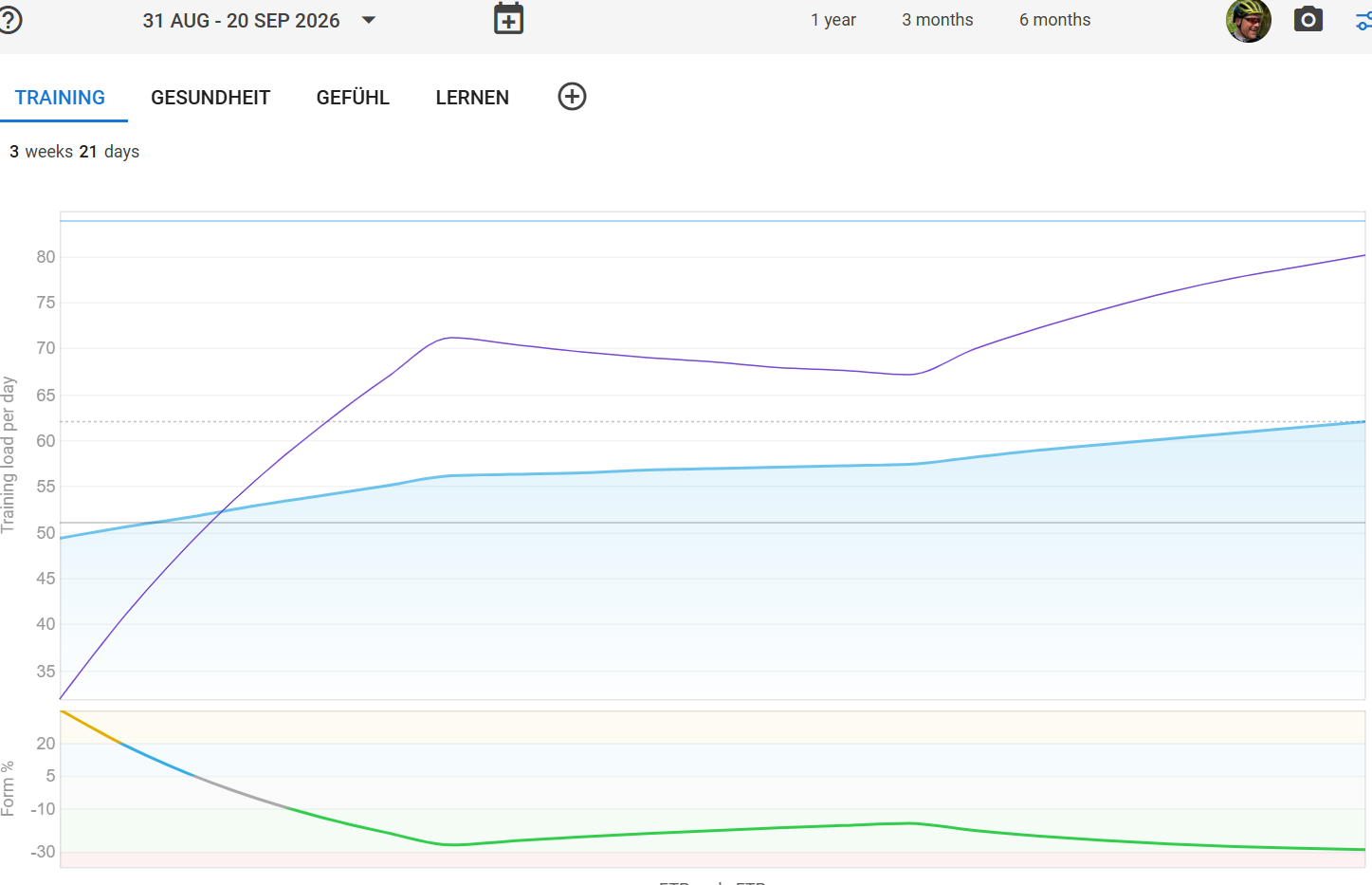
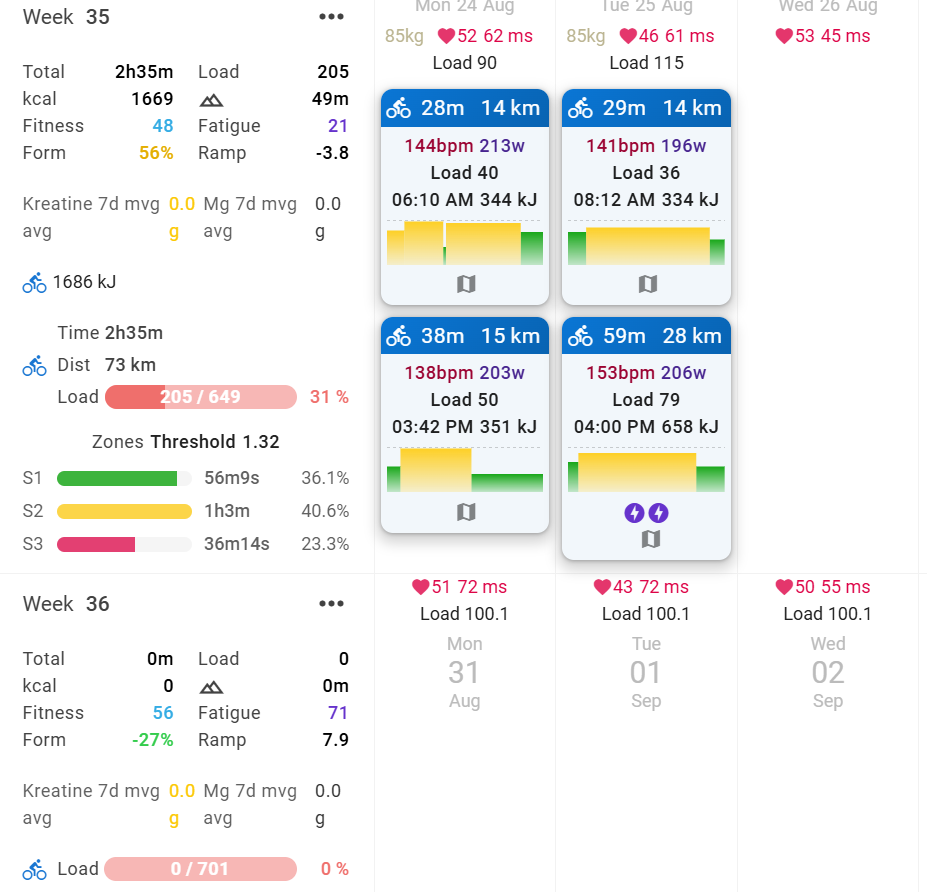
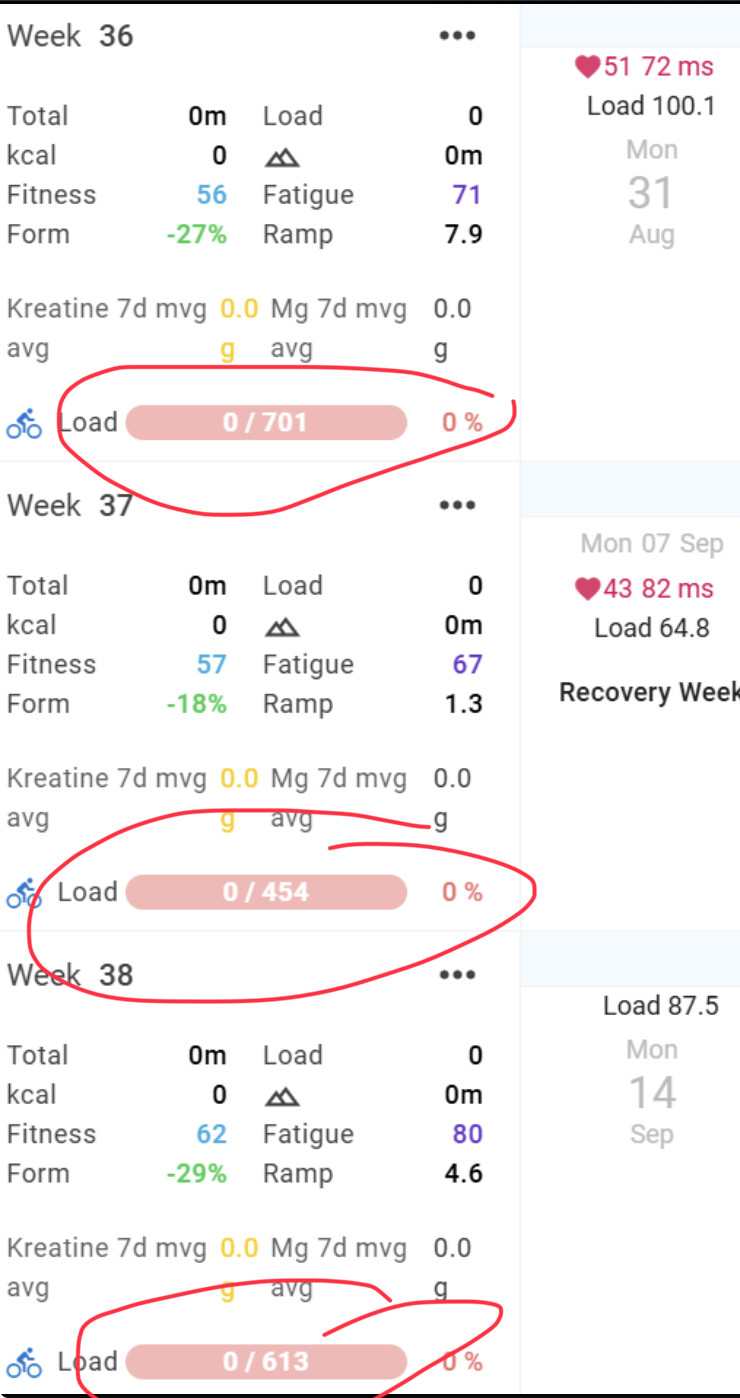
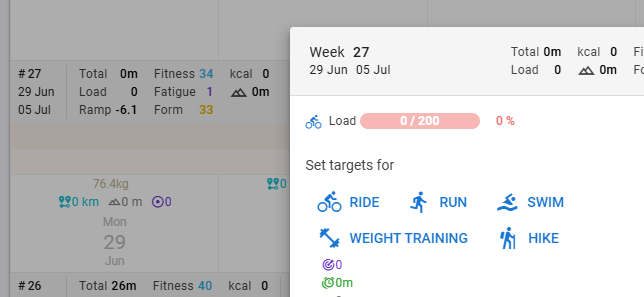
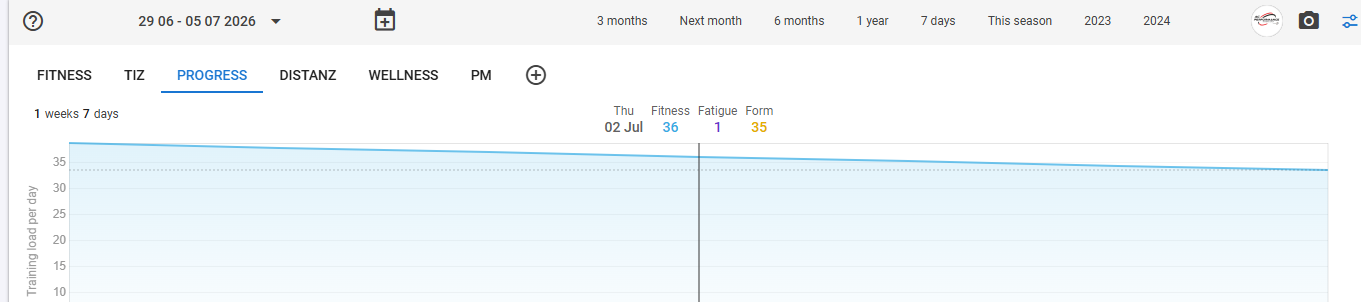
My bike got stolen a couple of weeks ago, an my Fitness-/Fatigue-Curves keep going up, even though I don’t upload any activity.
The one thing I can think of is, that I have paired my amazfit. But: it is set to only download wellness data like steps, sleep, sleep-score, Sleep Quality, Resting HR and HRV. That shouldnt affect my Fitness/Fatigue, should it?
There are no activities being downloaded from amazfit!
No, nothing was planned. I use intervals.icu solely for bike and health-metric purposes.
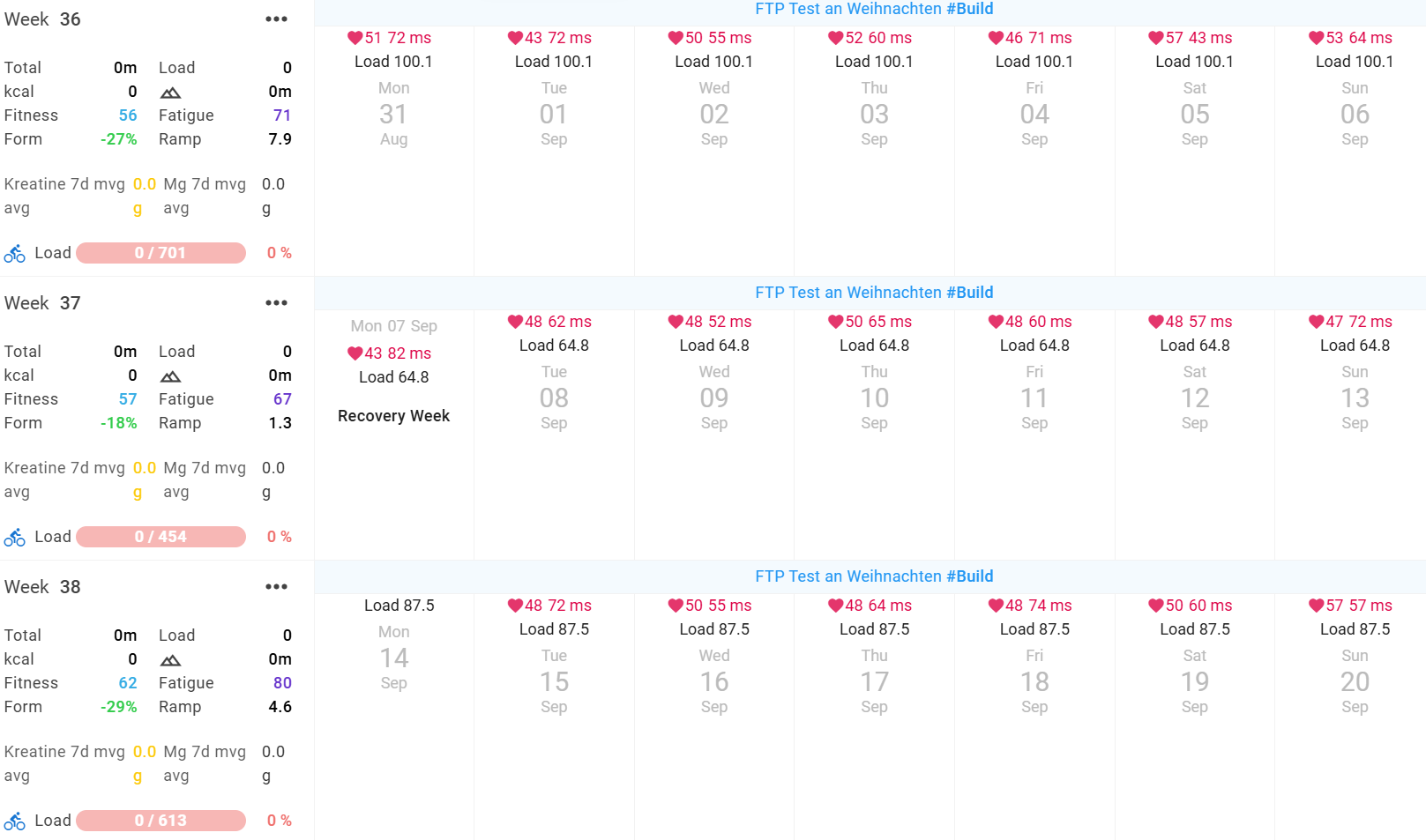
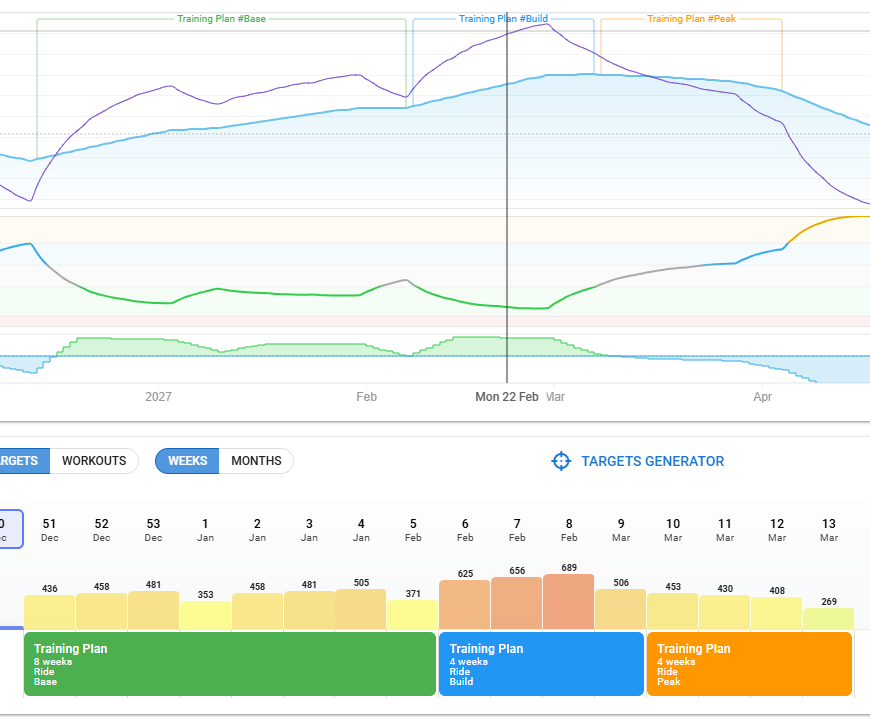
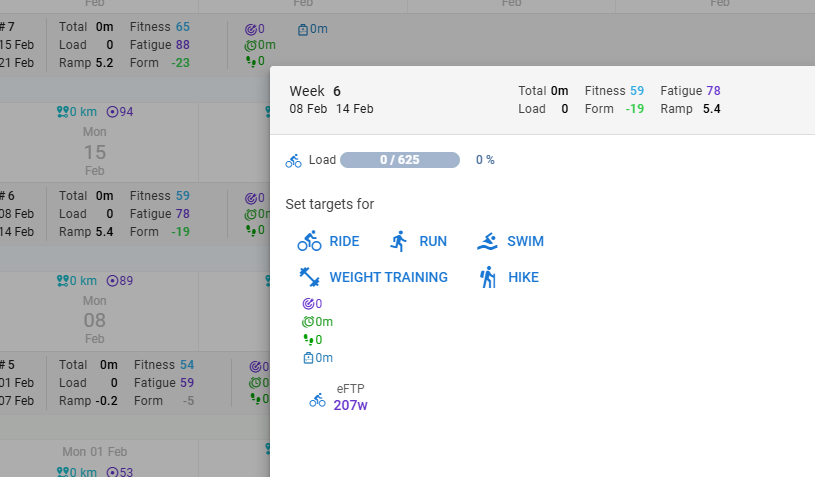
I thought of one more thing: I had an annual plan planned (with that semi-new feature). It still shows the TARGET Load. But the actual lode is correctly shown as 0/x, so that shouldn’t be it?
Load that was planned and not executed at the end of the planned date/week is not counted. Future planned load is shown on fitness chart as a projection to the future. You should see future load when expanding the fitness chart beyond today.
But at this moment, I can’t explain what your Fitness chart shows for that period.
I saw that and first thought it was a weekly planned load. But in the calendar on the post further up, you can see that it is evenly distributed over all days (I guess days marked as available). Is that what the Planning builder does? Asking because I never used the builder.
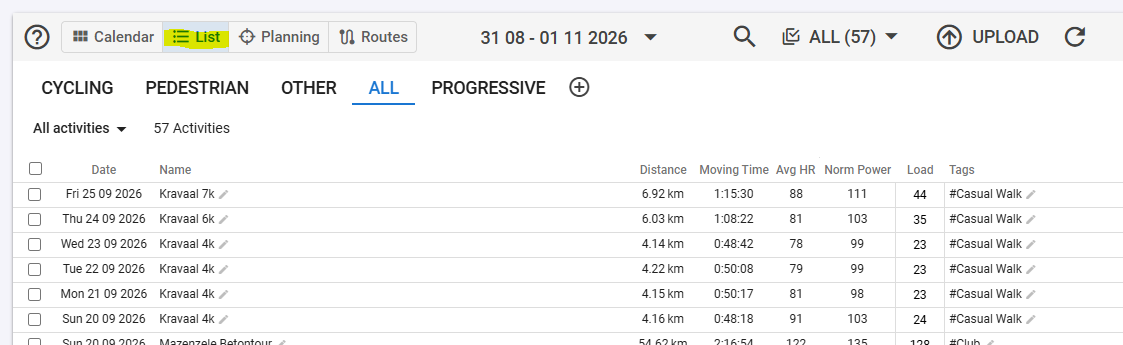
On the Activity list view (not filtered), you can also see that no activities were logged.
I can’t explain this… @david
Is this another of those strange cases, like we’ve seen 2 of in the past?
Yeah, it takes the weekly load and I think divides it per day (maybe only availabale days, don’t know). It doesn’t matter if you use the Target Generator or define a weekly load yourself, same outcome like this:
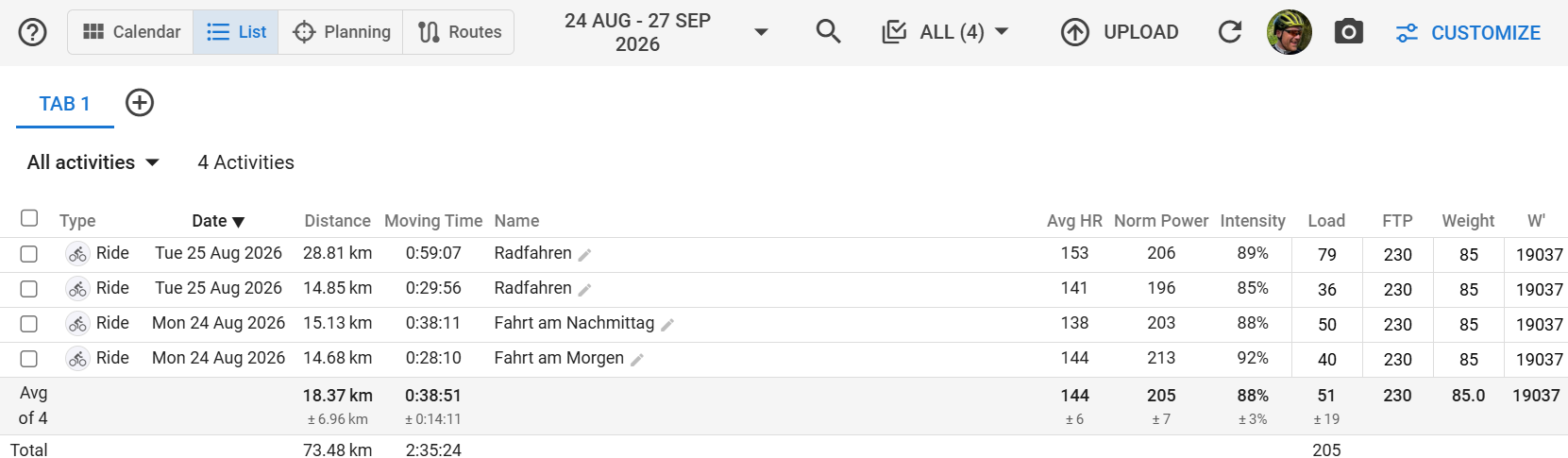
Sorry, should have said, that I have nothing planned AND marked done.
I could solve the problem by deleting the annual plan. But thats just the symptom, that I solved, I think. It still shouldnt have done that for past weeks without actual load, right? So the problem itself might still be there and worth looking into it.