From the answer I deduce that it is not possible. Too bad, it would have been useful to see the correct parameters on Glance widget. All that remains is to manually modify each individual activity by putting load=0, right?
It is possible to build 2 Fitness charts, one for running only and one for cycling only. Given the fact that there are Tabs now on the Fitness page, it can be build with a little bit of work.
Can you explain how to do this? I’m looking for a way to monitor training load/ramp rate per sport to prevent injuries, but I can’t figure out how.
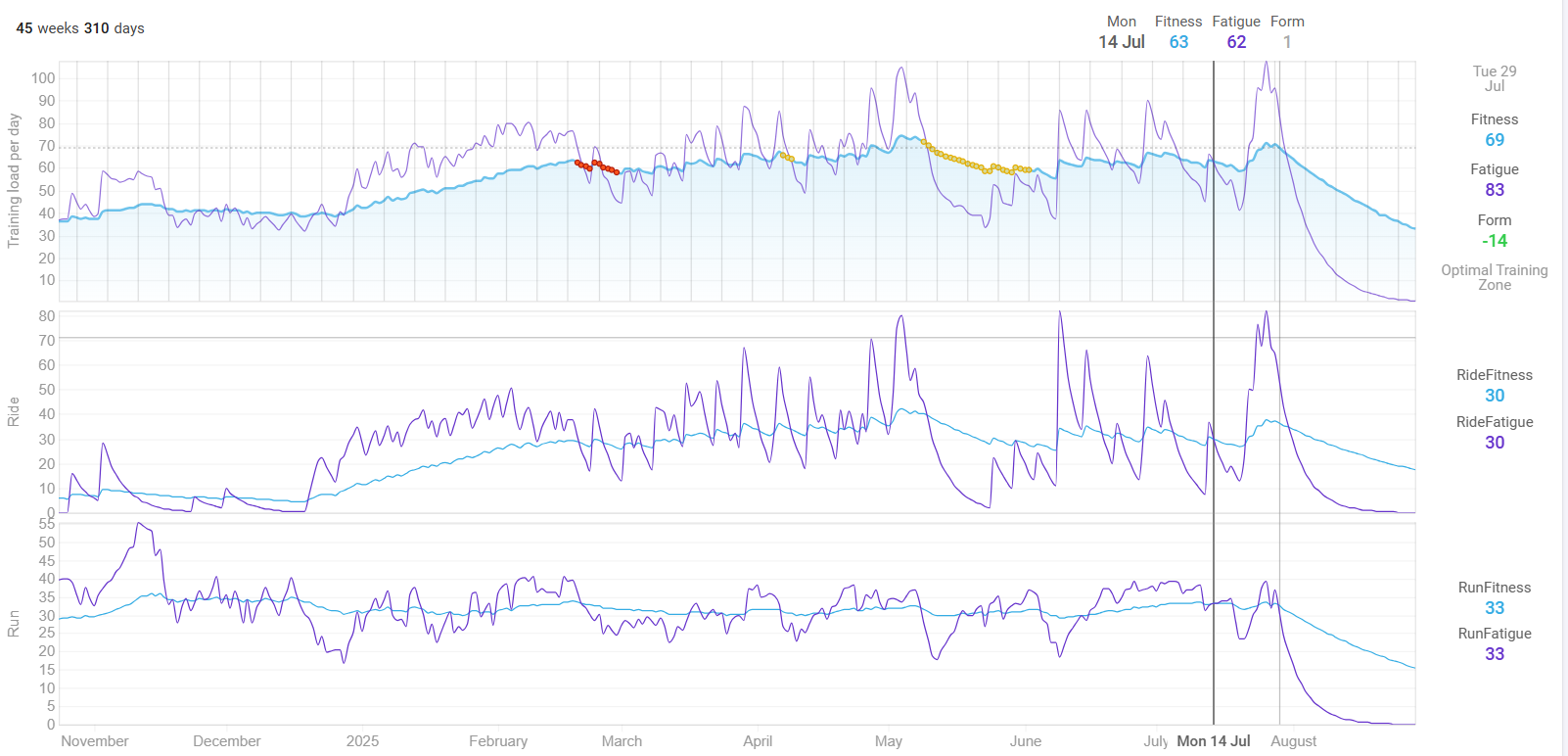
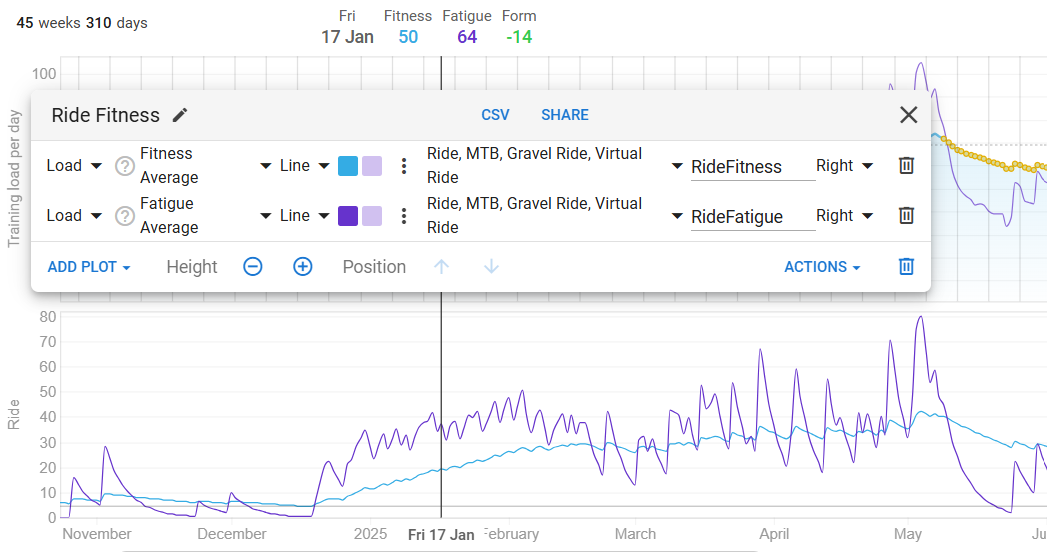
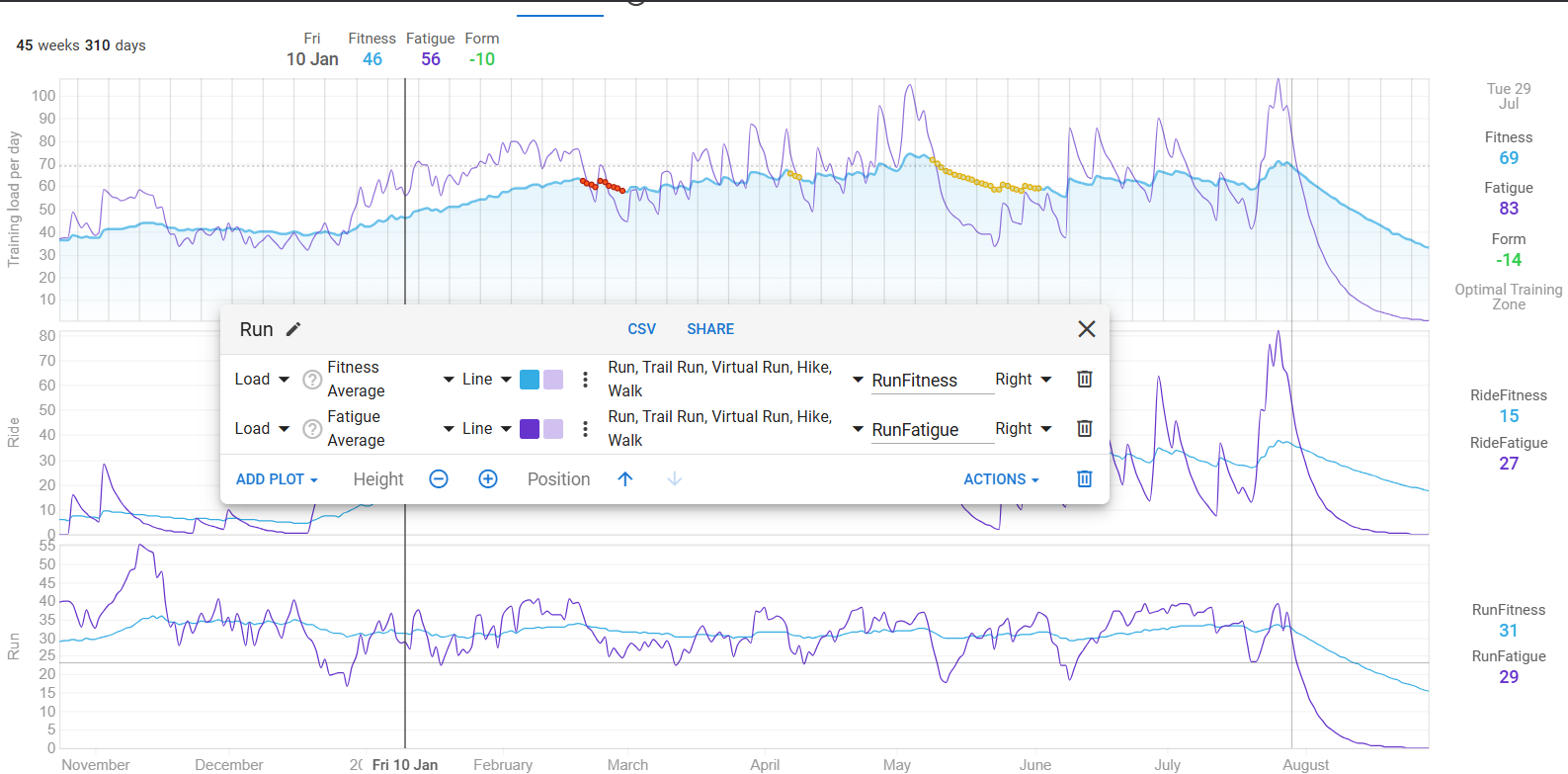
Here’s all three: the original for all activities, the Ride one and the Run one
The settings for the two filtered ones:
1 Like
Thank you! Is it possible to show ramp rate per sport? I’ve tried simply plotting ramp rate and adding a filter for activity type, but this seems to show the same value as the overall ramp rate.
EDIT: I’m noticing the same for ACWR; is this a bug?
It’s not a bug. It’s a limitation caused by the fact that compound metrics already take all activities in account. That’s also the reason why you need to start from Load iso Fitness to split out Run/Ride for separated Fitness/Fatigue.
RampRate and ACWR are already a result from, respectively, Fitness change over a number of days, and Fatigue divided by Fitness.
Unfortunately you can’t apply calculations at this level for the moment. So, no, ramp rate and ACWR per sport can’t be done at this time because it would need to be filtered at the Load level.
I am not seeing “Run” or “Running” there.
No, because running is a purely cardiovascular activity and thus the Fitness and Fatigue numbers count for the full 100%.