Hi, I’m using EXR for indoor rowing. During the activity I use an heart rate monitor.
The activity is correctly uploaded to intervals.icu.
The problem arises when I try to export the fit to add it to the garmin connect app.
I have two choices:
- export fit
- export original fit
When I choose 1. I have two ticked checkboxes, heartrate and power and here is the result in garmin connect:
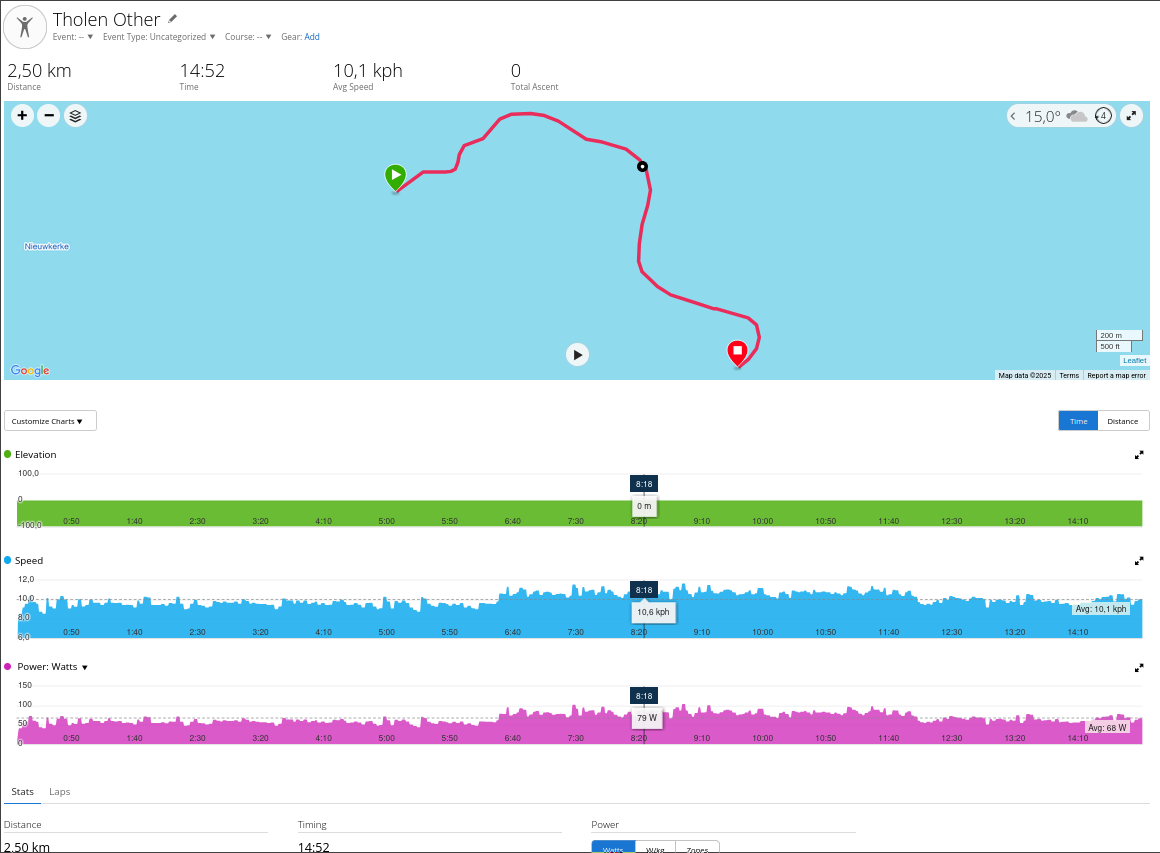
The type of the activity is not indoor rowing and the name is strange. No rowing stroke rate data.
If I choose 2 (the original fit file) then I get something slightly better:
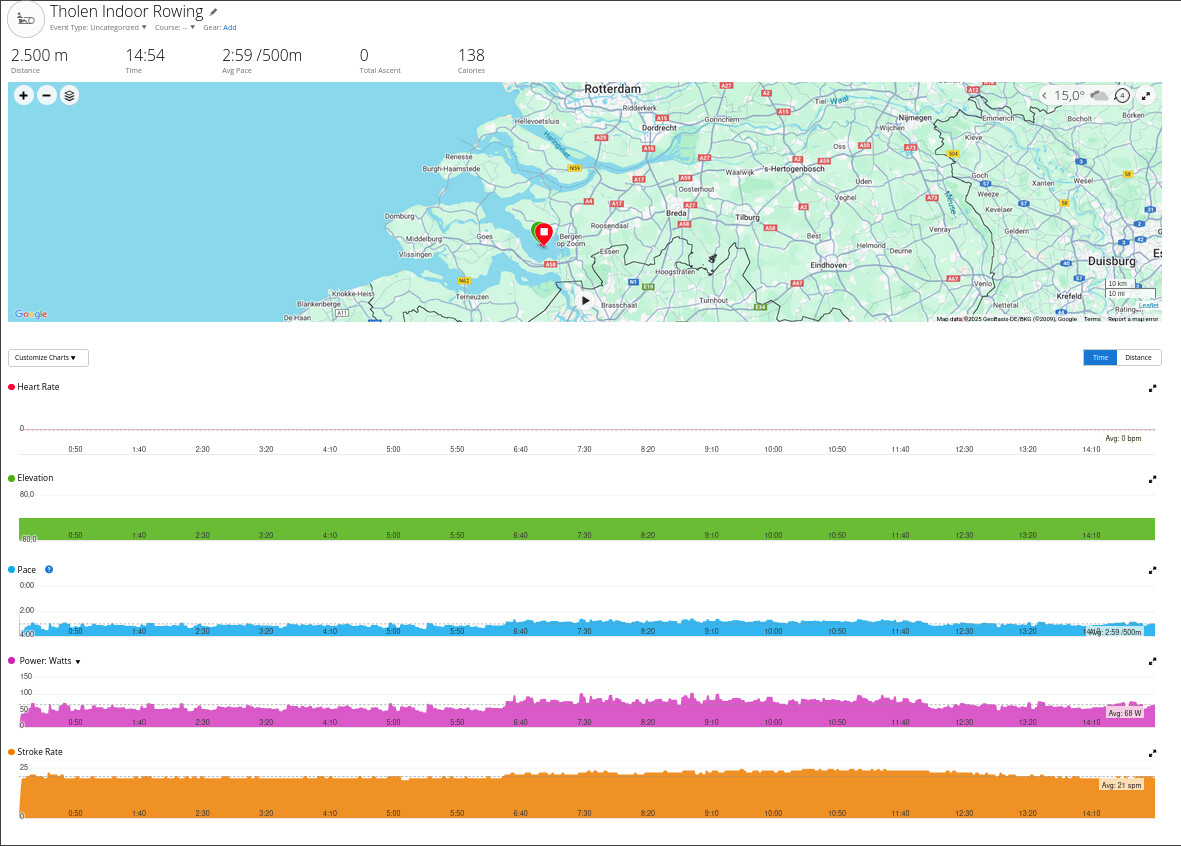
The activity type is indoor rowing, I’ve got stroke rate, but heart rate is gone.
In both cases, the map data is “wrong”. It supposed to be in massachusetts and it ends up in the Netherland.
As a final comparison, downloading the fit file directly from the exrgame website give me the correct view in garmin connect:
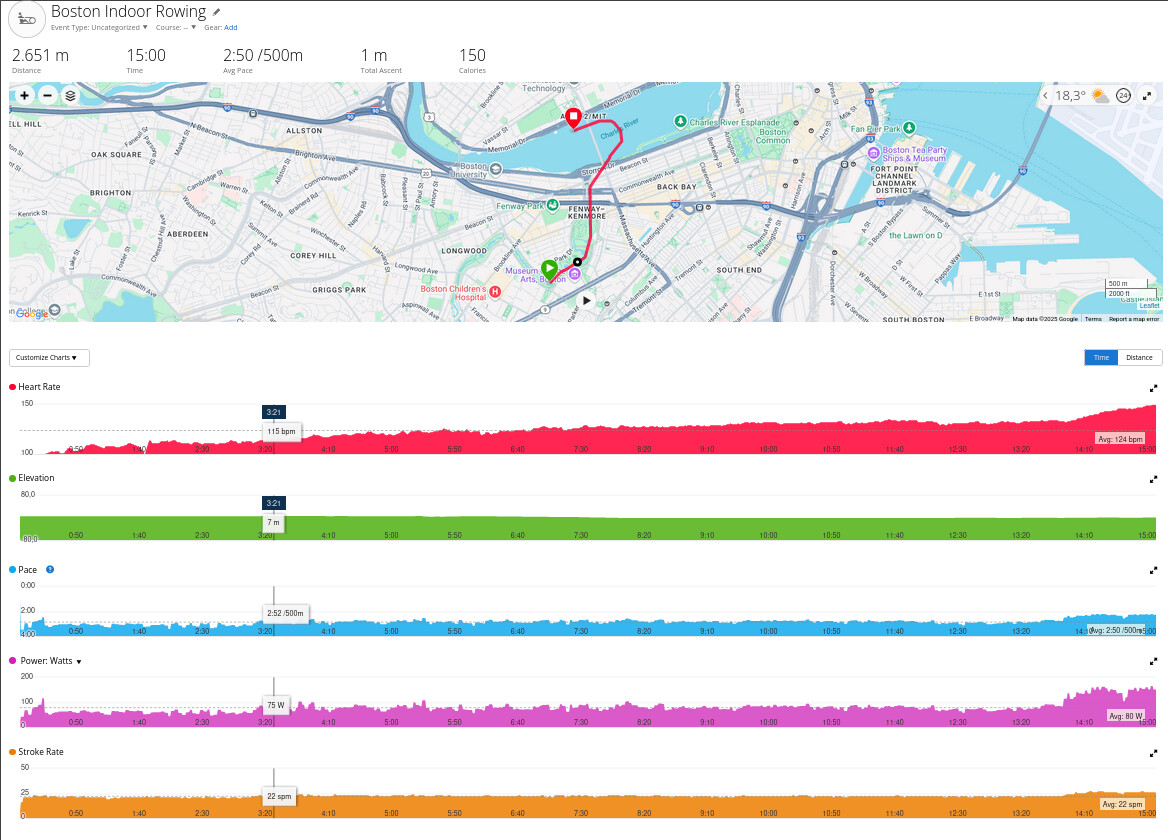
So I’m using the fit file from exrgame and all is fine. But would it be possible to fix the intervals icu import so that it has the right map, the stroke rate (not the cadence) and create the right fit file - at least the original one should be the same as exrgame’s one.
Let me know if you need more information.
Regards,