Effort Atlas — explore and compare your complete endurance history

Hi everyone,

I’m Andreas, a software engineer and primarily a runner, often on trails, although I also ride. I built Effort Atlas for myself because I wanted a better way to explore years of activity history.

I enjoy opening the Atlas, returning to places where I used to live or once trained, finding activities from trips and races, and comparing how repeated efforts changed over time. Effort Atlas has therefore been developed from a runner’s perspective, while currently supporting runs, trail runs, rides and hikes throughout the product.

It is a responsive web app that works across desktop, tablet and phone. Activity history can be synchronized from Intervals.icu or imported from complete Garmin and Strava archives.

Explore your complete history in one Atlas

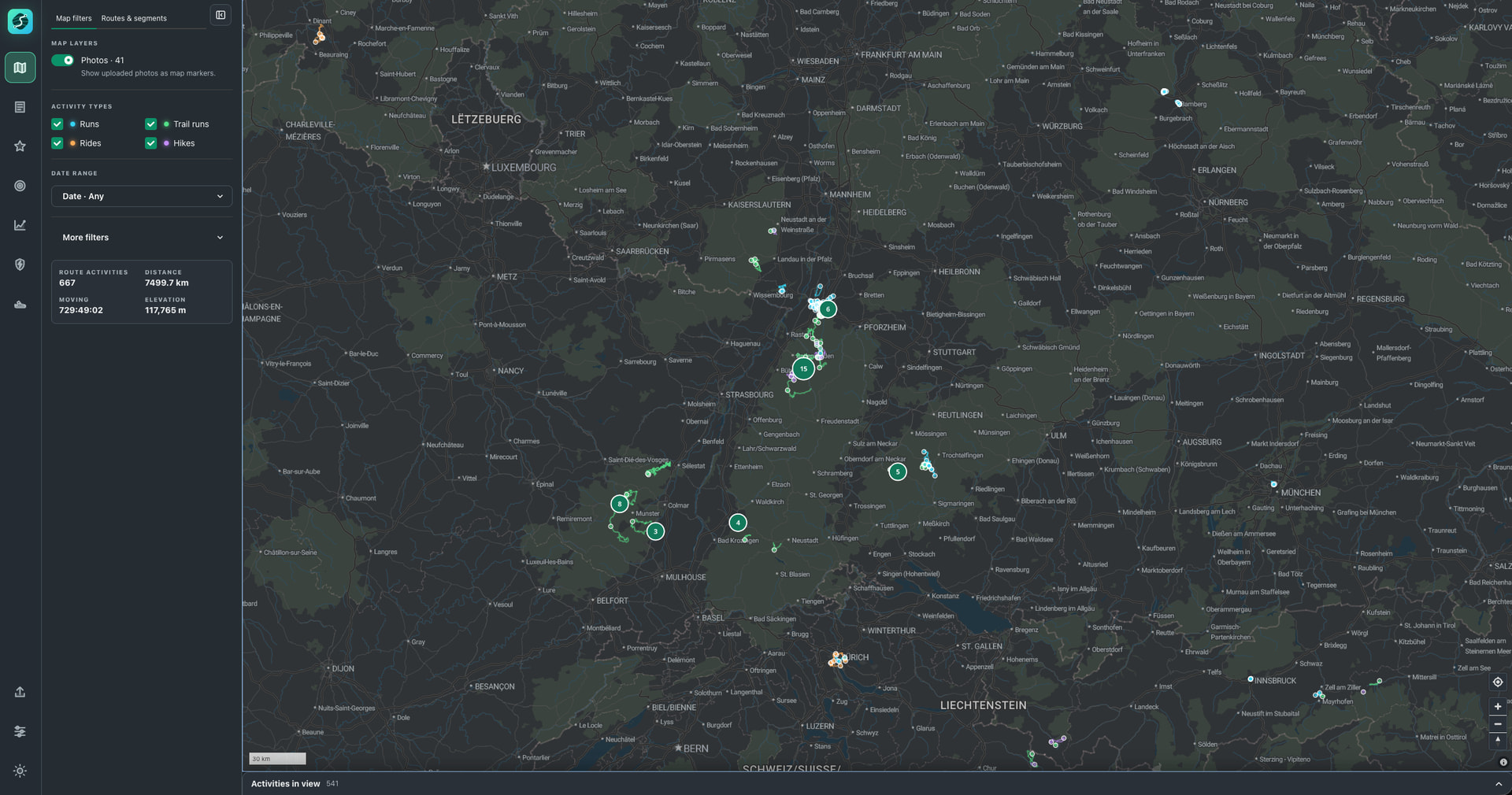
Every mapped run, ride, and hike appears in one explorable Atlas. Start with a place and discover the activities that passed through it, whether that is a local trail, somewhere you previously lived, or a route from a vacation years ago.

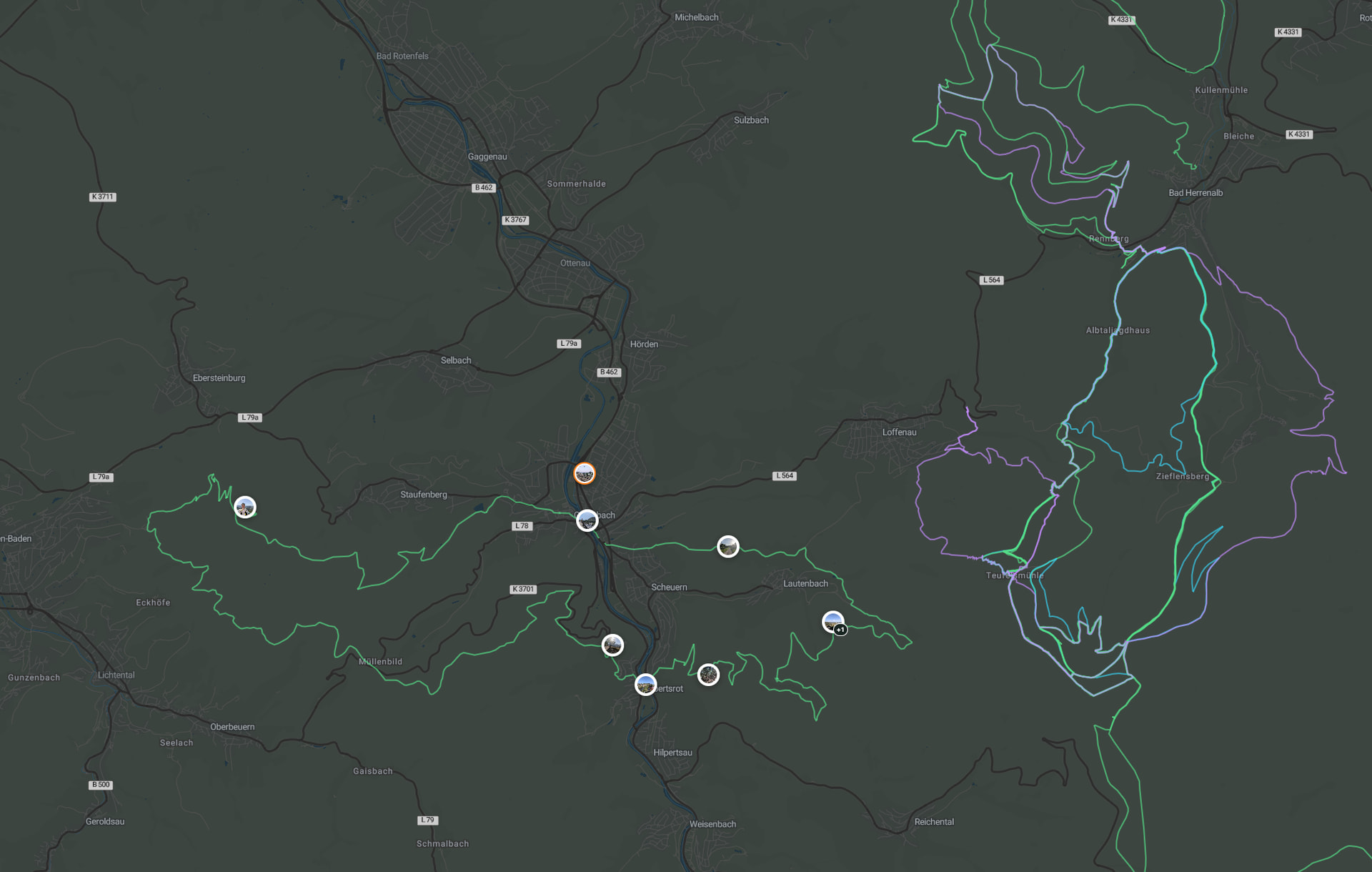
For every mapped activity, Effort Atlas shows which ground was familiar and which parts you explored for the first time.
Automatically find and compare repeated routes

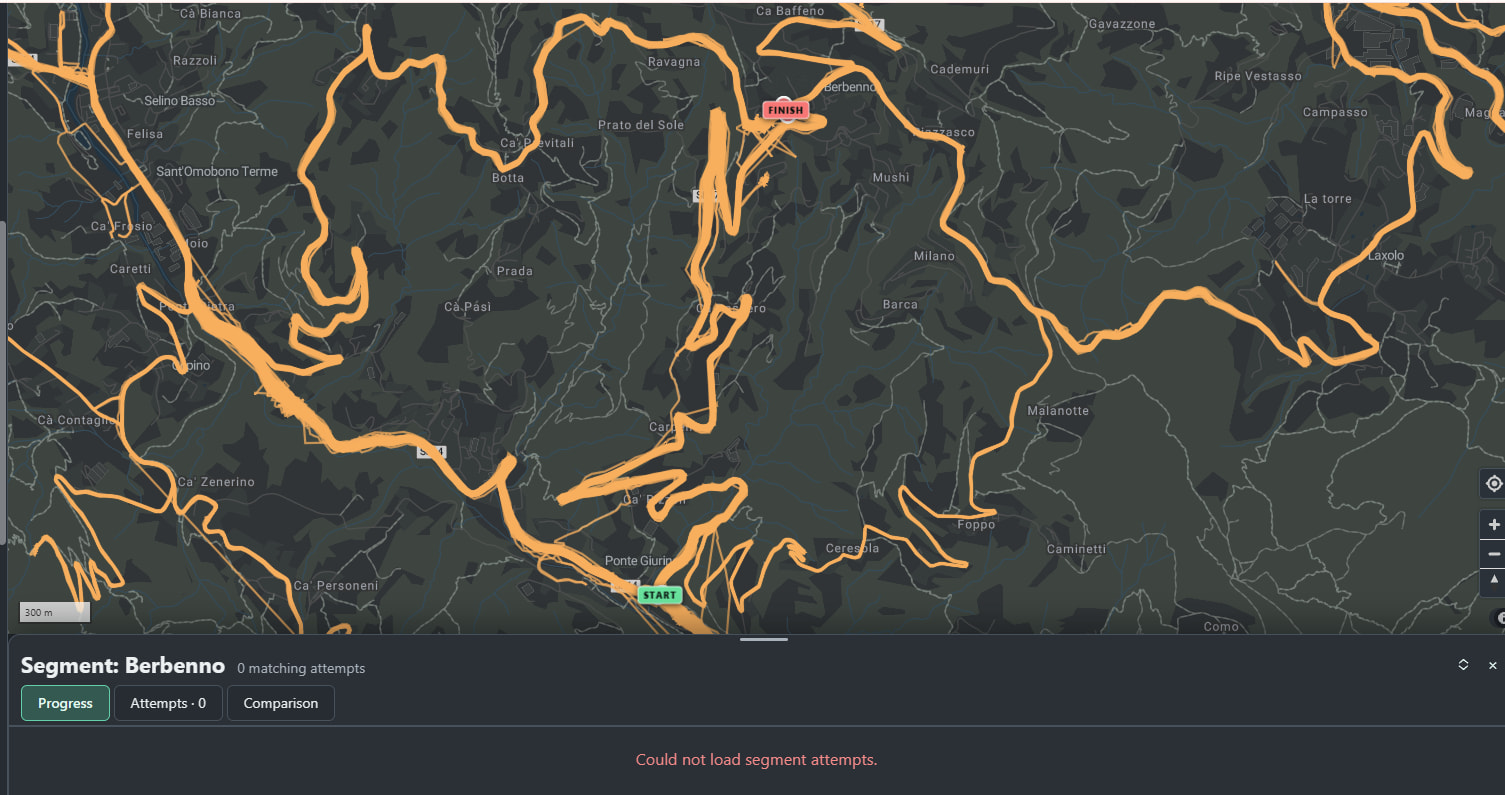
Opening an activity automatically detects previous activities that followed the same route and makes them optionally available for immediate comparison.

Compare pace, heart rate, power, temperature, and elapsed time at the same point along each activity. A synchronized replay shows how far ahead or behind each attempt was and where the gap opened or closed. Sensor metrics are included where they were recorded.

You can also draw start and finish gates with optional checkpoints around any climb, trail section, or local loop. Effort Atlas searches the complete archive for activities that crossed those gates in order, even when the surrounding route, warmup, or cooldown differed.
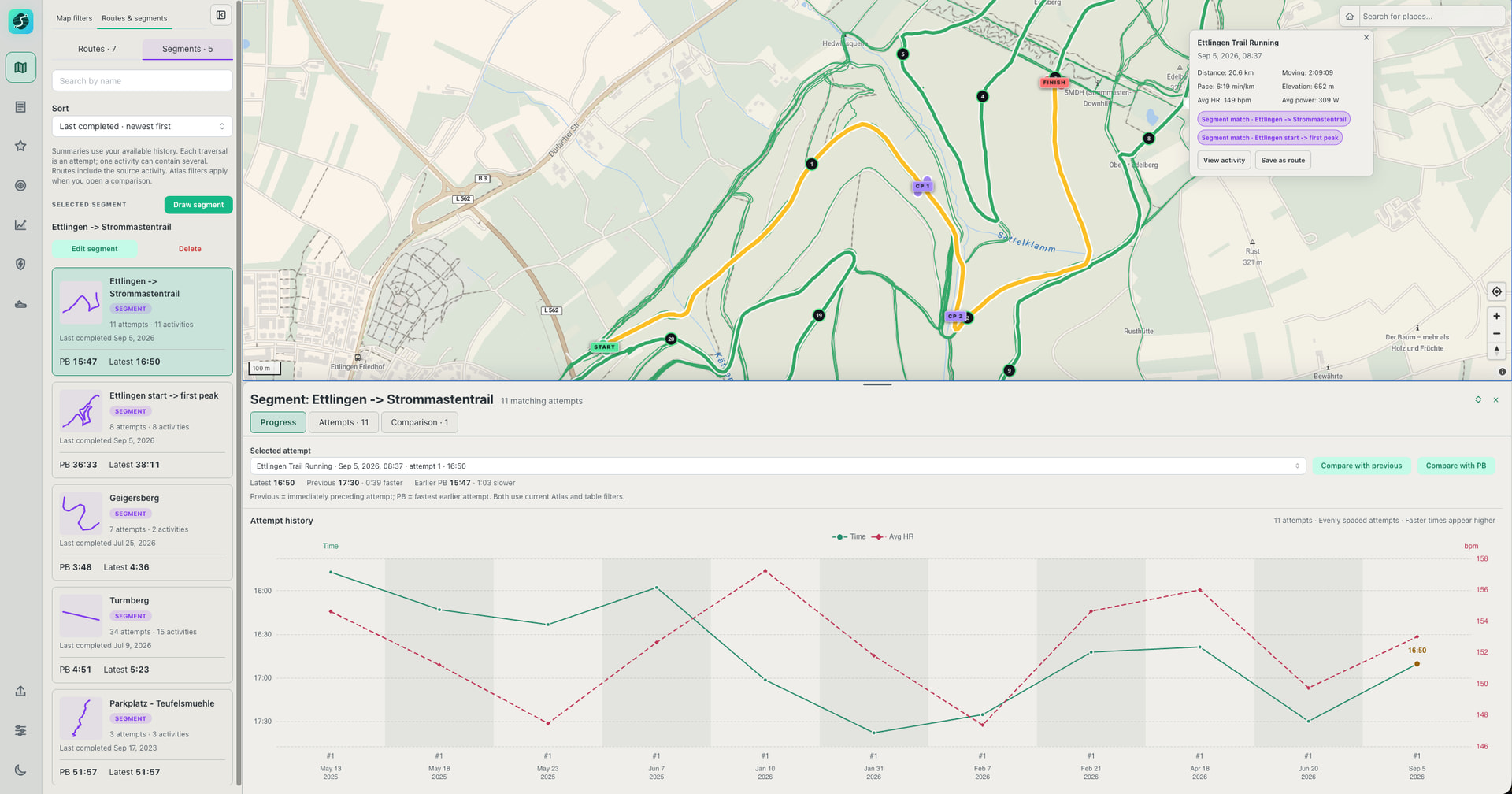
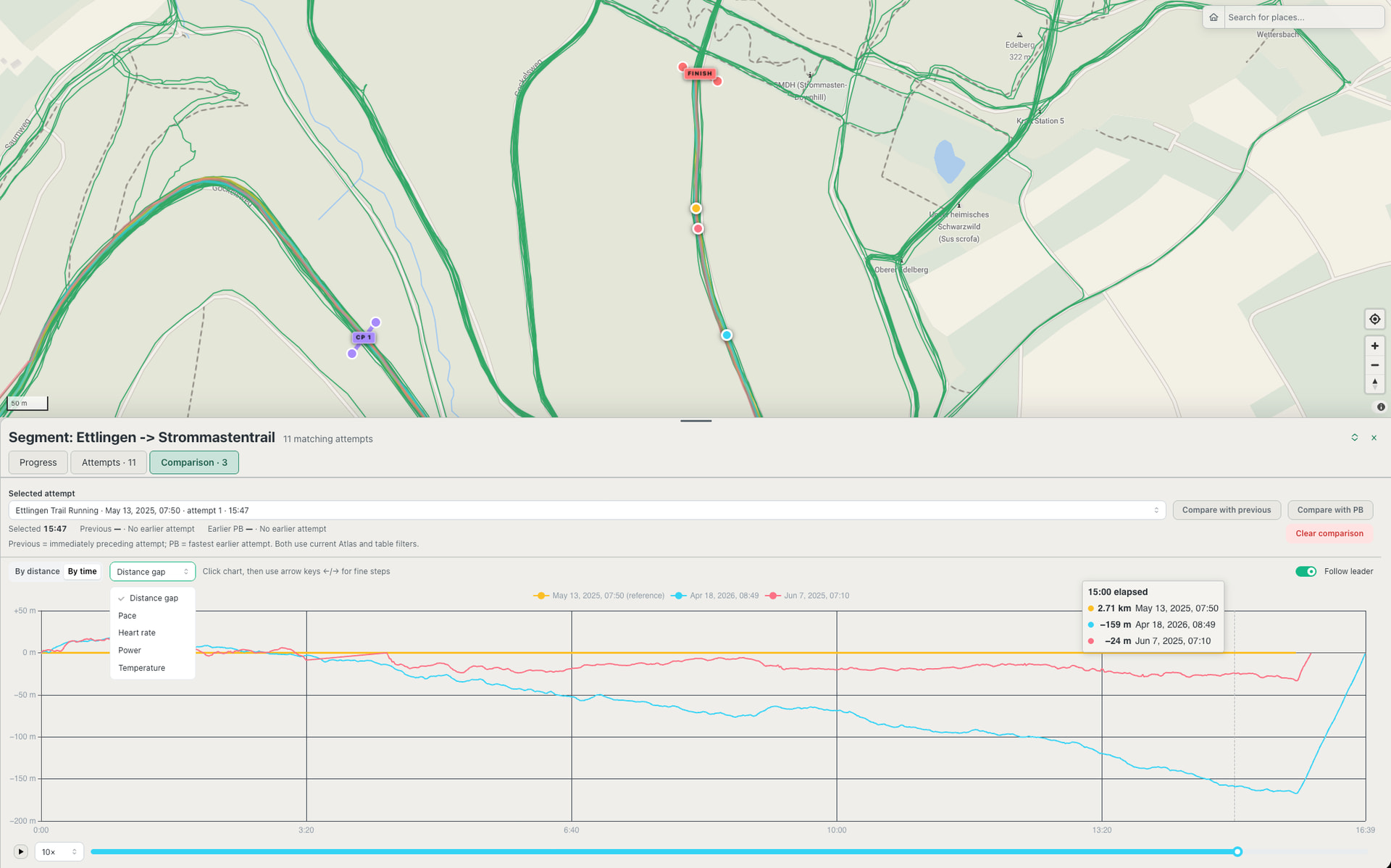

Similarly, you can compare efforts by distance and see the time gap at a specific point. This is also a great way to see HR, Temperature and more at the same point in an activity or during a segment.

Retain the activities that mattered

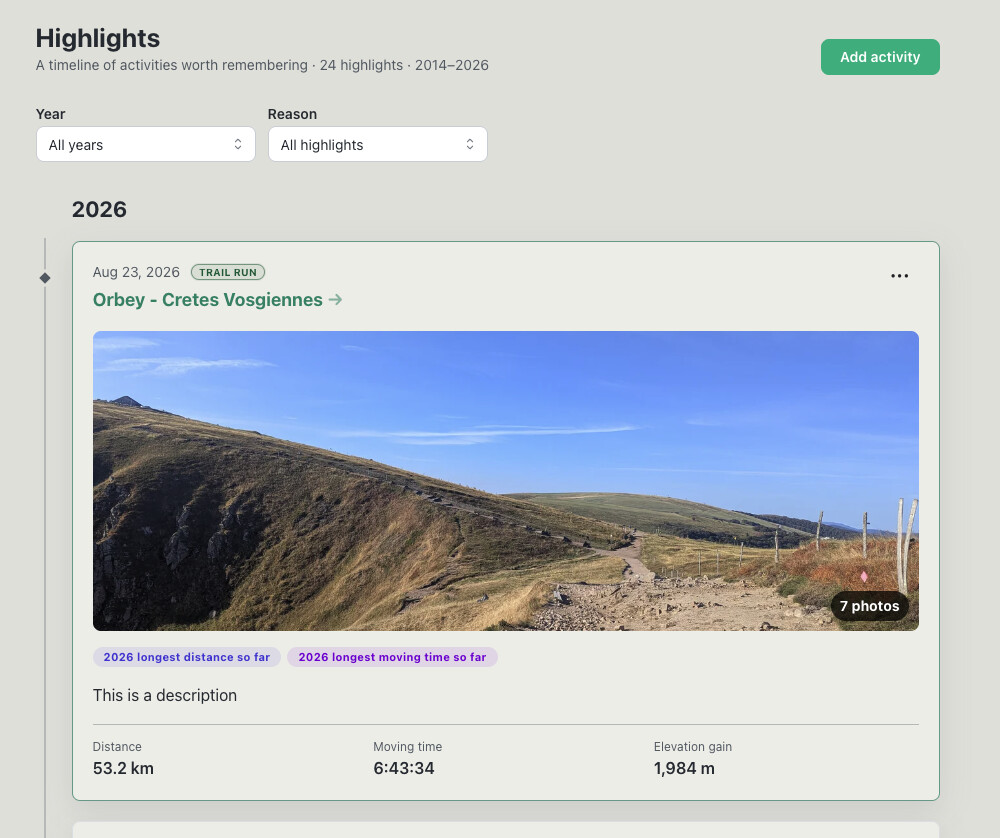
Highlights form a personal timeline of memorable activities: something you did while on vacation, a meaningful race, a personal best, a new trail, or any other activity worth retaining.

Highlights can include notes and photos. Photos are synchronized to their recorded time and location along the activity, while automatically detected milestones remain connected to the effort that produced them.
Analyse activities and follow personal goals

Activity analysis combines synchronized sensor timelines, splits, laps, performance curves, heart-rate drift, route familiarity, photos, and comparisons with previous form.

You can also create goals around how you actually train:

  • Complete a particular route 5 times before a deadline.
  • Run or ride that route under a target time.
  • Cover 500 km before the end of November.
  • Accumulate 3,000 m of elevation gain before the end of the month.
  • Improve a standard-distance or route personal best.

Goals update from contributing activities and link back to the underlying evidence.

For runners, Effort Atlas also provides a visual shoe rotation with monthly and lifetime distance, active and retired shoes, replacement targets, and tools for finding missing or incorrect gear assignments. The same gear system also supports bikes and other equipment.

Activity-source note

Effort Atlas can:

  • Synchronize supported activity data from Intervals.icu.
  • Import a complete Garmin archive.
  • Import a complete Strava archive.
  • Import individual FIT, GPX, TCX, GZ, and ZIP files.

Intervals.icu cannot pass activities originating from Strava to third-party applications through its API. Those activities can instead be imported from a Strava archive. Strava archives label Trail Runs as Runs in their export. But the type can be corrected after import.

About the beta

Although access is currently described as beta, Effort Atlas is already a mature, usable product rather than an early prototype. I use it daily with my own activity history and have spent substantial time on map and archive performance, responsive interaction, UI/UX, and accessibility.

The application uses Django and PostgreSQL on the backend, with React, TypeScript, MapLibre, and ECharts in the interface. Not important for you to use but I want to highlight that it is being built and operated as a serious product.

You are welcome to simply use it and explore your data. During the beta, I’m especially interested in feedback, such as what you like about it, what you use or do not use or where it feels unintuitive to use.

If you decide it is not for you, you can delete your account from Settings. This immediately removes your entire account, imported activities, generated analysis, connector credentials, and other personal data from the live service. Data held by Intervals.icu remains untouched.

You can see the product and request access at effortatlas.com. Please allow for some time to set up your account, i want to monitor load on the system, rate limits to external services
1 Like

Thank you to those of you who have signed up and reached out. A few questions came up:

Hosting / Data Storage

The app and database are hosted on a Hetzner server in Nuremberg, Germany. Activities are private to your account and there is no way you can share them with other users. Intervals.icu credentials if you choose to pull data from there are stored encrypted. Deleting your account using the “settings” page removes your data and credentials from the live service. Once i add separate backups it might take a few days depending on retention period until all data is cleared but i will think about how to handle that before making any changes.

Monetization / Pricing:

I don’t plan to monetize Effort Atlas for at least the next six months and especially not for beta users. Beyond that potentially optional support for some higher storage limits or priority support. I pay for the infrastructure and external services anyway because I use it myself and i dont plan to stop. Having some more users doesnt put a lot of load on the system, other than the moment a large amount of activities are synced after first login usually. Also, setting up payments plus the administrative and legal work isn’t worth it for me right now.

Note: There was also more load than expected this afternoon after several accounts started importing their histories at once. I’ve made a few changes to prevent the UI from being affected by unussually high number of background jobs.

1 Like

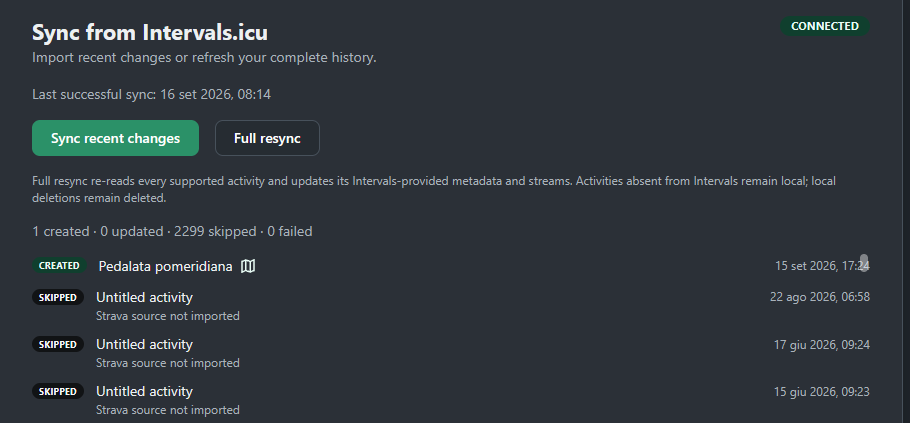
FANTASTIC WORK @akanz ! I wanted to ask you something, though: I was importing all my activities (around 3,200), but a full 2,299 of them were ignored.
Do you know why?

Thanks.

Unfortunately, Intervals cannot pass activities originating from Strava to third-party apps through its API since Strava no longer premits this. You can import them by getting a strava archive Log In | Strava.

1 Like

Thanks for the beta user login and the quick feedback on questions.
I imported couple of trail run races I did in spring this year. Some observations and remarks below, by sub applets:
1/ Atlas: smooth navigation, and indeed I can see potential if I’d have all my historical activities, for someone with “exploring” mindset. Except races, I usually train on same routes/segments so the atlas functionality might not be key for my persona.
2/ Activities: please add D- to the list of columns. Although I use Stryd it seems the Power data was not read properly it shows “-”.
3/ Highligths: please add month.
4/ Goals: what’s always interesting is a curve showing the progression towards the goal with time as X axis and the goal as Y, to show if you are behind or in advance.
5/ Trends: Efficiency & Mechanics look empty although I had power and cadence stats in the activities I uploaded.
6/ Durability: not working at all, all screens empty.
7/ Settings: HR zones. If I imput a LTHR then I get a suggestion of 4 zones with weird default values? Not clear if it’s the limits I need to put (5 zones means 4 limits)?

What I really like/stands out :slight_smile: :

Activities: then scrolling down the Split info with the little diagrams… Usually for my trail run races, I use “manual lap” when arriving at the aid station and when leaving, this way I track each segment, and how long I spend at the station.

Hope my feedback helps in a way.
I’d be curious to read experience and perhaps screenshots of advanced trail runners. Probably road runners might make less usage of the tool but happy to be convinced differently :wink:

1 Like

Thank you, I appreciate your feedback and input, that is exactly what i was looking for.

Since the uploads are not retained, could you send me one of the files you uploaded where power shows “–” via email? it doesnt have to be a long or specific activity, just something I can use to see how the Stryd power and cadence fields are recorded.


Regarding your detailed points:

1/ Atlas: i use it specifically for comparing my efforts on the same default routes and hill segments. Save it as route or define a segment and compare efforts visually and dynamically with the playback feature. Perfect for repeated efforts!

2/ Activities: Good point, i’ve added D- as an optional column, deselected by default.

3/ You mean in addition to Year / Quarter? You can already define custom ‘Seasons’ but having added a few months in my local test environment i see how this can be a useful view. I will see about that soon but it requires some extra work on the charts further down on the page.

4/ Will look into this, for now there is just a small progress marker, but it doesnt show progress over time, just the current state.

5/ For the charts to populate they require 3 observations per bucket. I’ve updated the wording to explain why that is.

6/ Very likely due to the missing power.

7/ Looking into this.

Thanks again, very valuable feedback!

1 Like

I’m starting to map my segments, but for some of them—after a few days of testing—I can’t see the activities associated with the segment.

Hi Manuel, thanks for reporting this. I’ve noticed in the logs that the app was running out of memory and will look into a suitable fix after i finish work. It’s likely that multiple users and larger amounts of activities surfaced an inefficiency that i need to fix.

1 Like

Thanks @akanz… excellent work on your part, anyway.

@Manuel_Oberti could you please give it another try?

1 Like

Perfect…as soon as I opened the site, the segments were already populated with the relevant activities. Tomorrow I’ll try creating new segments and check the new activities.
Thanks again @akanz

1 Like

@akanz … Even when creating a new segment, activity detection is now very fast.

Thanks

1 Like

There are now more than 20 additional users and i got a lot of the feedback i was looking for.

Additionally, thousands of activities were synchronized, sometimes by multiple users at once, which helped me make the sync and import mechanisms much more robust. Longer rides clustered in one region (compared to shorter runs spread out which i have in my history) helped identify performance limitations which are now resolved. Also, several places have better explanations which should make the onboarding feel more seamlessly.

Everything is noticably quicker and stable! Today, I’ve enabled a backup for the VM which allows recovery for up to 7 days for the unlikely worst case. First, to prevent having to resync/reimport, but many of you are spending time setting up your profiles, so that’s the bare minimum to avoid data loss.

You can still sign up and i will still create accounts but going forward i would especially ask if you could share how you use the product. What parts do you look at or maintain? What works/doesnt work? You can reply here or to the email which i’ve used to contact you.

If you decide it’s not for you, you can delete your account in the settings or send me a mail and i will trigger deletion for you.

Thanks again everyone!

2 Likes

Hi there - I have just requested a login. I come from a GIS background and am intrigued by the spatial characteristics of sports performance. I am more than happy to share my feedback and ideas for enhancements.

2 Likes

@akanz , Today I noticed that the activities were updated to 15/09/2026 rather than yesterday. Essentially, despite being connected to Intervals, the activities aren’t updating automatically; I had to perform a manual resync to update with my 5 last activities

Yes, this is currently expected. You will need to sync manually which will pull the last 7 days. Mainly because I don’t want to check every few minutes for new activities when one appears once a day or every few days. I will look into better integration and better sync support but for now you need to use the sync button.

1 Like

I completely understand @akanz … wouldn’t it be better to put another Sync button on the main page? That way, you avoid having to go look for the button in the settings… it would be more intuitive

Activities are now automatically synced when you come to the site. There is also a button to trigger sync manually from the sidebar.

image

1 Like

Fantastic…thanks @akanz

I have just sent out all the remaining invites. if you signed up and haven’t recived an email yet please reach out or sign up again.