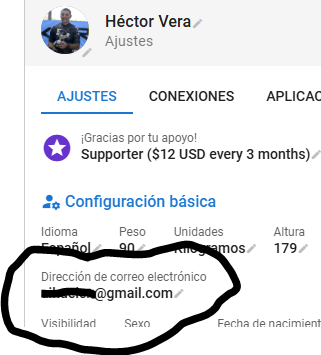
I recently created an account and it seems to work fine (I have imported my last year’s Garmin activities and can look at the analysis of them), but I got an e-mail asking for me to confirm my e-mail address using a 6 digit code, which it goes on to say should be entered in the “Settings” page. I tried to do this but cannot see where to enter it.
Since I couldn’t work out what to do, I clicked on the “Forum” link and got another e-mail, this time with a link to confirm my e-mail address, presumably this one was just for forum activation. I’ve had a read but cannot see find any information on what to do with the 6 digit code. Any ideas?
I didn’t notice the hyperlink “CONFIRM” to the right of my email address, and pressing it takes you to a page where you can resend the email with a new 6 digit code and enter it just below.
I have a new account and I actually have tried to use the resend function many times now and no email comes to my gmail. It is not in the spam folder either. What could I do at this stage?
I’m sure you’ve checked that the email address is correct, but could there be an errant space somewhere (before or after) as some systems can be very picky.