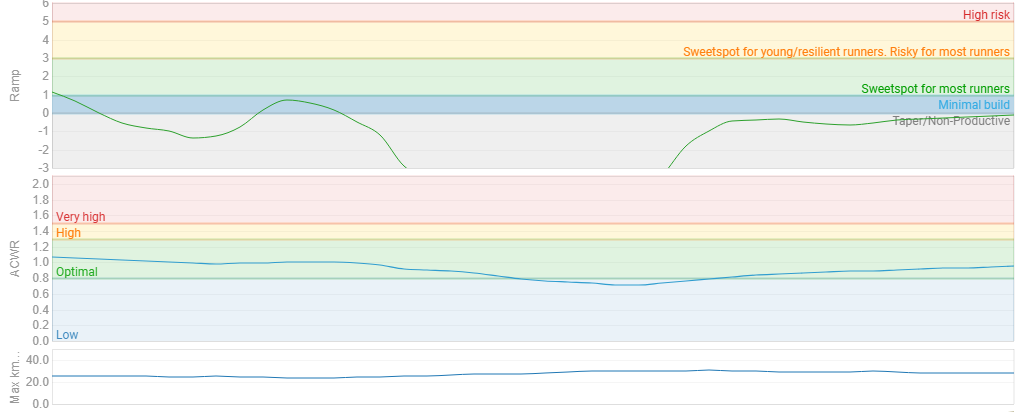
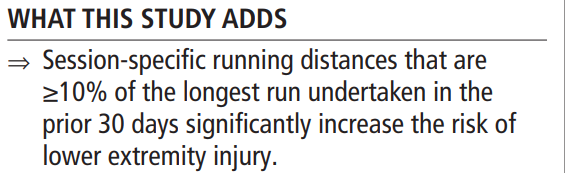
Hi everyone, in light of the recent findings of the study “Identifying high-risk running sessions”, I am thinking to display a weekly max moving average using 30d window in the /fitness.
I plan to use this information as one of the safety guards on top of others.
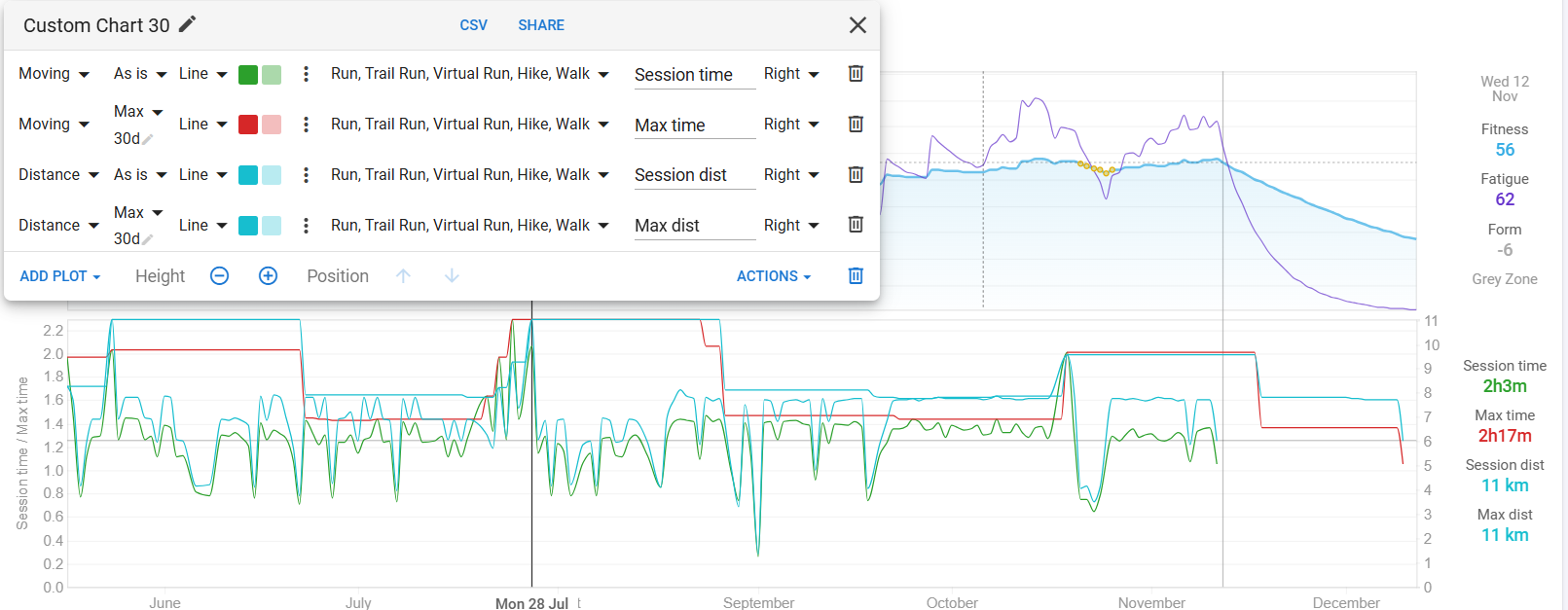
However, i soon to realize the option was limited in adding custom charts.
I can either add a “Distance” chart and display the “Weekly Max” or i can display the “Moving Avg” chart. I wonder if there is a way to display “Weekly Max Moving Average”, or any of the members have any idea how to display such information?
No need to mentally guess.
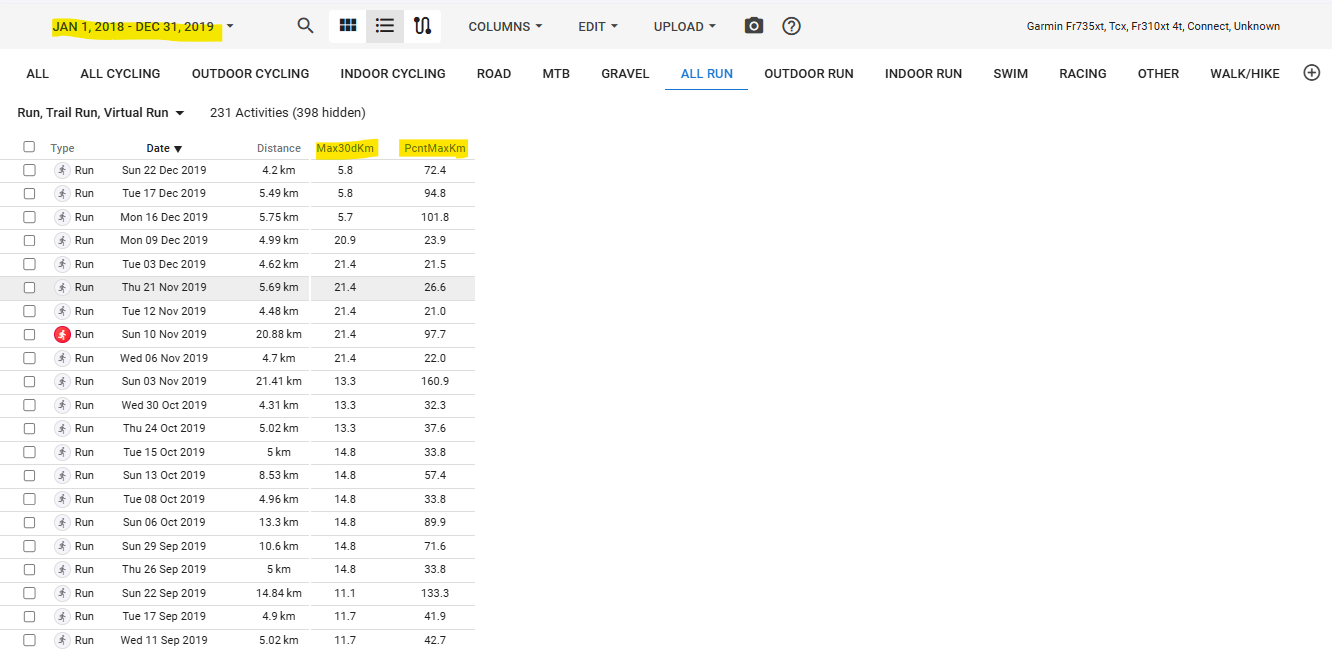
I created two fields called Max30d and PcntMaxKm to answer someone else’s requirement for the same thing. It just requires calculating in Excel/Google Sheets to get the answer.
Max30d is the the max distance in the last 30 days
PcntMaxKm is the percentage of each activity relative to the Max30d value
Thank you @Gerald, i will try to have a look on the fields you provided. I read the other post as well and seems like it addresses what i am looking for.
It was a learning experience for me, and due to minimal running activities I don’t use it a lot. If you need assistance, let me know and I’ll go back and check.
I tried it in excel 365 (thats the only one i have) and i was able to produce the Max30d and PcntMaxKm values.
I also entered my API key as suggested.
However, it failed to upload it to the intervals icu, returning 422 error (Failed 422).
I wonder if there is a place where the user should enter an athlete id but it is not visible or editable… I’m assuming API key should be paired with athlete id.
Edit.
My mistake, i haven’t add the two custom activity field: Max30d and PcntMaxKm. That’s why it threw error 422.
After i added the custom activity field, the upload succeeded.
I ended up only using the Max30d value and then use 1.1 factor to show the 10% increase of the max 30d.
 I’ll keep an eye on this post.