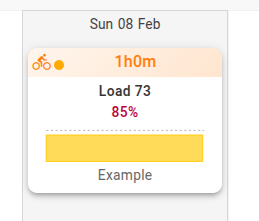
Currently, the only way to know whether a workout is set as “indoor” or not is by clicking “edit.” My suggestion is to include this information directly in the workout window title bar, without requiring additional clicks.
The point is that you can’t see it directly on the calendar entry. You have to open it by clicking on it.
The colour is indeed a way of making it visible from the calendar.
I had never noticed this before, which honestly left me a bit stunned.
Intuitively, I always assumed this information would be on the right side of the box, alongside the other workout details, so that’s where I looked for it. Because of that, I thought it should be there, and that the left side was meant exclusively for the session content. So this was a misunderstanding caused by my own intuitive bias.
Regarding the use of colors, it partially addresses the idea. But in the same way that I might forget to mark a workout as “indoor” and that’s what led me to create this topic, I could also forget to change the color.