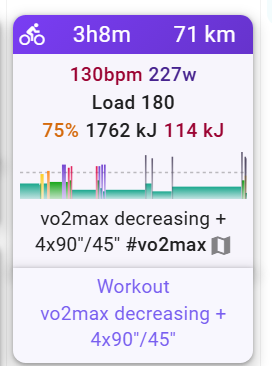
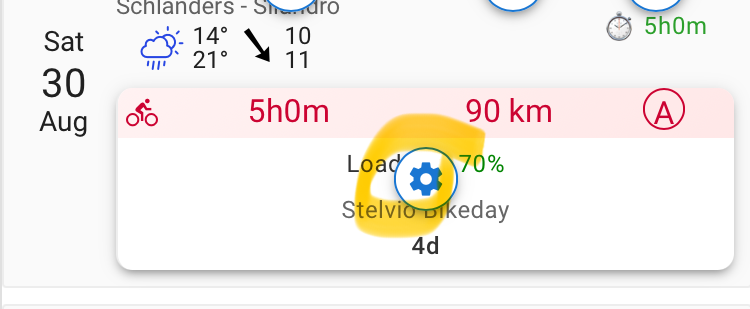
Yes, you find it now in Options → Edit Layout → Click on the gear over an activity:
2 Likes
Is it also possible to change the colors of the loads?
I would prefer it to be like on Garmin and Zwift, for example.
Zone 1: gray
Zone 2: blue
Zone 3: green..
..
If it is possible, I just haven’t found it yet 
1 Like
No that isn’t possible yet.
2 Likes
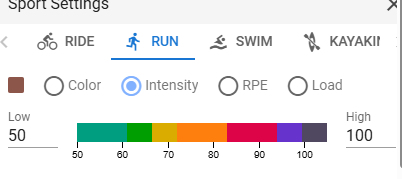
Love the site so far! Would it be possible to be able to customise the colours used that scale with intensity/rep/load? That way you could have it setup for each sport, for example, Swims go from light blue up to darker blues for higher loads, Runs go from light brown to darker brown etc. So you can see at a glance what sport it was and how hard it was. I do something like this with the planned workouts, but once they’re completed it can only be a colour per sport of the single shared gradient.
1 Like
Hi, I have a request please, is there a way to customize the colour of the days/weeks?
Each time I load my calendar view I spend at least 5 seconds trying to figure out where “today” is on my calendar and whether I am on the correct week while I am scrolling up/down.
In trainingpeaks the calendar is mostly white boxes and “today” is a blue box, making it easy to identify quickly. In intervals “today” is a light grey vs white background…
I would like to have past weeks be grey and current and future weeks be white. This would be an easy way to quickly differentiate what I’m looking at.
Thanks!
2 Likes
Hi, not sure if I’m using this feature correctly, but I’d like for every planned Strength training to be yellow, ride in blue, run in purple, holiday in teal, and so forth. But only when I add Holiday does it save the Teal color preference, whereas for the other activities it reverts to the last color I used. The option “Ignore workout colors” doesn’t seem to have an impact (regardless, not sure what the intended behavior for that option is supposed to be)
Thanks


Instead of using the “Color” in the calendar entry try this:
from the calendar page click on “options” → “edit layout” then the con on one of your activities
It will open a “Sport settings” window and there you can choose the color for each activity type.
then when you plan a workout it will have this color.

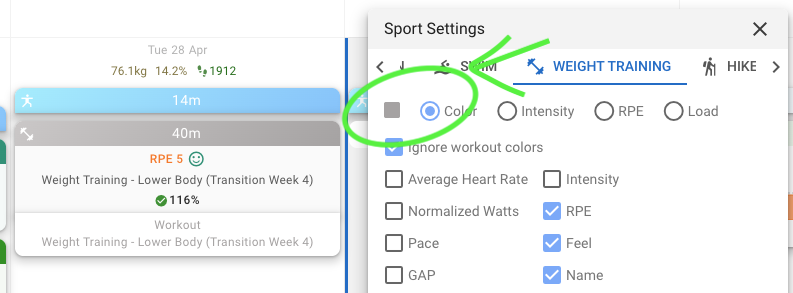
Hi Filippo, that’s exactly what I was thinking, but it doesn’t do it. You can see from my screenshots that the Run color is set to Purple, but when I plan a Run it shows as blue (which is the last color I chose). Could it be a bug or am I missing something?
ah got it. you need to “clear” the color field when you create a new workout, otherwise that will take the priority over the “per sport” option
2 Likes
magic, that worked. thanks!
1 Like
Hello! Is there a way to assign a specific color to each training session based on its intensity or the training stimulus it targets?
For example, FatMax and LT1 sessions could be green, LT2 sessions orange, and VO2max sessions purple. These colors do not always correspond directly to the standard intensity parameter, so I currently use the RPE field for this purpose.
The main purpose is to make the training calendar easier to interpret visually, so I can quickly see what types of sessions we have done over the past few weeks just by looking at their colors.