Similar to how there is a button “View on Strava” on Activities page - make it possible to add other custom links outside of ICU. For example - with introduction of AI Coaches it would be great to have a quick way to open their web site directly from ICU home (which is an Activities page as I understand it). Bonus - ability to add custom URL parameters based on variables from athlete’s profile/data in that custom link…
How should that work? These are extensions to ICU. How should ICU link to where based on what?
The „View on Strava“ is there, because there is an external id in the activity, and ICU can construct the link based on that.
But nevertheless, you can create a link with the help of an activity chart, for example based on the external id:
I would think ability to add links manually should be sufficient… For me, just placing URL on top of the page would provide an easier way to get to another app - that way I can put some frequently visited related sites there. Although, anything enabled in “Connections” settings page can be automatic - ex.I have Polar sending in wellness data…
So, basically a favourite bar of your browser inside in intervals? I don‘t see the real benefit of that, but as I said above - you can do that with some minor adaptions with the provided script.
Yes, similar to the favorites bar and you may be interested why not to use that instead - adding favorites usually works well when you use single browser on the single computer… I often open Intervals on different devices/browsers, including mobile phone where favorites bar may not be easily accessible (ex. when running Intervals as PWA on Android).
Do you mean - create new fitness plot with the script and add it to weekly summary? This would be a waste of space on the calendar appearing each week… There is already an easier workaround - I can add static links to my profile’s note. It works ok on desktop browser - because opening link from there requires right-click and I couldn’t find a way to open link in that note on mobile browser, unfortunately.
Yeah, and that’s my point - I have activities from Garmin, but never seen “View on Garmin connect” there (it is available in the activity though) and there is a wellness data from Polar on the calendar - but no way to navigate to Polar… So why Strava is singled out there?
First you mentioned some “AI Tools”, now it’s Polar or Garmin. I understand now your intention for the latter. Do they have any deep links to access the activity directly? Is it (the url) related to the external id (see on the data tab). If so, then it could be possible. Otherwise I still wouldn’t know how to link.
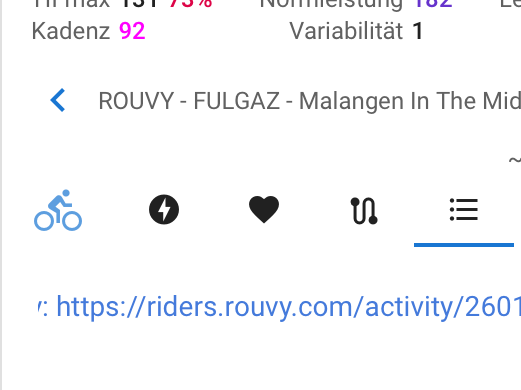
And Rouvy
Because you can construct the link from the external id
Yes, Garmin, Polar activities do have deep lhttps://www.garmin.com/en-US/garmin-technology/running-science/physiological-measurements/training-readiness/inking by ID in the URL - and Intervals shows direct link to the activity inside specific activity… But I wonder if will show Garmin link on the top right of the activities page next to the Starava link - so far I only saw static text indicating Garmin device when any activity recorded on Garmin goes into view:
I’ll have to test this more, but it my request was not about links to specific activities - that Strava link goes to my profile page
But I don’t need it inside specific activity, but on the home page itself.