Good morning @david , aren’t there plans to introduce the CP+W’ model in intervals.icu so that each user can choose which reference power to use?
Thanks
1 Like
On the power page you can switch to a CP model.
Additionally you can build your custom zones on custom anchor points, and you can calculate your Load with a customised script and override it. So basically you can create your own model out of anything.
But I am not sure if this was your question?
In the power settings, however, I CANNOT select power zones based on eftp (CP), but only on ftp. I created the 7 zones based on a custom field called CP, but I always have to manually modify it every time I change it. If I could choose whether to use the power curve on eftp, these zones would change automatically.
Or am I doing something wrong? I would like power zones based on a different value from FTP but which automatically changes when it improves or worsens.
Thanks @R2Tom
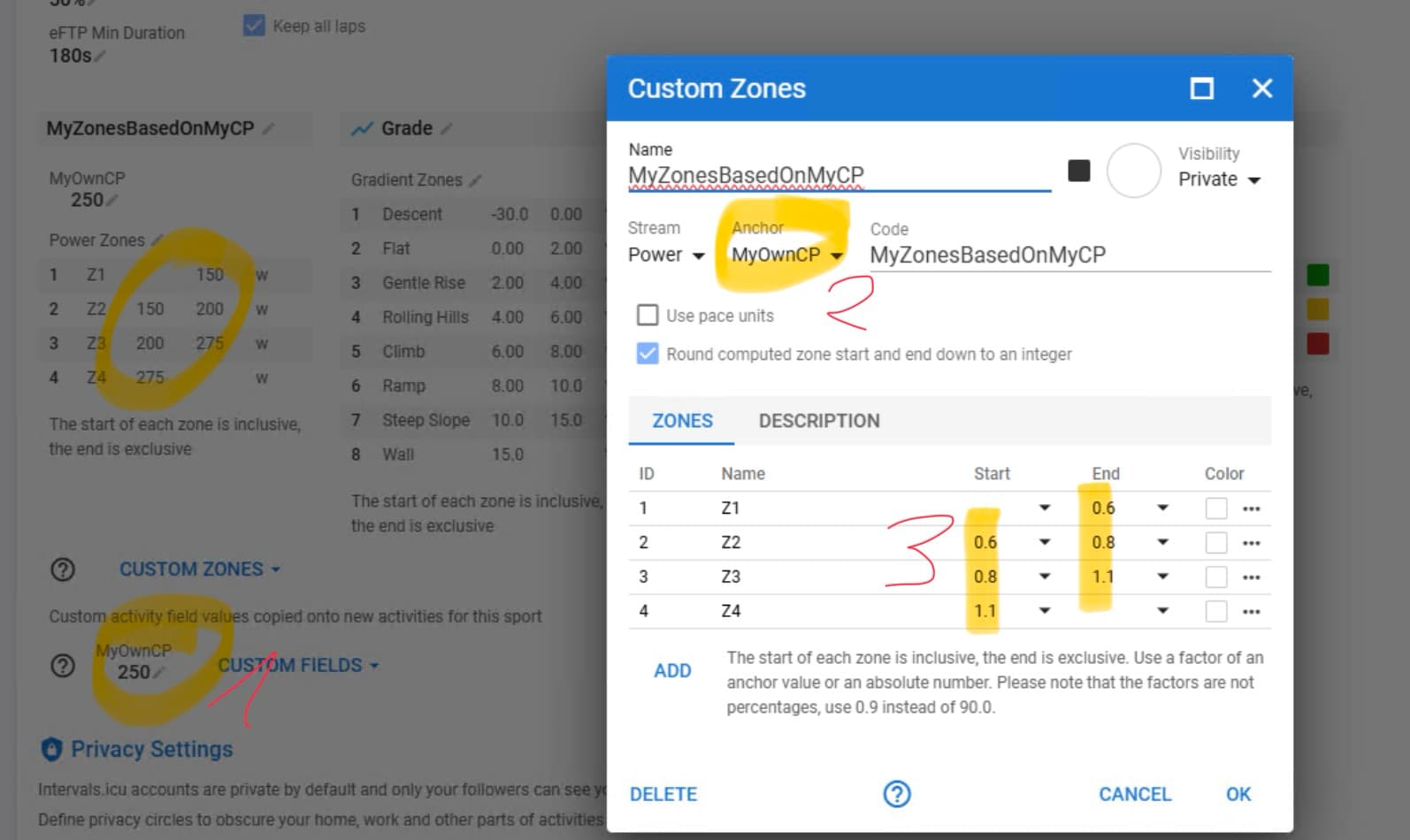
Create a Custom Field in the Settings. This value is always copied to your activites, so no need to change it in every activity. If it changes - change it here once.
Then create custom zones with your anchor point. You don’t need to change the zone, if you change the anchor point. It changes “automatically”.
You could even define a zone on multple anchor points.
Hope this helps:
2 Likes
Thanks @R2Tom
I’ve already done what you said…the problem is that the anchor point does NOT change automatically and I can’t set eftp as the anchor point.
Search for eftp in the custom zone search box
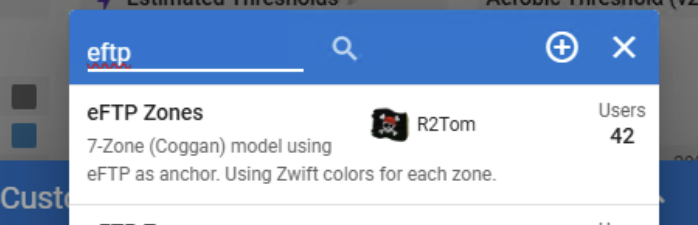
The problem is, that the eftp value from the activity is calculated after analysing the activity. So the Zones would always be wrong (because the value doesn’t exist at the time of calculating it). So I used a custom eftp, which reads the eFTP from the sport settings, which is available at the time of analysing the activity. The only downside is, if you do a “new eFTP” activity, this single activity will first be calculated with the old value. But after reanalyzing it takes the new value.
1 Like
I’m sorry @R2Tom ,
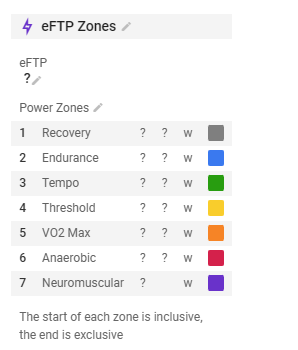
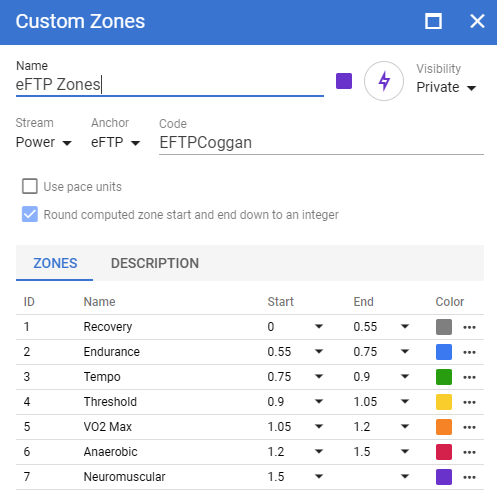
I took your zones and imported them, but eftp doesn’t update automatically.
The eftp custom field is present, and if I run the script, it has the value 351w, so it works, but the zones don’t update.
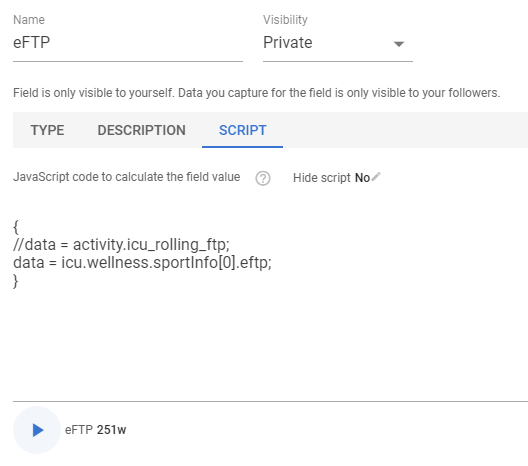
thanks
It does update inside of the activities.
On the settings page, this is just a “dummy” value (or default value, if no script would be running, this value would be taken).
It doesn’t update backwards to the settings page, but this is per design.
If you look inside of the activity, you see all you need (value and time in zones)
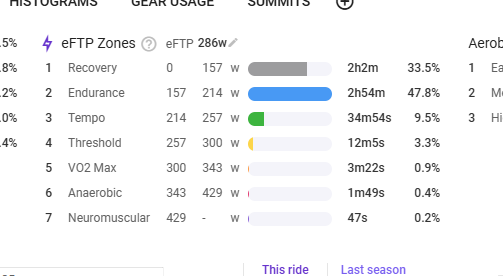
1 Like
Thanks @R2Tom , I understood. Thanks for the explanation.
In your experience, @david and @R2Tom can eFPT be compared to CP?
Thanks again
If I compare the CP value and the eFTP value for the last season, I see only small differences (3w to 7w). So from my experience they can compare.
But you shouldn’t take it as a “fixed” value anyway, the “real” value varies from day to day.
2 Likes
Really ? MY eftp for activities is alot lower