My intervals show that Garmin has been connected, but my Garmin device indicates that it is not connected, and even when I click on “Download Old History”, I am unable to import it. I would like to know how I should go about solving this.
You can’t connect your device directly to Intervals.
Your device should wirelessly send your activities to Garmin Connect and Intervals get’s the history from Garmin Connect. To connect your device in Garmin Connect, check Garmin’s instructions.
So first check if all your activities are visible on Garmin Connect and then come back with other questions.
Sorry, it was my fault for the inaccurate expression. My activity has been synchronized with Garmin Connect. The Intervals display is already connected to Connect, but the synchronization has not been completed.
Go to the settings page and check your settings for Garmin connection.
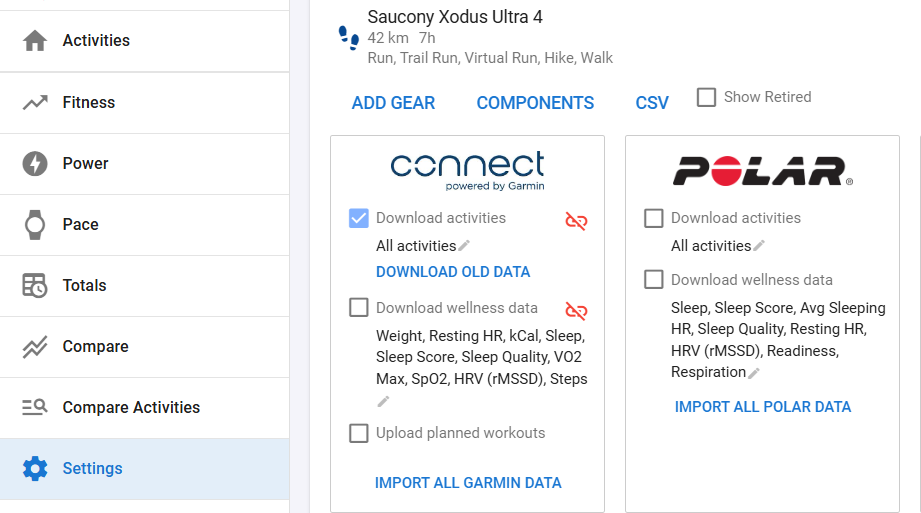
Download activities should be checked. Try to disconnect/reconnect and make sure that Garmin Connect accepts Intervals connection.
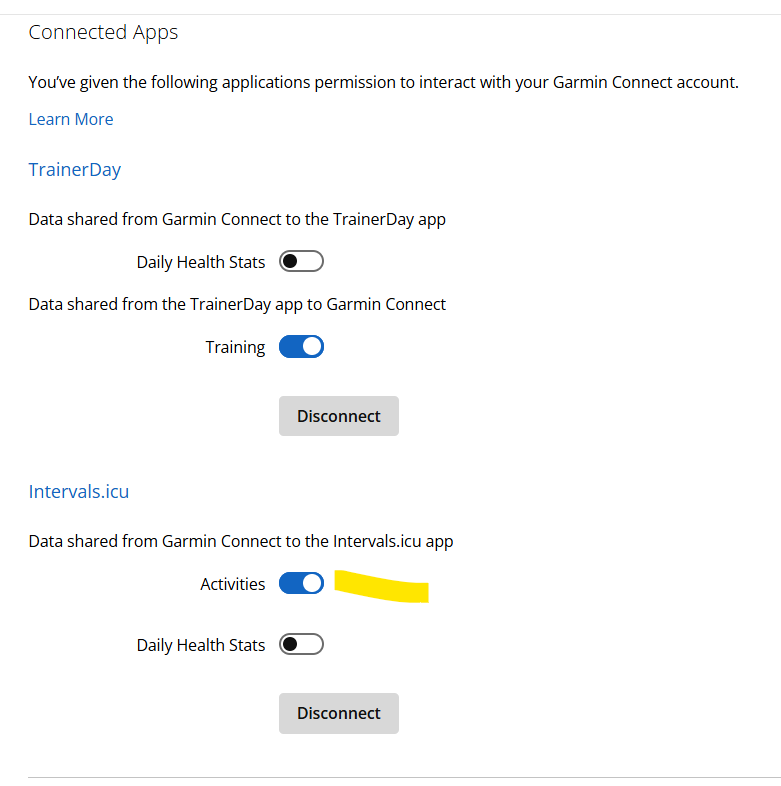
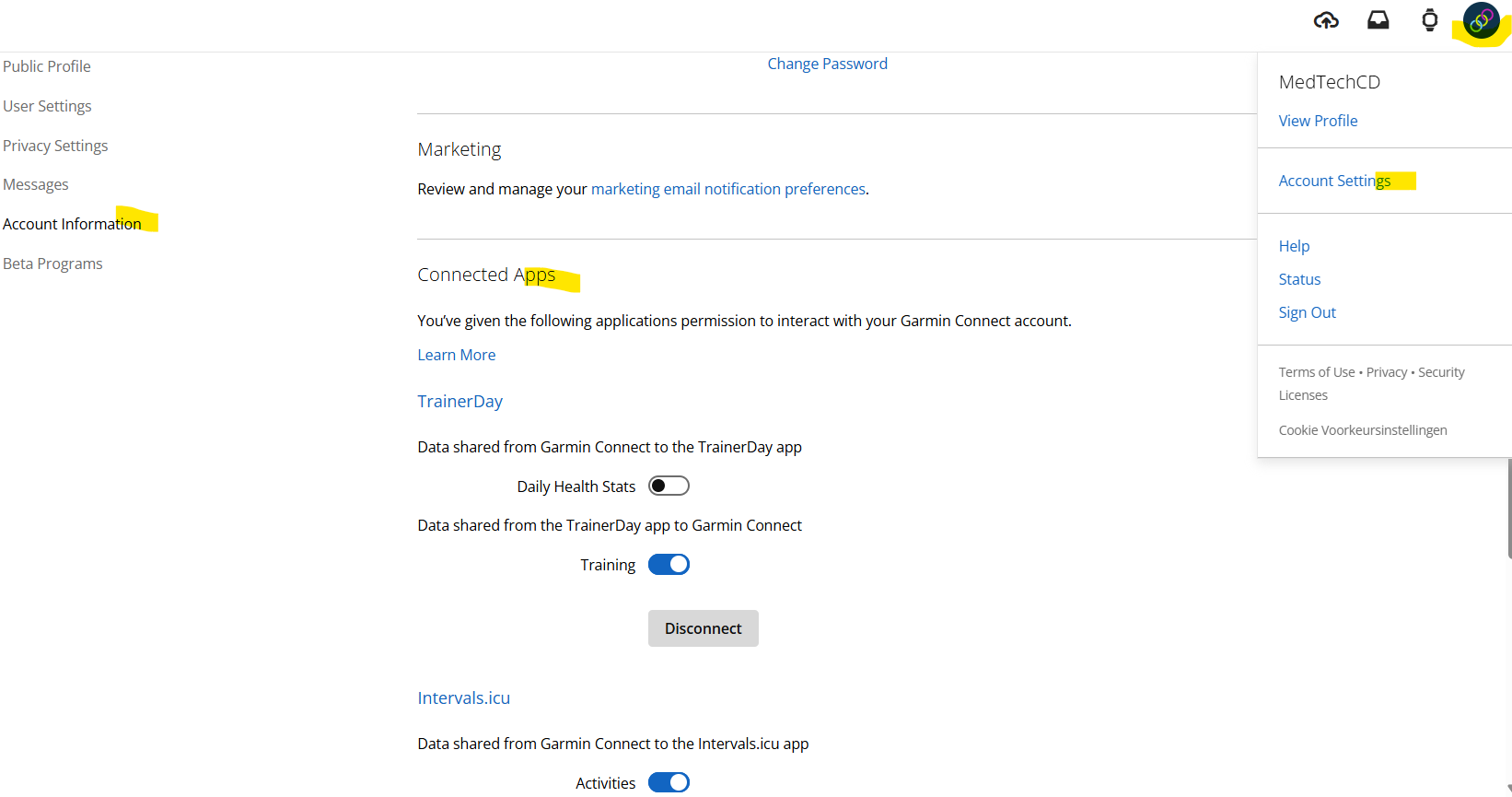
It’s in
If your activity history is still not coming in, first use Download Old Data. If that still fails, use ‘Import All Garmin Data’. Garmin is a bit finicky when it comes to loading old data.
However, if the first settings are correct, your new activities, recorded on a Garmin device, should come in to Intervals.