Combining laps based on power and HR in planned sessions

EDIT: the same happens with percentage based laps - Stryd does not “get” the upper/ lower bounds for me.
EDIT2: did some experimentation and found something, see my own replies further down.

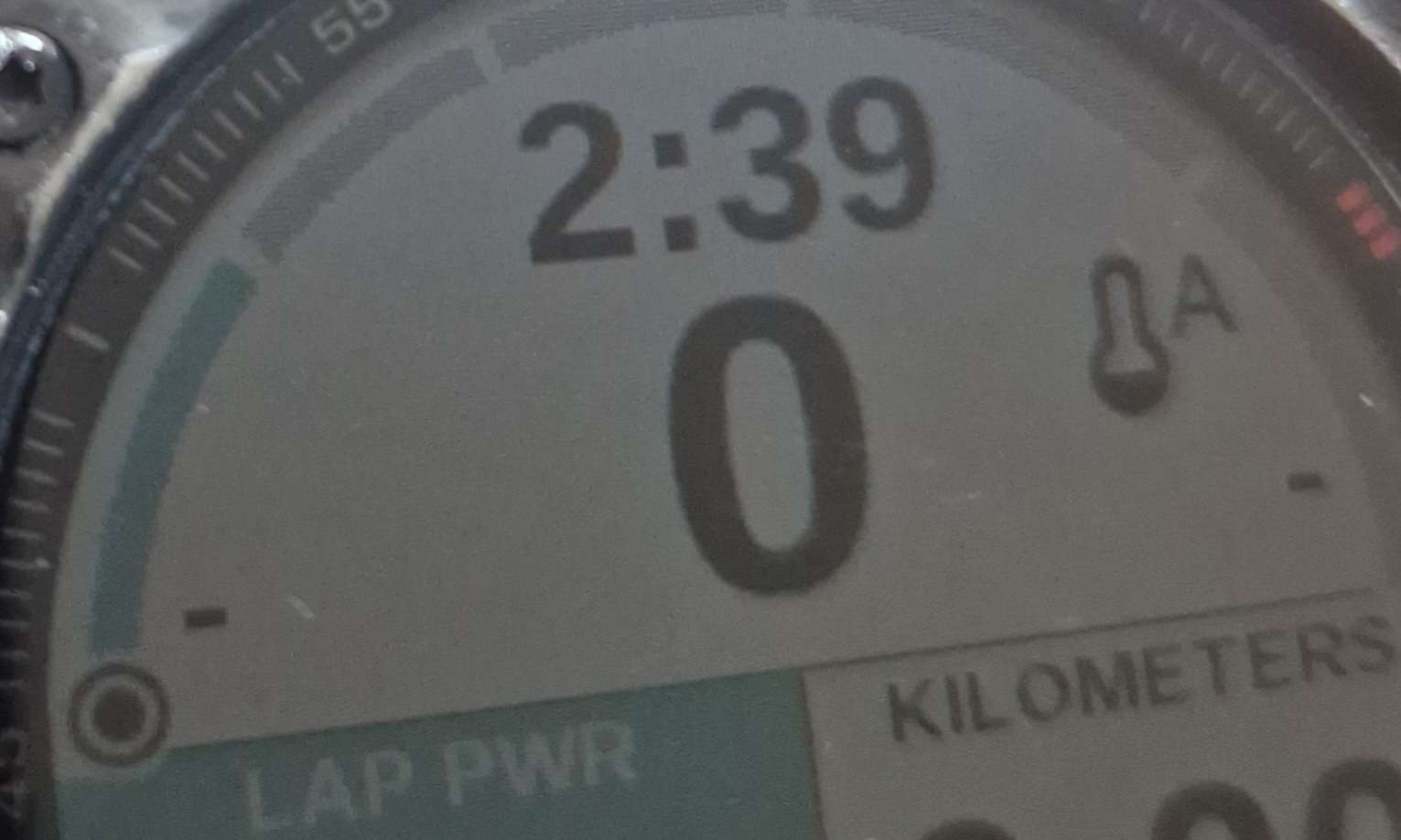
For my time trials I am trying to use the builder to schedule a lap with an absolute power range (i.e. by Watts, not percentage of CP/FTP). While executing, the Stryd data page on my Garmin does not pick up that range, it just displays “-” for the upper and lower bounds.

I tried these two ways:

- 2m 367-390W
- 2m 367-390W power=3s

Both had the same result (the latter was just a shot in the dark, I seem to remember that the power=3s option was mentioned somewhere).

I would expect the lower and upper range to be displayed at the sides of the upper field.

Is there a way to schedule such a lap correctly so it is picked up by the data page?

is this the native garmin app or the stryd garmin app / data field?
AFAIK, the native garmin app for running for the “current interval” can’t really be set/configured.

The Stryd zones data page. I’ve ran for a very long time with Stryd / without intervals.icu - I’m positive that the Stryd/Garmin side of things is working. It just seems that when I create workouts with intervals.icu, the power ranges are for some reason not showing up.

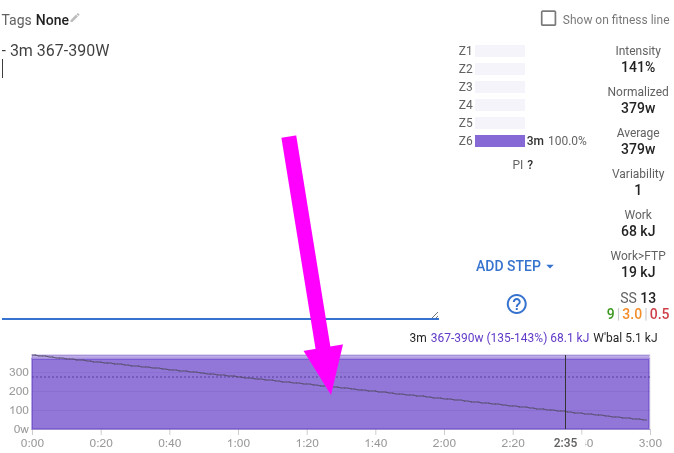
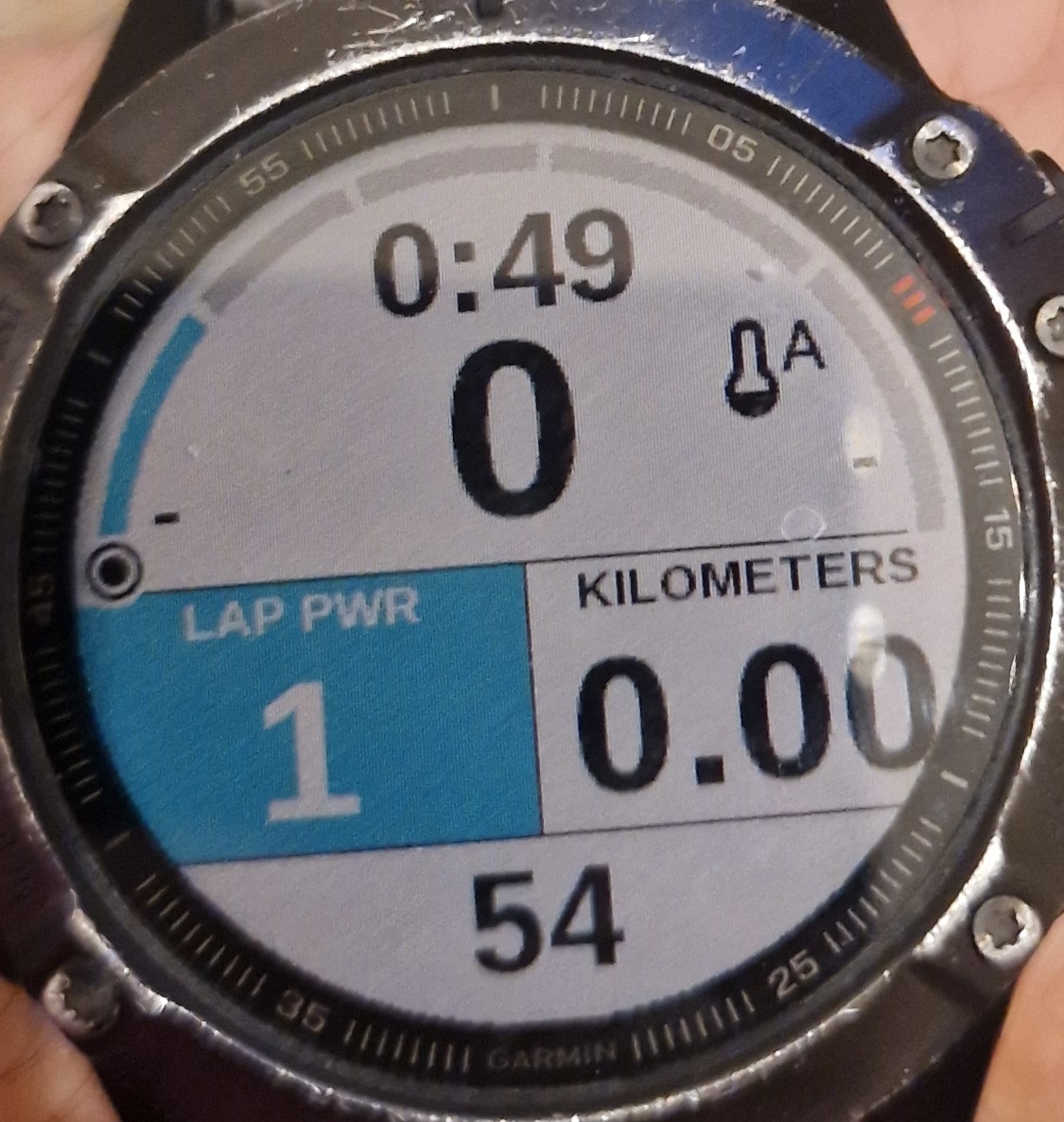
Experimenting a bit more. I made a very small workout which consisted of only a single lap with power. It works:

- 3m 367-390W

=>

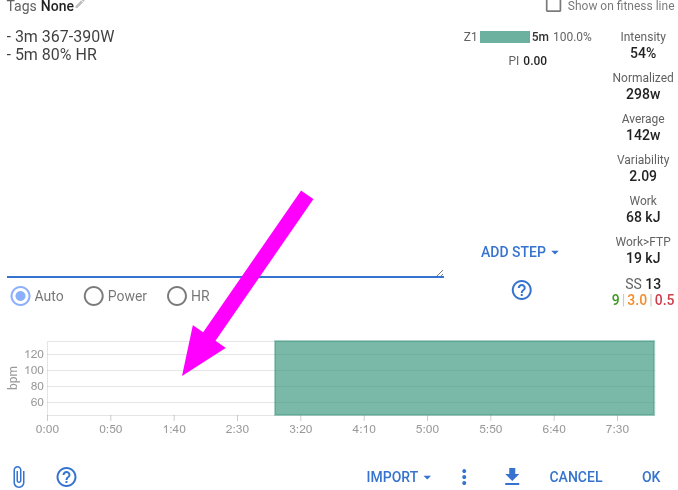
In my other session from my original post up there, there were a number of laps; some of them with power, others based on HR. Let’s see what happens if I make a workout with one HR and one power lap:

- 3m 367-390W
- 5m 80% HR

=>

Voila, again the power is missing (for the lap with power of course, not for the other one):

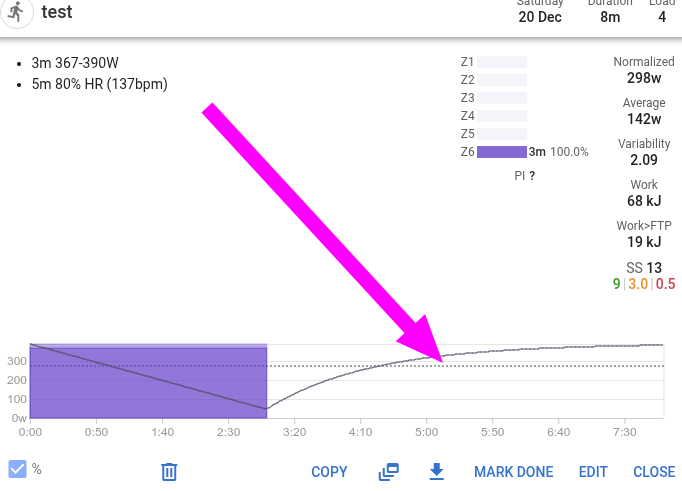
Also very interesting: when I do only a lap with power and nothing else, intervals.icu correctly displays the workout intensity:

But for the workout with two laps, one with power and one with HR,now it shows no intensity for the power lap anymore, only the HR one:

It almost looks like intervals.icu itself ignores the power intensity as soon as I add a HR lap, and subsequently also does not emit it in the .fit file that goes to Garmin.

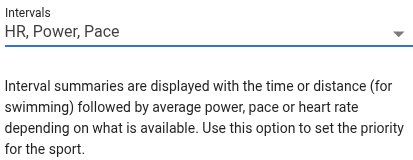
Note that I do have this setting for my Run workouts currently (all the 4 similar settings on that page are the same):

When I switch that around to Power->HR->Pace, the behaviour flips:

After flipping this setting to “Power, HR, Pace”, the power shows up not only in the GUI but also in the Stryd data page. But now the HR lap is missing.

On the one hand this explains the issue and gives me a fix, but on the other hand it is very unexpected. The setting says it is a priority for when intervals.icu could use HR, Pace or Power for something. But in my case (this kind of workout with some laps with HR and others with Power) there should not be a priority involved; for every single lap there is exactly one intensity, and I would expect that to be sent to the watch (and used in the load display in the GUI - I am aware that the load calculations from those three metrics are possibly not 100% comparable, but still they should be somewhat in the ballpark, and better than completely removing them, for sure).

@david , what do you think? Is the behaviour here as expected (maybe I’m just not getting it - maybe there is a reason unknown to me why it must be so?), or could you make it so that mixed laps work as expected when sent to a device?

If this behaviour cannot be changed for some reason, it would be great to add a warning about this fact in the settings where the HR/Power/Pace priority is chosen; or even better right in the event dialog (instead of just an empty section in the intensity).

you need to pick one, either Power or HR as the priority. Essenstially, what you see on the GUI graphic is the outcome. If you do not see any graph/item then that is not priortised. This is in lieu of the dialog you’re referring to

You can have an ALL power workout, but mixed in some HR (guidance)..

eg:
-10m Z2
-10m Z2 85% LTHR

but you cannot have
-10m Z2
-10m 85% LTHR

Yes, this is what my experiments showed, and I’m suggesting it to be changed if possible, or the messaging in the GUI improved. :wink:

My point is that this is surprising to me. The text in the GUI did not imply this at all. My understanding was that when, say, a finished workout comes in with both power and HR metrics, those settings allow me to tell intervals.icu which one it should use in its calculations. So far so good. I understand that, I understand the necessity.

But what I found out is that for a planned structured workout, intervals.icu enforces to use either power or HR for the whole thing; it will not let me alternate laps, each with either power or HR, and send them as such to the device. It artificially removes either the HR or the power intensities now.

My question is: is this a limit imposed by the FIT file format that is generated for the device? Is it simply technically not possible to have one lap with power and another with HR? If so, then cool - in this case this should be highlighted in the GUI in some way. English is not my primary language, maybe it’s an understanding issue on my side - in that case it would be great if the message could be made clearer. An explicit big fat red “one session cannot contain both HR and power laps” warning, especially within the builder itself, would work wonders.

OTOH, if it is technically possible to emit a FIT file where one lap is with HR and another lap is with power, then it would be great if intervals.icu would do so. So far, my understanding of the FIT format was that the intensity type is per step, not a single global setting for the whole file.

That’s wrong:

Set up all laps for both and the builder always shows it correctly.

Is your device supporting switching from one target to the other within the same workout? If so, there’s AFAIK no solution in Intervals at the moment.

1 Like

That’s wrong:

Check my screen shots up there. When entering different types of intensities for workout steps, for all means and purposes intervals.icu prioritizes one. The other is neither used in load calculations nor emitted to the device. The text builder language allows it but right now the other important parts of intervals.icu then discard it based on your priority selection.

Set up all laps for both and the builder always shows it correctly

That is true, and removing this limitation is what this post is about.

Is your device supporting switching from one target to the other within the same workout?

Garmin supports this, I just tried it with its own workout builder. Which should mean that the FIT file format, which I assume intervals.icu is using to communicate with the watches, does so too.

If so, there’s AFAIK no solution in Intervals at the moment.

Yes, that is correct. I would suggest that this would be a worthwhile addition, hence the detailed analysis and experiments in my earlier comments. To summarize:

  • Highest priority: when generating FIT files, do not suppress all except one intensities - write each lap/step with the intensity given in the builder.
  • Very nice to have but maybe much more effort: allow this in the load calculation (for planned events, not realized workouts) too.
  • Until those two are done, put a warning message near the load graph and/or in the settings dialog where you select the prios and/or in the workout builder dialog so the user knows these laps are not yet exported to the device and not used in load calcs.
1 Like

From your perspective, I can understand the request but there are multiple pitfalls to implement this:

  • Not all devices support mixing target types
  • Not all users (or should I say, very few) have their zones finetuned to match for the different targets. And that’s almost surely why you ended up with a workout and an activity that didn’t pair because of the load difference (from your other post this morning).
  • If the above are OK, then there still is the problem of HR lagging compared to Power/Pace, which are instant. This means that for zones above threshold, there will never be a match in between HR load and the others.

The idea of displaying a message is a good point.

I went through this entire topic once again and there’s one thing not 100% clear to me.
Have you tried building a workout with Garmin’s workout builder consisting of laps with different type targets AND have you executed this to check what your device does in that case?
Does it switch target type when the workout calls for it? Or does it also handle this with a ‘priority’ list?

If it does switch target type, then there must be something in the FIT that isn’t supported in Intervals at this moment. If it doesn’t, it is handling this in the same way as Intervals does, with a priority for one or the other.

All other points have been explained and are expected behaviour.

went through this entire topic once again

Hey @MedTechCD. I appreciate you taking the time for the responses. I’m afraid the topic is a convoluted mess now because it was me testing stuff and blabbering about my findings as I went along. During todays run I’ve thought about extracting the at least 3 different suggestions I mentioned above into their own topics, will see if I do that later. But frankly if the overwhelming opinion of everyone is that all of this is not relevant for intervals.icu I might just let it die. :wink:

there are multiple pitfalls to implement this:

I really understand what is possible now after these experiments, and can take a good guess at how and why it is implemented like this - I am specifically suggesting to allow for the one specific case I am mentioning. I.e. having multiple laps or workout steps in one workout, each based on any one of the intensities already supported by intervals.icu; and each of them being exported to the watch as-is without clearing it out due to the priorities setting.

Note, I am not asking to overwork the whole scheme as it is now. I assume there are use-cases where the current way it works makes perfect sense. One solution would be, for example, to extend the priorities setting for the workout generation and add a “As-is” setting (in addition to the “Power, HR, Pace” … choices). When the user picks that, intervals.icu would simply export the intensities as the user has said. All the extra logic (of zeroing out the not prioritized intensities) would simply be switched off.

Have you tried building a workout with Garmin’s workout builder consisting of laps with different type targets AND have you executed this to check what your device does in that case?

Yes, this is no problem for either the FIT file format nor for Garmin watches. All my devices are from Garmin, so I cannot speak for other vendors. But naively I’d expect this to be a pretty standard feature, really; I can think of quite some everyday use-cases where one may want to make use of it.

For example, I created a FIT file within connect.garmin.com with 3 workout steps; one based on HR, one on Pace, one on Cadence. It works fine on my pretty old Garmin Fenix 6 Pro. Unfortunately the forum does not let me attach .fit files, but converting it with runalyze’s FIT file viewer turns out this:

SUCCESS
# File size: 263, protocol version: 1.00, profile_version: 211.87
# File header CRC: expected=0xFBBC, calculated=0xFBBC
= TYPE=0 NAME=file_id NUMBER=0
--- type=5=workout
--- manufacturer=1=garmin
--- garmin_product=65534=connect
--- time_created=1135232964=2025-12-21T06:29:24Z
--- serial_number=***=***
==
= TYPE=0 NAME=file_creator NUMBER=49
--- hardware_version=0=0
--- software_version=2525=2525
==
= TYPE=0 NAME=workout NUMBER=26
--- wkt_name="Lauftraining"
--- xxx10=0=0
--- xxx9=1=1
--- xxx23=0=0
--- xxx21=0=0
--- xxx24=0=0
--- xxx22=0=0
--- sport=1=running
--- sub_sport=0=generic
--- capabilities=32=protected=0,resistance=0,grade=0,power=0,cadence=0,distance=0,heart_rate=0,speed=0,tcx=32,new_leaf=0,firstbeat=0,fitness_equipment=0,custom=0,interval=0
--- num_valid_steps=3=3
--- xxx254=0=0
==
= TYPE=0 NAME=workout_step NUMBER=27
--- message_index=0=selected=0,reserved=0,mask=0
--- intensity=2=warmup
--- custom_target_speed_low=2778=10.001 km/h
--- custom_target_speed_high=3030=10.908 km/h
--- target_speed_zone=0=0
--- target_type=0=speed
--- xxx20=0=0
--- duration_type=5=open
--- weight_display_unit=1=kilogram
==
= TYPE=0 NAME=workout_step NUMBER=27
--- message_index=1=selected=0,reserved=0,mask=1
--- intensity=0=active
--- target_hr_zone=3=3
--- target_type=1=heart_rate
--- xxx20=0=0
--- duration_type=5=open
--- weight_display_unit=1=kilogram
==
= TYPE=0 NAME=workout_step NUMBER=27
--- message_index=2=selected=0,reserved=0,mask=2
--- intensity=3=cooldown
--- custom_target_cadence_low=87=87 rpm
--- custom_target_cadence_high=92=92 rpm
--- target_cadence_zone=0=0
--- target_type=3=cadence
--- xxx20=0=0
--- duration_type=5=open
--- weight_display_unit=1=kilogram
==
# CRC: expected=0xCCB6, calculated=0xCCB6

As we see, the specification of intensity is part of the individual workout steps, not a global property of the FIT file.

My thought is that a) intervals.icu is already creating these files, obviously. b) It already knows how to create workout steps on all the different intensity metrics. c) It can already mix these in the builder. So logically, there should be no resistance or huge structural change required to pass the settings from the builder on to the FIT file.
For comparison, here is the file generated by intervals.icu for this workout:

1m 60% HR (103bpm)
1m 60% (180w) Power

=>

SUCCESS
# File size: 169, protocol version: 2.00, profile_version: 211.76
# File header CRC: expected=0xC4B7, calculated=0xC4B7
= TYPE=0 NAME=file_id NUMBER=0
--- manufacturer=255=development
--- type=5=workout
--- product=1=1
--- product_name="Intervals.icu"
--- serial_number=***=***
==
= TYPE=0 NAME=workout NUMBER=26
--- sport=1=running
--- wkt_name="Testing 123"
--- num_valid_steps=2=2
==
= TYPE=0 NAME=workout_step NUMBER=27
--- duration_type=0=time
--- duration_time=60000=60.000 s
--- target_type=2=open
--- message_index=0=selected=0,reserved=0,mask=0
==
= TYPE=0 NAME=workout_step NUMBER=27
--- duration_type=0=time
--- duration_time=60000=60.000 s
--- target_type=10=power_lap
--- custom_target_value_low=1175=1175
--- custom_target_value_high=1185=1185
--- target_value=0=0
--- intensity=5=5
--- message_index=1=selected=0,reserved=0,mask=1
==
# CRC: expected=0x963C, calculated=0x963C

As you can see, it simply does not emit the intensity for the first step (I have “Power → HR → Pace” set right now). If I were to switch the priority setting, it would be the other way around.

Checked with Coros - they support it as well. https://support.coros.com/hc/en-us/articles/360044426251-Using-COROS-Watches-for-Structured-Workouts

  • Select each individual exercise to customize its target and intensity.
  • Options for target type: distance, time, Training Load, or open
  • Options for intensity type: % max heart rate, % heart rate reserve, % threshold heart rate, Heart Rate, % threshold pace, Pace, % Effort Pace, Effort Pace, power, cadence, or N/A

I’m seeing the same behavior here.

Workout created in Garmin Connect app → sent to edge 540. Different laps can have different target types.

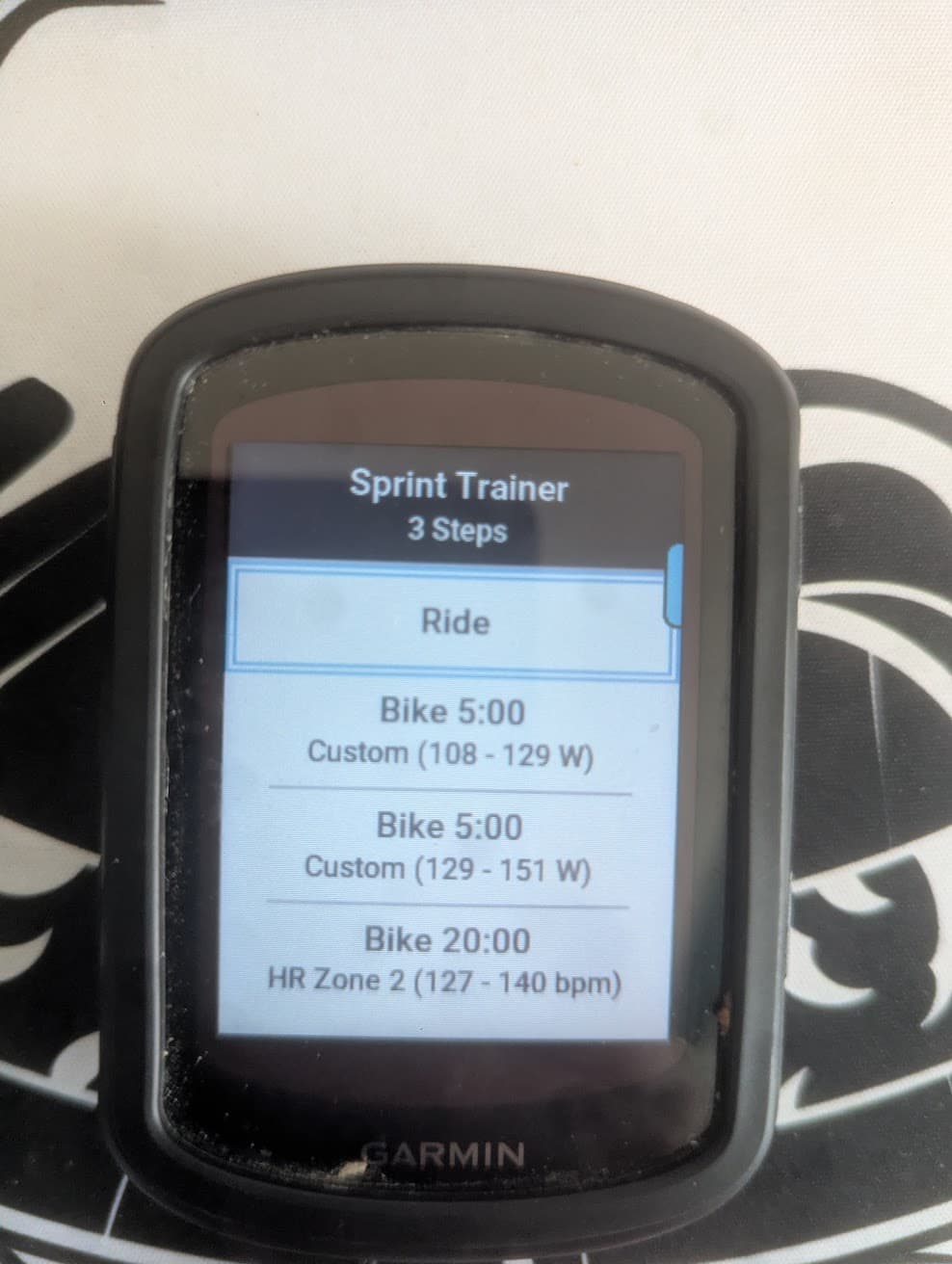
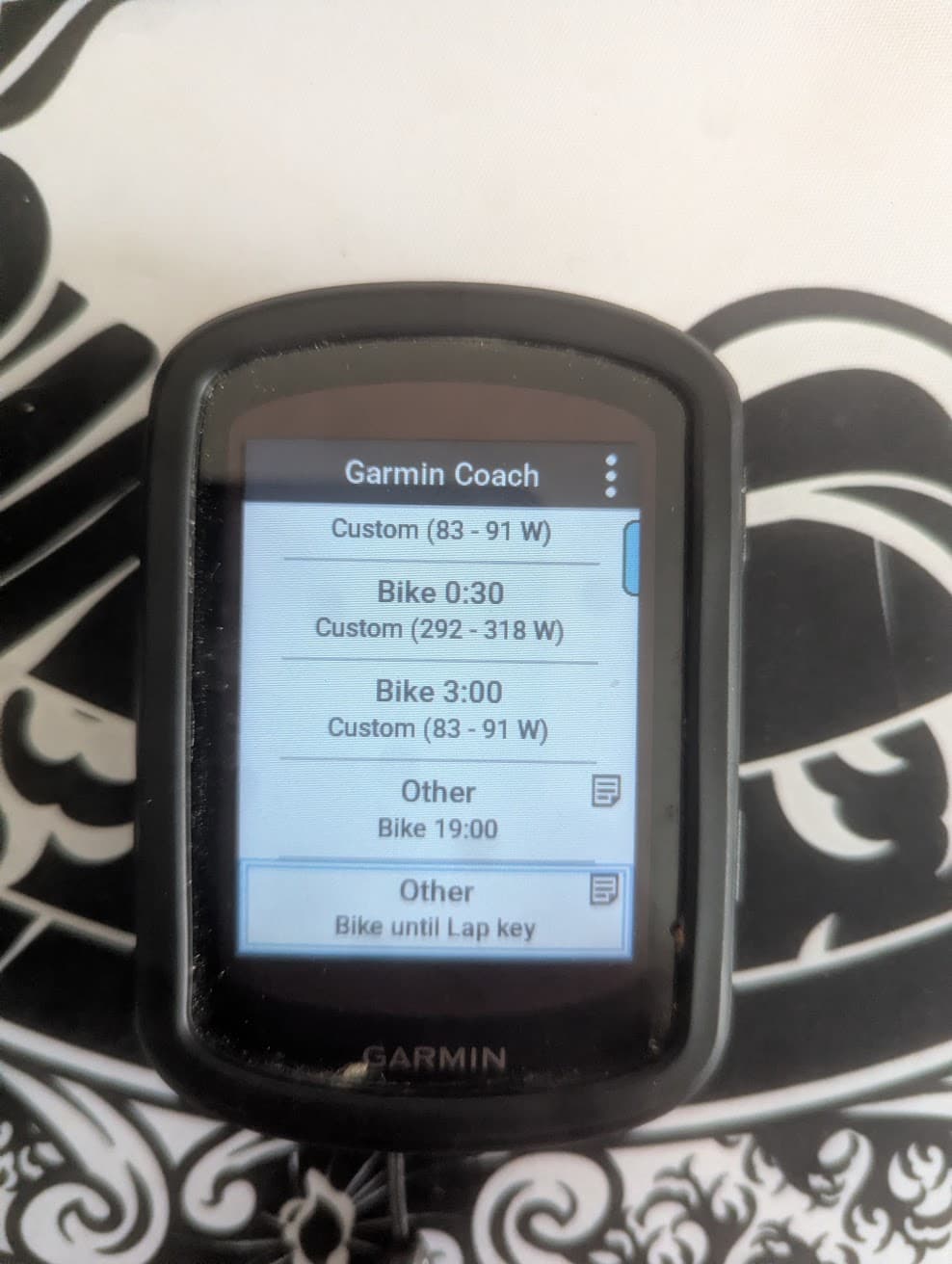
Workout created in intervals → synced to edge 540.
Power steps have target, HR steps show as “Other”

Workout here. The goal was to have an ERG mode warmup on the trainer, then manually switch the trainer to a % grade mode to do some sprint efforts in the middle of the ride.

Warmup
- 2m 55% power=3s
- 2m 60% power=3s
- 2m 65% power=3s
- 2m 70% power=3s
- 2m 80% power=3s
- 2m 90% power=3s
- 1m 40% power=3s
- 0m30s 120% power=3s
- 0m30s 40% power=3s
- 0m30s 130% power=3s
- 0m30s 40% power=3s
- 0m30s 140% power=3s
- 3m 40% power=3s

- Put Trainer in GRADE Mode 19m Z2 HR
- Press lap 1m Z2 HR

4x
- GO GO GO 0m30s Z4 HR
- Press lap 5m Z2 HR

Cooldown
- 2m 60% power=3s
- 2m 55% power=3s
- 2m 50% power=3s