Yup, my CTL can remain pretty constant but my STRAVA times can come down especially if I have being doing plenty of LT1 sessions or Steve Neal high torque - low cadence intervals
It takes 6 weeks/42 days of history to fill.
1 Like
I’ve had a look and it’s interesting.
Comparing TrainingPeaks and Intervals. Rides are similar load, but load for my Core and stretching (I. have 2 bulging discs so do this daily) and Gym work (2xweek) is very different, with TrainingPeaks up to 50% more - not sure why that is. I could potentially adapt this within Intervals by changing the % effect Core work and Strength training have on my fitness
Comparing to XERT where it only records rides. Both are pretty similar on rides where I do hard intervals, but there is quite a difference in my zone 2 rides (majority of my riding). Obvious I suppose, as Intervals will be giving the same load score for a minute at 200w in minute 10 and minute 180. While XERT will give a higher load score for the minute at 180 due it realising that you are getting tired so pushing the same wattage is having a bigger effect on you.
In Intervals, by default, weight training does not contribute to fitness because it has no ‘cardiovascular’ outcome. It’s not like it is not contributing to strength and general health, it just has very little to no effect on your cardiovascular system. If TP counts it fully in your PMC, the best option to get similar results, is to set Weight training to 100% in settings. Keep in mind that this kind of training is calculated from HR, so there could still be considerable differences if the Load from HR calculation is different.
I’m not familiar with XERT’s way of calculating load. But my first impression on what you say, is that they are double counting fatigue since load goes up when riding longer…
The standard way is to count load referencing to FTP per time unit.
Thanks MedTechCD. I’ll look at changing the weight training settings.
XERT is different in that their XSS is a strain score rather than a stress score so calculated differently. I like XERT but it does lack a training plan function which is why I had been using TPeaks.
yup that does it. Now I know why I may change it back and just appreciate that Intervals is more cycling specific when it comes to load. Now no need for TPeaks! Though I would like to see if I can transfer some training plans I have on there over, or maybe it will just have to be the key workouts remade in workout builder
it may have started out as cycling specific, but I do beileve that now it’s getting better at RUn and Swim disciplines.
TP seems like a pain, from what I can find / info from the web, seems like one can’t upload FIT workout files, ERG/MRC workout files and you also can’t download workout files.
Correct me if I’m wrong.
1 Like
It is working in opposite direction for me: I set ATL days in the past to 9d (instead of default 7d), and the effect on the data is that I recover faster. The Form line moves up. I expected it to move down towards the red area. Has anyone the same problem?
Could someone check this please? I tried to post in the Bug reports sections but apparently I am not allowed to create a new thread.
Fitness days settings is not working as expected. If I increase the number of Fatigue days the Form curve indicates that I recover faster (the whole curve moves up), which is wrong.
Increasing fatigue days increases the weighing applied to past training load vs recent training load. So what it does to form depends on your recent training and it might move up. This is the code:
double atlWeight = Math.exp(-1.0 / r.atl_days);
r.atl = (float)(prev.atl * atlWeight + r.atlLoad * (1.0 - atlWeight));
So for 7 days atlWeight = 0.8668778998. For 9 days it is 0.8948393168.
ATL_today = (ATL_yesterday * atlWeight) + load_today * (1 - atlWeight)
So you can see that increasing fatigue days places a larger weighting on the historical fatigue i.e. recent training load counts less.
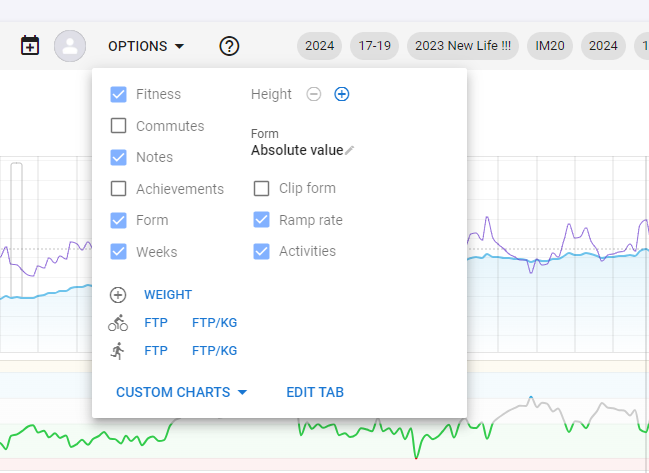
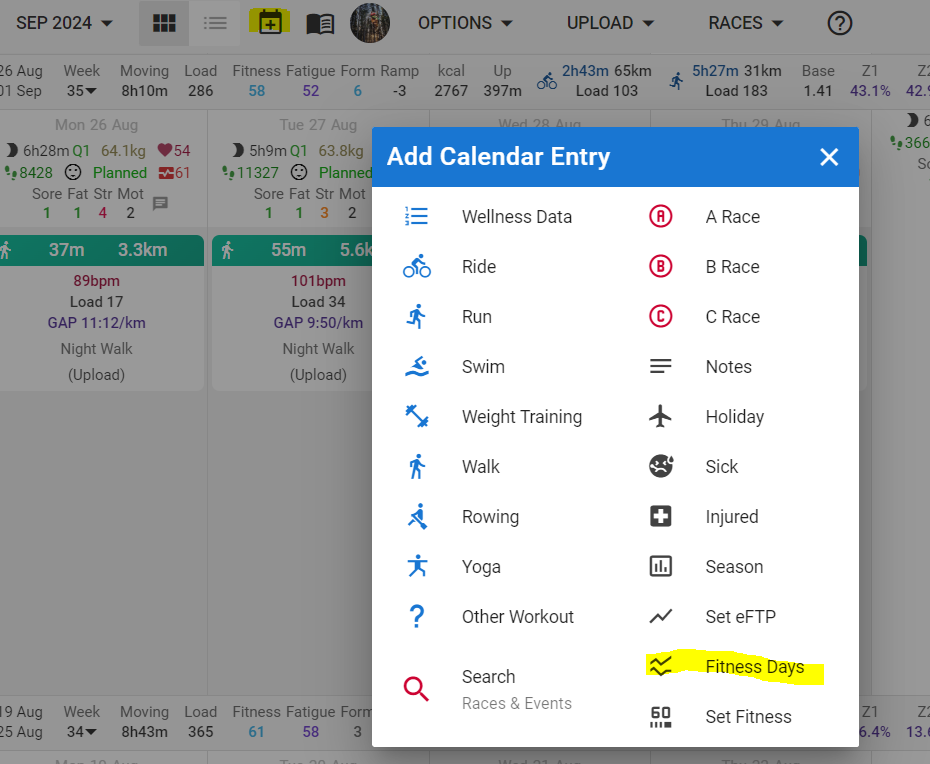
much appreciated
I changed my fatigue days from 7 to 12 (because I’m 61); I chose the first day in my data (back in 2021) to do this on. Most of my curve doesn’t appear to have shifted vertically at all - only horizontally along the time axis. However, the last few days HAVE shifted vertically, and the marathon I ran a week ago goes far less deeply into the red with the fatigue days set to 12 than it does when they are set to 7. Why?
(Let me take the opportunity to say how much I appreciate this app. Great work - it’s the most valuable tool I use, and I use a lot of tools.)
I’m having a similar issue. Increasing fatigue days doesnt worsen form. I wonder if changing fatigue days is just smoothing out fatigue over time which would downplay occassional harder workouts and races instead of increasing the fatigue number over time which would better align with slower recovery as we age.
Ideally, increasing fatigue days would ADD to the fatigue total over the last 7 days instead of averaging it with 8-14 days ago.
Increasing the ‘days’ has the effect of making the outcome of a workout last longer. Both Fitness and Fatigue are a weighted average where the weight of more recent activities counts higher versus the weight of older activities.
Frequency of workouts has the most impact. If you train 5 or more days a week, the fatigue will build up more when the Fatigue days are set higher. With Fitness days unchanged, this means that Form will remain lower for longer.
If you only train 2-3 times a week, the effect will be much less noticeable.
It would be great to understand how this works when considering only one variable change. In the real-life example above, I had just ran a marathon. I then compared what happened to the fatigue curve with the fatigue days set to 7 and the fatigue days set to 12. It turned out that changing that setting from 7 to 12 resulted in the fatigue curve being shallower (relative to a constant y axis obviously). This is the part that doesn’t make sense to me. I would expect the fatigue value to either remain the same but take longer to come back to baseline, or for it to in fact increase (if there’s an assumption that longer recovery implies greater fatigue from a given activity). But for a given activity to actually produce less fatigue as a function of increasing the expected recovery time - that seems intiintuitie…
The amplitude of the fatigue peak, referred to the last value, is not dependent on the fatigue days setting. The fatigue introduced by an activity depends on the load it created, and thus on the correctness of your threshold(s).
You can change either one or the other or both settings, but to give you a visual of what a change in these settings leads to, better check with only one change. You need to know that the new setting takes effect only from the day you applied it! (would this be what you’re overlooking?)
First display the last couple of months in the Fitness chart and take a screenshot as reference.
If you want to see the impact of a higher fatigue days setting on that history, go to the calendar about 2 months ago and introduce the 12 day fatigue setting (end February for example).
Now look at the Fitness chart and you will see:
- Fitness line didn’t change
- Fatigue line has the same amplitude jumps but is shallower over the periode because load done before takes longer to recover from
- Form is lower then in the initial screenshot. That’s expected because fitness is the same and fatigue is higher in absolute number. Regions where Form was close to the red zone, may now be in the red zone.
This shows you how the changed setting influences the chart. In real life, you would reduce load when Form gets red. That implies Fitness becoming a bit lower, Fatigue peaks reduced in amplitude or frequency, and form returning to green.
Changing Fitness days, is similar. Increasing this number will act like gained fitness, will fall slower. As in, acquired fitness is kept longer.
1 Like