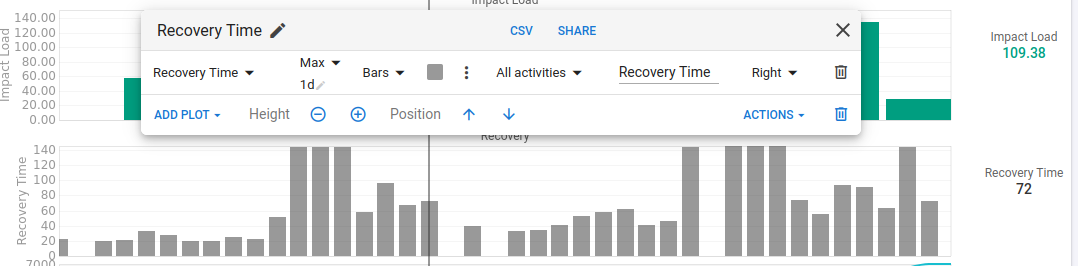
I have an activity field: Recovery Time, extracted from Garmin FIT files. I’m building a bar chart showing it on the fitness tab, Recovery Time per day. Which works good if I have one activity per day, but doesn’t, when I have more than one.
No matter which aggregation function I pick, I always get as sum of recovery times on that day.
I’ve tried: min (1 day), max (1 day), as-is and every other function also. What I actually need is either latest value per day or max value per day.
The actual field doesn’t matter, I can reproduce it with any other built-in field, Load, for example
I just looked in an activity I manually uploaded from Garmin export but cannot find the two fields Recovery Time and Impact Load. Could you share some details how to add those fields?
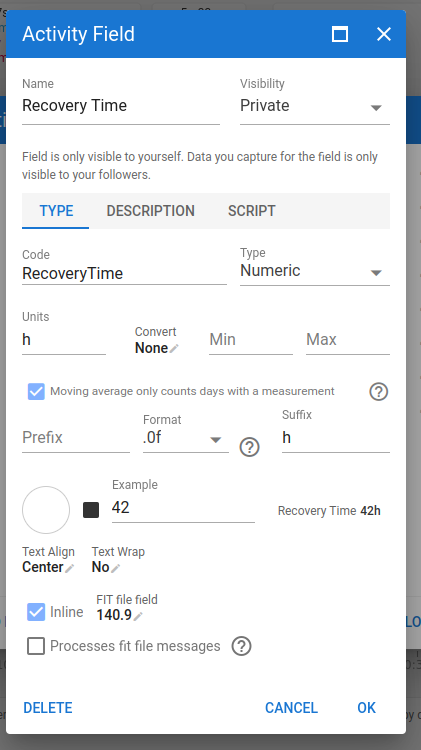
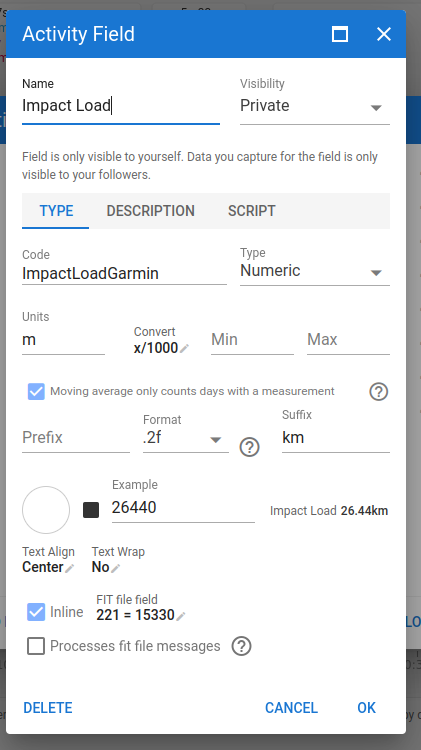
Thanks for guiding me I found the menu. Looks I have a unit issue: for RecoveryTime it looks to show minutes so mostly need to divide by 60 to get hours? ImpactLoad shows empty (null). Anyone has tried those FIT fields? I might need to inspect my FIT file in raw then.
Ok I have the FR955 Solar I forgot about that aspect With Runalyze Fit File Viewer I found:
= TYPE=4 NUMBER=140
— unknown9=1584=1584
So this one looks like minutes unit.
I couldn’t find indeed Field number 221 in my sample file from my watch.
First time I look in depth in a file, quite impressive to see the amount of stuff logged.
Is there somewhere some documentation from Garmin on this?
Sorry for the off topic.
Not for those fields. Seems like they are purposefully trying to hide that data a bit.
That’s why it took quit a bit of work from several users to find out where those metrics are saved. Runalyze has probably the most of those figured out.
Perfect I got it to work with the script section indeed.
You are right this looks interesting to graph the RecoveryTime in the Fitness I added it and I can understand your original question better now With Max 1d don’t you get what you need? Or are you after a Daily Total?
Oooh, only seeing this now. You tried to aggregate in the chart itself…
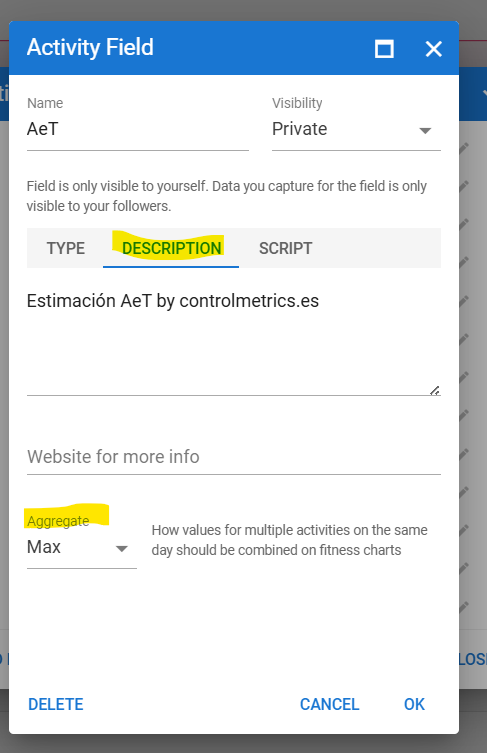
On the description tab of the custom field you can choose the aggregation mode. That should get you what you’re after.
Apologies for not noticing this earlier, you were talking ‘aggregation’ so I deduced wrongly that you knew this.

 With Runalyze Fit File Viewer I found: