Hi,
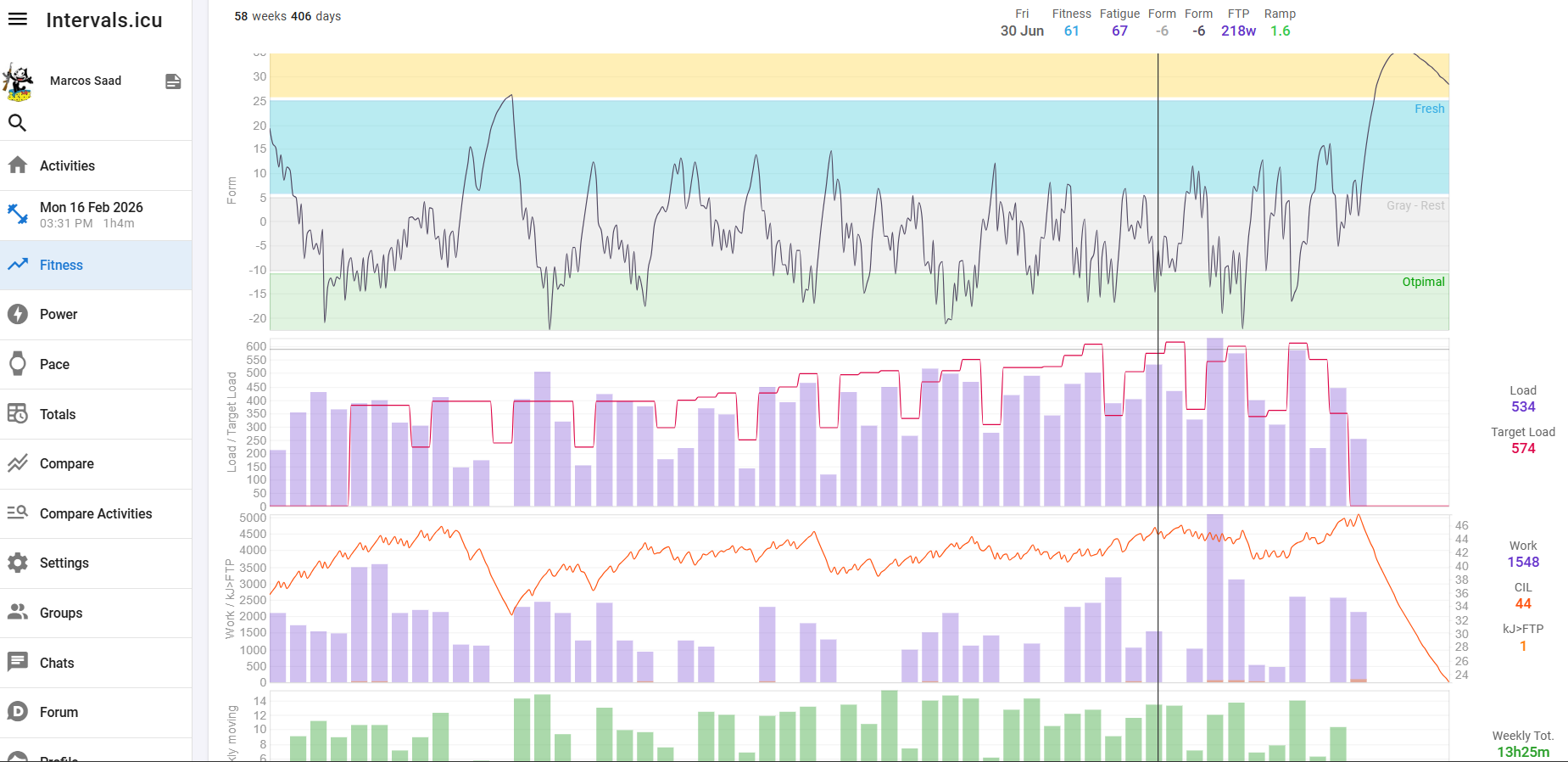
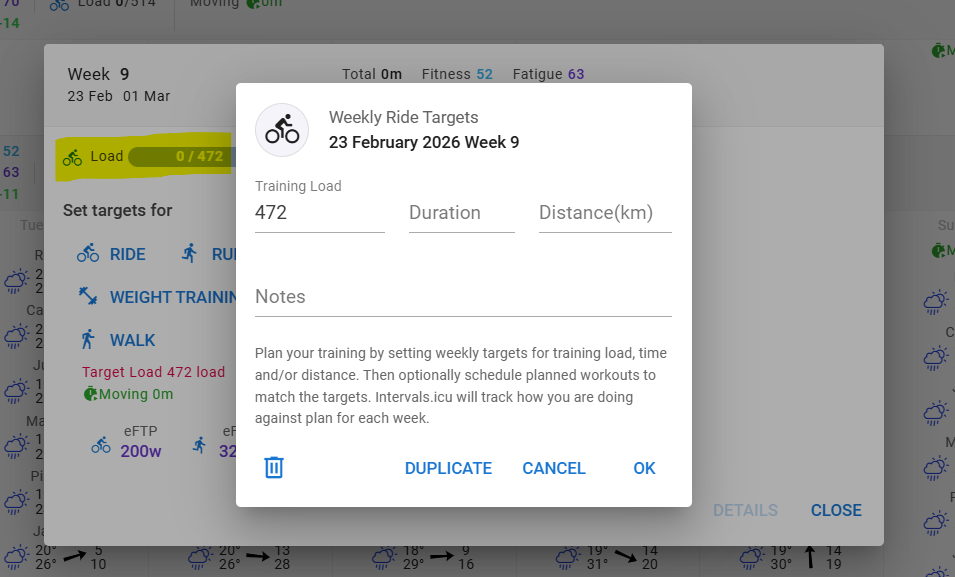
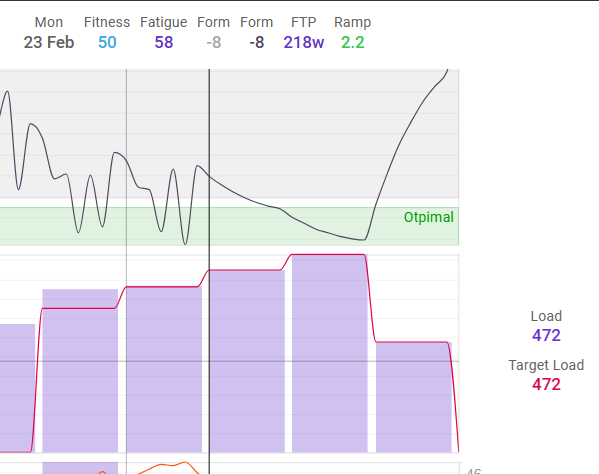
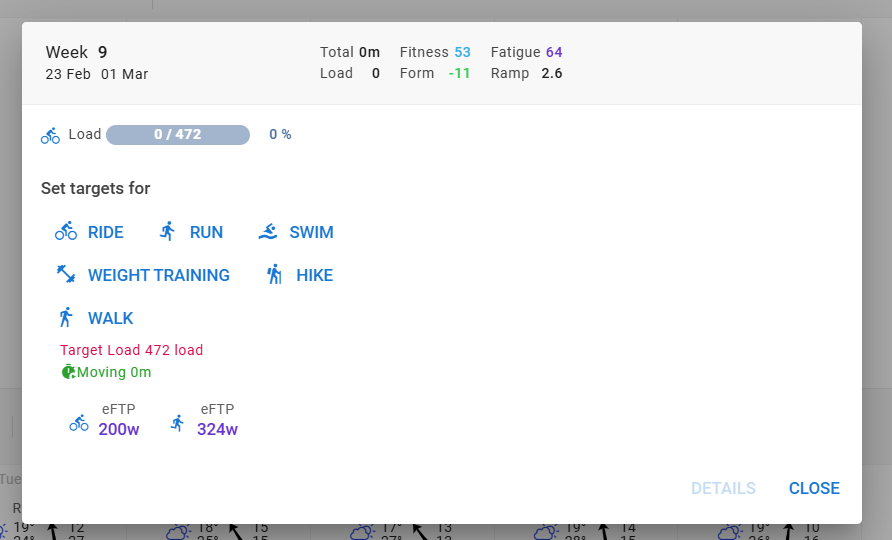
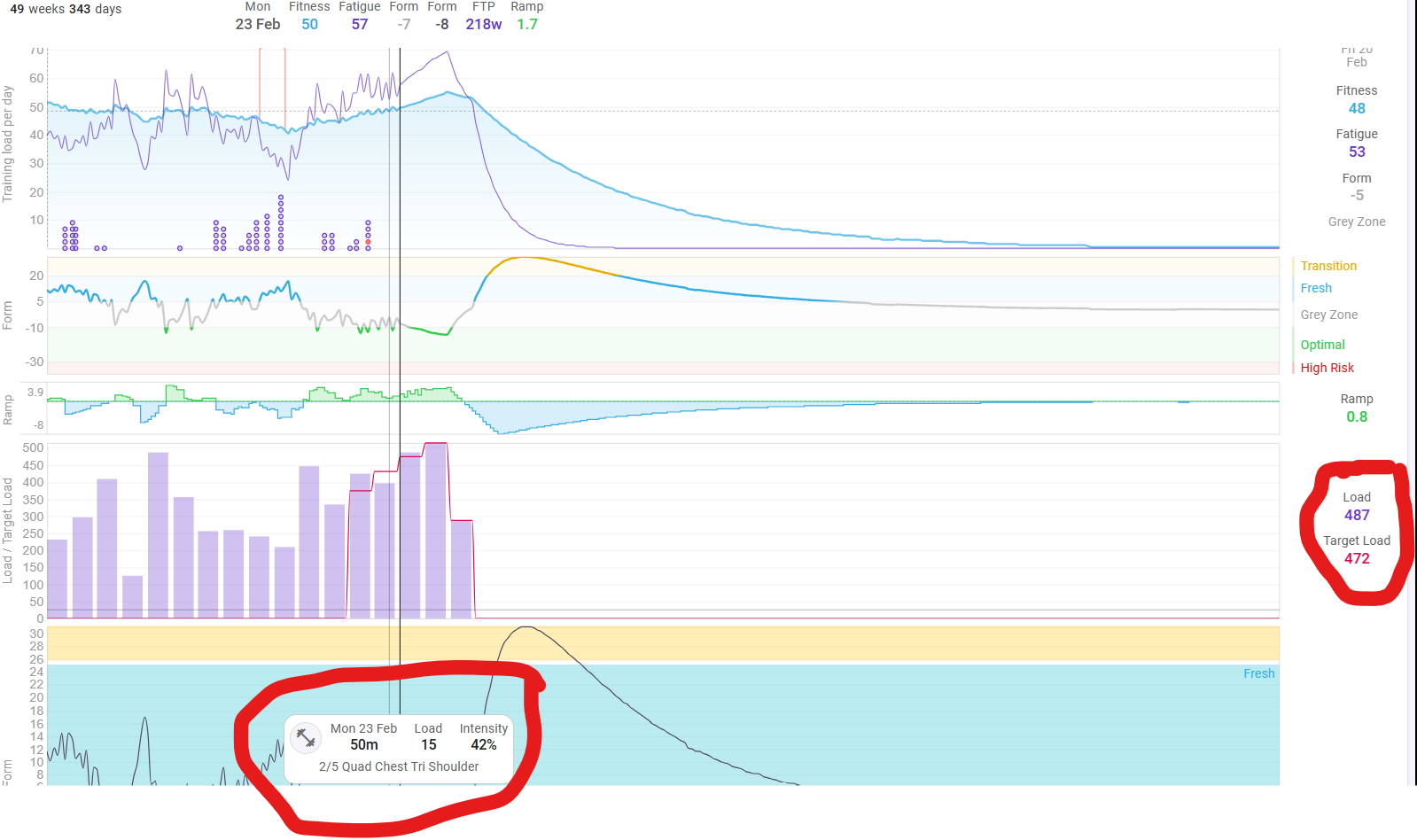
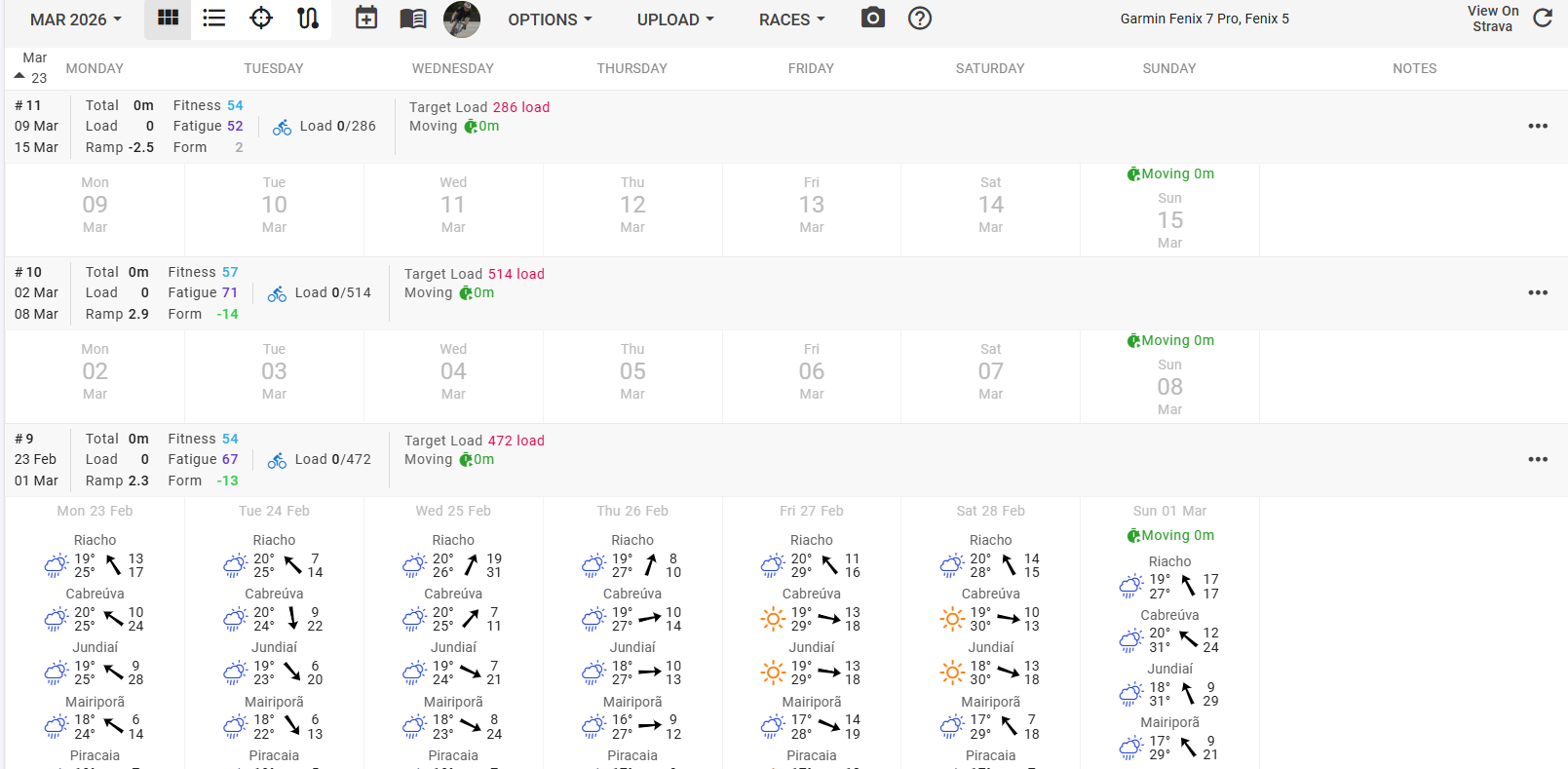
I have “Target Load” set for ride on this 3 weeks but no workouts whatsoever. Nonetheless the chart on Fitness page is showing a bogus “Load” …
Tks
Because it is using the Target Load to project the FItness Curve, like you would do that Load in that week.
Don’t know if it’s really “new”, but really helpful in regards to the new annual planner.
It’s not new, but it’s certainly not the first time that it causes confusion.
You either use plans/planned workouts or you use targets. If you use both, fitness and load overview are bogus, things get mixed/added and don’t make sense anymore.
Just to clarify: to make it work correctly, for each week I should choose either (planned) workouts or a target load. Not both?
Hi,
This is not new but it has got screwed.
I’ve always use it and on Fitness page chart “Load” used to appear for past loads or future planned workouts.
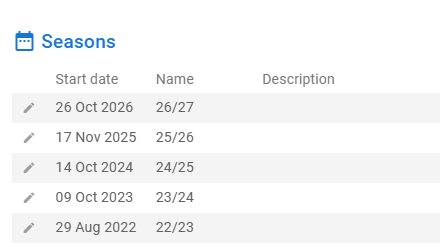
See my 22/23 season.
I tested the plan yesterday but i didn’t even saved it…
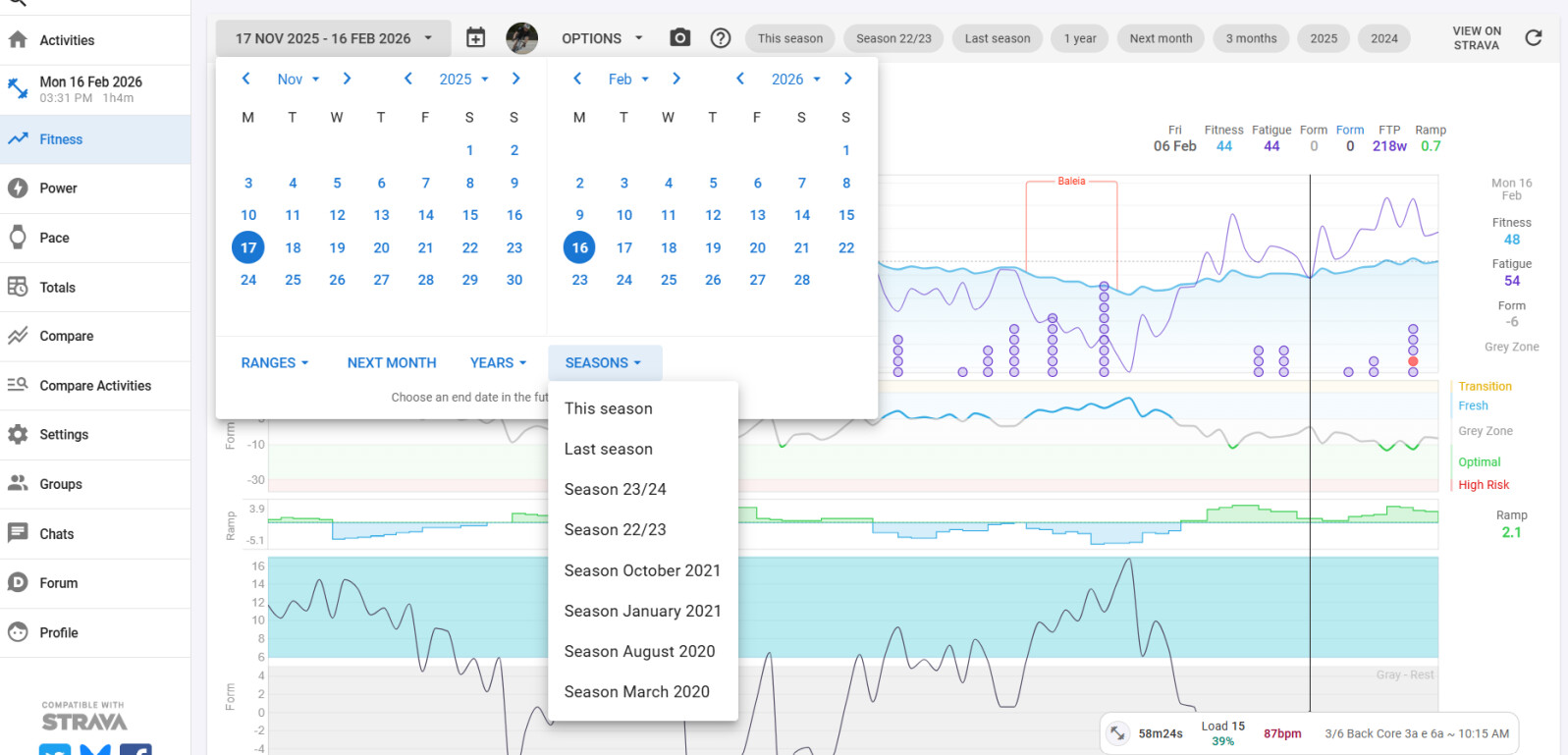
Now not even my “This Season” takes effect on the choice. It ends today instead of Oct 25Th
Next season is no longer an option too…
I have no clue how to fix it
Tks
And that’s the confusion I was talking about. It has been like that for quit some time.
Well, I don’t understand how “Load” shows on chart another value other other than what really is.
If there is not any planned workouts for a future week it should be zero.
But you planned the target value.
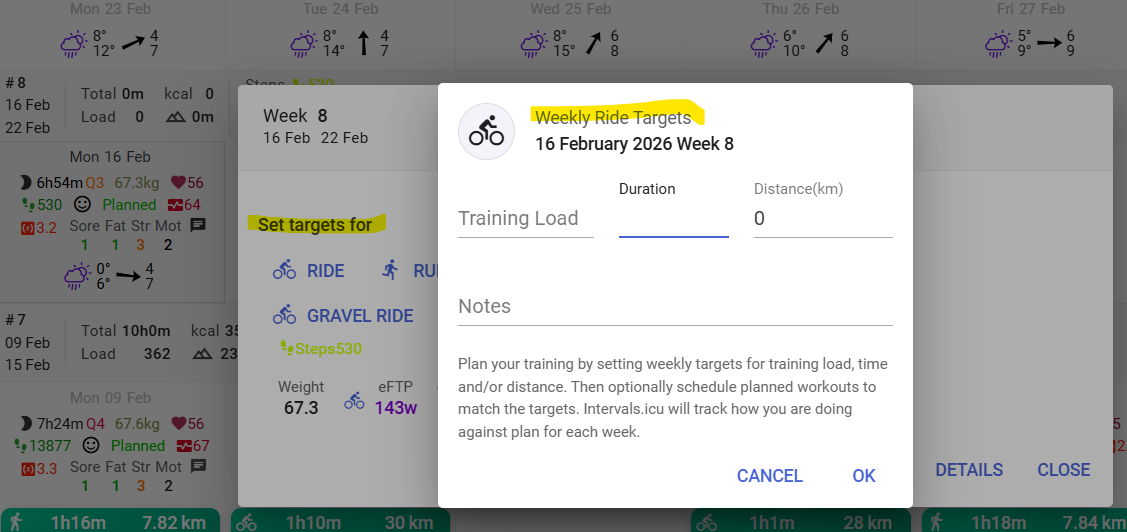
Weekly targets behave like a ‘loose’ plan. Some users just set weekly goals as ‘plan’ and are not using any plan or planned workouts. They work out whenever they have time and just look at total load/time/distance for the week. This acts similar to planned workouts, and influences the Fitness chart for the future just like planned workouts do. I think this behavior was introduced last fall.
A planned target is not a Load but a target. Load comes from activities and future planned workouts.
Hi Gerald,
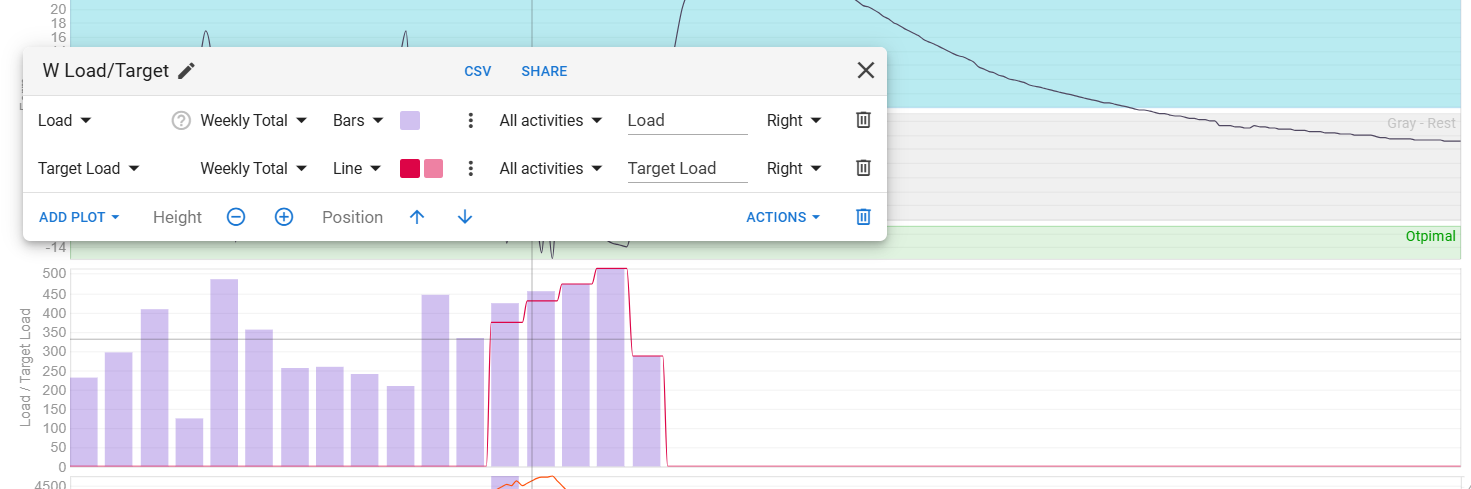
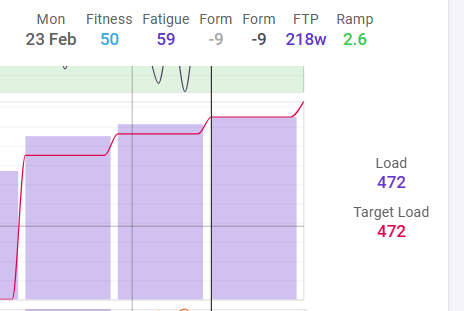
It comes from a custom chart as follow:
But again. look de week of 23 February (one in the future) Weekly
Thank you
As explained in my former post, Week targets now behave like Planned workouts (which was not the case before fall 25). That’s because users asked for it.
Intervals does not differentiate Planned and Target, it is treated the same.
This implies that the load for targets, shows the same way as the load for Planned workouts.
I understand what you say and what you want, but it is not a bug. It is ‘by design’ and could only be solved by treating Targets differently from Planned.
Sorry @Gato_Felix I wasn’t aware of the change that @MedTechCD explains in the previous post. I also didn’t understand what they were referring to by target being treated as planned. So we learn.
It also wasn’t something that was on my awareness radar, and I would’ve also queried it as a “problem” like you did.
There are three fields:
Seems strange to treat planned and target in the same way, when they aren’t the same. It’s a duplication of data.
Anyway, it’s what the forum wanted, and we’ll have to accept it.
Treating targets as load in the fitness chart makes even more sense now in the Plan builder feature, where you can drop plans with targets on to the timeline and see how it effects your fitness ovetime.
Its not completely out of the question to add an option for the user, which parameters are calculated to the fitness “totals”, but the code which handles the calculations is really (I mean really really) complicated already and where the option should be? The fitness chart is used in multiple places, but the totals are calculated “on the go” when needed.
Always open to suggestions.
I think comes down to the interpretation of how load is used.
Is there a possibility to have a separate “target_load” that can be added to “load” if there is no “planned_load” showing?
If I give an athlete a draft plan for the season ahead, it would be based on a weekly “target load”. This would be the original plan based on their goals, available time, starting fitness/fatigue and the basic roadmap to get them to their end goal.
At this point, nothing has been planned, at least nothing beyond a few weeks, so load is 0 for the future, even though target has values.
Life happens, they miss workouts, get ill, or they might not adapt to the training, or could adapt sooner. The original target is used to see how the athlete was meant to progress. Actual load will show if they are behind, on track or ahead of target. The “planned load” becomes the variable load while target remains a fixed load. If the target needs to be adjusted, let’s say due to a few week off (illness), the planned workouts would still have to be changed, as would the target load.
Hope it makes sense.
Hi eva,
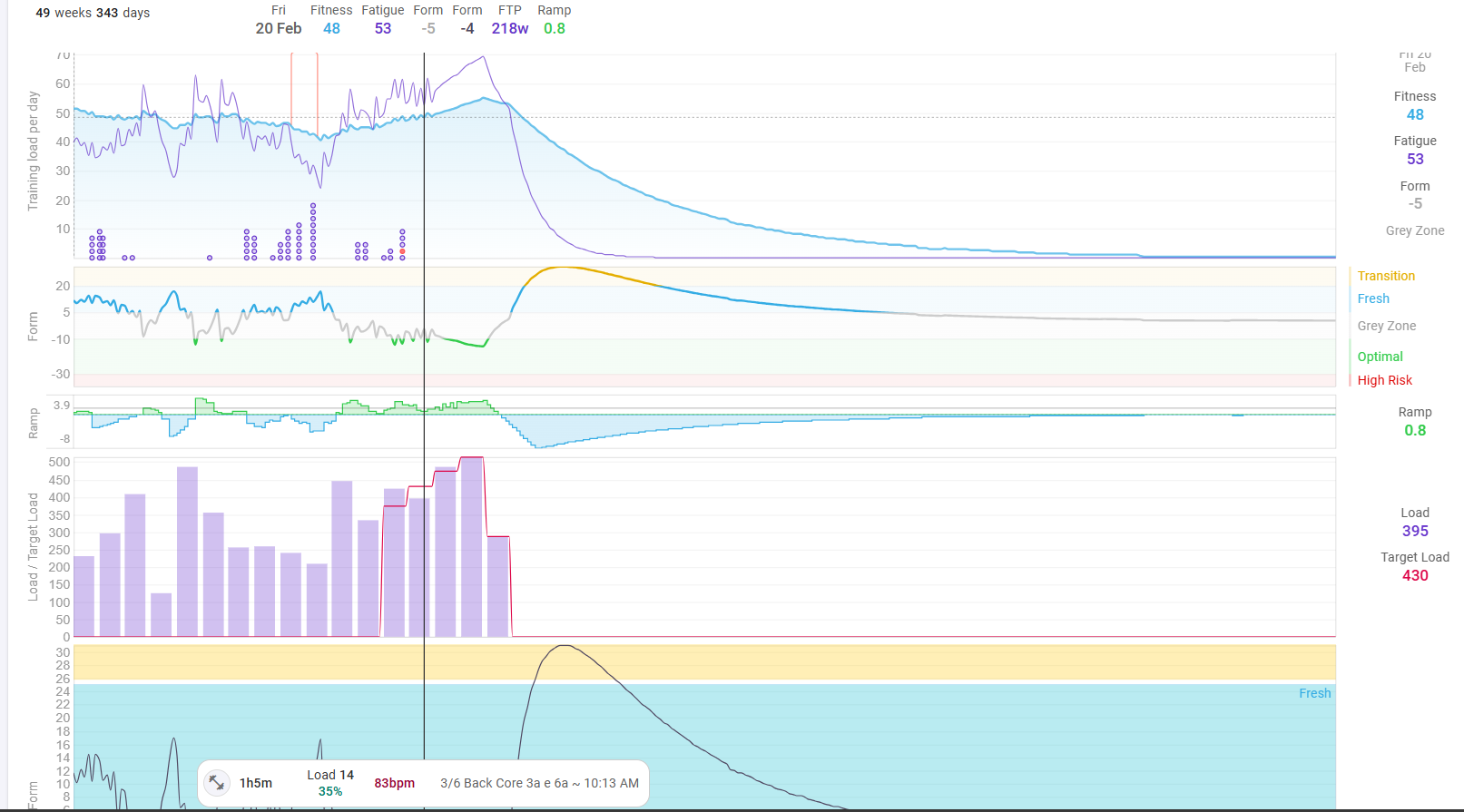
I’m glad you mentioned that because I would like to have a better understanding of this so let’s take my snapshot of today bellow:
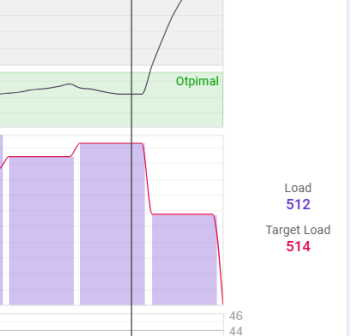
1-) Is, my next Sunday Feb 22nd Fitness, Fatigue and Ramp, based on the Target Load of 435) or my forecasted (actual + remained planned workouts) Load of 430? (if I don’t compensate, I’ll end up short this week)
Exactly!
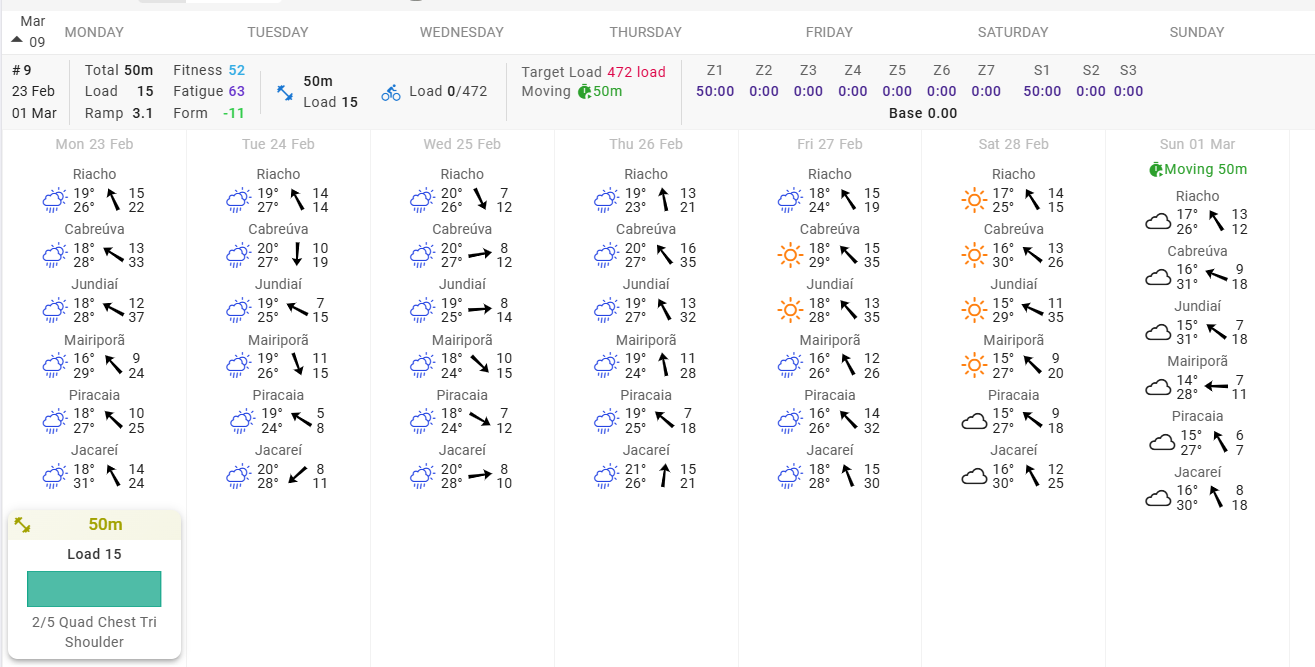
One might want to see the whole picture based on “Target Load” but problem is that while populating the workout we can no longer see if have match “Target Load” load… ) see bellow:
Interval is adding up the planned workout to the Load Target …
Something has to change being the variable names or the options for calculation.
Thank you,