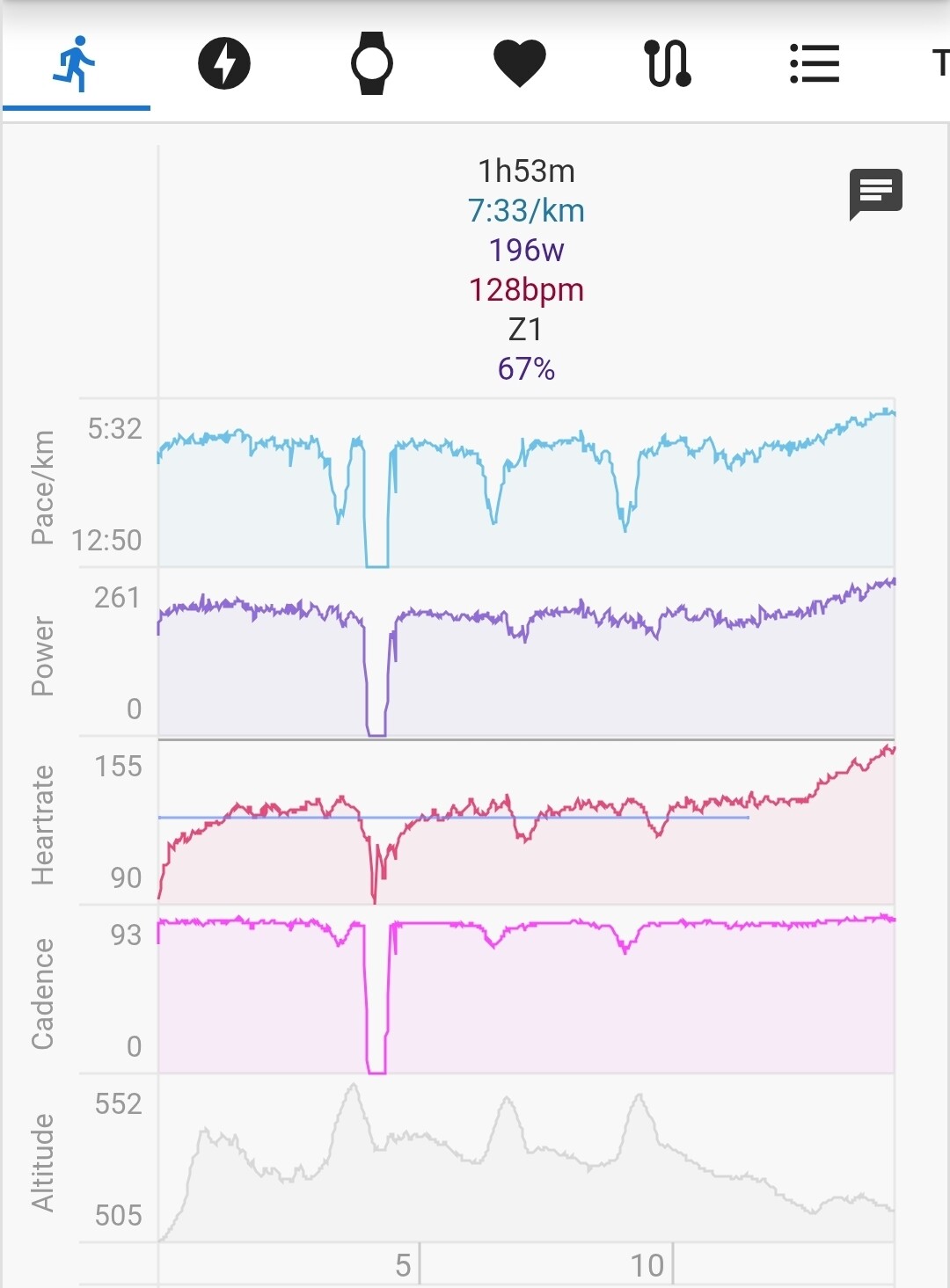
I wish to remove the part with zero everything in the screenshot below on a smartphone. I don’t care whether the break is displayed in the charts, but I want all calculations (duration, avg pace, etc) to be as if it were not in the data.
What’s the most easy or idiomatic / intended way to do this on a smartphone? I can do a two finger drag to zoom on the charts but did not find how to mark the break, to then use an action (probably Ignore Part). Can it be auto detected?
Did you try the Options → Show Pause slider? (Though I think it does only work with „actual“ breaks (start / stop events in the fit file), not just stopping and keep recording the workout)
Hmm, I think I misunderstood your question the first time I read it. Just to clarify: You want to exclude the zero values?
The “Ignore” options are only meant to remove “Best Efforts”; as far as I remember, they don’t affect average calculations or anything like that (at least for power).
Looking at the chart, it appears that this is a break. So I’d be curious to know why you want to do that. If you exclude this and change your average calculations, you should be aware that you’re “falsifying” your measurements (let’s say you ride 10 m at 400 W, take a 10 m break, and ride another 10 m at 400 W, that would result in a total of 20 m with an average of 400 W without the break, which is significantly different from 30 m with an average of 267 W).
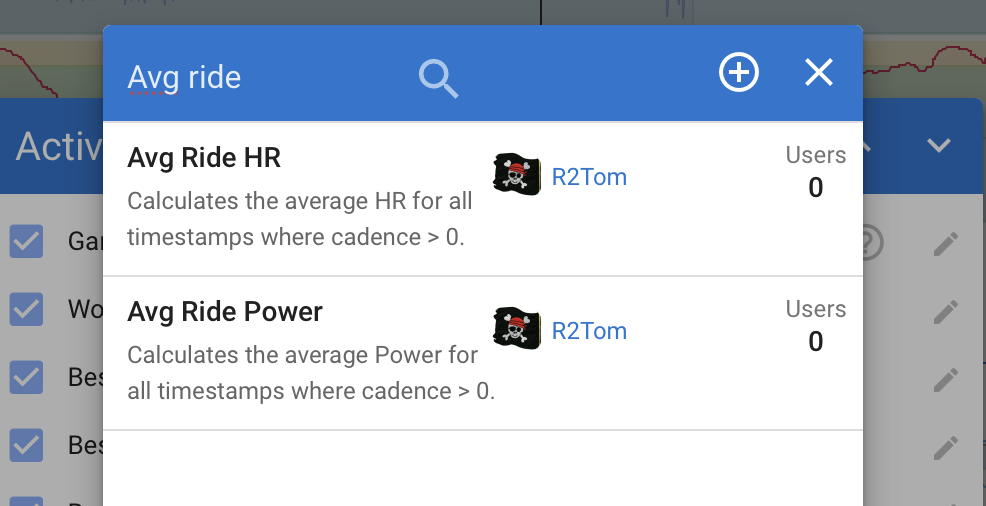
But I know that sometimes (when cycling) I also want to know what I’m capable of during the activity, and therefore want to know how much power I can generate; that’s why I want to know the power even without zero values. My solution in this case might also be the best solution for you: I’ve created two custom activity fields that calculate the average of power and heart rate, using only the values where cadence is >0. I found this the best solution, to not „fake“ the original values, but also seeing the values without coasting. I think you can use these as a basis and rename / rebuild them for your purposes:
Tbh I have no deep reason for this. I just assumed that there is some way way to do this that I’m just not seeing (you know, like most times when I’m looking for a feature here… icu usually can do it all already).
No big training reason, more like “how long/ fast was this, excluding a break where the watch was running”. Just quickly while watching the activity.