One question: are there plans for a season feature, or some way to start a fresh baseline for the tests?
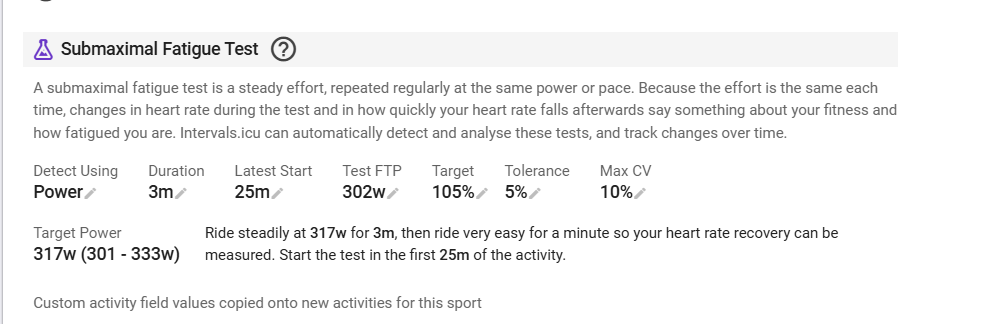
Right now the test power is a single setting per sport. Over time the FTP changes, and so does the power I’d want to test at, for example from one season to the next. Results from different power levels aren’t really comparable, so the trend chart would end up mixing apples and oranges.
It would be great to be able to make a clean cut between seasons, for example by defining the test power with a valid-from date (or per season).
I have been thinking about how to solve that problem without adding much complexity. What I have in mind is to store the actual target watts/speed and the max CV % along with the results. Then when an older activity with existing SFT is re-analysed, the target, duration and CV % are taken from that SFT and not the current settings, so history is preserved. This is more or less how zones work now.
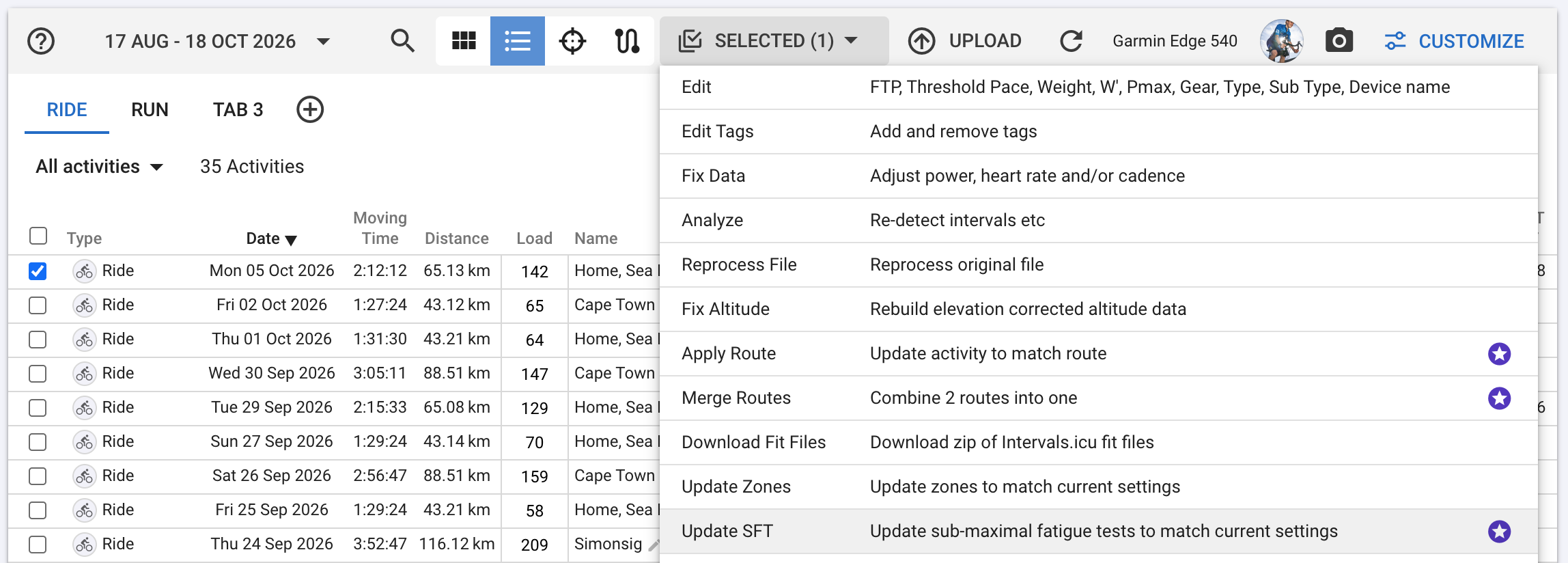
This will also require a new “Update SFT” “Update SFT to match current settings” option on the activity list view.
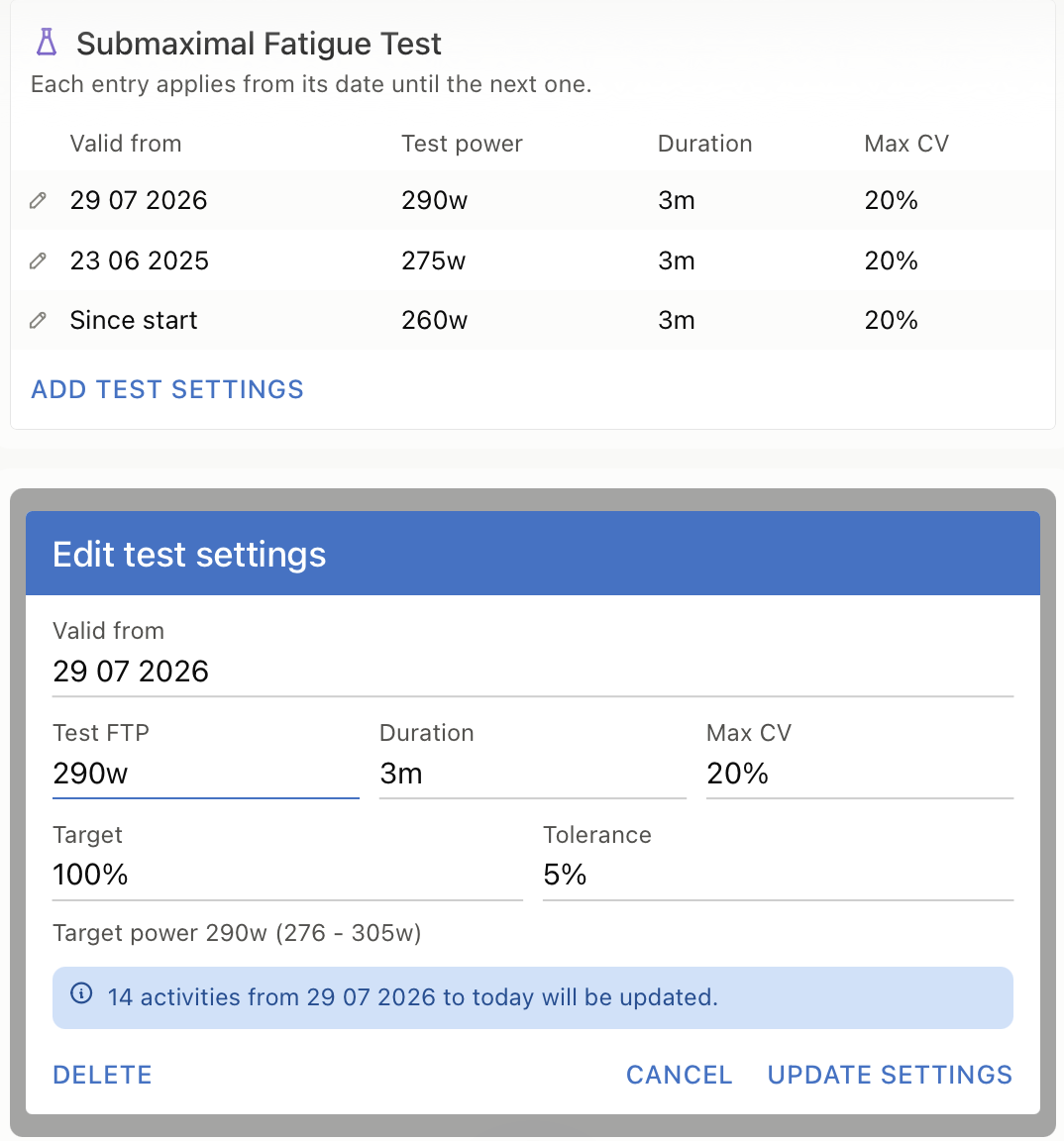
However, one idea for the user interface, would be a simple table with test settings, each with a “Valid from” date, valid until the next entry (similar to the seasons). Saving an entry would simply update the activities for that time period (“UPDATE SETTINGS”).
To handle edge cases, deleting an entry could cause its time period to be merged with the previous one. The oldest entry (“since the beginning”) could not be deleted, only edited, so that every activity always has a corresponding entry.
This way, settings and activities should remain in sync, and it could also cover the “Update SFT” option. (Incidentally, the same pattern could also work for FTP, which has already been mentioned in some feature requests.)
Knowing full well that there are probably many more pitfalls out there, I wanted to illustrate this and I had the AI generate some quick mockups.
This is a really nice feature. I have one suggestion to make it better. Could the SFT feature always calculate HRRc following the test interval even if the HRRc Min HR was not reached?
I have my HRRc Min HR set to my threshold heart rate, which I’m unlikely to reach in only a 3-minute effort, especially as FTP increases through the season given the SFT target is fixed.
That’s good to know. What is the minimum HR drop for the HRRc to be reported?
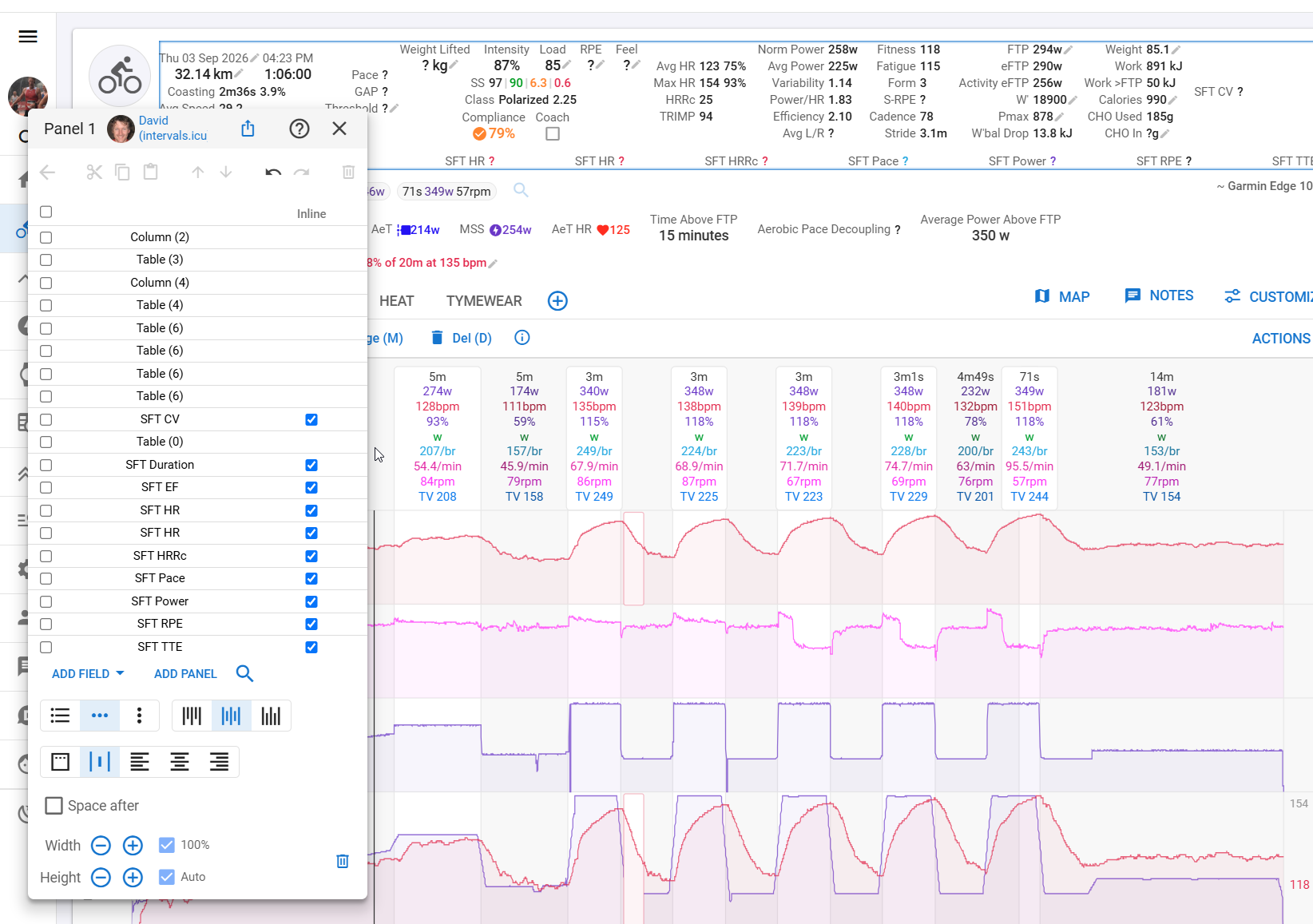
The SFT I completed yesterday (activity i193183207) didn’t record HRRc. Maybe I didn’t spin easy enough following the test, but my HR did drop from about 151 to 134 within one minute after finishing the test interval.
The Warmup part seems to be ~15min. Which would mean that the first 3 min interval (VO2 interval) starts at or a bit later then 25min in to the activity.
Why are you using ‘Latest start’ setting of 25 min?
The interval power is also higher and outside of the 5% tolerance window.
Relax the settings and try again.
The SFT analysis now stores the target power/pace, the max CV & and tolerance % with the test. If the activity is re-analysed then these values and the existing type and duration are used for the test, not what is currently in /settings for the sport. This preserves history.
If you want to re-do the analysis on an existing activity with the latest settings, use the activity list view: