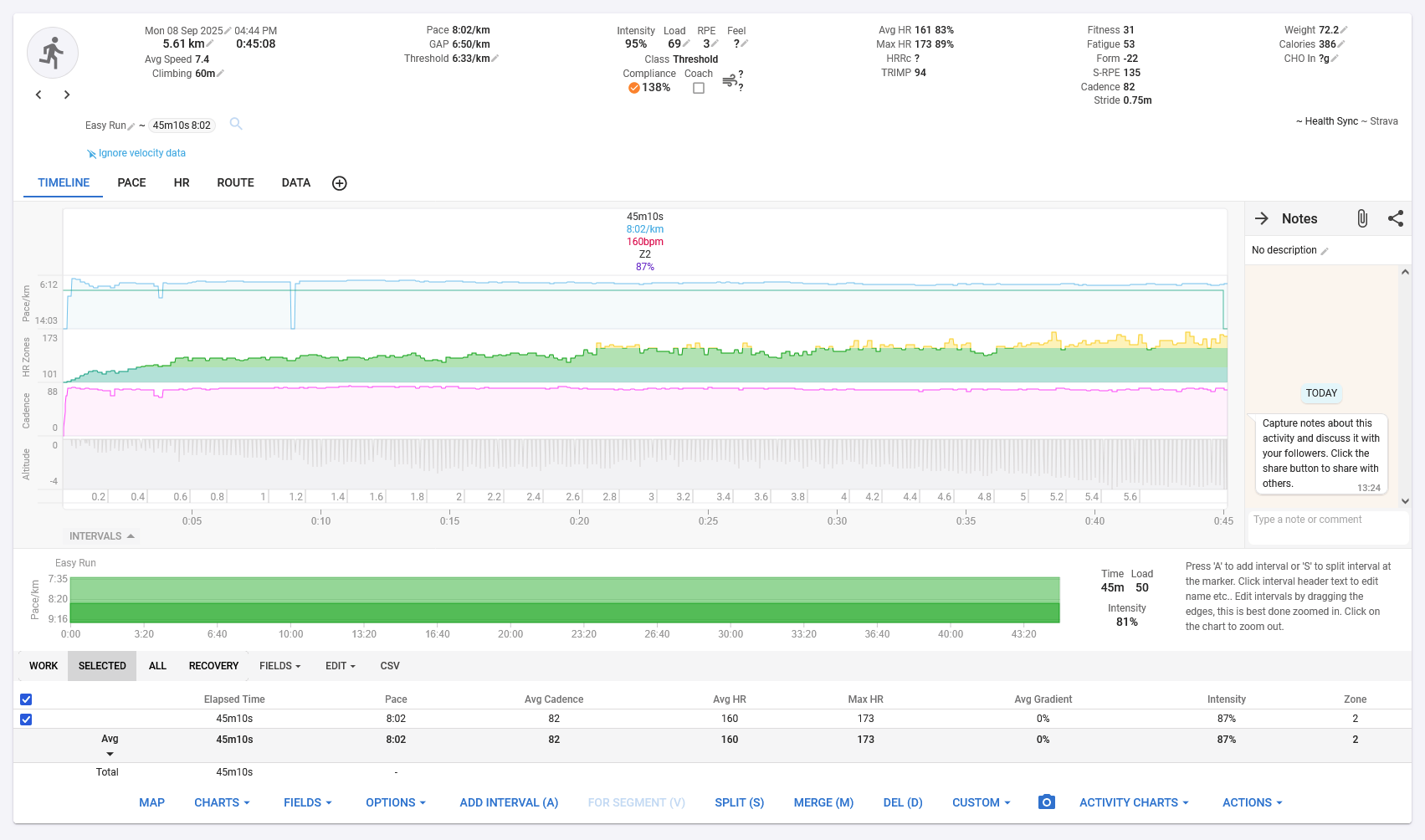
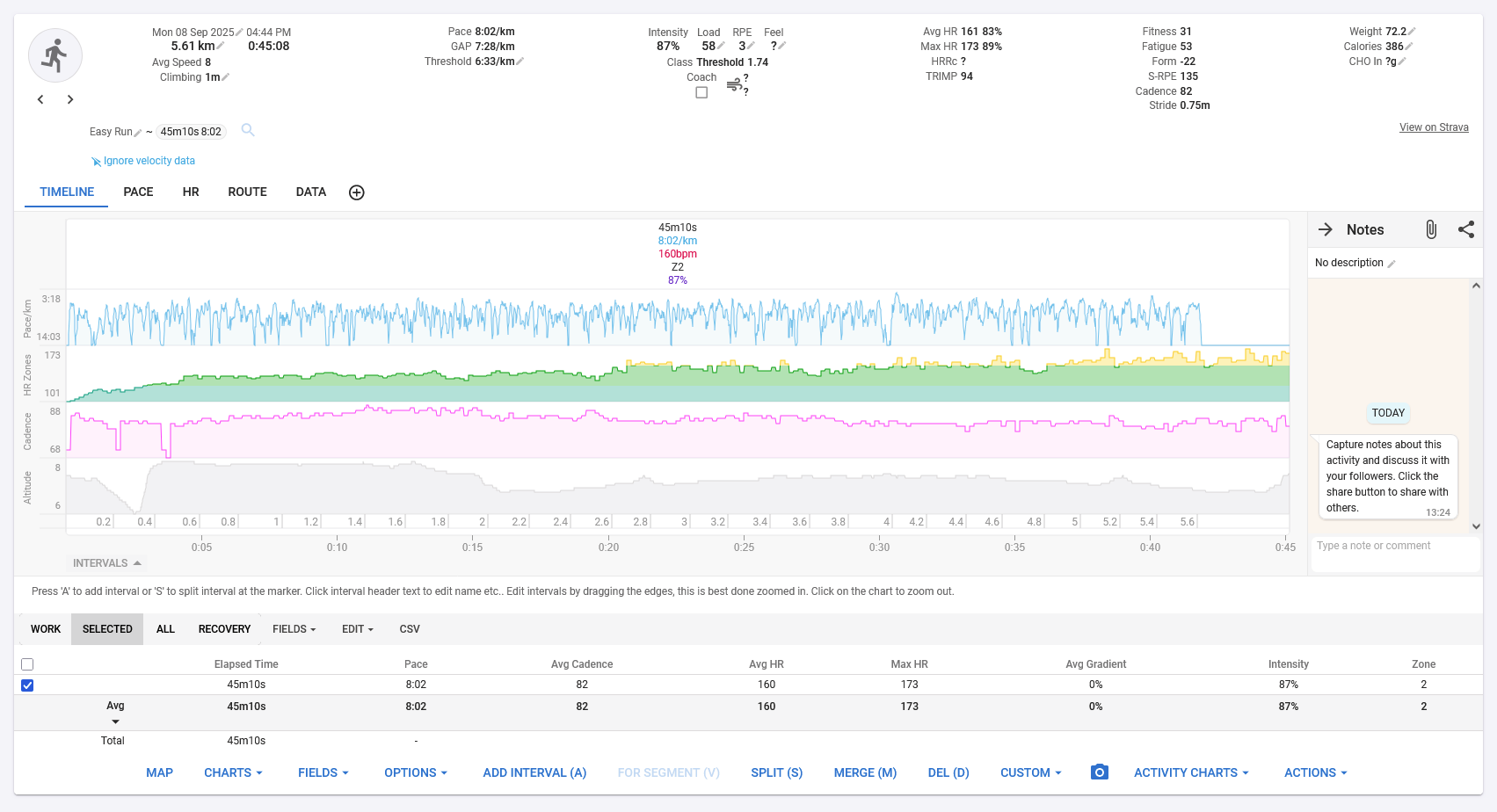
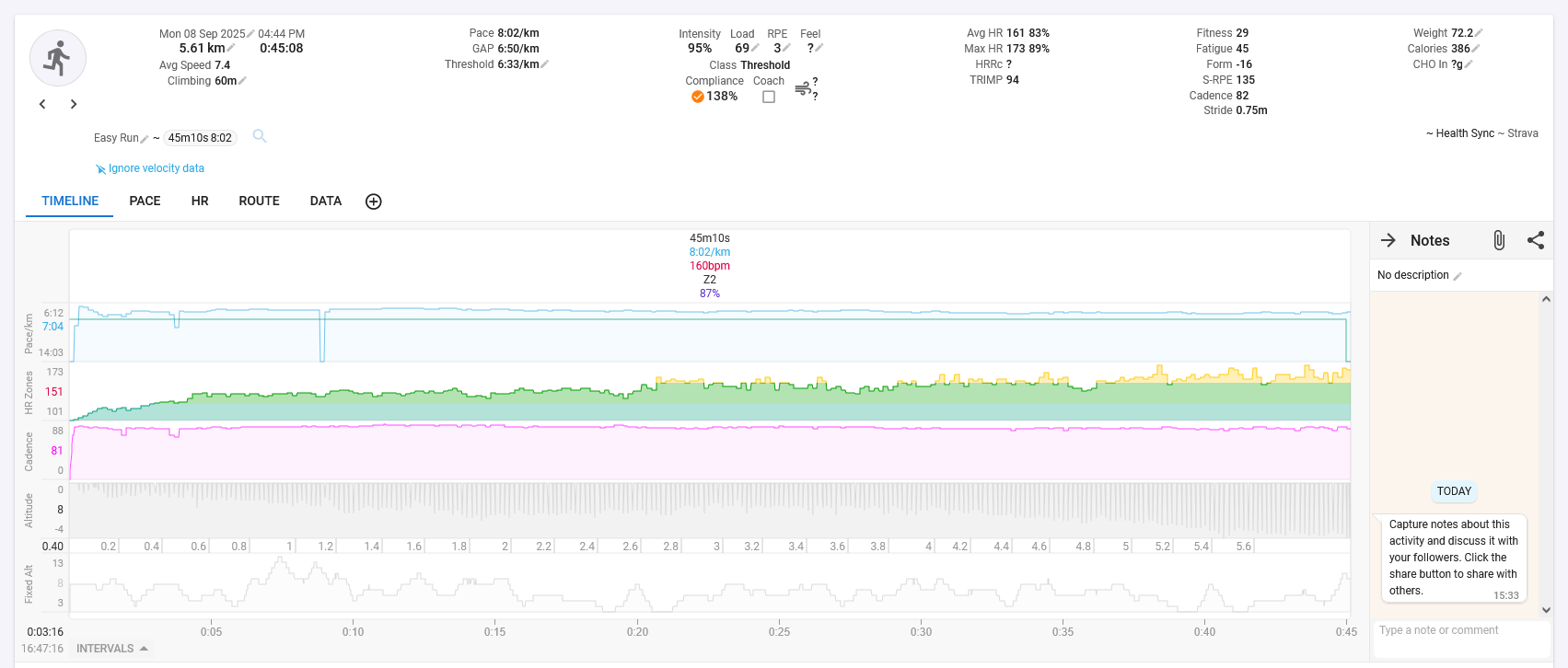
For the past week, I’ve been using Galaxy Watch Active 2 to record my runs. Normally I synced them (from S Health) to Strava with Health Sync, then they’re pulled from Strava to Intervals. Lately, I thought why not directly sync it to Intervals from S Health, and so I did.
I noticed right away that my workload is higher than what I perceive, turns out the GAP was totally different. By looking it was the altitude error in my watch not getting corrected hence the problem.
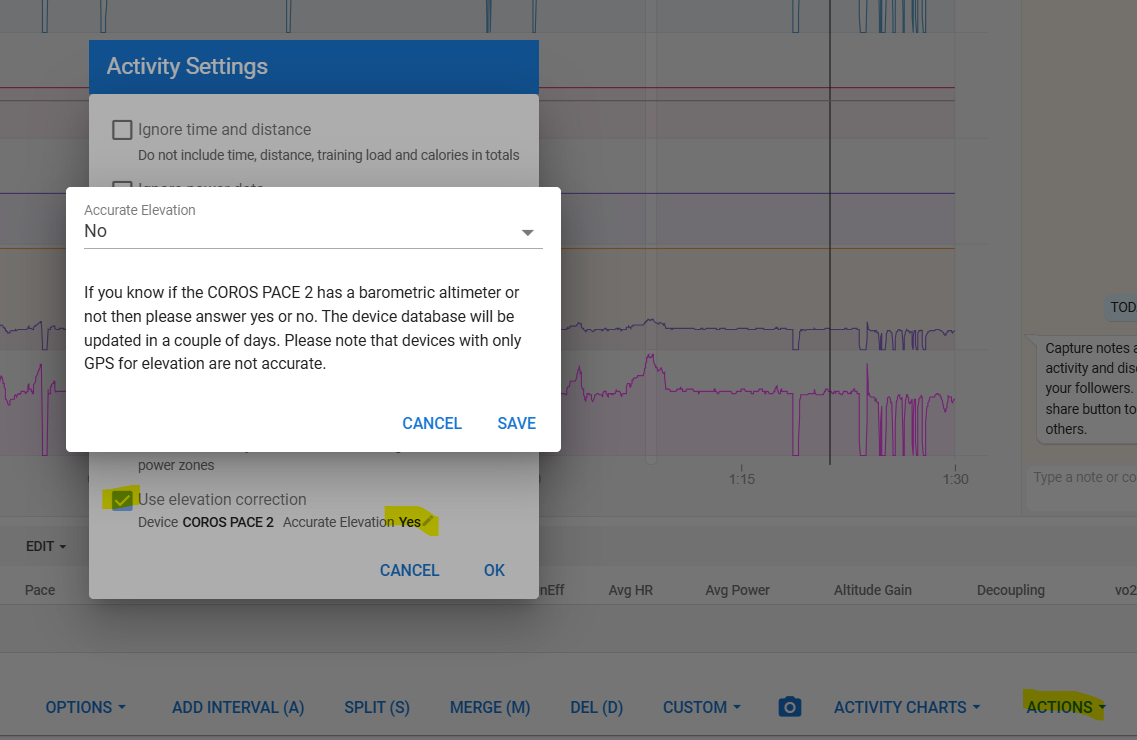
At the bottom of the activity timeline tab is the menu ‘Actions’. In there you will find Settings, among others there’s Elevation correction.
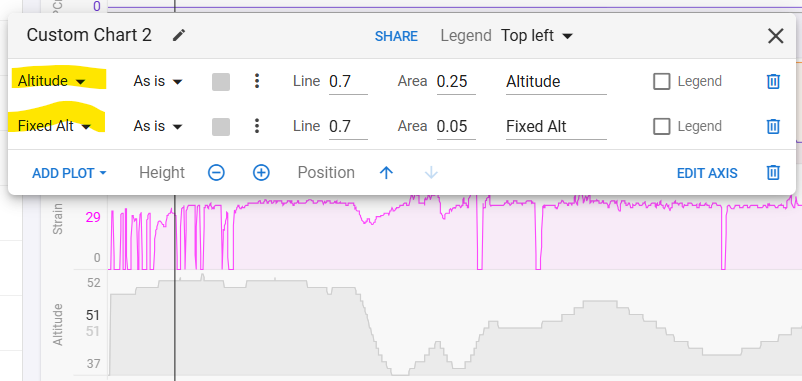
Set it to use correction, also set Accurate Elevation to No and reprocess the file to get elevation correction on the file that came from your watch. You will need to create a new Elevation chart with both Altitude and Fixed Alt to see the difference. Compare it to the Strava one now. There will still be differences because Intervals and Strava have different map sources for elevation data, but it should be similar.