Is it possible to have a link to download a markdown or semantic file of the report? Maybe saved locally?
1 Like
Added JSON and MD Download link.
1 Like
Great and thanks, working with Gemini  Much appreciated
1 Like
@Clive_King whilst this is great as I can now take the markdown and use with RAG. It has a cycling bias in it’s structure and analysis through Tier0 to Tier3, I think?, is there consideration to adapt to more endurance disciplines of cycling, running and swimming in there. Meta data in report states Discipline: Cycling (perhaps remove from report as not all are purely cyclists). Asking as many I see in the forum looking for and asking with regard to triathlon. Great initiative to open up to more Models, thank you.
Hi Simon, that bias is weighted, its certainly not just for cycling, my running and skiing have become primary also at different times of the year.
I will have a look at discipline again but its is largely driven by the data I receive.
Ultimately where I’m headed now is really using AI to augment the data, thats the real value add, along with the ability to create workout plans based on my performance intelligence engine. This is now working very well.
The API I created for the headless LLM integration is just a framework to prove the app can be implemented with anything.
I’m trying to be LLM agnostic but to be honest they are all at different levels of maturity and OpenAI has stole the march so far at the cost integration level with the ability to host an app inside OpenAI. Whilst its slightly proprietary (aka days of Apple) it works really well and is very popular for that reason.
I love the anthropic Claude LLM interpretation but like, Gemini and the standard LLM API approach that comes at a great cost and the response times are much slower at lower tier levels. There are a few others now starting to make waves.
I am working on improving my MCP manifest, so that when LLM adoption and maturity improves I can be ready for that as well. How this market shapes with MCP is still to be determined.
For now you have the raw data output. Appreciate your feedback nonetheless.
Clive
1 Like
Thanks Clive, As a triathlete, runner and cyclist depending of time of year, running now with maintenance for swim/bike, report meta for me in Discipline is “cyclist”, even though is only 3 times a week v 6 times for running, hence the query.
I did fork your github to get to run locally, although python code, LLM integration, RAG are still new to me, A steep learning curve and I had just got to the point of getting a working markdown, when you added your page to work with other LLM’s. Could have saved me some effort haha, but there again has been eye opening chatting with Chatgpt/Gemini/Claude and learning. Thanks again for the work done for others like myself to be able to use. Cheers, Simon
Simon, I spotted an oversight in the rendering, and I’ve now also added a dominant_sport based on LOAD and period context. Clive
1 Like
Hi Clive! Here I am again…
I’m trying to automatically use the information configured in the Interval’s settings tab for the evaluations your model performs. However, when I ask it to display the information for LTHR, MHR, RHR, Threshold Pace, and FTP saved in Intervals.ICU, just for confirmation, I noticed it’s showing the Ride settings. Even though I’ve configured the Run settings, these values are never used.
Since my main activity is running, the evaluations your model do for me end up being inaccurate. Is there any way I can work around this?
1 Like
Good question! Let me look into that. It should pick the dominant sport.
BR clive
Thank you!
Another point I checked regarding the returns:
- My threshold pace is set to 5:43/km but your model returns Threshold Pace (stored): 2.915452 min/km → 2:54.9 per km
- My Resting HR is set to 52 bpm but your model returns Resting HR: Not set
For threshold_pace this value comes directly from intervals.icu activity metadata and is calculated as follows e.g. for my Trail Run - threshold_pace = 3.33 m/s
Which is converted to: * 5:00 min/km.
For RHR - the following applies:
It will get RHR from daily wellness data that is recorded for each day, whether manually entered or taken from a source, e.g. Garmin.
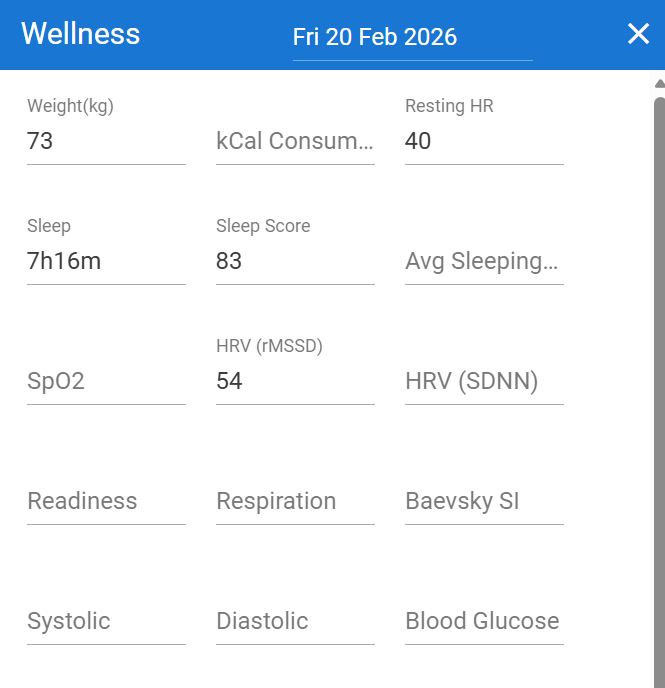
This is recorded and measured for stability over a 42 day period. If this does not exist it falls back to the RHR entered in your Athlete settings.

However, in the Athlete profile I build for each report that resting_hr is always populated and in wellness report rest_hr is always available for each day when available.
e.g.
“date”: “2026-02-16T00:00:00”,
“ctl”: 75.791466,
“atl”: 79.06058,
“ramprate”: -0.67050934,
“sportinfo”: [
{
“type”: “Ride”,
“eftp”: 300.92963,
“wPrime”: 24294.604,
“pMax”: 945.3537
},
{
“type”: “Run”,
“eftp”: 290.05548,
“wPrime”: 25590.014,
“pMax”: 429.80316
}
],
“updated”: “2026-02-16T23:25:05.115+00:00”,
“rest_hr”: 42,
“hrv”: 65.0,
“sleepsecs”: 24660.0,
“sleepscore”: 82.0,
“sleepquality”: 2.0,
“steps”: 891,
“tempweight”: true,
“temprestinghr”: false,
“merge_date”: “2026-02-16”
Regards
Clive
Ok this is now fixed. All additional sport profiles are added so you can ask “What is my run ftp” for example. Apologies, a bug stopped other profiles being added.
1 Like
Hi, Clive!
So, I have this set on my Sport Settings - Run:
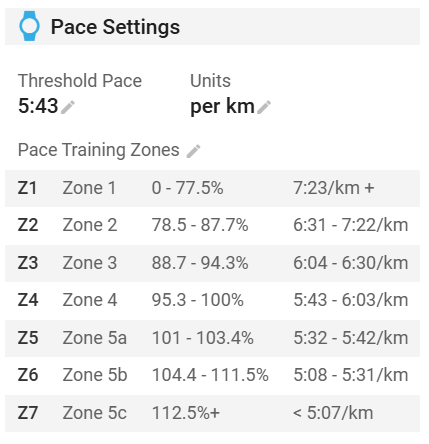
If I understood correctly, it is not from here that the threshold_pace value comes, right? When I asked especifically for my stored threshold pace, I get this response:
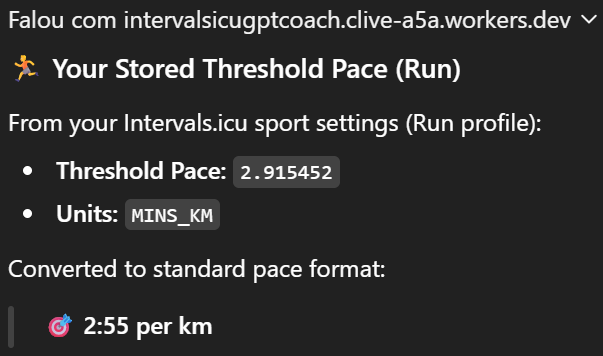
Ahah now i see. Chatgpt is seeing it as minutes per km not meters per sec ! I will need to look at units to ensure this doesnt happen somehow.
1000 m / 2.915 m/s = 343 sec/km
343 sec = 5:43 per km
in the meanwhile tell it its velocity pace not time based e.g. “threshold_pace is velocity in meters per second”
Clive
I’ve now changed the units that intervals provides me. It’s quite misleading as
* Intervals UI → shows min/km
* API → stores m/s
* pace_units label → misleading
        "threshold_pace": 3.5714285,
        "pace_units": "MINS_KM"
they now look like
        "threshold_pace": 3.5714285,
        "pace_units": "M_PER_SEC",
Hopefully this resolves the issue.
Br
Clive
1 Like
Hi Clive,
Today ChatGPT is not able to write the workouts directly into my Intervals calendar. Until a few days ago it was working correctly. Has something changed? Thanks
from Chat gpt
Important note
As we verified, the API does not allow structured intervals to be uploaded into the builder.
Therefore, they will be created as:
- WORKOUT with the correct duration
- Consistent TSS
- Correct title
The intervals remain the ones you have already copied into the builder.
Make sure you are in the GPT App “Montis ICU Coach v5” , not generic ChatGPT 
I just tested this with my intervals profile, and it added successfully, I’ve also tested the replacement of these as well and this worked as well. It deleted previous and added new.
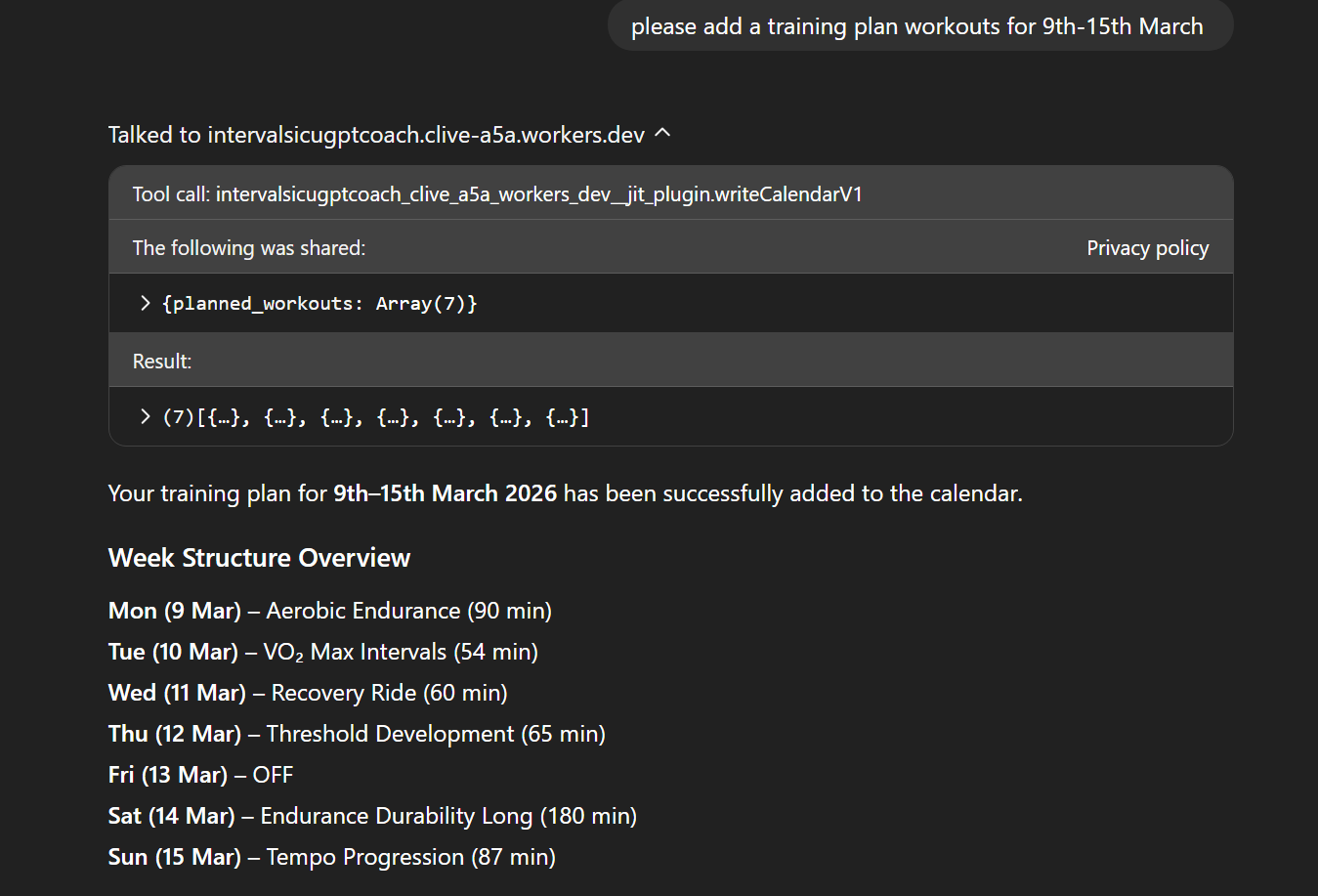

ensure in the GPT app permissions that this hasn’t changed ?
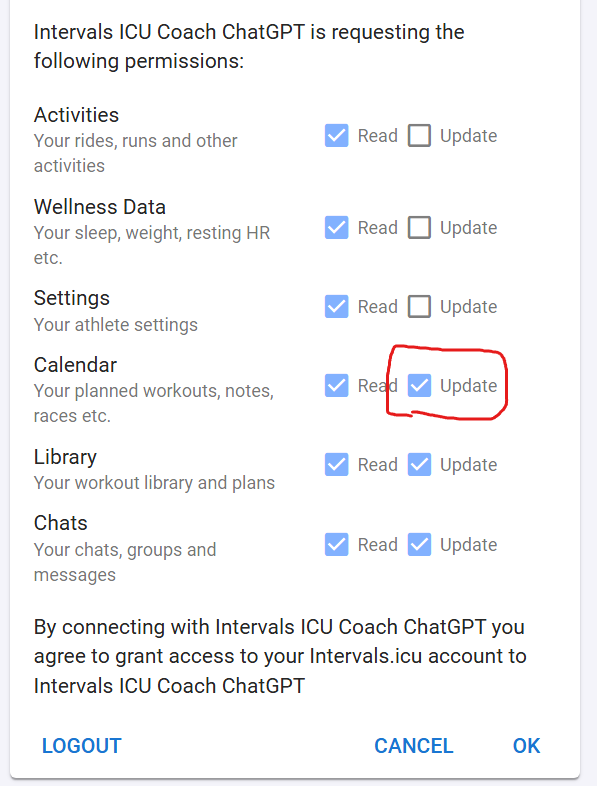
Hi, everything was fine but it wasn’t working. I tried logging out and back in, and now it’s working. Much better.
1 Like
Clive,
Just discovered the app having parted ways with an excellent coach. I left on great terms but wanted to try self coaching. I can honestly say the app is excellent so kudos to you. Keep at it as I can only see it getting better and better. It’s giving me everything I need for now but I’ll hopefully be able to provide some feedback after a few weeks use.
Al
1 Like
Thanks Alan, feedback always welcome.
Phase 2 is in the works where we move to adaptive coaching using a Energy System Progression Engine (ESPE). I’ve got the basic framework in place, now its just the maths and logic for the engine. I’m excited for that but also worried about the length of the reports, so need to think how best to report this and not drown us all out in more coaching geek language.
Clive
1 Like