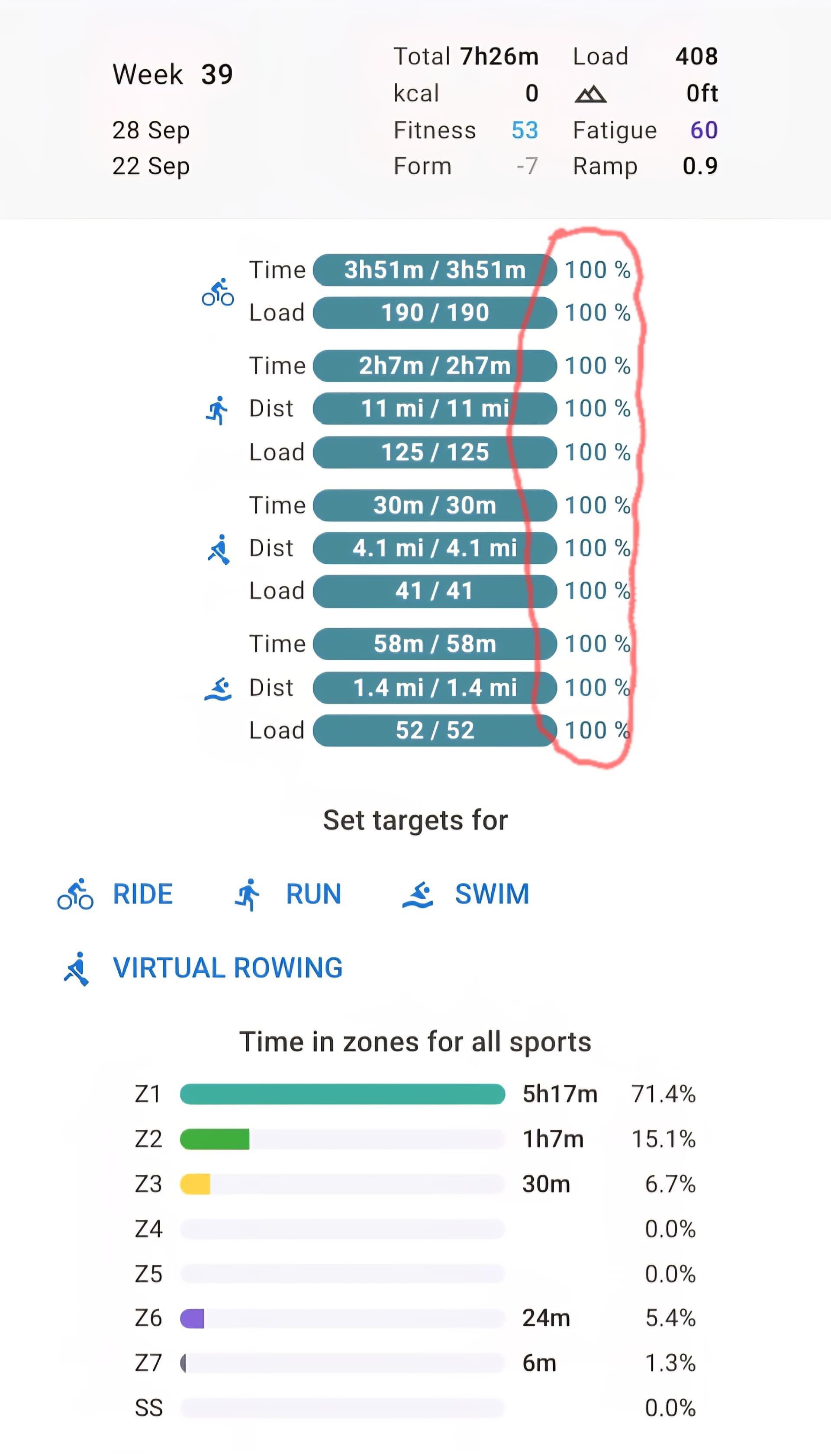
The title says it all. I’m sure I’m just missing something.
1 Like
Hmm, can’t replicate that by entering a weekly target and/or a planned workout on next days.
But just tried it now and it’s past midnight here, so already Tuesday.
Please follow up and let us know.
1 Like
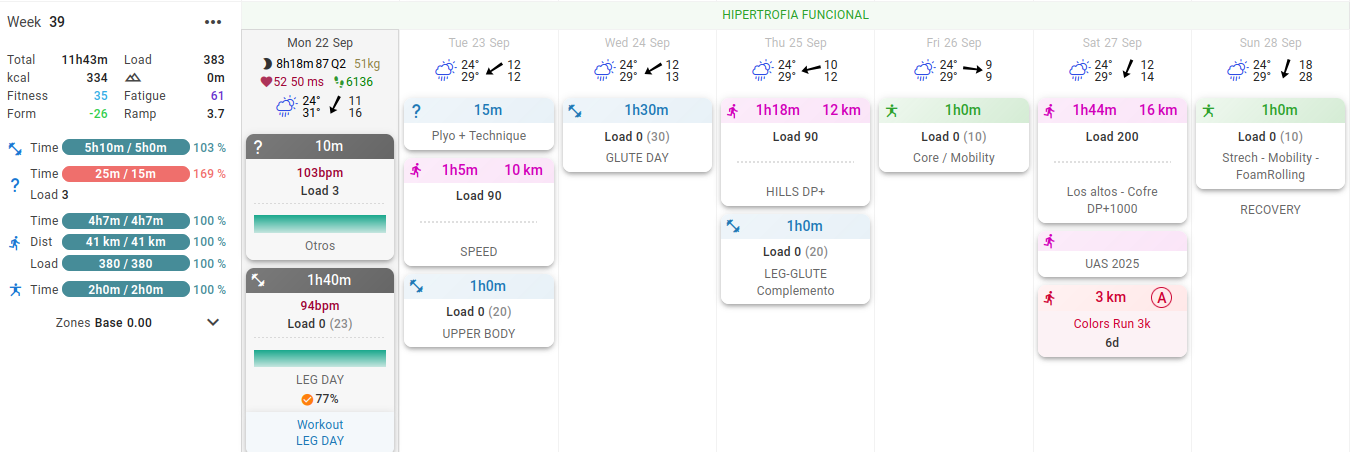
Something similar happened to me. I completed only Monday activities, but all the targets still appear as completed.
Now im over on biking
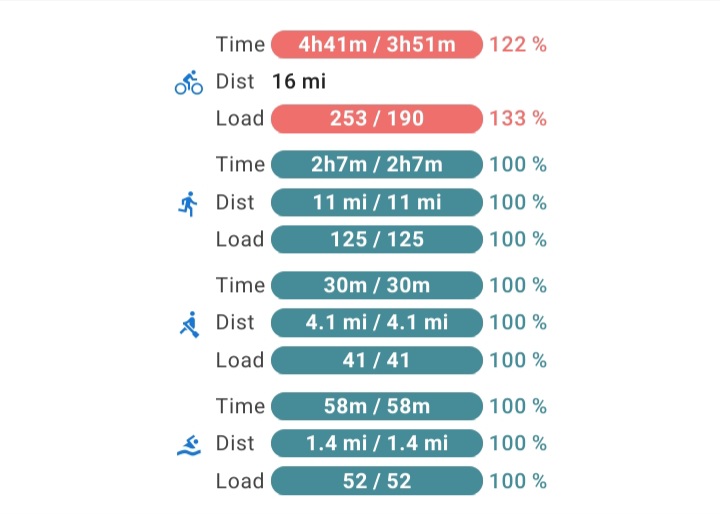
Maybe it’s a bug.
Looking at last week, it looks correct even if I didn’t plan well.
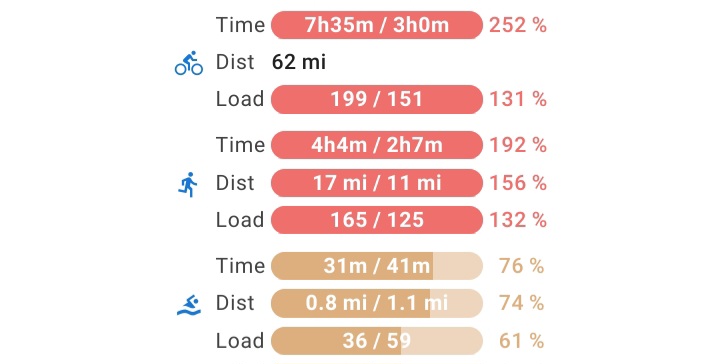
Looks like a bug. First idea could be that the values are not reset a the start of a new week.
Can you check if the same values are displayed when opening the Totals?
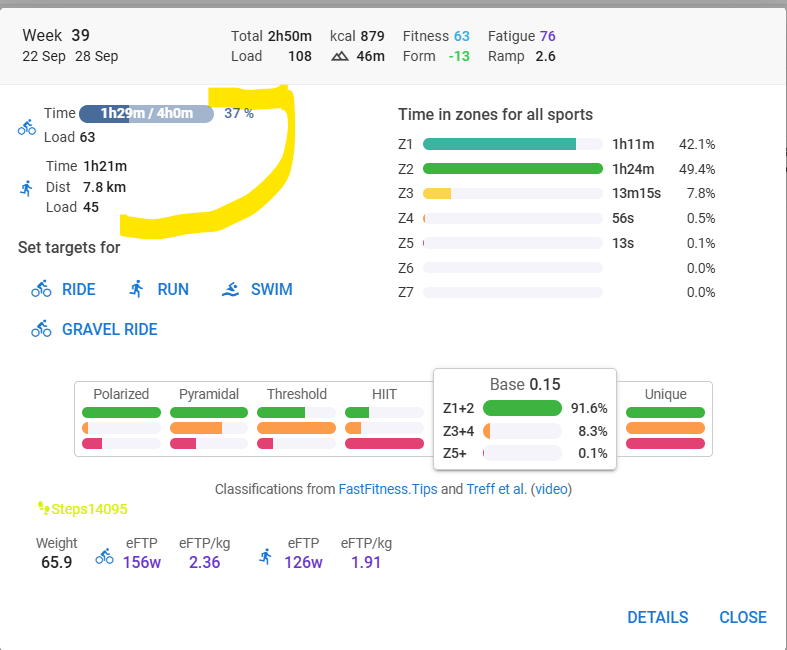
I’ll move this topic to the Bug category.
Look like the totals include all the phantom time
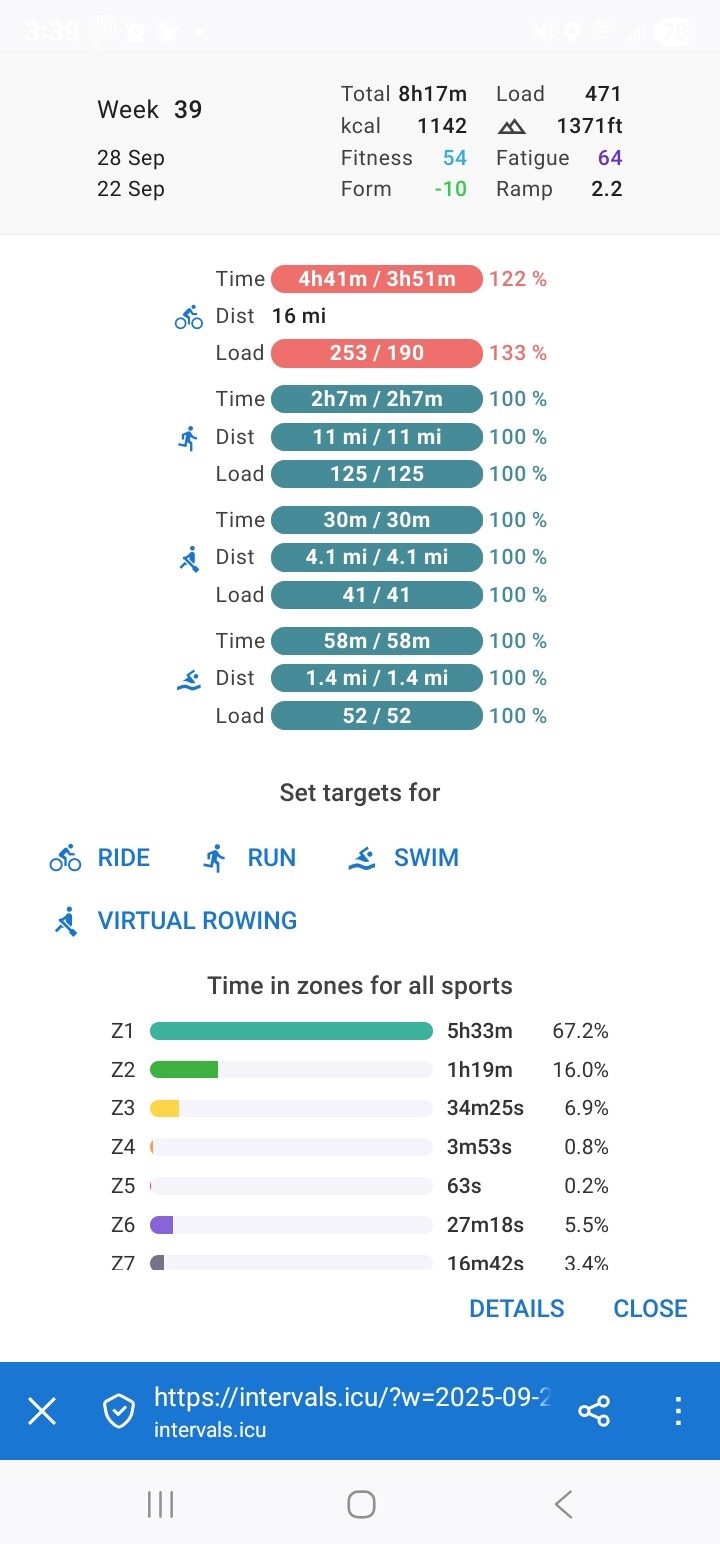
I recall seeing the same thing at the start of last week. I don’t think this is unique to this week. I can verify that at the start of next week.
I’m experiencing a similar issue…I’m two workouts into the week and I’m green and more or less 100% across the board. Yesterday the planned/completed totals matched exactly, but I didn’t hit the time/load totals exactly right this morning so now they’re just a little off.
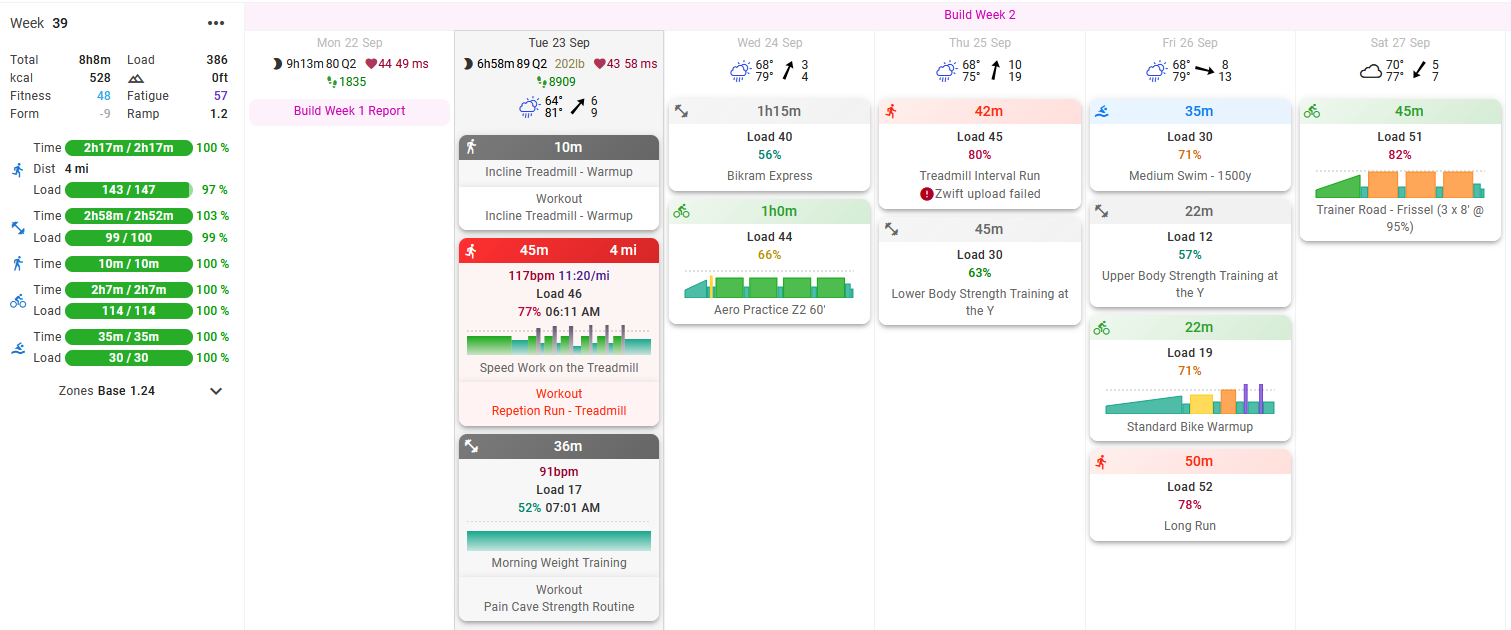
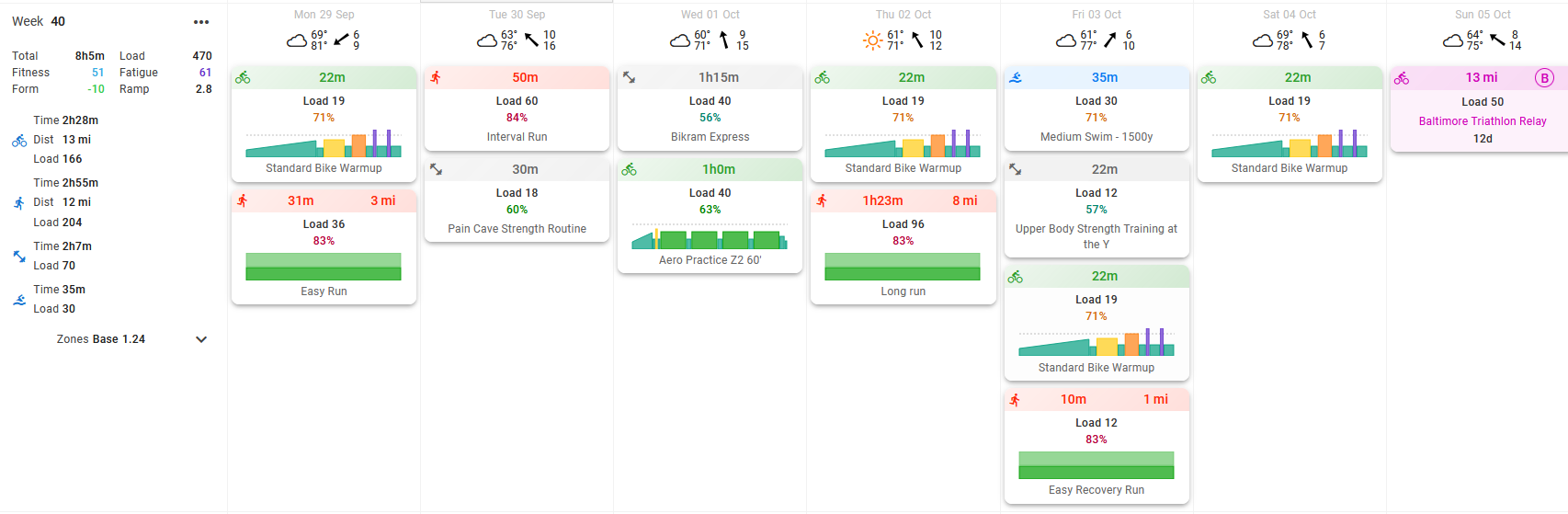
ETA: if you look at next week, though, only the planned totals are there:
I think this is working as intended.
When you haven’t done any workouts, your still “on track” to completing all planned workouts that week, hence you are 100%.
The moment you actually do a planned workout (or you skipped a workout at the end of the day), it will update. Let’s say you went over the planned time by 10minutes. The bar will tell you 105%, meaning, if you do the rest of the workouts as planned, you will end up at 105% at the end of the week.
I personally like this, it shows me if I’m slacking, or overperforming in the week vs my planned week.
But you can change the way the progress bar works:
Options —> Edit Layout → Click the cog on the progress bars → Toggle “Include planned in current week”
If you turn this off, only the actually completed time/load will be included. And not the planned time/load of the current and following days.
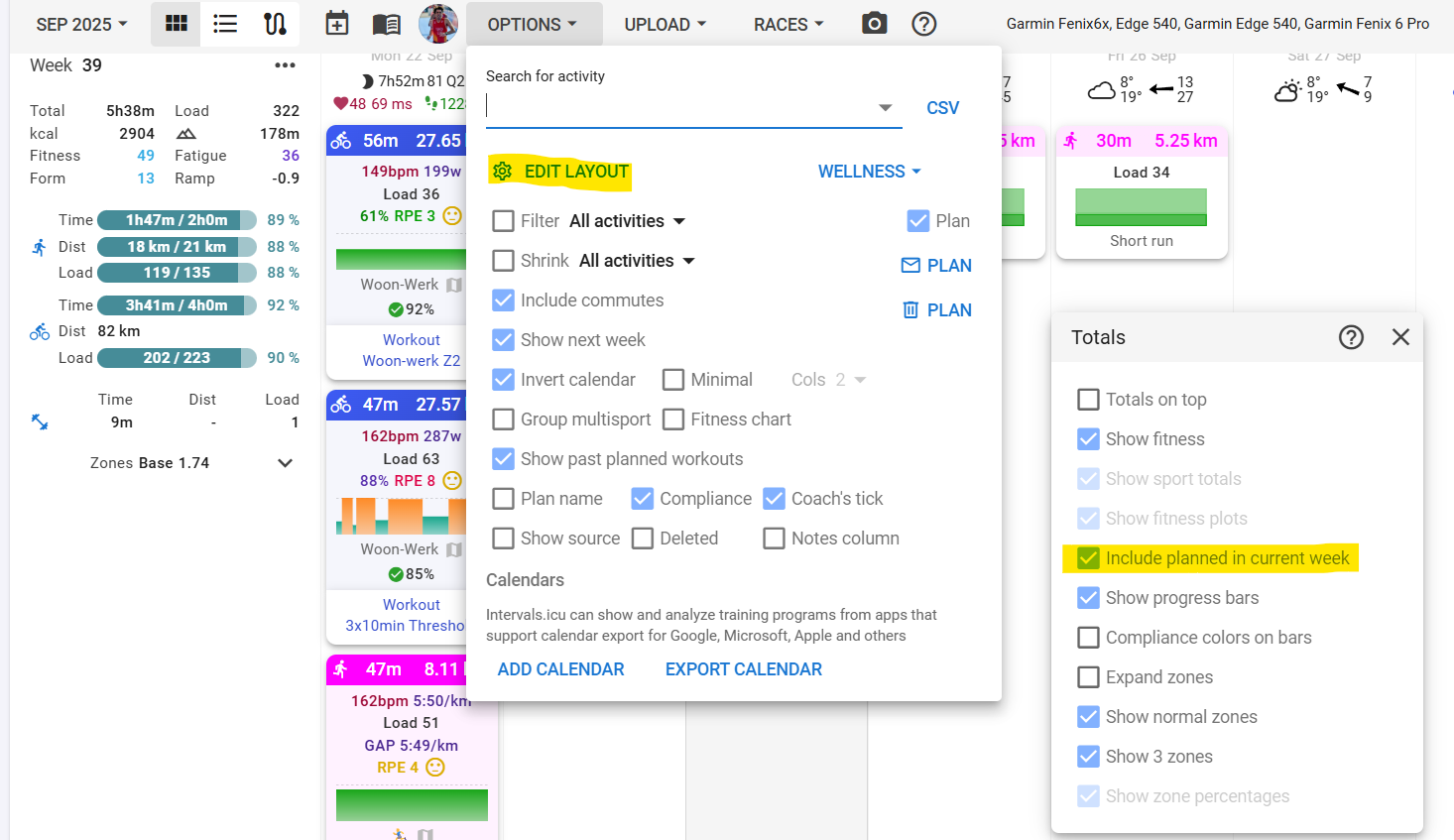
Does that work for you?
3 Likes
Thanks - makes total sense now:
- include planned in current week show your projected weekly status, and will change compliance colors (assuming you use this) later in the week if you’re at risk
- uncheck this and it just shows your progression in the week, but doesn’t analyze compliance until the end
Does that sound correct for use cases? Guess I could fiddle around with it for a few weeks.
Yeah, makes sense like that. In my example, I only had a weekly target entered and no planned workouts.
Thanks @Aradell for figuring this out.
I guess I can mark it as SOLVED?