Got it - thanks for the details!
Hi David,
I’ve been experimenting with the Intervals.icu API and running into some persistent issues I wondered if you might be able to help with.
I’ve been attempting to retrieve activity data using my API key, but consistently getting 403 errors, both via Apple Shortcuts and directly with cURL from my desktop. I’ve double-checked the endpoints, headers, and bearer token formatting, and even tried using the API tester’s generated cURL commands — all returning the same 403.
I also wasn’t sure if privacy settings might be interfering, though my understanding is that the API key should authenticate me as the account holder regardless.
Additionally, I noticed that activity IDs in the API docs are listed as int32, while athlete IDs are strings — which seemed consistent with what I was working with, but wanted to confirm there’s no mismatch expected there.
Would you mind taking a look or pointing me in the right direction? I suspect I’m either missing something obvious or possibly bumping into a permission issue on my account.
Thanks a lot for your time — I appreciate it.
You have to use basic auth, not bearer.
2 Likes
The API uses basic authentication for personal use. The username is “API_KEY” and the password your API key. Example using curl:
$ curl -u API_KEY:1l0nlqjq3j1obdhg08rz5rfhx https://intervals.icu/api/v1/athlete/2049151/activities.csv
2 Likes
That’s exactly the thing I needed to crack it thank you!
So now I’m making good progress pulling down my activities.csv list via the /athlete/{id}/activities.csv endpoint — works great.
I noticed there’s a /activities/{id}/laps.csv endpoint for rides, and was wondering: is there anything equivalent for runs? Or any way to download the full activity data or laps via the API for run activities, similar to what you can export manually from the web UI?
Apologies if I’ve missed something obvious — just getting my head around what’s possible via the API at the moment.
Thanks so much for the great platform and API access — it’s been brilliant so far. And a super responsive community too.
Hi David,
another question from my side.
Is there a possibility to check when an activity has been updated?
For example, “wellness” has an “updated: date-time” which sets a timestamp when the wellness data has been updated (e.g. steps increased from garmin).
But for activity i can’t see something similiar. There is a “icu_sync_date: date-time” but when i change my activity in garmin connect (e.g. adding a comment), the activity in intervals.icu is updated. But the “icu_sync_date” is still the same.
Is this on purpose and i need to use Webhooks (i currently have no registered app at intervals, since im just doing a little private coding project where i want to sync my activities to my own database. I just check a few times a day if there has been added activities, but i’m missing when an activity has been updated)?
Unfortunately I forgot to include a general updated data originally. I will likely add it at some point.
1 Like
Hi. I’m trying to update Power Zones via the API. Is there any guidance on the format for the power_zones input - the Cookbook just say its Interger values as part of an array. Does this need to contain the lower and upper limits of each zone e.g. [0,150,151,220,221,260,261,300,301,340,341,430,431], or should it just include the values of the lower bouund? [0,151,221,261,301,341,431].
I only really want update the boundary between z2 and z3, but I’m assumning I need to include all the zones in the array?
thanks
the endpoint reports values in this format.
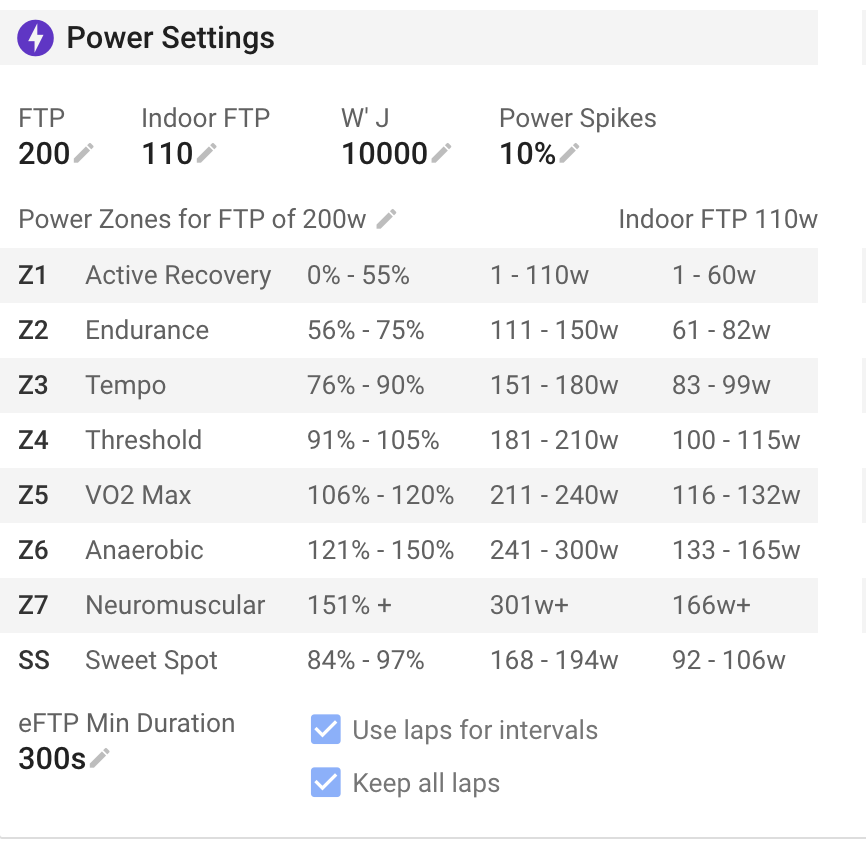
“power_zones”:[55,75,90,105,120,150,999]
so looks like it’s the upper
1 Like
Thanks! I seem to now be getting a 422 error when including the power_zones array in the exisiting API call I have working. The body is below. Any idea what might be causing the error? Auth is fine as it works without the power_zones element.
{"ftp":288,"indoor_ftp":288,"power_zones":[55,78,90,105,120,150,999]}
Thanks in advance
That endpoint was a bit buggy in that you had to update the power zones, names, sweet spot etc. all together. I have fixed that. You can now update just the zones or just the names etc… I still need to make similar changes to updating HR and pace zones.
1 Like
@david Hi David,
i have some problem with creating a webhook. I dont know why it does not work. But when i set Webhook Types, i can’t save them. If i enter for example a Webhook Authorization Header and Webhook Types i can save the form, but after refreshing the site the webhook types are gone.
The webhook URL is working, it’s a cloudflared tunnel to my localhost and i tried to reach it with curl from my server. But intervals.icu won’t send me webhooks, since the types are not saved i guess?
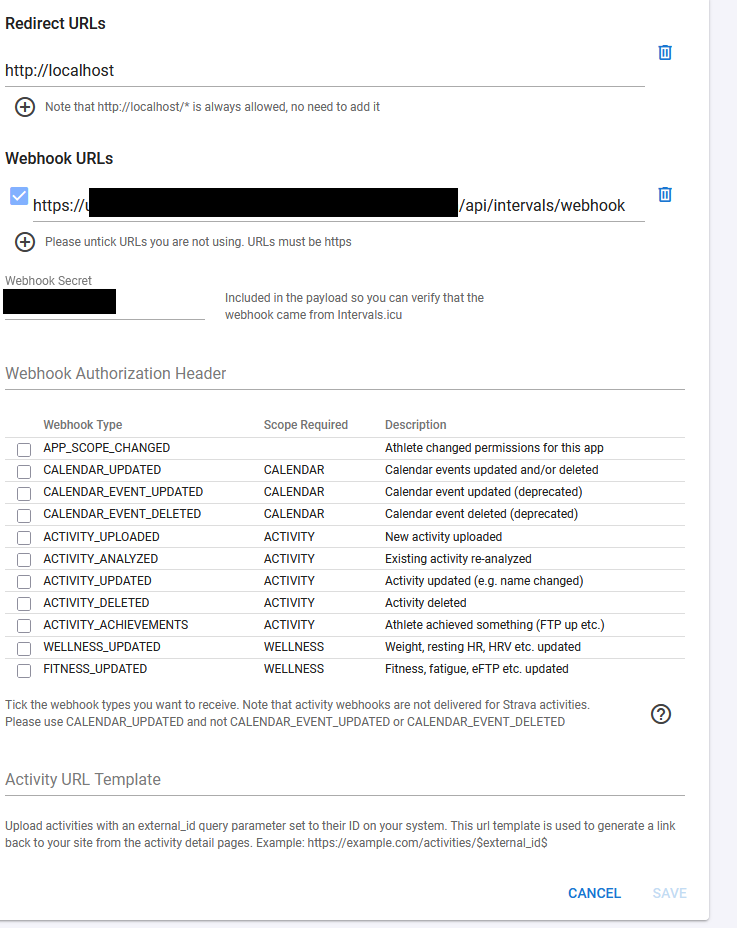
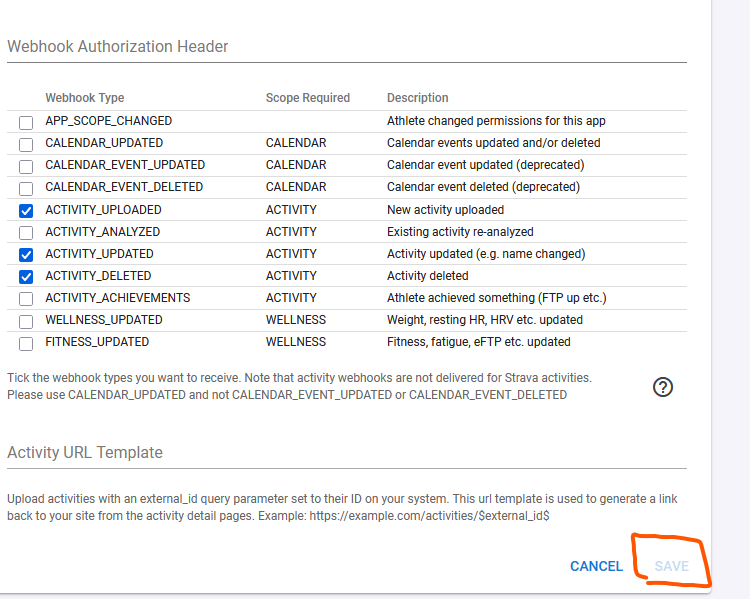
Yet another bug introduced by the big update. Fixed. Tx for the report.
1 Like
thank you for the fast fix. Working as expected now.
edit: one small detail i noticed with webhooks, if i change the activity type, for example from Walk to Hike it does not trigger an Event.
Also when i change the activity type in garmin connect, it does not update in intervals. Maybe this is by intention, or a bug, or simply not implemented. idk.
AFAIK, Garmin doesn’t send webhooks for activity type changes
i don’t know how the sync between Garmin Connect and Intervals.icu is happening, but my point was: when i change the name of my activity in garmin connect, it instantly updates the name in Intervals. But when i change the activity type in garmin connect, it does nothing in intervals.
and back to the webhook: when i change the activity type in intervals, i dont get a “ACTIVITY_UPDATED”, but if i change the name, or the description or whatever, it does trigger.
Activity type is set to what it is in the original FIT file and not what is on Garmin Connect.
2 Likes
That should cause it to be re-analysed. I will have a look. Tx.
Garmin only sends webhooks for name and description updates, not type. MedtechCD is correct, the type comes from the fit file only.
1 Like
I noticed that the category of an event includes the type “PLAN” in the enum - creating an event of that type gives something in the calendar that looks like a hybrid between a workout and a note. I can’t see any way to create it using the UI. You can also set the color using the API, but the corresponding dialog doesn’t have a picker.
Just curious if anybody knows what it’s for?
We are busy working on a plan builder and it is to help with that.
2 Likes