Yes! I would imagine with Claude code this is one of the few things it might actually do very easily 
Dark mode V1 is now live 
4 Likes
In the List View there’s a Columns button to allow you to select columns to display. Normally when you click an already selected column in this window you get the option to move it up and down. But this seems to be missing? See screenshot
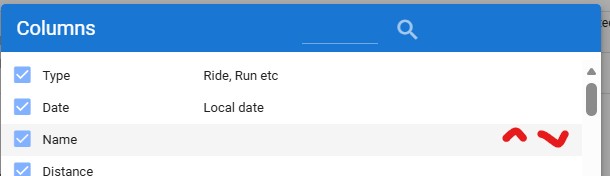
I’ve tried this on Microsoft Edge and Chrome on iOS
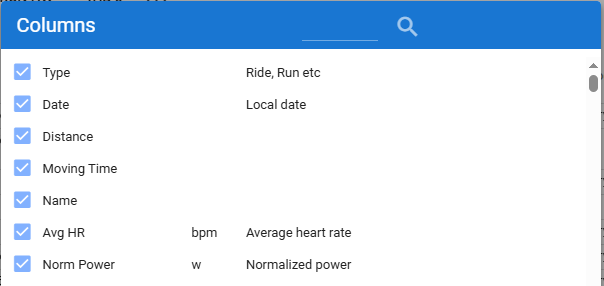
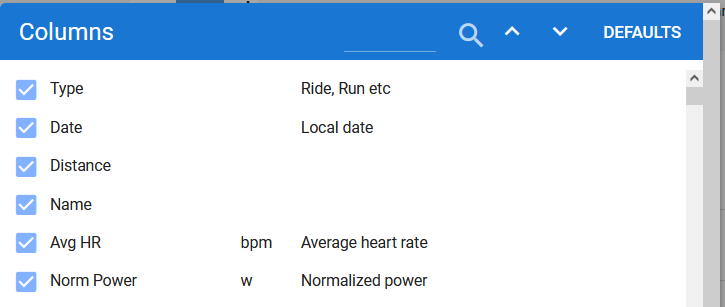
I noticed other missing buttons earlier today. Activity charts setup dialog and Fitness charts dialog for example also mis the buttons for sorting.
I think it has something to do with the Dark mode implementation??
In dark mode, the buttons appear in the color of the light mode dialog header.
@ryandev
Do you have the new Dark mode button on both platforms?
I think the second screenshot is still the version before the dark mode was introduced.
You are right, after doing browser shift-reset, no up down arrows for either browser.
Workaround for now: use dark mode until the devs have it sorted out.
Or guess where they are located and click ;-). They are still there but not visible because same color as background.
1 Like
Thx @davdf @pepe @MedTechCD fix coming soon
3 Likes
The hover-over in the chart under the Power tab → Power, heart rate and decoupling over time no longer seems to work.
Works in Dark mode so probably related to that recent change.
Moving this post over to that topic so that @ryandev can have a look.
1 Like
@ryandev - Thanks for rolling out Dark Mode. I like the spiciness of the colours, especially on the fitness chart 
I have noticed that the text colour inverts on the left menu from black to white, which is good for the default theme, but is an issue when there is a background colour, like for me:
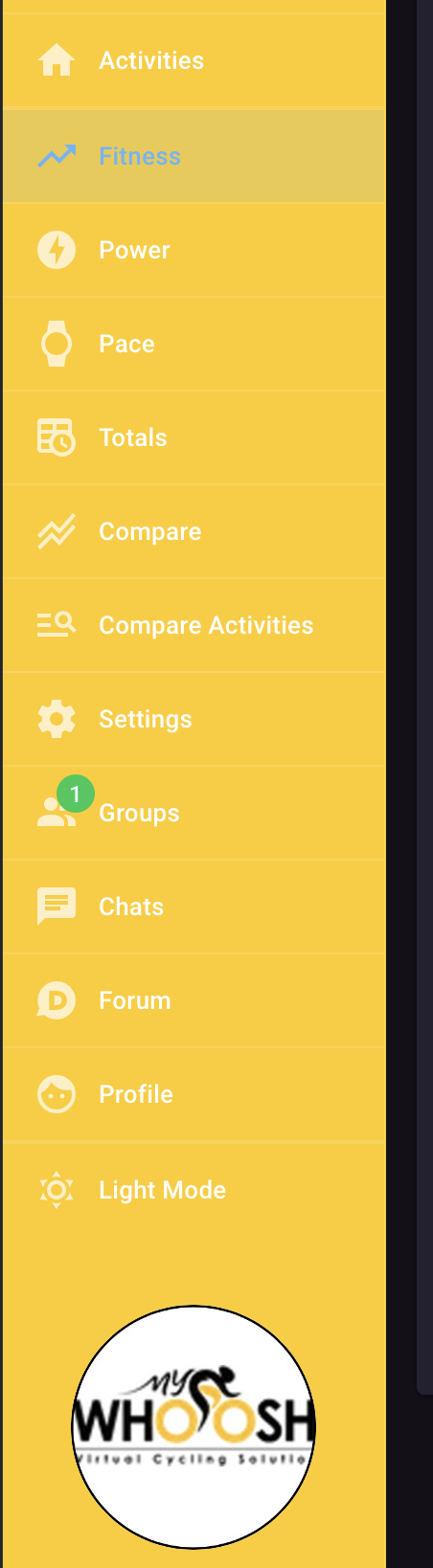
Is it possible to have the text for that menu stay black if the background is not swapping to dark?
@Gerald asked for the same feature, working on it
2 Likes
1 Like
How do you get custom background?
It is from being in the MyWoosh group. I don’t have control on the colour or appearance (to the best of my knowledge).
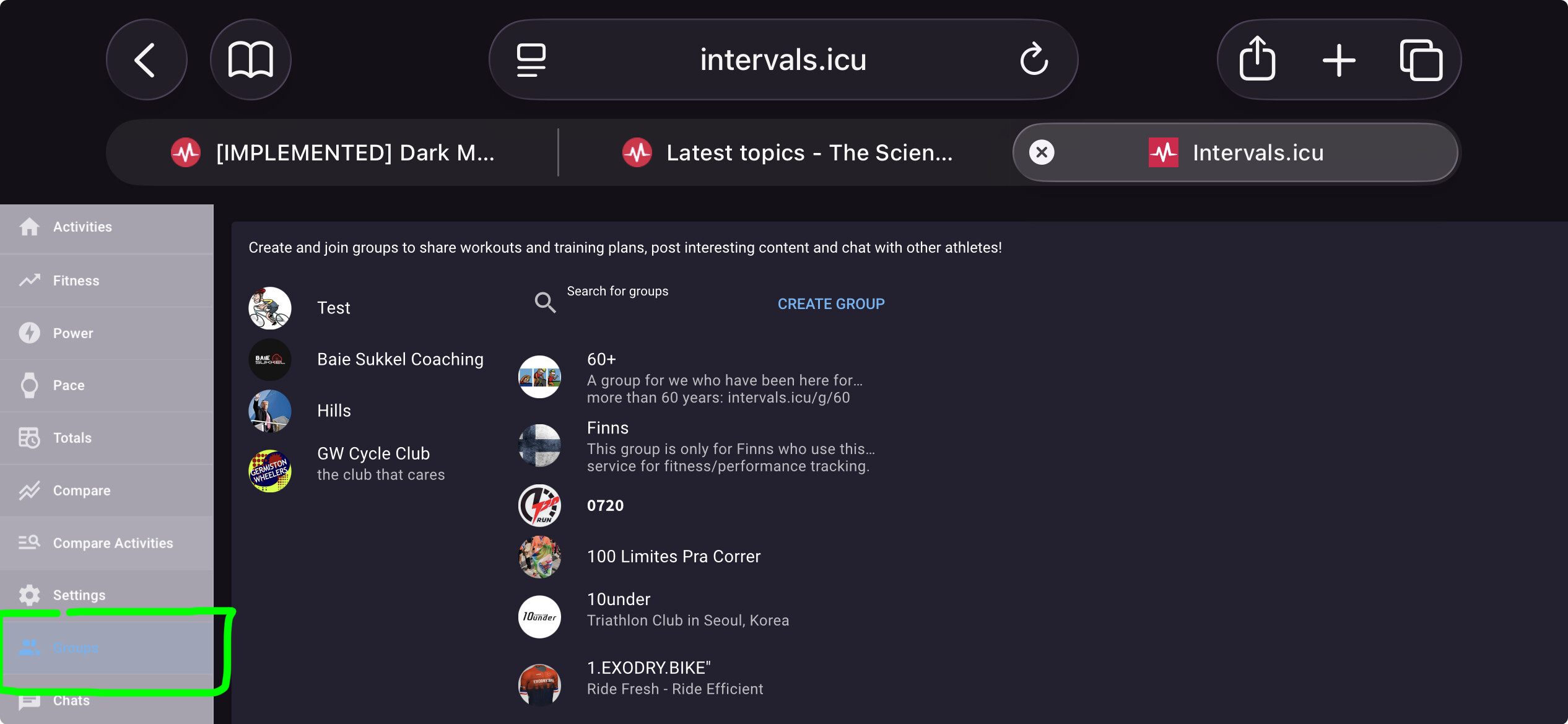
The dark mode is awesome. Thanks so much. An awesome next feature would be for the user to be able to select colors, and especially background color. For example, I like my pages in dark mode to be all black on oled.
1 Like