setting the tool permissions to ‘always allow’ across the board seems to have fixed it, which is strange because ‘Get Activity Detail’ was already set to ‘always allow’ but one or two others weren’t.
1 Like
Yes this connector super useful !!!
Two requests, both small.
1. Raw activity streams. Any chance of a tool returning time, distance, altitude, heartrate?
Finest resolution today is 1 km. I detect sustained climbs from the altitude stream at 50 m to compute VAM, which needs the raw arrays. From km splits, climbs under ~2 km disappear entirely and you can’t split a long climb at a shelf.
I asked for this by accident in the intervals-icu-sync thread and rbrands implemented it the same day, so the token concern seems ok. His version is get_activity_streams_sampled — takes activity_id, optional stream_types, max_points defaulting to 300, and optional windows via start_time_s / end_time_s / start_distance_m / end_distance_m. Down-sampling plus a distance window keeps payloads small while still giving sub-50 m detail over the section that matters.
2. An option to drop the icusync tag. Every pushed workout gets it, with no way to remove it selectively. Tested: an empty array clears everything including icusync, and any non-empty array re-adds it alongside mine. So it’s either “my tag plus icusync” or no tags at all.
I use tags as a classification system — every session carries one of six training-type tags I filter and report on. A tool tag in that namespace means every filter and export needs a manual exclusion. Worth noting rbrands’ MCP writes no tags of its own at all, so this looks like a choice rather than a constraint.
Either would fix it: a setting to turn it off, or move the provenance marker to its own field so it still shows in the API response but stays out of my tag list.
I’d rather run one connector than two — everything else in my setup already lives in IcuSync. Happy to test whatever you build.
Thanks !
1 Like
Hey @mw_19, thanks for the detailed writeup, both updated and are live now.
Tags: IcuSync no longer adds the icusync tag by default just thought its unnecessary. push_workout and edit_workout now just use whatever tags you (or Claude) pass, and editing a workout without touching tags leaves your existing tags alone.
Climbs: Went a slightly different direction than raw sampled streams, added a new get_climb_segments tool that detects sustained climbs server-side (50m resampling, bridges short shelves/dips so a climb that briefly flattens doesn’t get split in two) and returns VAM, grade, duration, and avg HR/power per climb. Never sends raw stream data to Claude, so it sidesteps the token-cost concern entirely rather than just capping it. Works for Ride too, not just Run, in case that’s useful for you as well.
To get the latest tools, click the three-dot menu next to IcuSync in your Claude Customize settings and select Refresh tools list, then start a fresh conversation.
Appreciate you flagging both, made the tool better. Let me know if the climb detection needs tuning (grade threshold, min length, gap tolerance are all adjustable). Thank you!
3 Likes
Both working…thank you!! — the tag change is exactly right, and editing a workout now leaves my tags alone.
interesting feedback working with Claude… seems to think that two more parameters could help on the climbs analysis… seems to make sense. Not sure if you agree and I don’t wanna overdo it either.
One thing worth flagging. On a rolling loop with several distinct climbs separated by descents, the same climb returns very differently by gap setting:
max_gap_m: 300→ 166 m gain, 917 s, 652 VAMmax_gap_m: 500→ 143 m gain, 1,444 s, 358 VAMAt 500 the bridge reached back across 450 m of descending ground, adding 527 s and costing 23 m of gain.
Related, and possibly a bug: with
min_grade_percent: 3I got back a segment of 650 m at 0.6% average grade and 78 VAM. Looks like the grade test runs on the 50 m steps before bridging, so once flat ground is merged in the segment’s own average falls below the threshold that let it through. Re-checking average grade after bridging would catch it.Two things that would help:
max_gap_elevation_loss_m, default ~30 — bound the bridge by elevation loss as well as distance so it can’t cross a descentmin_elevation_gain_m, default ~100 — a gain floor, since distance alone lets flat ground through
1 Like
I have fixed the grade bug. Now re-checking average grade after bridging, so a low-grade bridged segment gets discarded instead of reported.
I have also added two things: max_gap_elevation_loss_m (default 30) to bound bridging by elevation lost, not just distance, which should fix the gap-sensitivity behavior you saw. And min_elevation_gain_m, defaulted to 0 rather than ~100 so it doesn’t quietly filter out legit moderate climbs, but there if you want major-climbs-only.
Start a new conversation to use the two new params. Let me know how you go, thank you!
1 Like
Changelog Update :
Added new get_climb_segments tool to detect sustained climb segments in an activity and compute VAM (Vertical Ascent in Meters per hour) for each: which climbs were steepest, which had the best VAM, how HR or power held up on a specific climb. Works for Ride as well as Run, Hike, and Walk. For rides with a power meter, each climb also gets its average power alongside VAM and grade. Useful for cycling climbing analysis as well as mountain, trail, and ultra training. The altitude/distance stream is resampled server-side at 50m resolution to detect climbs reliably, bridging short flat or downhill sections mid-climb (a “shelf”) so a climb that briefly flattens is reported as one segment rather than split into several. Bridging is bounded by both distance (max_gap_m) and elevation lost (max_gap_elevation_loss_m) so it can’t stretch across a real descent, and an optional min_elevation_gain_m filters for major climbs only. Only the computed climb list is returned. Raw stream data is never sent to Claude. Requires outdoor activities with GPS or barometric altitude.
To get the latest tools, click the three-dot menu next to IcuSync in your Claude Customize settings and select Refresh tools list, then start a fresh conversation.
1 Like
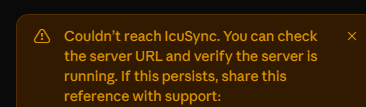
Thanks for flagging this! It was a real intermittent issue on our end, not your setup. Very rarely the connection check would time out and it usually worked fine on a retry in a sec, but we’ve made improvements so it should no longer show the “couldn’t reach IcuSync” error. Feel free to try again, and thanks for reporting it.
Good evening,
I’m having a problem where the connection between icusync and claude keeps failing. Every day, I have to either restore the connection or reconnect. I’ve always allowed all permissions. Is anyone else experiencing similar problems?
Hi, thanks for reporting this! Looking at the recent logs, it looks like your connection was set up through Claude’s own OAuth login flow rather than the token-in-URL method shown on your IcuSync dashboard. That OAuth path had a session issue that could cause it to drop and need reconnecting every time we deployed updates, but I have fixed it now so it should be stable either way. For the most reliable setup though, I would recommend using the token-in-URL method from your dashboard. If you run into any more issues, feel free to email or DM me and I’ll help sort it out! Thank you!
1 Like
Ah, OK, thank you very much. I’ll keep an eye on it. ‘Custom permissions’ always appear under the permissions section as well. As far as I’m aware, though, I used the method and the link from the dashboard.
1 Like
Changelog Update :
Added get_ride_power_patterns for Ride activities: coasting time split into short coasts (a few seconds, still part of an effort, e.g. between pedal strokes on technical trail) versus long coasts (genuine rest, a sustained descent or a stop), plus detection of repeated short hard/easy burst patterns (unplanned on-off intervals) common on technical MTB, cyclocross, gravel, or criterium terrain. Zone-time totals and average power hide both of these on rolling, technical terrain: a ride can show an unremarkable average and TSS while actually being a repeated sequence of hard efforts. Only the computed summary (coasting split, and each detected burst block’s cycle count, average on/off duration, and average on-power) is returned. Raw power stream data is never sent to Claude. Requires a power meter; Ride activities only (including MTB, gravel, cyclocross, and virtual rides).
To get this new tool, click the three-dot menu next to IcuSync in your Claude Customize settings and select Refresh tools list, then start a fresh conversation.
Updated get_extended_metrics returns whole-activity W’ balance depletion: w_prime_balance_min_pct (the lowest the W’ reserve dropped to, as a percentage of capacity) and w_prime_balance_seconds_below_25pct (how long the ride spent in a deeply depleted state). Previously only a plain average was available, which hides the difference between a ride that never troubled the reserve and one that ran it near empty despite an identical average.
New Resources Article :
1 Like
get_climb_segments is working great! Thank you, very useful and shows the value of AI paired with training & coaching to get more in-depth analysis.
1 Like
The resources article is really useful!
Any chance of adding the activity streams endpoint? My reasoning is I am doing weekly HIIT workouts on rower; targeting a specific power range. The average (mean) for the interval is below my target band because of ramping up. Having the actual stream Claude can either use the median or trim the ramp up and average the remaining segments.
1 Like
Hi there.
I have a feature request: elapsed_time missing from activity data
For ultra-distance/brevet analysis (time limits, overnight planning, drop-bag logistics) I need an activity’s actual elapsed time (start-to-finish timestamp, including all stops), not just moving/recorded time. Currently get_activity_detail and get_training_history only return duration_minutes (≈ moving time, excluding full stops). intervals.icu itself already displays elapsed time (e.g. “38:49:46” vs. “30:57:36” duration for the same activity) — could you add elapsed_time (and ideally moving_time as its own clearly named field) to these two tools as well?
Thanks and kind regards.
1 Like
Hi Chrigu, thanks for the detailed request. Done: get_activity_detail and get_training_history now return elapsed_time_seconds (wall-clock, all stops included) and moving_time_seconds (stops excluded) on every activity, alongside the existing duration_minutes. Thank you!
Thanks @jdoyley , glad the resources article helped.
We won’t be exposing the raw streams endpoint: a full activity’s streams are tens of thousands of data points, which floods the context Claude works in and forces it to do heavy stats on a giant array, something it’s not reliable at.
But your use case is a good one, so I have built a tool for it. From today’s changelog:
Added
get_interval_intensity_statsfor interval and lap sessions where the plain per-rep average is misleading: it slices the power or speed stream to each interval boundary server-side and returns the median, the interquartile range, the coefficient of variation, and asettled_meanthat excludes the lead-in ramp (auto-detected, or a fixedwarmup_trim_seconds). A 4 min rep whose average reads low because the first 15s were spent spinning up now shows what was actually held once up to effort. Pass an optional target band (target_low/target_high, in watts or in pace) and each interval also reports time in band, time easier than target, and time harder than target. Works for any activity with defined intervals and a power stream (Ride, Rowing, power-based Run) or a speed stream (Run, Ride, Walk, Hike, Swim);metricforces power or pace. Only the computed summary is returned. Raw stream data is never sent to Claude.
To get this new tool, click the three-dot menu next to IcuSync in your Claude Customize settings and select Refresh tools list, then start a fresh conversation.
Thank you!
1 Like
Wow, wasn’t expecting anything so fast! That’s working great; thanks for adding it
1 Like
Changelog Update :
- Updated
get_fitnessreports the daily training load for each day. Theloadfield was always null even though intervals.icu holds the value, which forced Claude to back-derive load by inverting ATL and get it slightly wrong. CTL and ATL are also returned at full precision instead of being rounded to one decimal place (anything derived from day-to-day ATL differences amplified that rounding), and the day series is now a proper JSON array with a stable order. - Updated
get_training_historyfills infitness_metricswith your current CTL, ATL, TSB and ramp rate, read from the latest wellness record. It previously returned an empty object there despite the tool description promising those values. - Updated
get_wellnessreturns the nativeinjuryandabdomen(waist measurement) fields. Both are standard intervals.icu wellness fields and were being silently dropped, so any analysis of an injury or rehab period could not see the one field that defined it. - A wellness or fitness value you just wrote now reads back immediately.
get_wellnessandget_fitnessqueries that reach into the last few days skip the short-lived response cache, so verifying a change no longer returns the pre-change state until the cache expires. Purely historical date ranges are still cached. - Updated
get_activity_detailhandles long activities without failing. A multi-hour session with dozens of intervals and splits could exceed the assistant’s tool-result size limit and return nothing at all. There is a newsectionsparameter to fetch only what you need (for example the summary alone, or the distance splits without the full interval list), and if a response would still be too large the heaviest sections are dropped automatically with a note explaining how to retrieve them in a follow-up call. Every per-interval field intervals.icu provides is still returned. - Updated
push_wellnesswrites far more of the wellness record and supports bulk backfill. New native fields: body fat %, waist (abdomen) measurement and the injury/pain flag, plus SpO2 and VO2max when you report a genuinely measured value. Your own custom wellness fields can be written through a newcustom_fieldsparameter, keyed by the exact intervals.icu field code and checked against the fields already set up on your account: an unknown or mistyped code is rejected with the list of known codes rather than silently created. A newdaysarray writes many days in a single request for journal backfills, instead of one call per day. And setting any field tonullnow clears it for that day. Previously anullon a built-in field was silently ignored while still reporting success. The response now separatesfields_clearedfromfields_updated.
To get any new tools, or a new option on a tool you already have, won’t reach Claude until you refresh, and starting a new conversation doesn’t do it. Click the three-dot menu next to IcuSync in your Claude Customize settings, select Refresh tools list, then start a fresh conversation.
1 Like
New Resources Article :