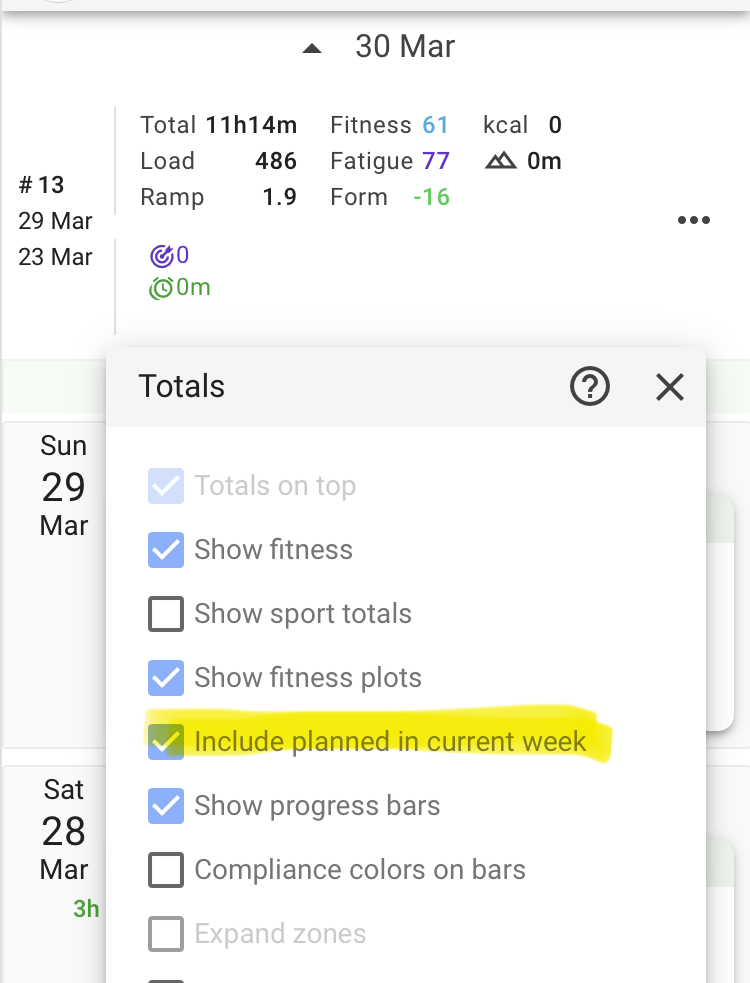
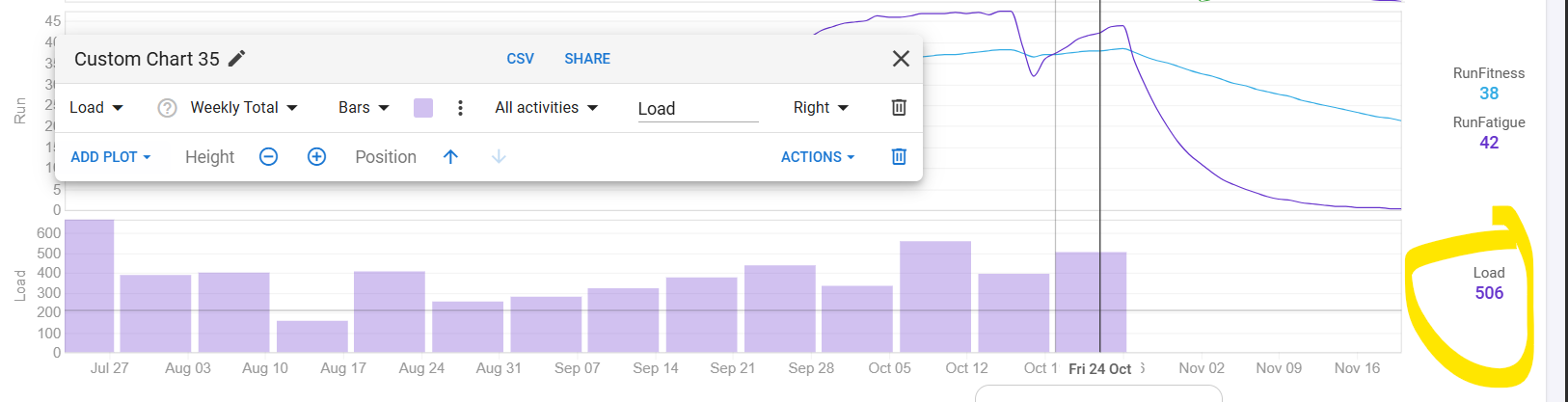
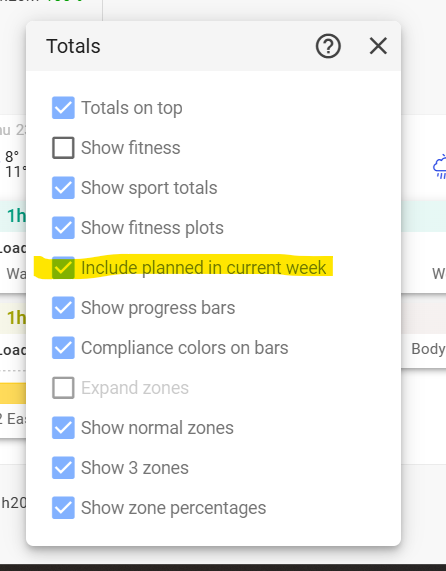
@MedTechCD thanks for taking your time and the detailed screenshots. The bars are correct when unchecking “Include planned in the current week”.
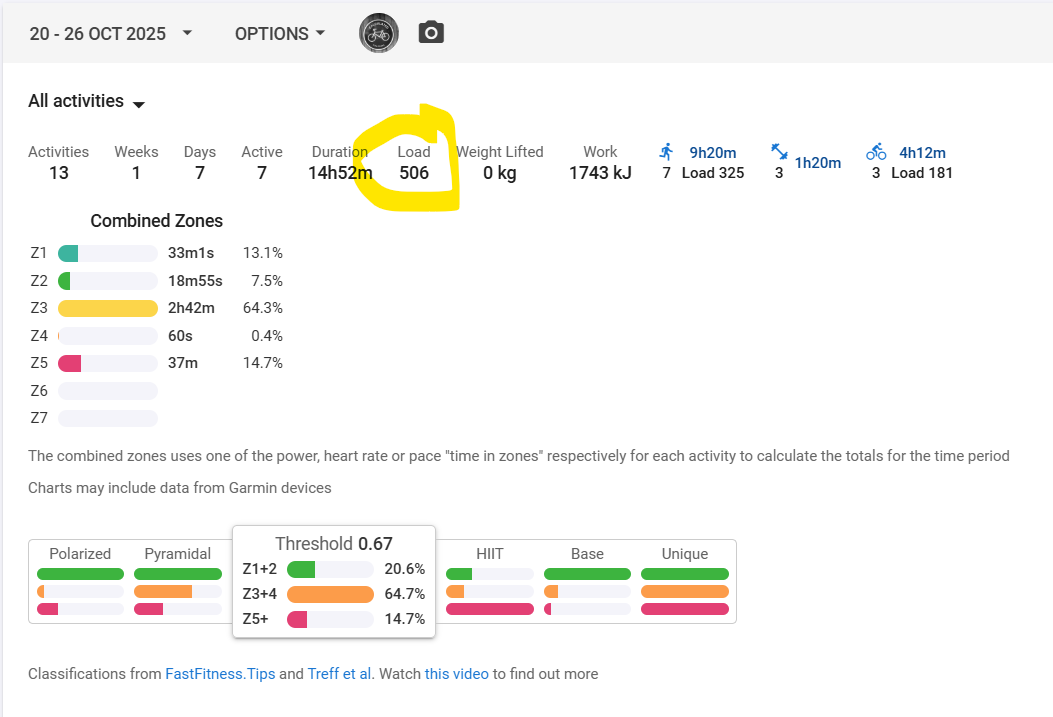
There’s one crucial detail (for me): the total in the header is now 0 and I’m missing a quick info if my total week load is bigger/smaller as the week before.
I came here as the weekly values were not making sense to me (had a long stint off and there’s been changes). Including my original problem in case it is relevant and then a current problem (which is a minor issue).
Switching off “Include panned in current week” looks like it has solved that. I find it odd that planned workouts are added to your completed value though in any configuration
Still an issue
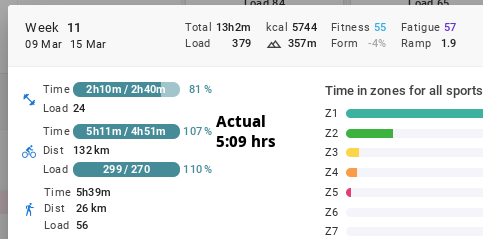
On the Totals page (click the “Details” link), I tried to create a “Moving” table for cycling.
Indeed what I find amazing is to see by default it includes planned distance in the weekly distance completed For me that’s a bug and I checked various settings and couldn’t find any. Below you can see my screenshot. Pretty cool to show that I’ve run 84 kilometers in 3h10
AFAIK, there’s nowhere stated that this is ‘Completed’. It is ‘Totals’ for the week and those by default include planned within Intervals.
I know it creates a lot of confusion, but inherently there’s nothing ‘wrong’, it is a bit of a mind twist…
It doesn’t. It shows that you’ve done 3h10 Total (and only that because there’s no target/plan for time). Just like there’s no target/plan for Load.
This should and will probably become more clear, but the logic behind it is complicated and would need a complete overhaul.
Yes. I did make sure to say this was my assumption. From a UX perspective, I think it is confusing then. Unless I am the only one to make this assumption from the UI.
The weekly values continue to be a point of confusion for users. While @MedTechCD can explain how it works, the fact that it requires a manual explanation suggests the UI isn’t aligned with user mental models.
I’d like to propose rethinking to focus on complete vs. planned which would make it more intuitive for normal users.
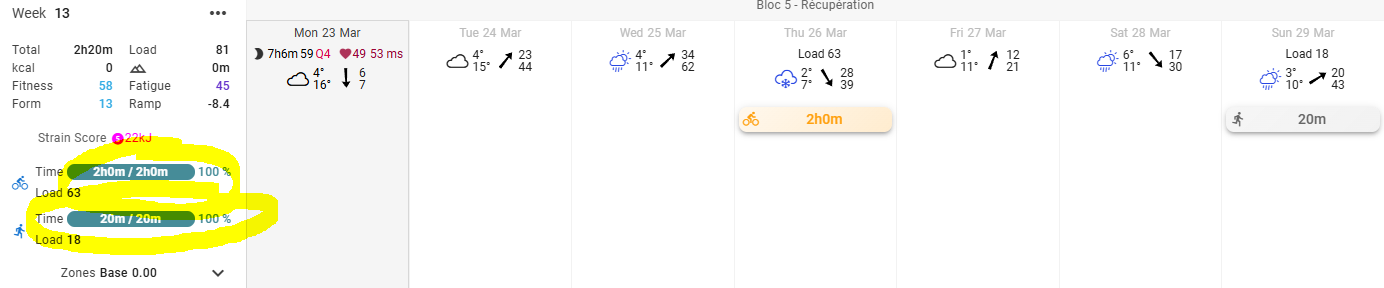
Sorry to come back on this topic Below my upcoming week, as I just completed an ultra trail run. So basically I’ve planned 2h ride on Thursday and an EZ run on Sunday 20min.
Both are showing 100% completed already?
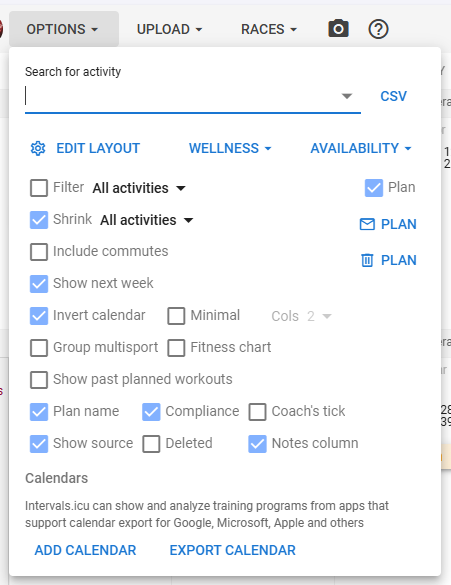
Which tickbox? Because if I untick “Plan” there’s no change to the bar graphs on the left. It just hide/unhide the workouts I planned for the upcoming week/days.
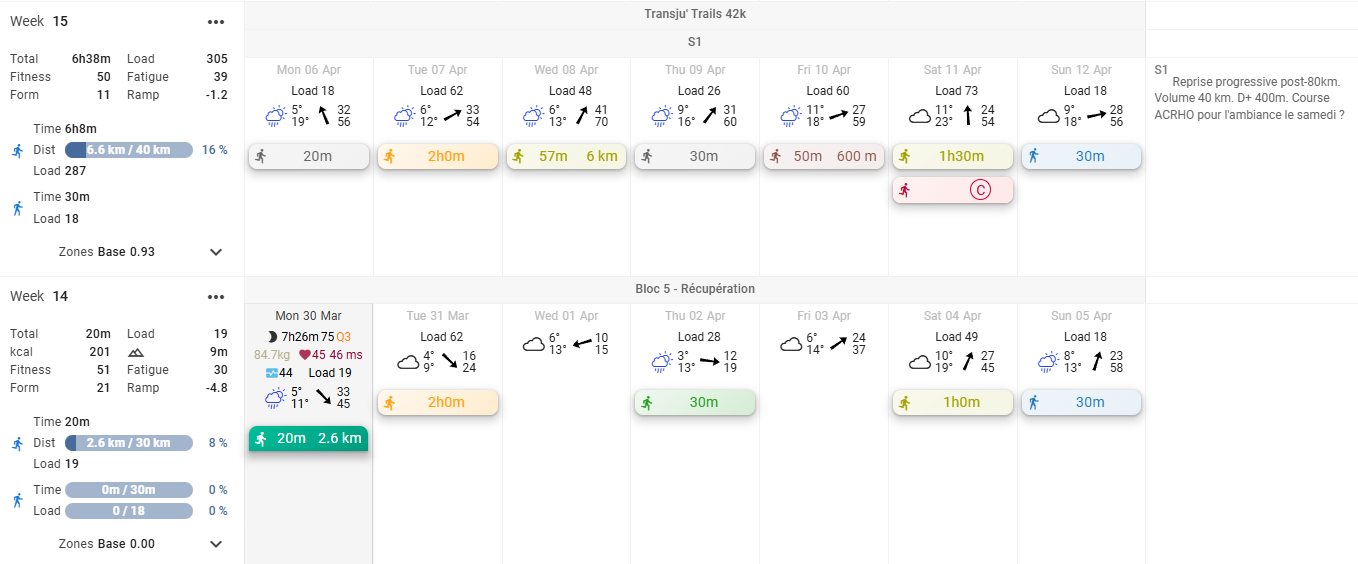
Looks like even with the box unticked I still see a ‘progress bar’ with already some kilometers done compared to what’s planned, and all in future… Below what I planned for first week of my next training plan. I’m using mix of different targets and structure for the workouts, perhaps this could explain. The ‘40 km’ as target is a value I entered manually for Run distance target, as Intervals cannot calculate an estimated value based on % FTP for a run (while Stryd can perfectly do that).
Once again, it’s Totals and Totals will include what’s planned for today. If todays planned workout is not done before midnight, it will disappear and not be counted. If it is done and paired correctly, Totals will include distance done (and no longer distance planned). If it is done and not paired correctly, Totals will have planned + done until midnight, afterwards only done. That’s how it works and was programmed. Fitness graph also includes today’s planned.
Try doing that on a course with plenty of up/downhill and then tell me if Stryd is still doing it perfectly with only %FTP entered…
I’m expanding screenshot to show this week and next. This week, I don’t have any workouts with distance based prescription in the workout details so indeed if I complete an activity it will count on the distance realized versus target manually set on calendar and the progress bar looks correct. For next week because I have couple of sessions with distances in their workout details then it shows a progress bar not null.
Last resort I found anyway a possible fix : uncheck the box “Show progress bar”
In the same Options window I also found out that if use “Totals on top” then I have for example 2.6km / 30km which is what I’m after for the current week. For next week, it shows incorrectly 6.6km / 40km. I still believe there is a programmatic issue here !
You found a problem. The Race entry is counted as completed and I guess that’s not correct.
It has nothing to do with workout targets. @david : future planned race is considered completed in Totals.
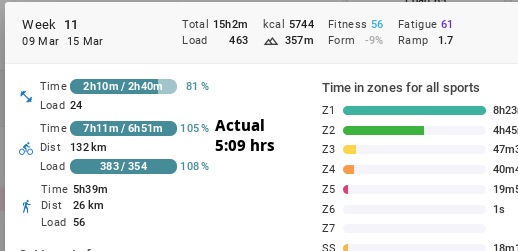



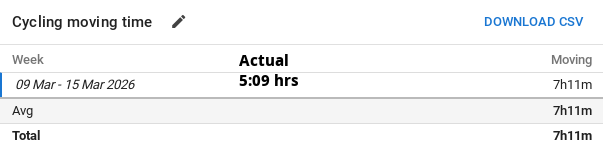

 For me that’s a bug and I checked various settings and couldn’t find any. Below you can see my screenshot. Pretty cool to show that I’ve run 84 kilometers in 3h10
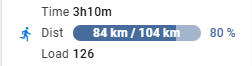
 Below my upcoming week, as I just completed an ultra trail run. So basically I’ve planned 2h ride on Thursday and an EZ run on Sunday 20min.