Hi David, not sure why, but when i edit layout in activity calendar - name and some other fields (workout grapth) dont show up does not matter if i check them or not. Reset defaults does not help - still does not show same fields..
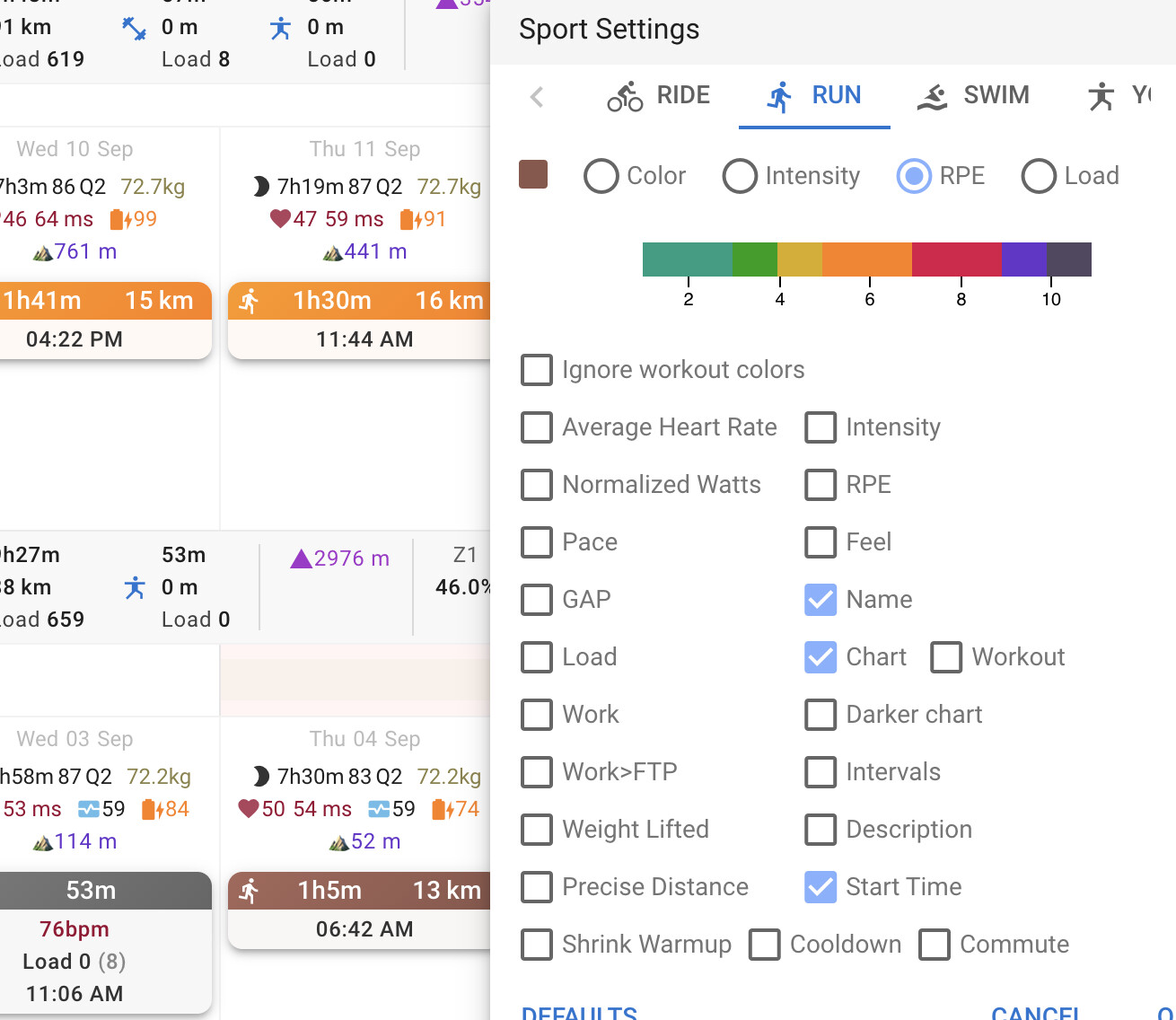
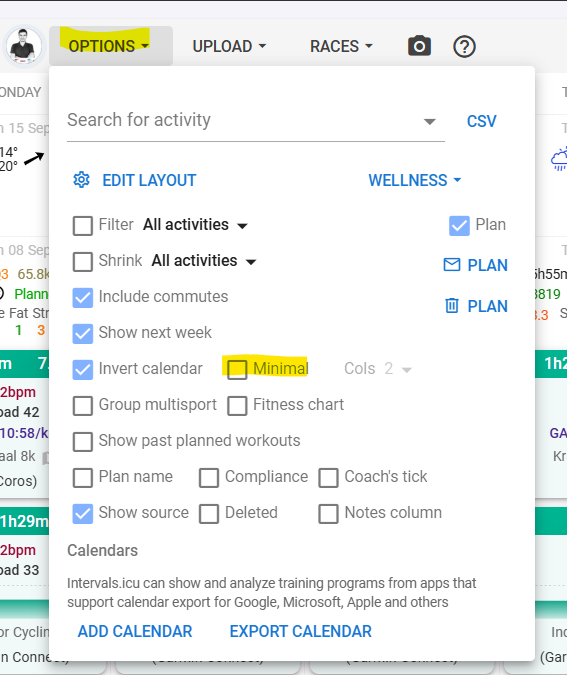
Hi,
very odd bug with calendar- may be caused by update.
When a planned workout has 0 load (or if load is turned off for that workout type) start time will not show up either.
This is very annoying when you import an ical calendar with the events filling as planned workouts, as it is impossible to force the calendar to show the times for the events.
Thanks,
L
Yeah, this is annoying - I created a bug report for that a little while ago
1 Like
This might have been addressed, apologies if i missed it.
I use Trainer Road which uploads to my Intervals calendar. When i complete a planned work out, it still shows the planned wok out and doesn’t seem to match actuals vs planned.
Keep up the great work @david and team!
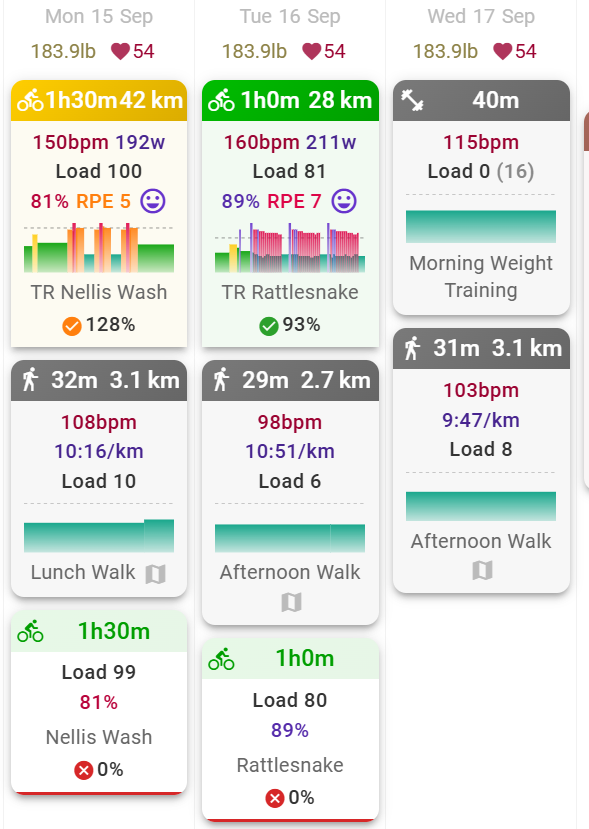
see screenshot:
As there is no TR integration, the question is, how do you import the workouts? And how do you import the activities you have done (Dropbox?)?
On the first glance, it looks like the workouts are twice on each day. You see there is a matched workout, because of the compliance below the name.
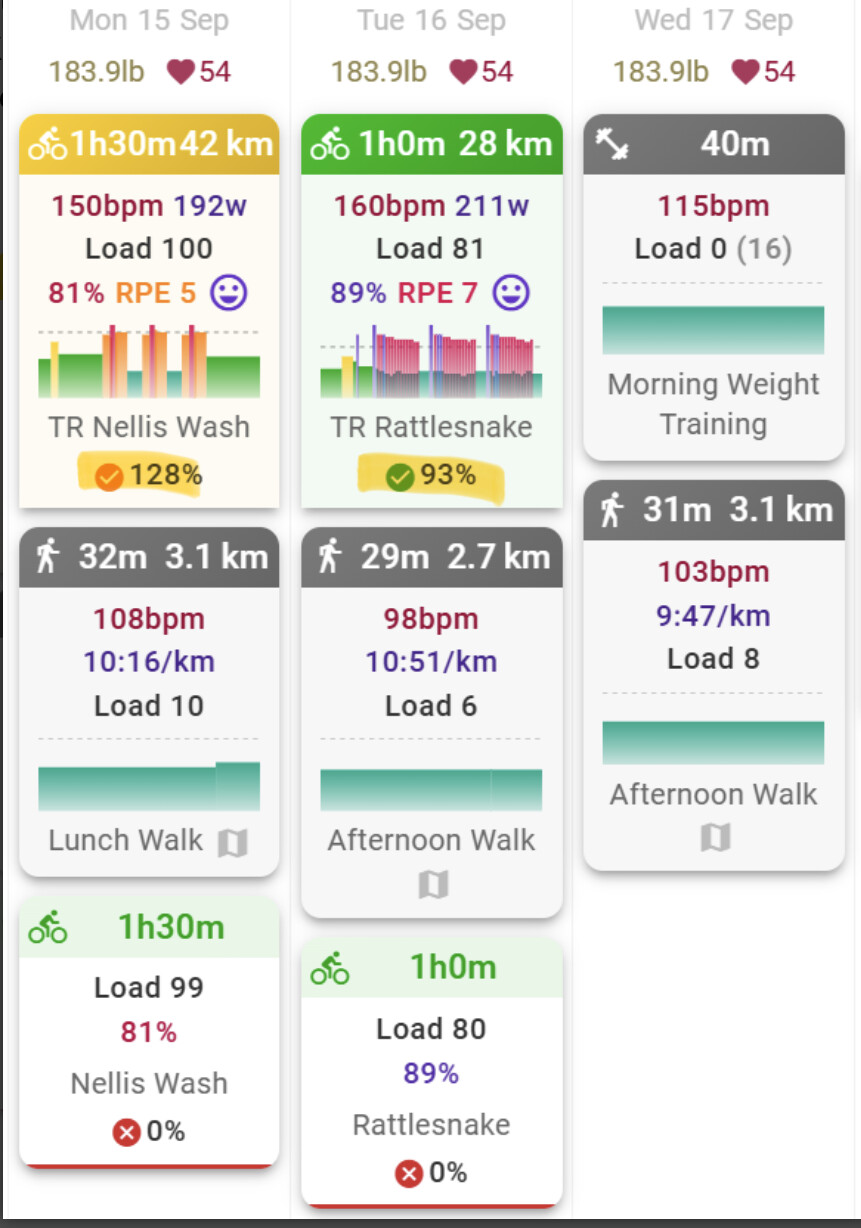
So, how did you create the workouts, and are you sure you didn’t create them twice?
Another strange thing is, that the bottom corners are not rounded for these two activities. I don’t see this with my acitivity boxes. But that’s probably only an UI issue I didn’t see before.
2 Likes
I see this on some of my yoga activities, maybe planned vs unplanned (?) but not on planned vs unplanned cycling activities 
Last winter season I used this extension from Chrome to manually download my workout and upload it into i.ICU
TrainerRoad workout exporter for Zwift
My TR account is connected with my Wahoo account. Therefore, my completed workout is uploaded into intervals.icu via Wahoo sync.
Importing calendar from TR is pretty easy but manually done through google calendar once you set up your training program in TR.
Will dig up the instructions I found here and share with you.
Completed activities come from Strava.
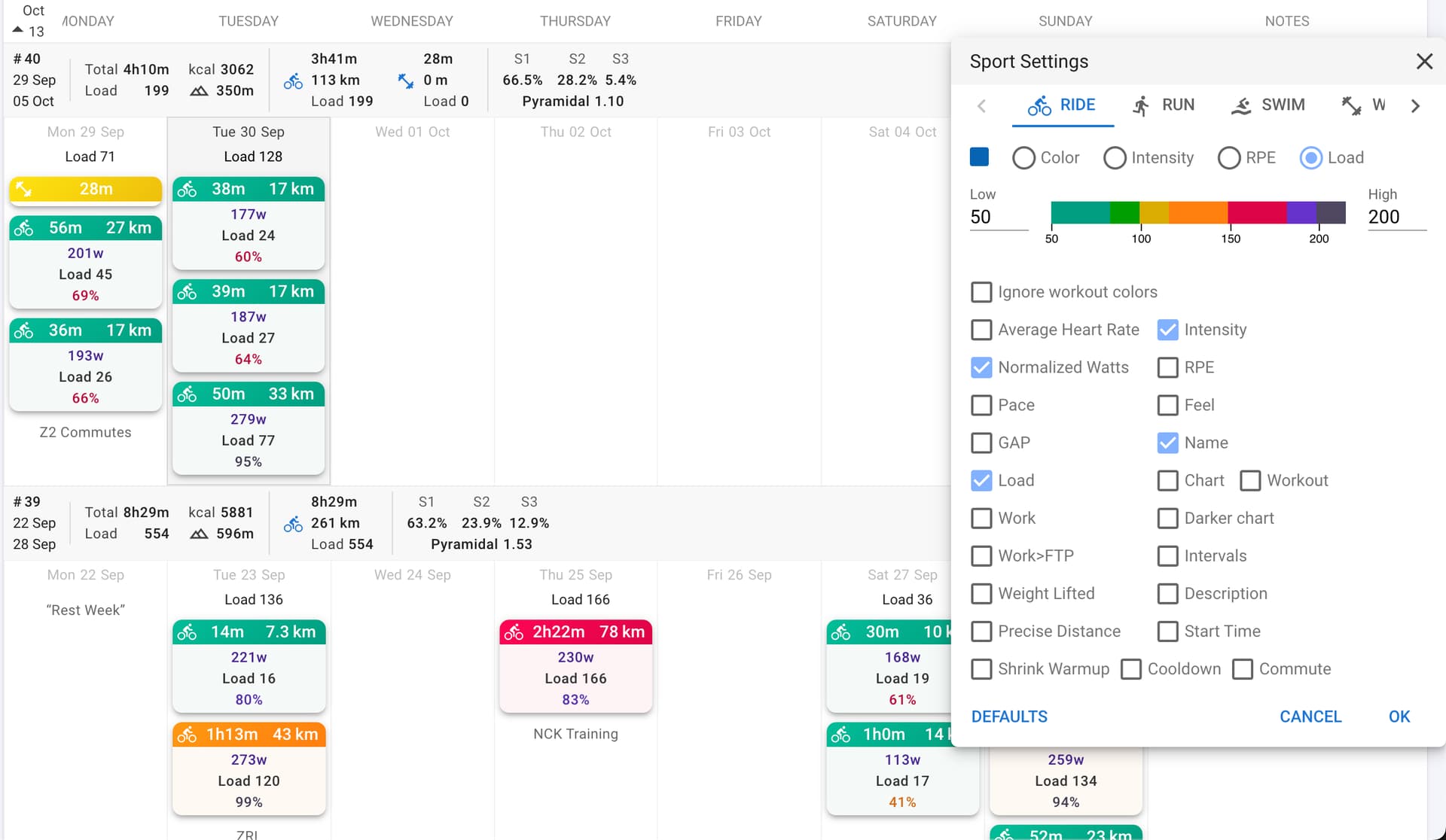
Hi everyone. How can I get the name of the event here (similar to the posts above?). And is it possible to have the values not stacked but next to each other to save some space?
Thanks
Uncheck Minimal in calendar options for the name.
Values are auto-adjusting and depend on which ones are selected. There’s no setting for that.
You can try multi-column (next to the above Minimal checkbox).
1 Like
I played around with the new “Edit layout” option, but wasn’t successful in adding back the planned-total-load-per-week based on my planned workouts. Any ideas which checkbox I have to set?
I don’t want to set a weekly target load for bike, run etc. I want to have it calculated based on my planned workouts.
Try this…
To make it look like this (planned total load based on the total load of planned individual workouts, showing up top, then progress bars beneath):
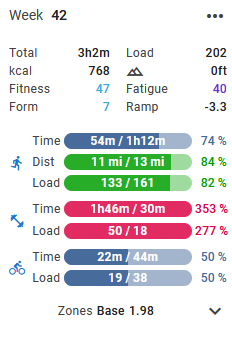
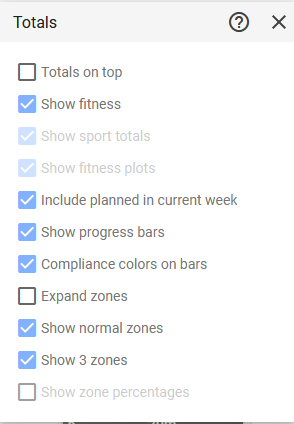
The go into Options > Edit Layout > Gearbox on top of summary and do this:
1 Like
Thanks @jmhpsu93 for the help.
I also selected “Show progress bar” to see the colored bars as in your screenshot, but I don’t fully understand what they mean.
Do they indicate whether I’m still on track with my planned workout total? For example, I have a bike ride scheduled for Sunday, but the progress bar already shows 100%, even though I haven’t done the workout yet. Either the term “progress bar” is misleading, or I’m missing something. How should I interpret these bars?
They don’t change colors until you either reach the end of the week or your target. Otherwise they stay blue. You can see I way overcooked my strength training this week by doing an unscheduled long session, and it turned red. I guess I could add back in the planned workout to make it green.
I don’t get it. I have a planned bike ride for tomorrow with a load of 100, my progress bar already shows 100/100 and is green. According to you, this should be blue and 0/100, right?
Maybe I do something wrong with my planned workouts?
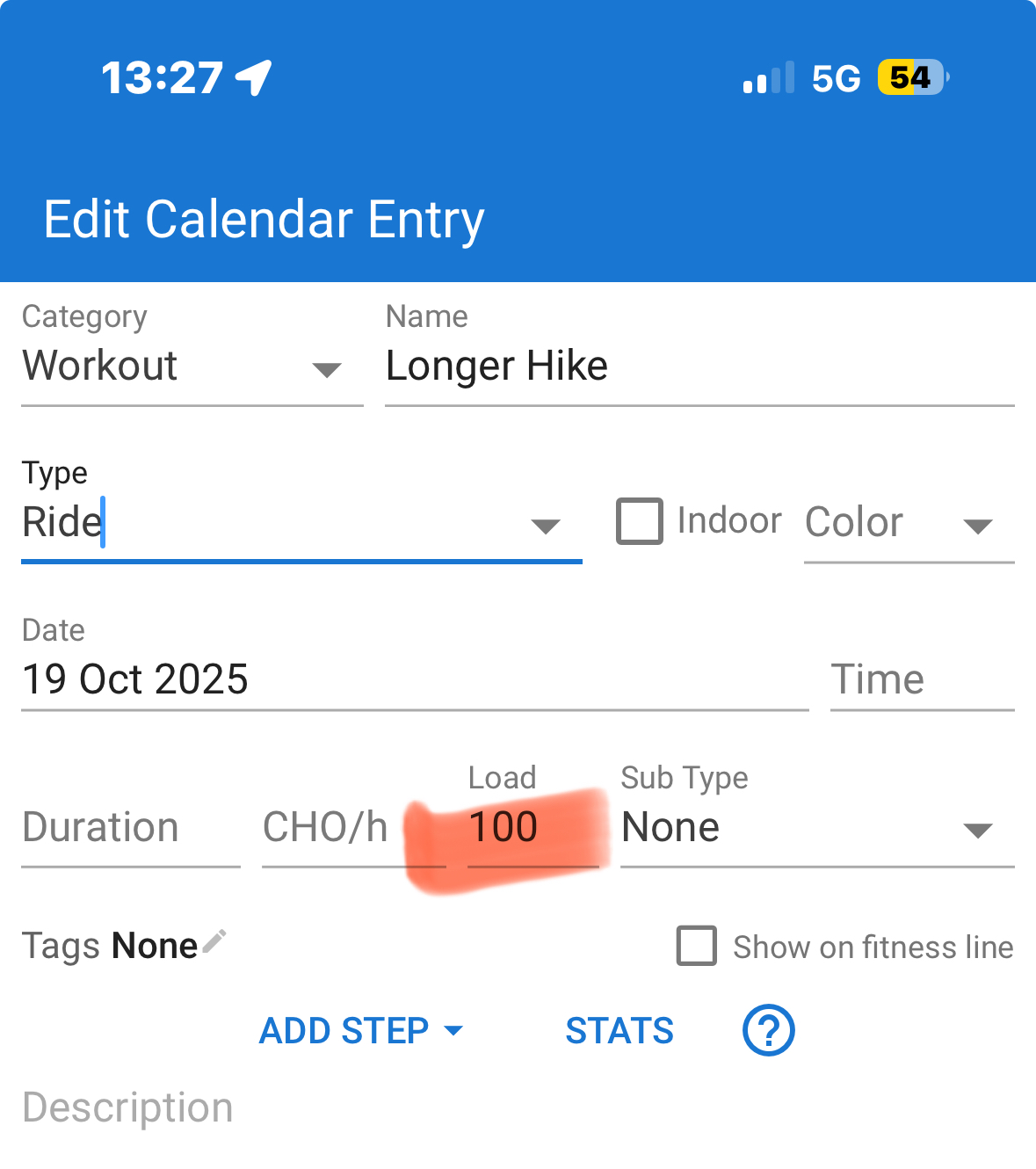
Do you also have week targets set?
No. I have not as @jmhpsu93 answered it will take it from my planned workout loads. I have now added values and the progress bars make sense.
So the idea is to set the total target per sport and optional loads for each planned workout?
Or what’s the best practice if I want to make sure to have a controlled progression on my training load?
I crated now an upcoming test week and did following:
- weekly training load is set to 140
- optional trining load on the workout is set to 140
Question: why is the progress bar already green and shows 140/140?
- The weekly training load is set to 90
- No workout training load
The progress bar is grey and shows 0%, that’s what i would expect. But the it’s not added up to the calculated total week load. Only the load 140 is adding up.
Obviously I’m doing something wrong here. Any help would be appreciated.

1 Like
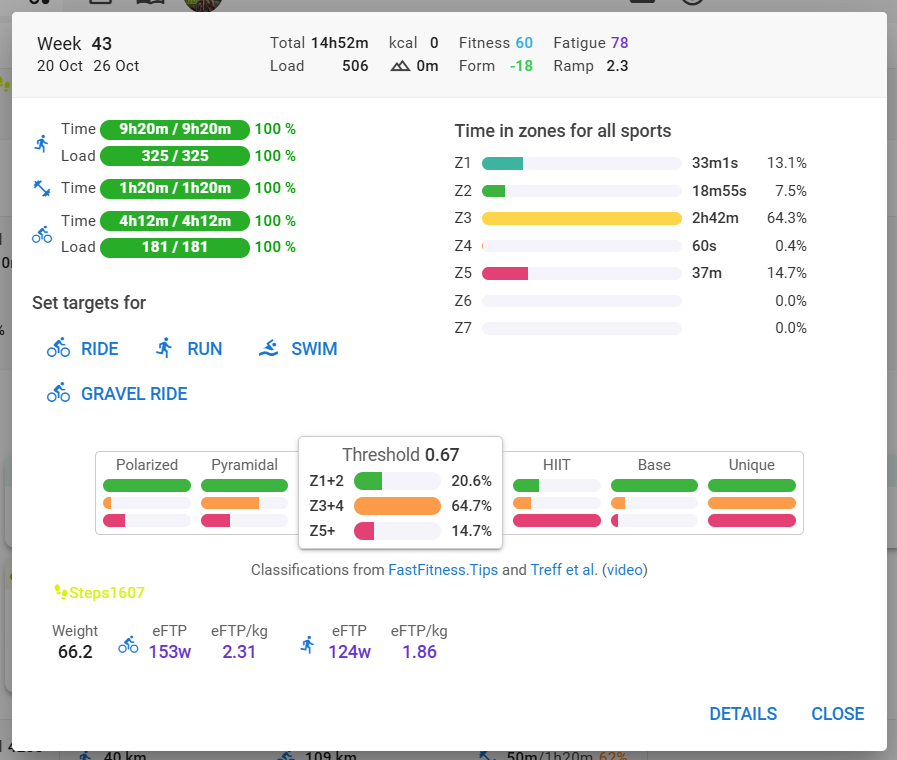
This is my week plan for the current week. Only workouts added to the calendar each with their estimated Load entered.
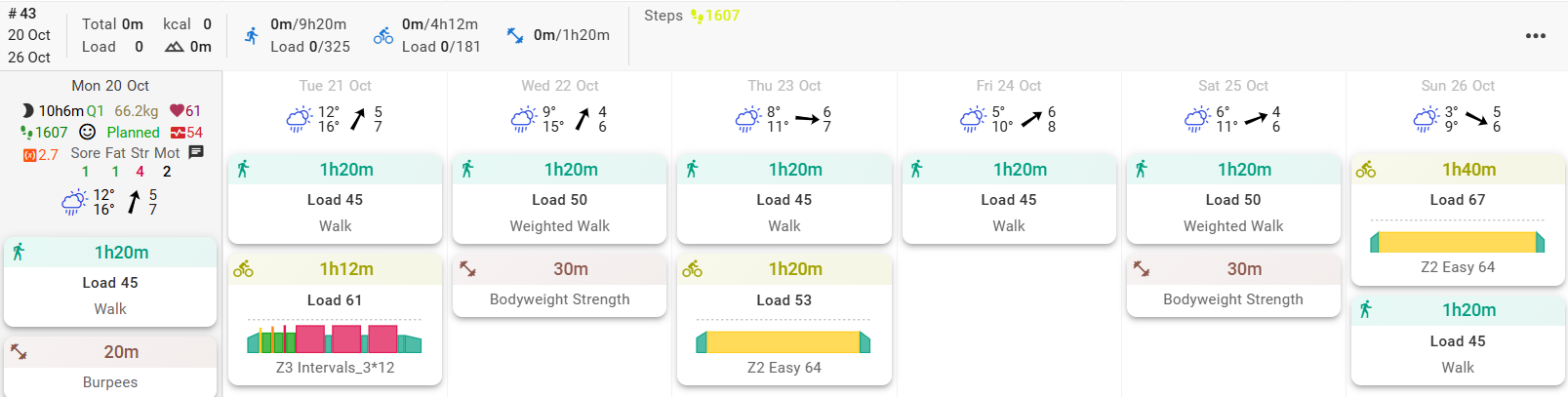
The week totals show a summary and will update after each workout done
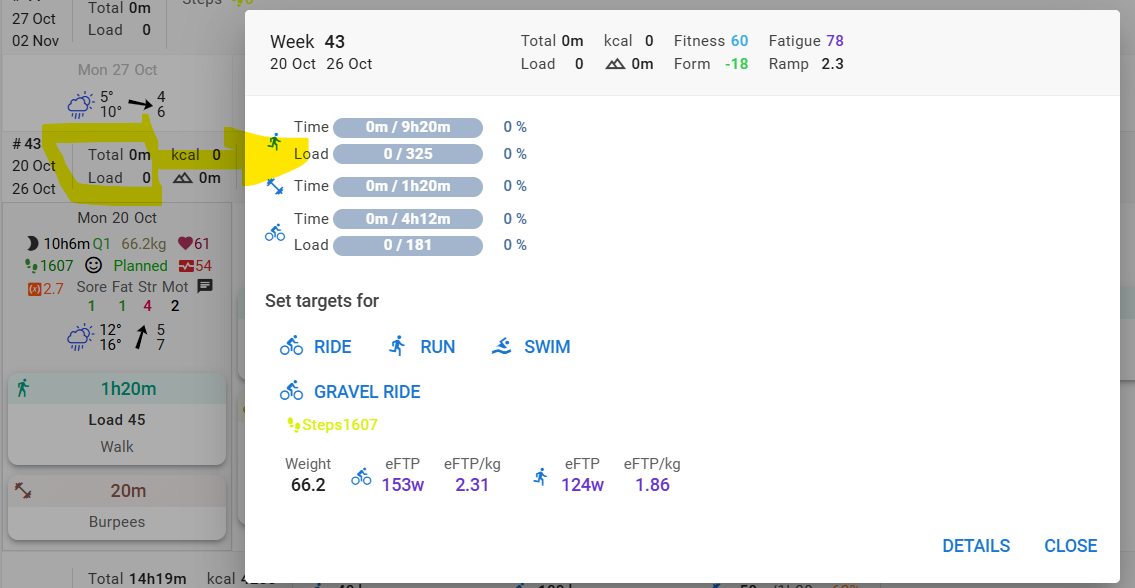
Setting a weekly target for Run Load (example 450) overrules the workout load estimate
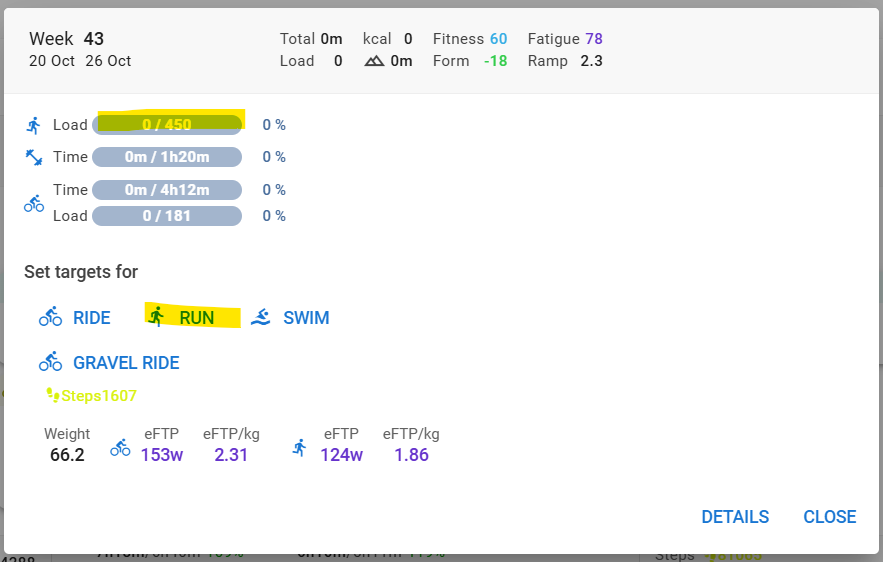
Removing the Week target for Run Load results in the initial situation which is the sum of all the workouts again.
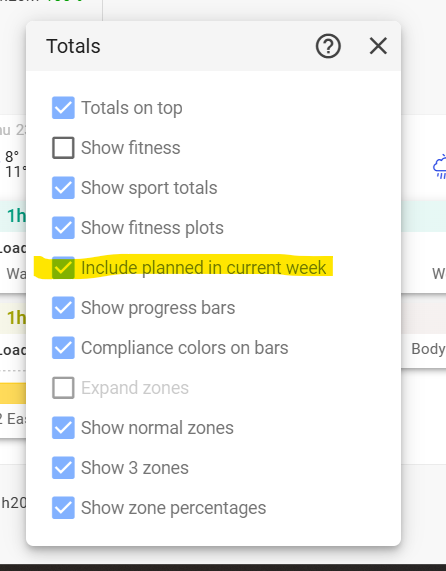
The settings for Totals display used are
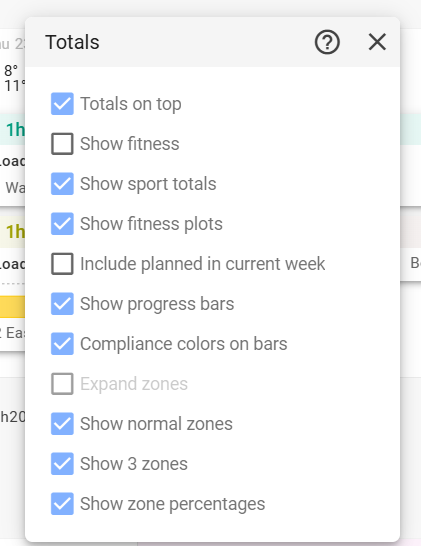
If you click the checkbox next to ‘Include planned in current week’, it will consider the planned ‘Done’
If I understand your question correctly, you just need to uncheck that box