Hi @david
Thank you for introducing the new endpoint.
If I were to comment, I would have added the upsert option as a query string parameter to adhere to the events/bulk structure. However, this is just my opinion.
For the events/bulk the upsert option was added later and I didn’t want to change the existing behaviour. This is a new endpoint and if you are using external_id then surely you also want upset, hence the “on by default” behaviour.
Hi David,
I’m trying to access my own athlete data via API using Basic Auth (API_KEY:my_key), endpoint https://intervals.icu/api/v1/athlete/109108/activities?oldest=2025-12-01&newest=2025-12-07
but always get 403 Access denied.
API key and athlete ID are correct.
Has /activities been restricted for personal API keys, or is there a new way to fetch workouts?
Nevertheless, you don‘t need the athlete id for this endpoint, you can use 0. https://intervals.icu/api/v1/athlete/0/activities?oldest=2025-12-01&newest=2025-12-07
If you still get a 403 error, double check your API Key.
yep - still getting an error with this URL - what should I check with the API Key? I created one, and regenerated like 3 times already (tks for replying btw)
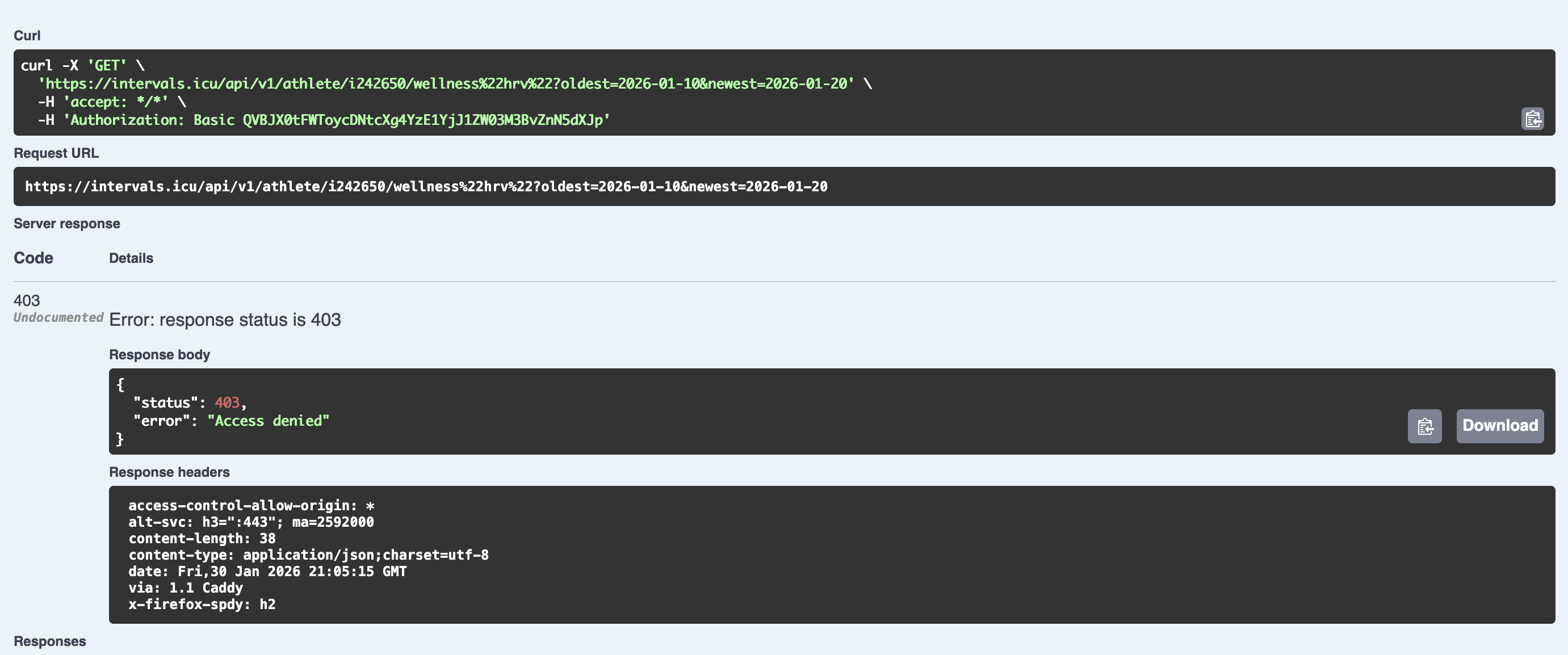
Do you try this in browser console? (Your screenshot looks like that)
If so, I am not sure, if that works at all, I think the browser only sends tokens from cookies, but not sure about this. You could check, if the header was really sent.
Did you try it on this page, there you can „play“ with the API
(You can authorize before using it at the top of the page)
Hi,
I’m trying to use the Intervals.icu API.
My API key returns 401 on /api/v1/athlete/me
and 403 on /api/v1/athlete/i488249/activities.
Could you please enable API access for my account?
There’s nothing to activate. You are doing something wrong…
The athlete id must start with an ‘i’
The user for the API is the literal string ‘API_KEY’
The Api-key is found at the bottom of the settings page.
Example:
curl.exe -u API_KEY:1kjhfg8952s2u3h3tyhmnof https ://intervals.icu/api/v1/athlete/i1xxxx7/activities?oldest=2022-11-15^&newest=2022-11-21
Hi,
just a quick update: I’ve fixed the 403 errors on my side — authentication is now working.
I only have Garmin connected to Intervals.icu.
One remaining issue:
today’s WeightTraining activity (recorded on Garmin) does not appear in the Intervals.icu calendar, even though wellness metrics and CTL/ATL are updated.
You don’t need any activation. This comes probably from AI, but it’s halluscinating! You can create any workout with API “out of the box”. No activation needed. You just need the correct end points and correct authorization.
I’m using the Intervals.icu API to upload planned workouts via a coaching integration.
Could you please enable structured workout creation via API for my account?
Athlete ID: i50055
Thank you very much for your help and for all your great work on Intervals.icu!
Hello, I’ve been trying to upload values to bloodGlucose and custom wellness fields, but I keep receiving 403 errors. This is the first time I have worked with any sort of API calls so I’m not super sure what I’m doing either. Using SwaggerUI I get 403s and I have no clue why. I have reset the API key multiple times, once it worked for about 10 minutes, but shortly after it stopped working again. Could anyone help me with this?


 (tks for replying btw)